Fireworks VSCode Extension
VS Code extension for Fireworks, the live coding library for Clojure, ClojureScript, and Babashka.
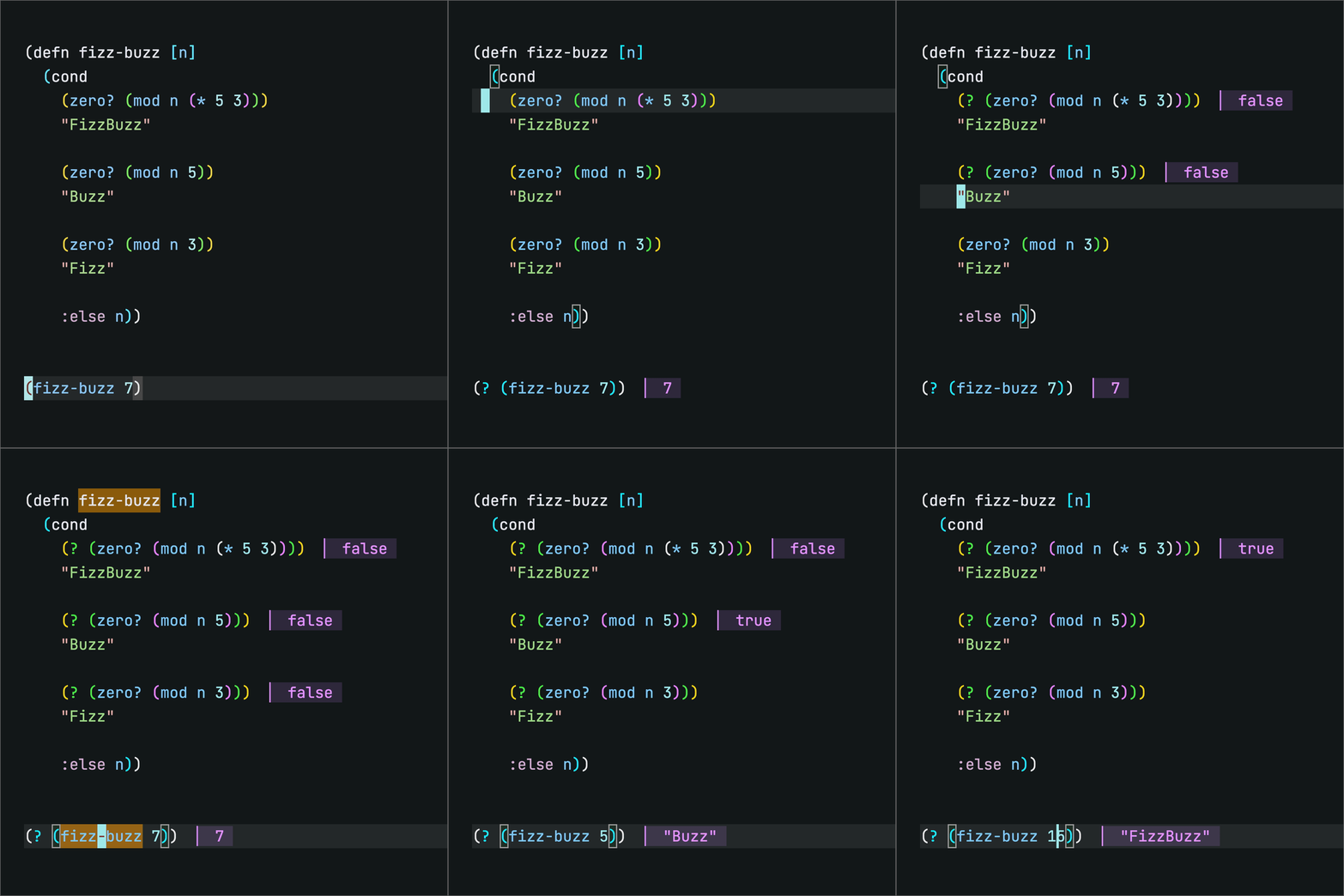
This extension provides a commands which fall into 2 main categories:
A cohesive set of operations to toggle the different Fireworks macros on forms in your editor. You can operate on one form at a time or several nested forms at a time.
Live Code mode activates real-time, inline results of wrapped forms. These results are also printed in hi-fidelity color, with annotated file info, in the terminal your project is running in.
Install
In VS Code, open Extensions (cmd/ctrl+shift+X), search Fireworks.
Click Install on the result that reads Fireworks, Live Coding for Clojure.
Or, install from the Visual Studio Marketplace.
Or, from a .vsix: Extensions: Install from VSIX.
Requirements
- Calva (hard dep).
- Java + Node 22+ (for Live Code).
Commands
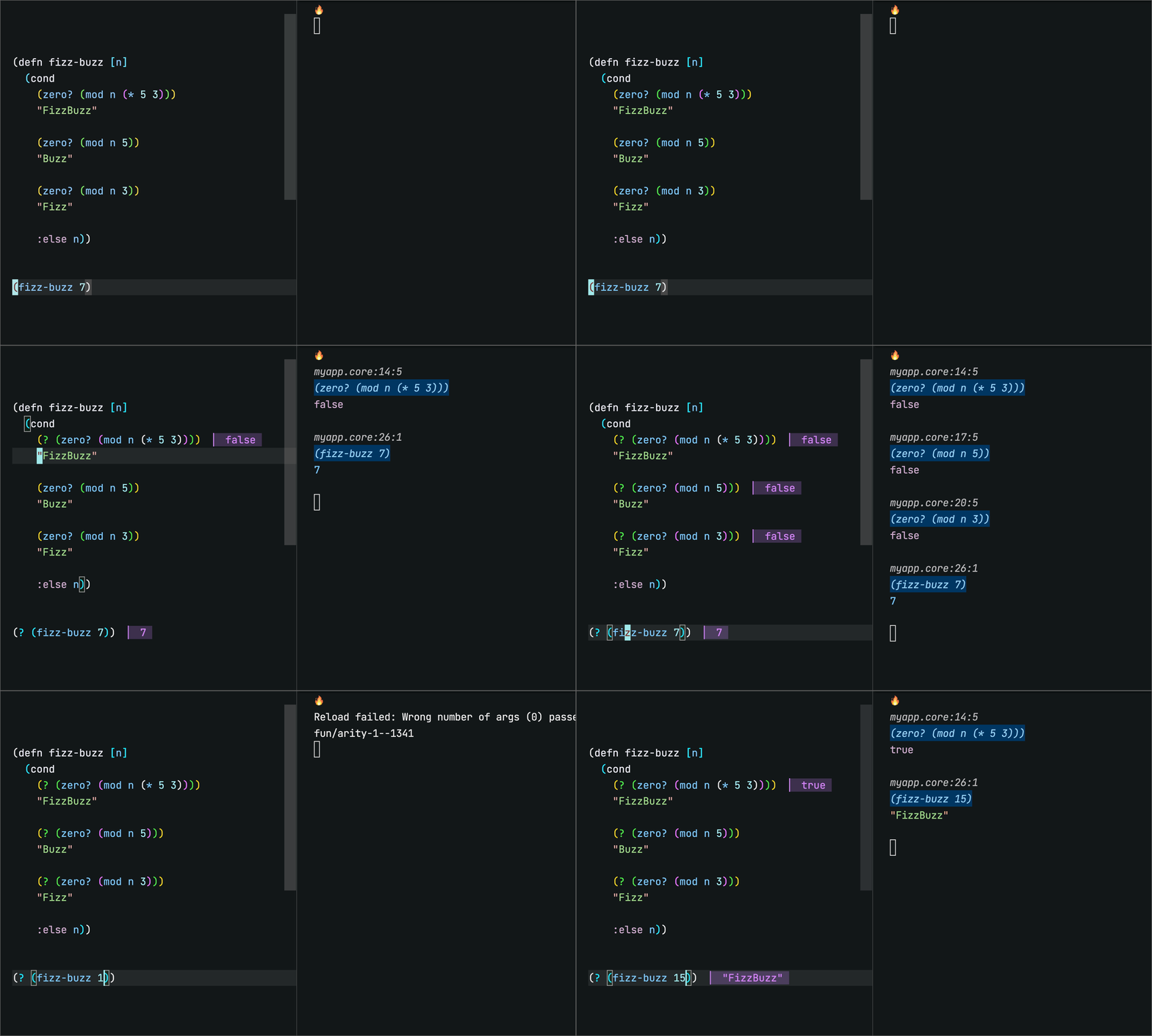
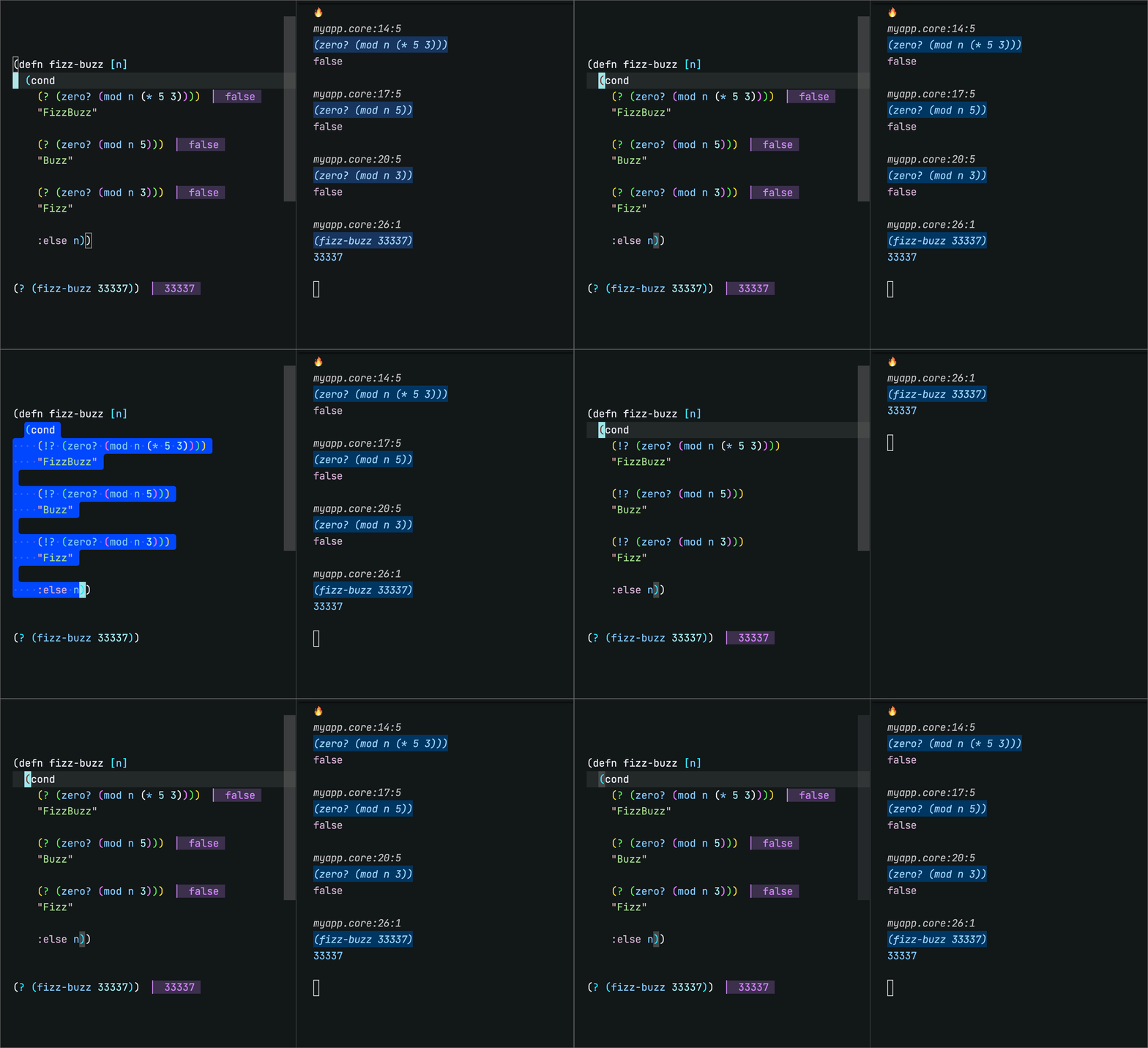
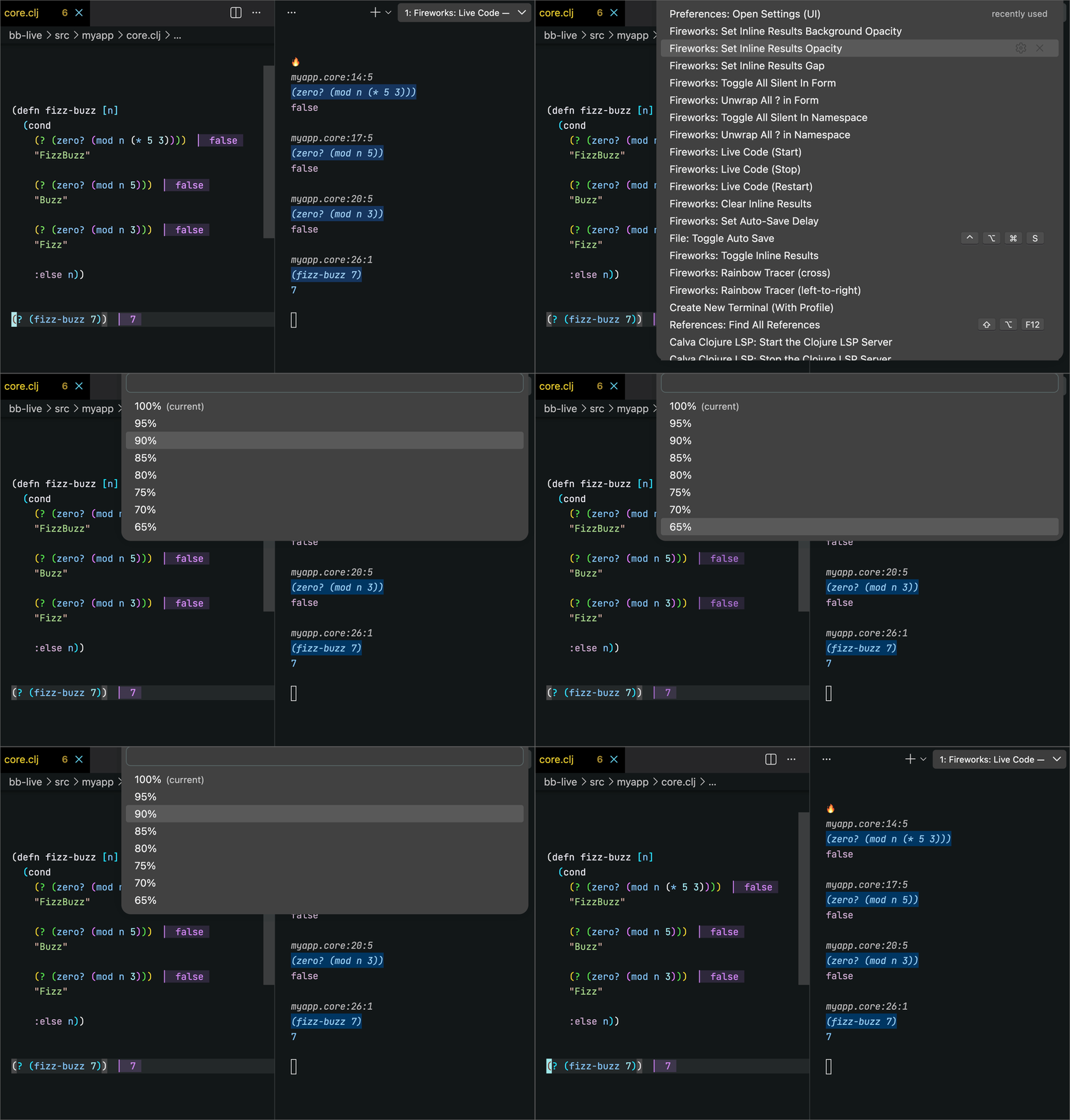
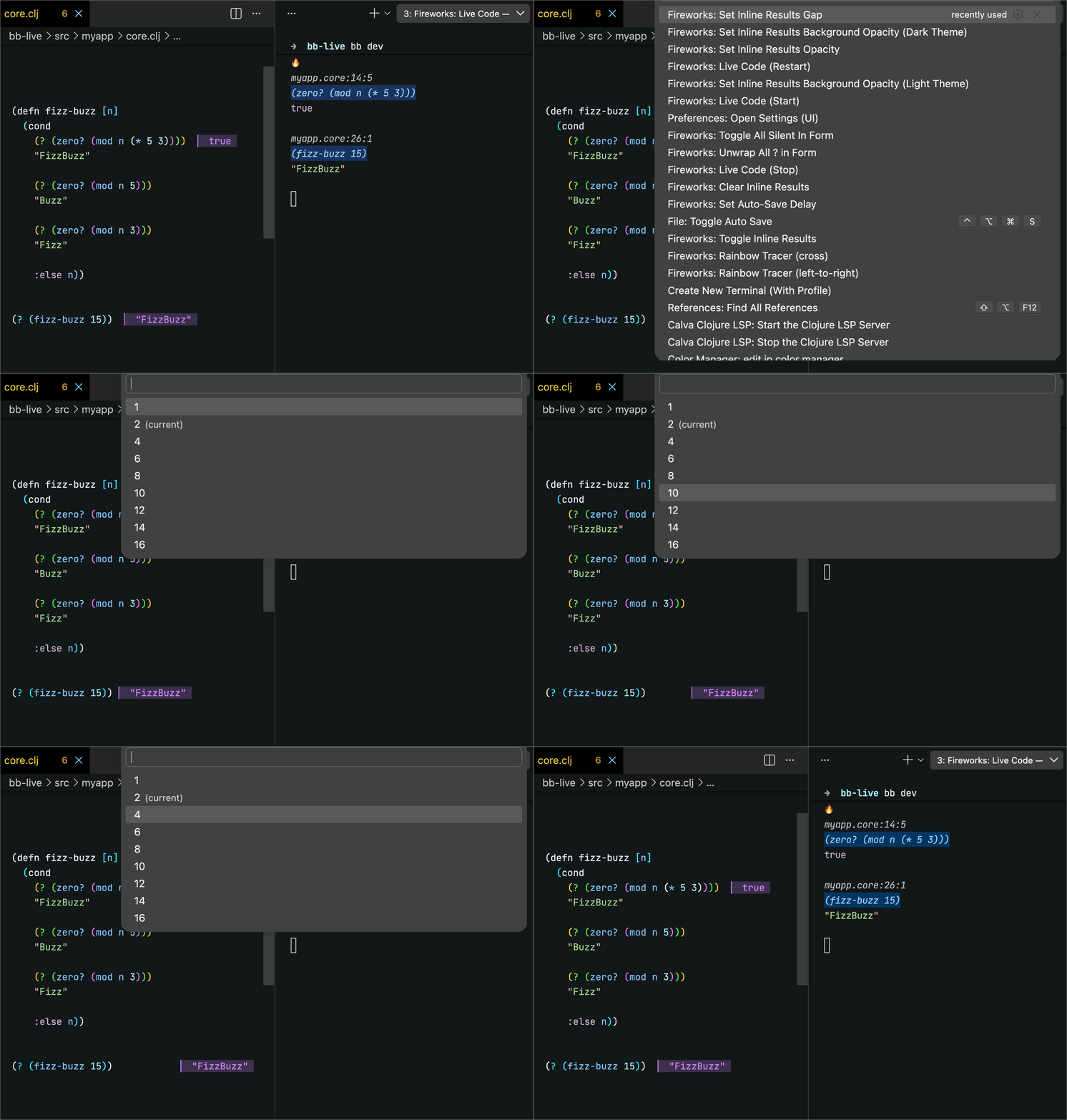
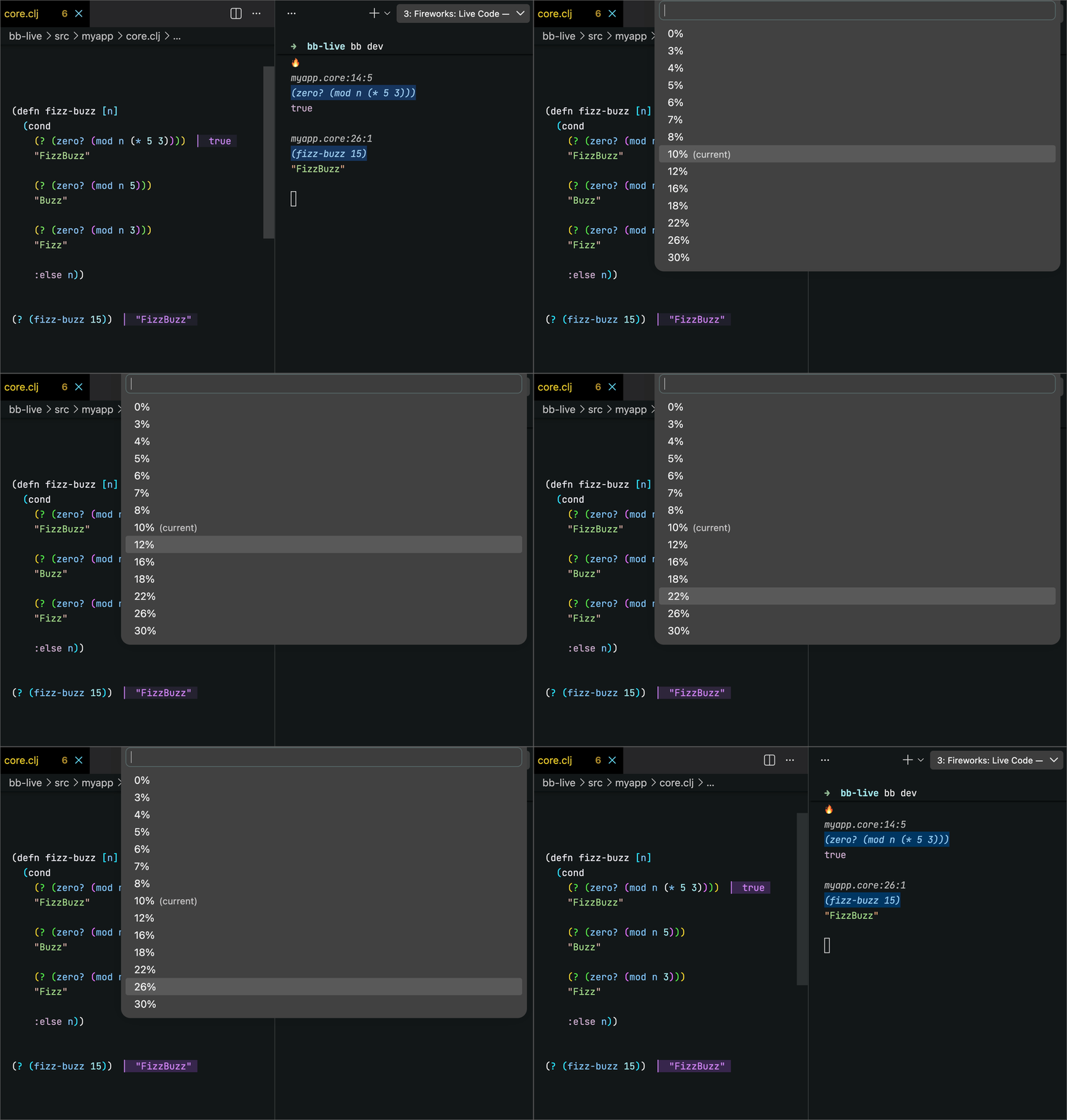
All screenshots below show Fireworks Live Code running with an integrated terminal (on right). Theme is Alabasjer Dark.
Toggle ?
Wrap form in ?. Fire it again to unwrap. Default keybinding: cmd/ctrl + '.
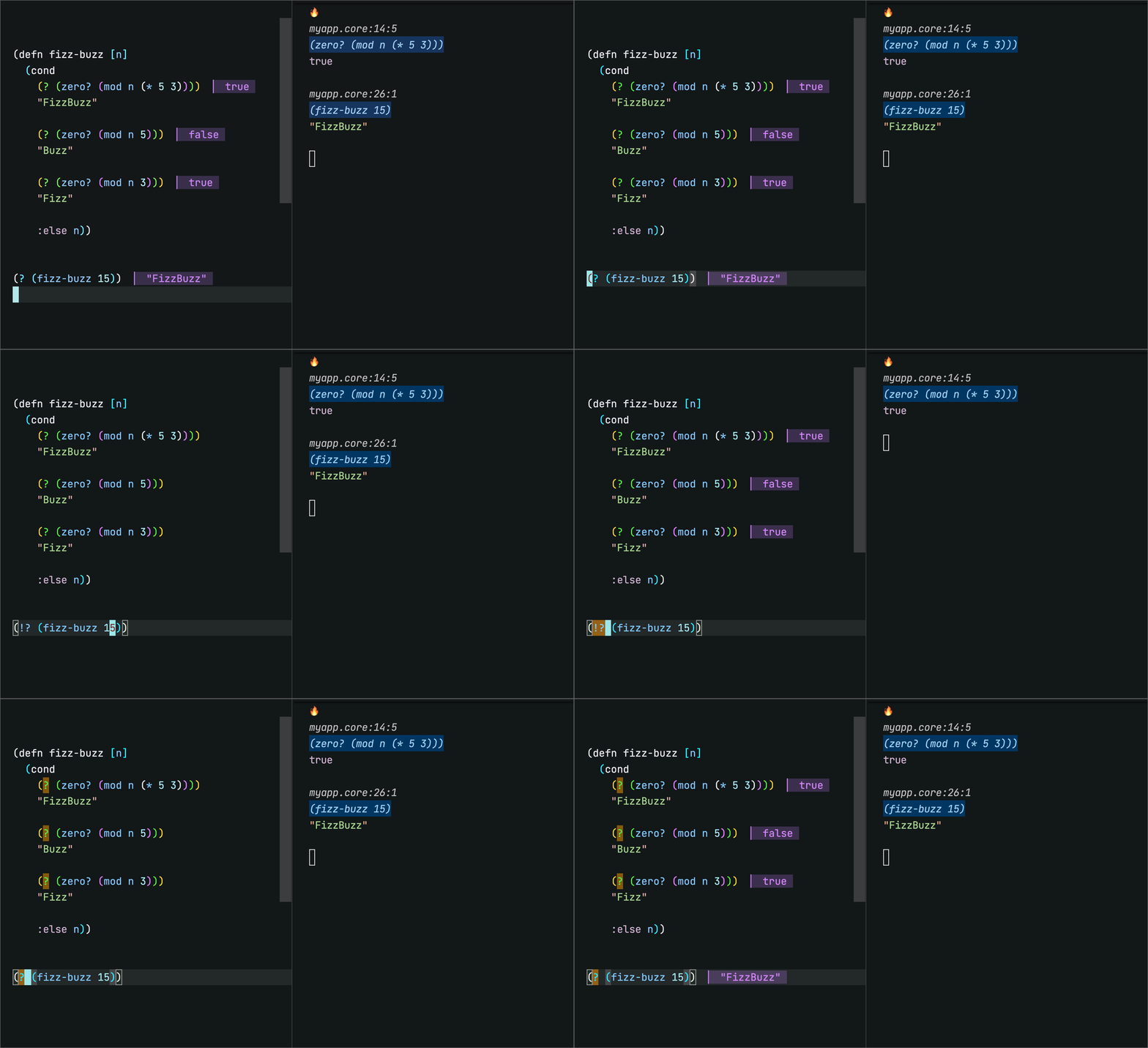
Toggle ? (loud ↔ silent)
This is the exact same command as above, but it does something different when cursor is on the ? form itself. It will toggle ? ↔ !? (loud ↔ silent).
Unwrap every Fireworks wrap inside the current form. Works on all the macros: ?, !?, ?>, !?>.
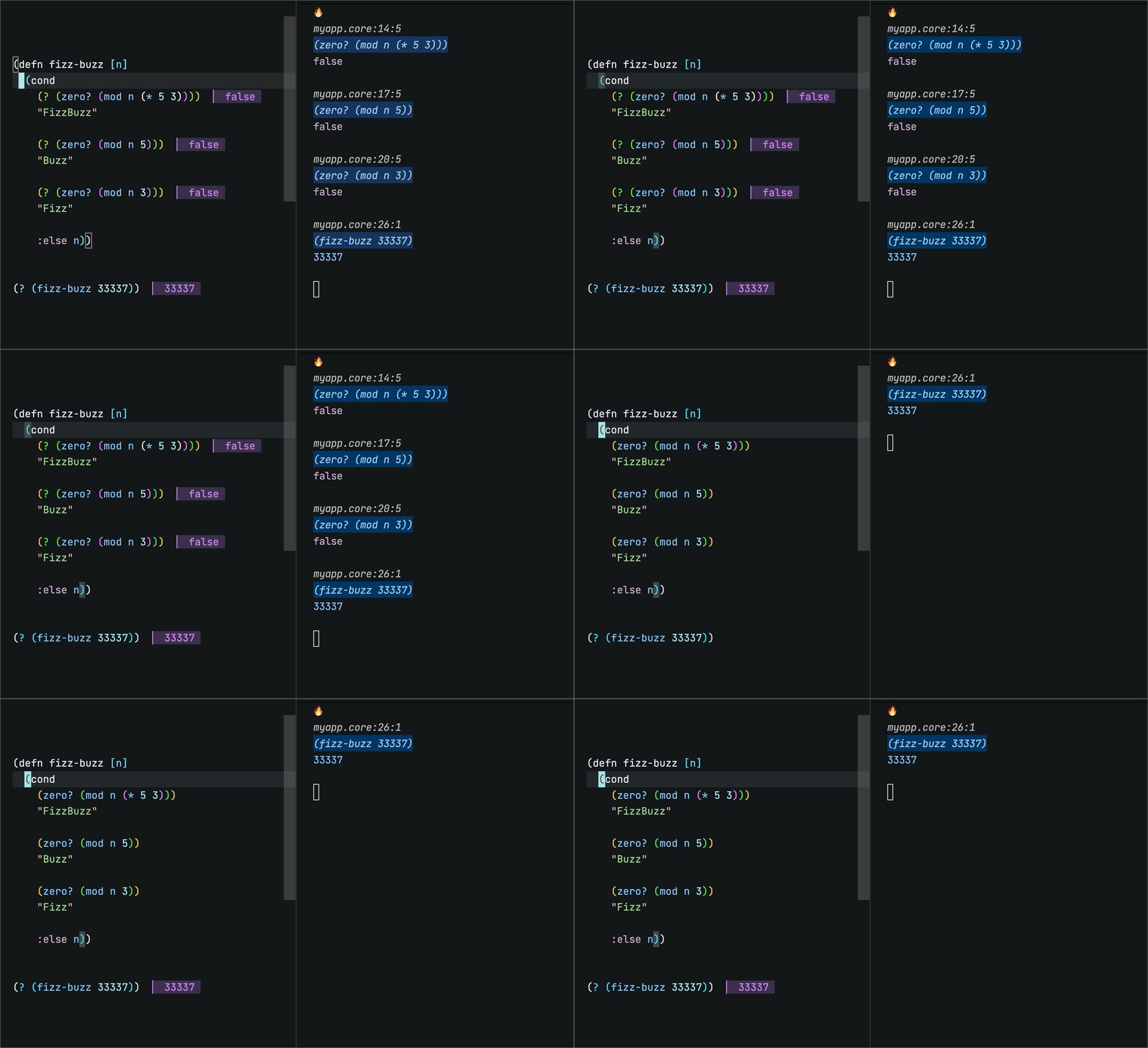
Toggle every wrap in the form e.g. ? ↔ !? (loud ↔ silent).
Set Inline Results Color
Pick the inline value Color. Live preview.

Set Inline Results Foreground Opacity
Pick the inline value text opacity. Live preview.
Set Inline Results Gap
Pick the gap before the inline value. Live preview.
Set Inline Results Background Opacity (Dark Theme)
Pick the background tint strength for dark themes. Live preview. (Light theme has its own command.)
Live Coding
Usage Overview
Run the command Fireworks: Live Code.
The extension will analyze project roots in workspace and present you with a list of eligible projects.
Then, the extension analyzes the project's build file, and present you with a list of eligible profiles to choose from.
You then choose between starting the process in an integrated terminal, or in your preferred external terminal. (You can set a default for this going forward with Fireworks: Set Terminal Location).
If you choose an integrated terminal, a build process and file watcher starts running in terminal.
If you choose an external terminal, you will be shown a guidance tab.
On each file save (in an active editor), all the ? forms will re-run and fresh results paint inline.
Fireworks: Live Code (Stop/Restart) will reuse the same project pick.
For more info on how this works, and using with/without a REPL connection, see this section
Pro Tips:
Use File: Toggle Auto Save. This command is built into VSCode. Depending on what you are working on, Auto Save may or may not be appropriate. If it suites your project, this is highly recommended as it takes the Live Code experience to a whole other level. You can easily tweak the Auto Save Delay with Fireworks: Set Auto-Save Delay.
Customize the color of the inline results with Fireworks: Set Inline Results Color.
Customize the opacity of the background and foreground, as well as the offset gap, of the inline results with corresponding Fireworks commands.
Set the theme of the Fireworks terminal output with Fireworks: Edit or Create a Printing Options config.edn.
If you don't already have one, you need to save the config.edn in ~/.config/fireworks/config.edn or ~/.config/bling/config.edn. You'll also need to export an environment variable on your system for this theme to be active globally, more details on this here.
Clojure Projects
A Clojure project is a candidate for Live Coding if it contains a deps.edn or a project.clj.
Deps Projects
- Run command
Fireworks: Live Code (Start)
- Pick a deps-based project from the quicklist menu.
- A new quicklist of alias from selected project will appear. Pick an alias from that project.
The Extension will run clojure -M:<alias> in terminal.
You own the alias. It must pull in test-refresh + Fireworks deps.
The extension also looks for a .test-refresh.edn at your project root, then ~/.test-refresh.edn. No .test-refresh.edn anywhere? Extension seeds one from template.
Save file → watcher re-runs all forms wrapped with? → results paint.
Leiningen Projects
- Run command
Fireworks: Live Code (Start)
- Pick a Leiningen project from the quicklist menu.
- A new quicklist of eligible profiles will appear. Pick a profile.
A profile is eligible when it carries the lein-test-refresh plugin.
The Extension will run lein with-profile +<profile> test-refresh in terminal.
This is the one runtime where the extension may touch your build file. Plugin missing, or the :test-refresh map missing? Extension offers to add it. Edits are additive, keep your formatting and comments, and always sit behind a confirm modal.
No profiles at all? Extension takes a read-only look at ~/.lein/profiles.clj :user. Plugin and :test-refresh both there? It runs plain lein test-refresh. Otherwise it opens a setup guide. Global config is never touched.
Save file → watcher re-runs all forms wrapped with ? → results paint.
Babashka Projects
A Babashka project is a candidate for Live Coding if it contains a bb.edn with a task that loads the Fireworks watcher.
- Run command
Fireworks: Live Code (Start)
- Pick a Babashka project from the quicklist menu.
- A new quicklist of eligible tasks will appear. Pick a task.
A task is eligible when its body runs (load-file ".fireworks/bb/watch.clj"). This is how you opt in. A bb.edn kept only for build scripts is not mistaken for a watcher.
The Extension will run bb <task> in terminal.
If an existing .fireworks or .fireworks/bb/watch.clj does not existing, the extension seeds .fireworks/bb/watch.clj from template (will not overwrite an existing one).
The watcher self-loads the fswatcher pod, so no :pods entry is needed in your bb.edn. It reads optional settings from .fireworks/config.edn.
Save file → watcher reloads the file → all forms wrapped with ? re-run → inline results re-paint.
How it works
No REPL necessary
You do not need to have a REPL connected to your editor for Live Code to work, as it uses test-refresh in :debug mode under the hood to reload namespaces based one what changed (no tests are run). If you want to also run tests will debugging, you can set :debug to false in your project's .test-refresh.edn.
REPL Friendly
Conversely, the fireworks macros will produce inline results in the scenario where you are not running the test-refresh based Live Code flow, but you do have a REPL connected and are evaling the file or forms with ? in them. In order for this scenario to work, you must have a .fireworks dir setup at the root of your project, and a valid profile with the deps that Live Code needs. You can set this up by running Fireworks: Live Code (Start). This will add the missing pieces to your project (gated on your confirmation). You can then kill the process that it starts in the terminal by running Fireworks: Live Code (Stop). And then when you do Calva: Load/Evaluate Current File and its Requirements, all the inline results for wrapped ? forms should be refreshed.
Developing
Requires Java and Node 22+.
You need two watchers running before launching the F5 host window.
ClojureScript — recompiles the cljs library on change:
npm run watch-cljs
TypeScript — recompiles the extension entry point on change:
npm run watch-ts
After either watcher recompiles, reload the F5 host window (Developer: Reload Window) to pick up the changes. A stale host window will silently run old code even if the watcher output looks current.
To run the cljs tests without the watcher:
npm run test-cljs
Note: test-cljs does not rebuild the :cljs-lib output that the extension loads. Run compile-cljs (or keep watch-cljs running) when you need the extension itself updated, not just the tests green.
Updating the deps that extensions uses in templates
To update the dependency coordinates that the extension uses to automatically add to project files, change them via:
fireworks.vs-code.versions
Republishing the extension
- Update Changelog
- Bump
version in package.json.
- Run
npm run compile (full build: cljs + TS).
- Run
npm run package to produce the .vsix.
- Go to the Visual Studio Marketplace publisher page, find the Fireworks listing, and drag the
.vsix onto it.
For just publishing minor patch:
vsce publish patch
This command will automatically update your package.json to the next patch version (e.g., from 1.0.4 to 1.0.5), create a Git version commit and tag (if you are in a Git repository), and publish the new version to the Marketplace. Your users will then receive the fix via standard automatic updates.
License
EPL-2.0 OR GPL-2.0-or-later WITH Classpath-exception-2.0. © Jeremiah Coyle.

