

Conventional Comments for PR ReviewsLabel your pull request review comments in VS Code with Conventional Comments, such as
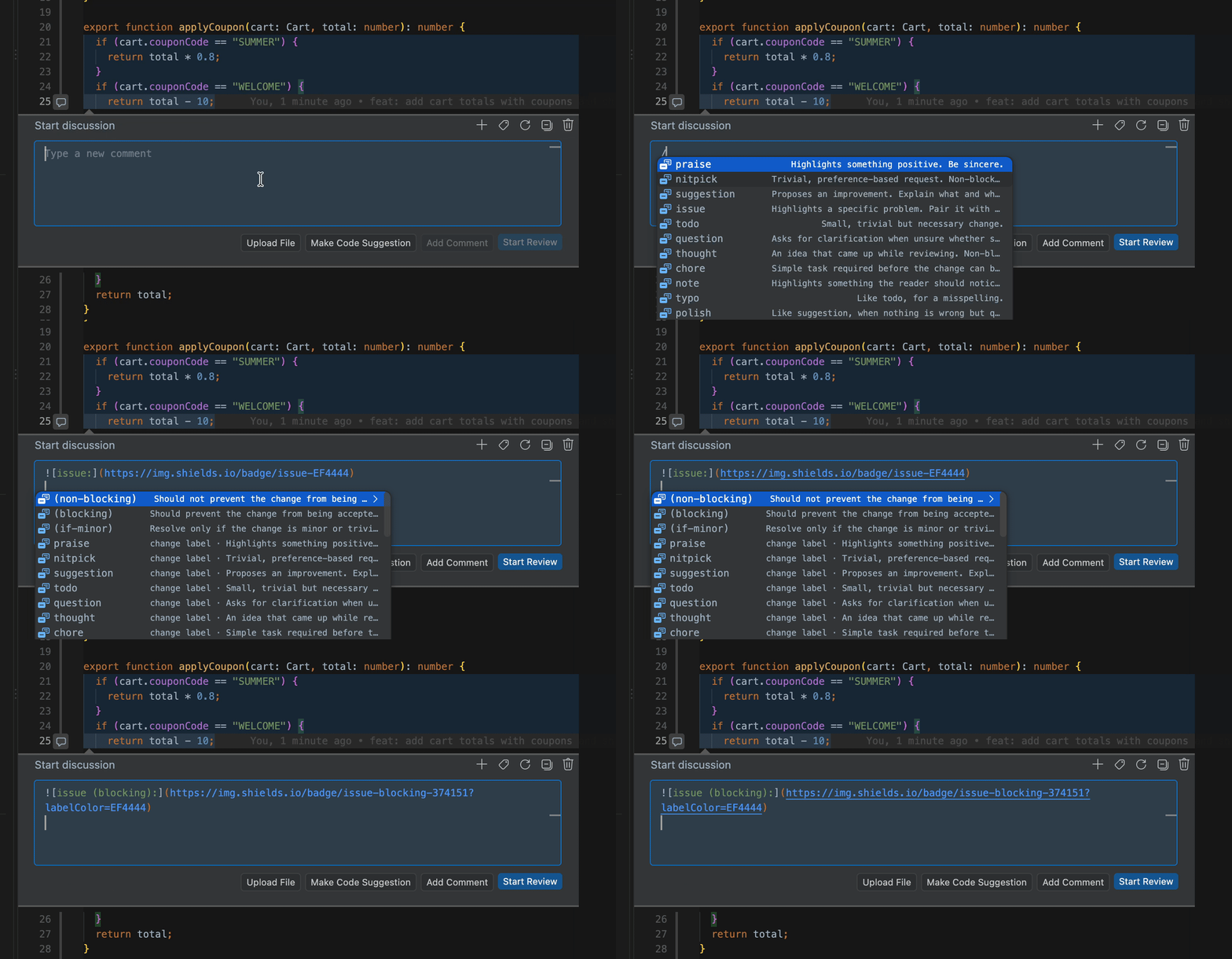
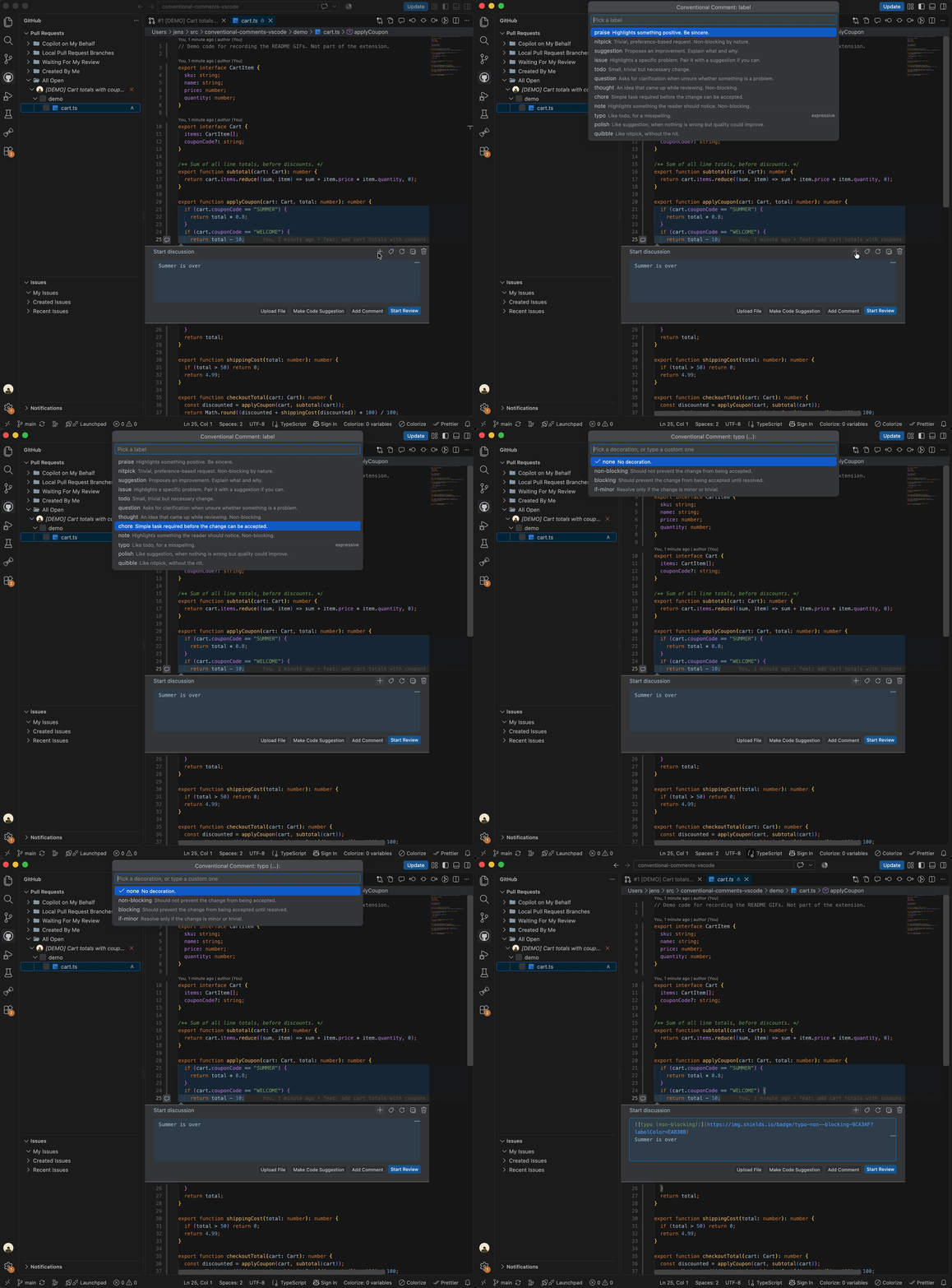
Conventional Comments make review feedback easier to read. Everyone sees at a glance whether a comment is praise, a question or a blocking issue. This extension adds the labels to the comment boxes of the GitHub Pull Requests and GitLab Workflow extensions, and to any other extension that uses VS Code's comments API. Features
UsageType
|

| Label | Use for |
|---|---|
praise |
Highlights something positive. |
nitpick |
Trivial, preference-based request. Non-blocking by nature. |
suggestion |
Proposes an improvement. Explain what and why. |
issue |
Highlights a specific problem. |
todo |
Small, trivial but necessary change. |
question |
Asks for clarification when unsure whether something is a problem. |
thought |
An idea that came up while reviewing. |
chore |
Simple task required before the change can be accepted. |
note |
Highlights something the reader should notice. |
typo, polish, quibble |
Optional expressive labels. |
| Decoration | Meaning |
|---|---|
(non-blocking) |
Should not prevent the change from being accepted. |
(blocking) |
Should prevent the change from being accepted until resolved. |
(if-minor) |
Resolve only if the change is minor or trivial. |
The pickers set one decoration. Several comma-separated ones written by hand, like (security,if-minor), are recognized and kept.
Keyboard shortcut
Cmd/Ctrl+Alt+C opens the picker while a comment box is focused. It's only a default: run Conventional Comments: Change Keyboard Shortcut to record another key, or add this to keybindings.json:
[
  { "key": "ctrl+shift+l", "command": "conventionalComments.insertLabel", "when": "commentEditorFocused" },
  { "key": "cmd+alt+c", "command": "-conventionalComments.insertLabel" }
]
Settings
| Setting | Default | Description |
|---|---|---|
conventionalComments.defaultFormat |
badge |
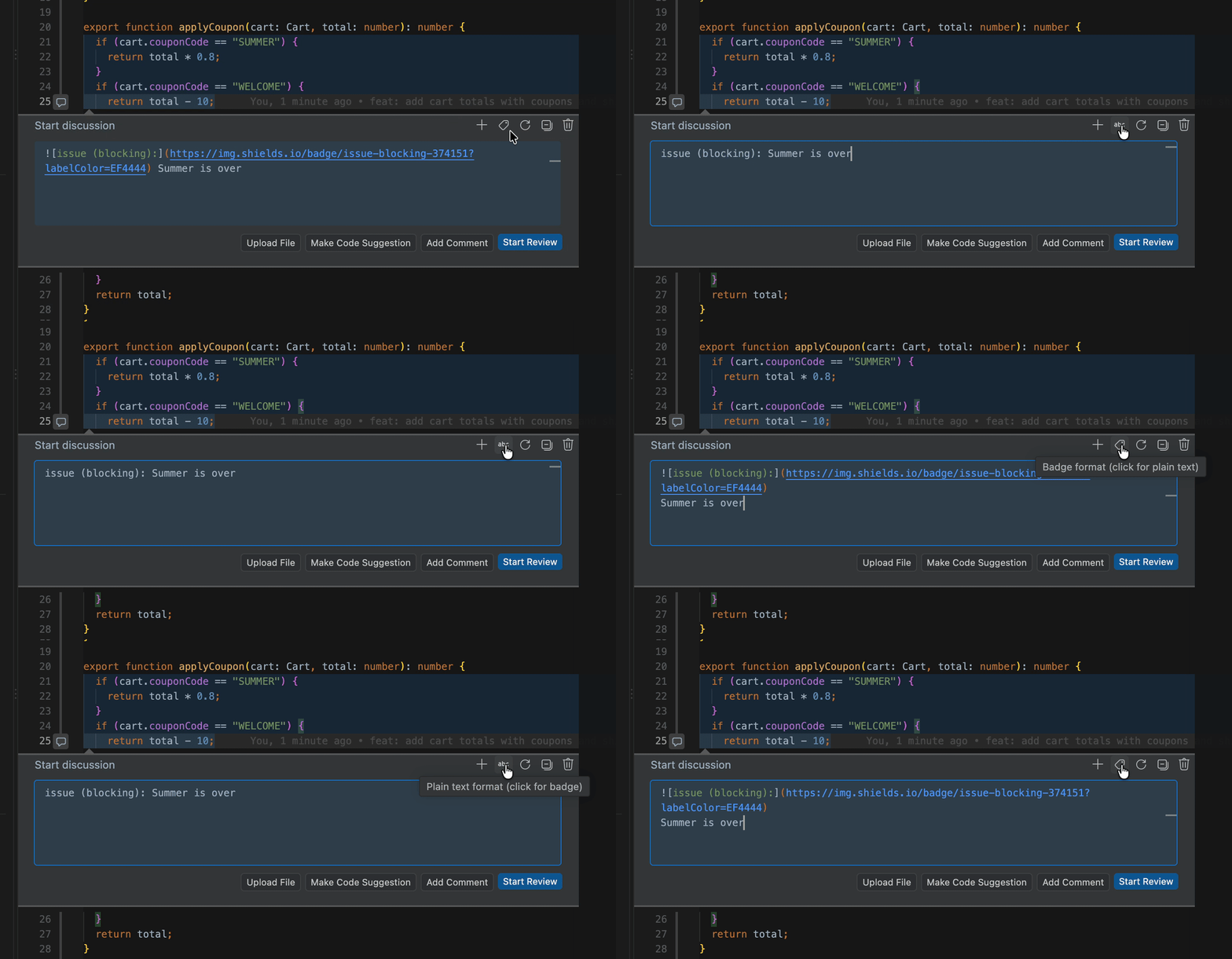
How new labels are written: badge or plain. Existing labels keep their format. |
conventionalComments.showHeaderButtons |
true |
Show the + and format buttons in comment thread headers. |
Requirements
An extension that provides pull request comment threads in VS Code, such as GitHub Pull Requests or GitLab Workflow.
Known limitations
- Which box the header buttons edit: VS Code doesn't tell extensions which comment box belongs to which thread, so the buttons act on the box you last typed in. With several threads open, click into the box first.
- Ctrl+Space on macOS: it often switches the input source instead. Use
/or Cmd+Alt+C. - Badges in VS Code: they render on GitHub and GitLab. VS Code's own comment view may show the image markdown instead.
Install
- VS Code: install from the Marketplace, or run
ext install jbrulmans.conventional-comments-vscodein Quick Open (Cmd/Ctrl+P). - Cursor, Windsurf, VSCodium: install from Open VSX.
Contributing
Issues and pull requests are welcome. See CONTRIBUTING.md for setup, tests and the release process.
Release notes
See CHANGELOG.md.