Preview
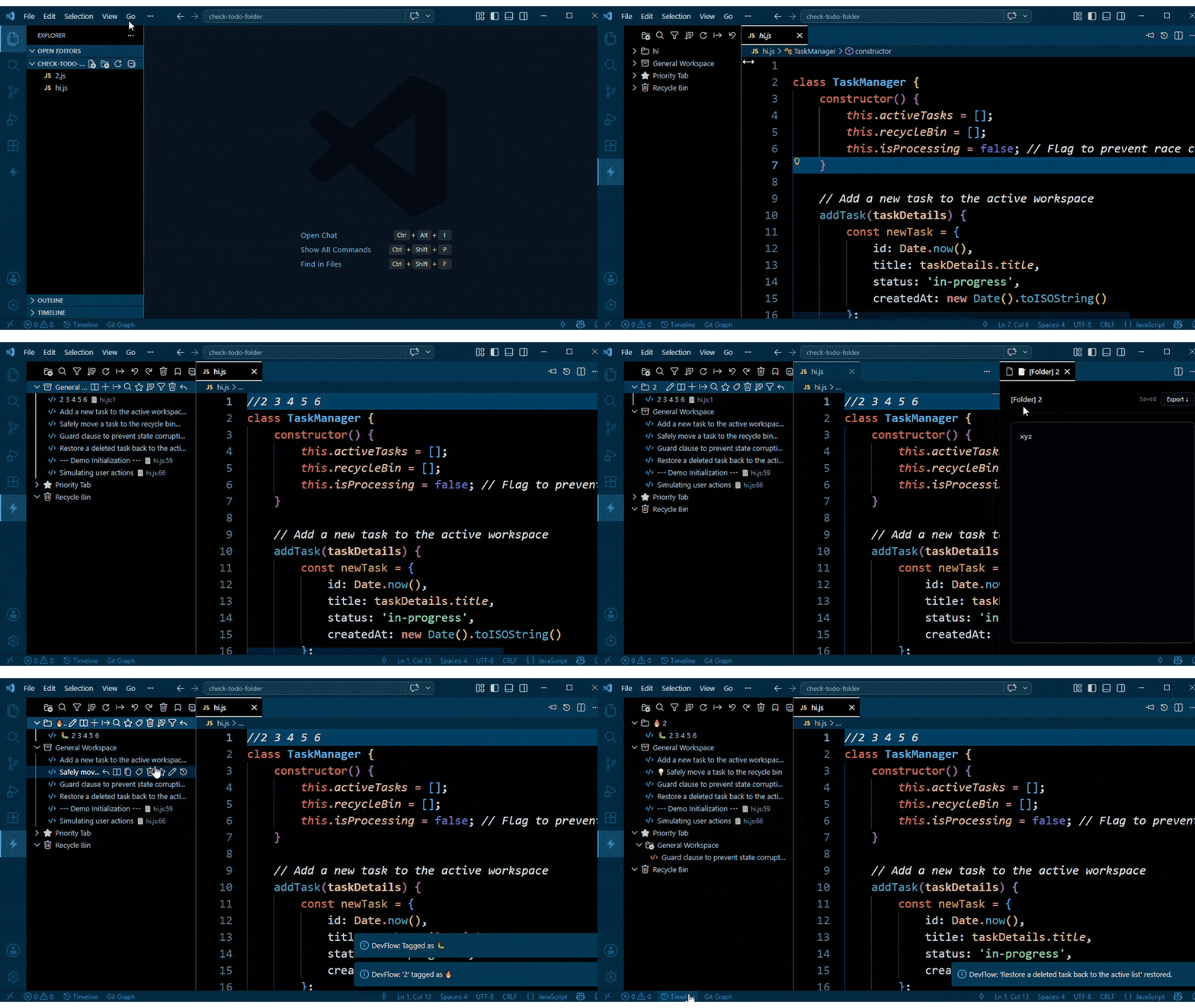
Workspace and Task Manager
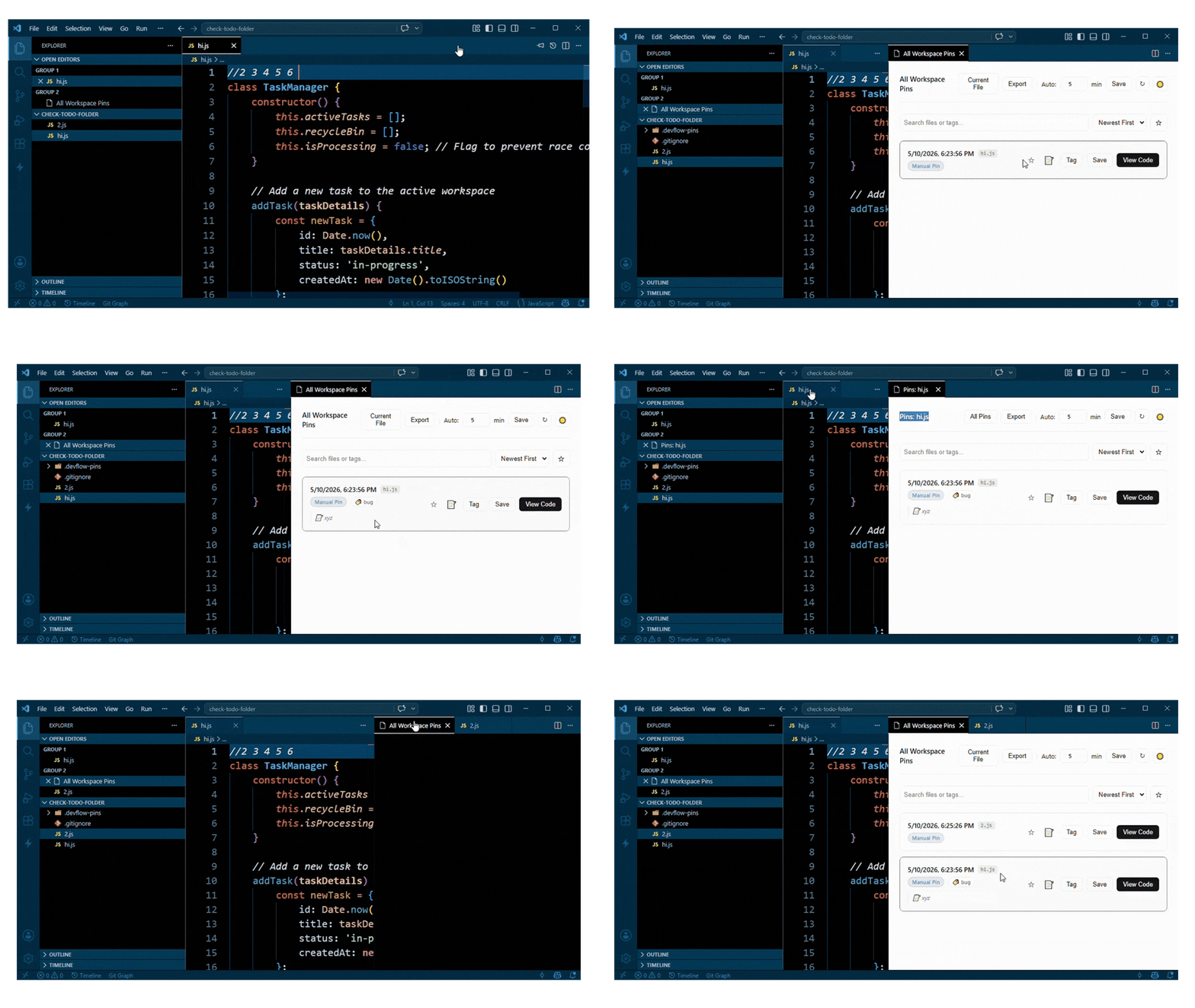
Local Pin System
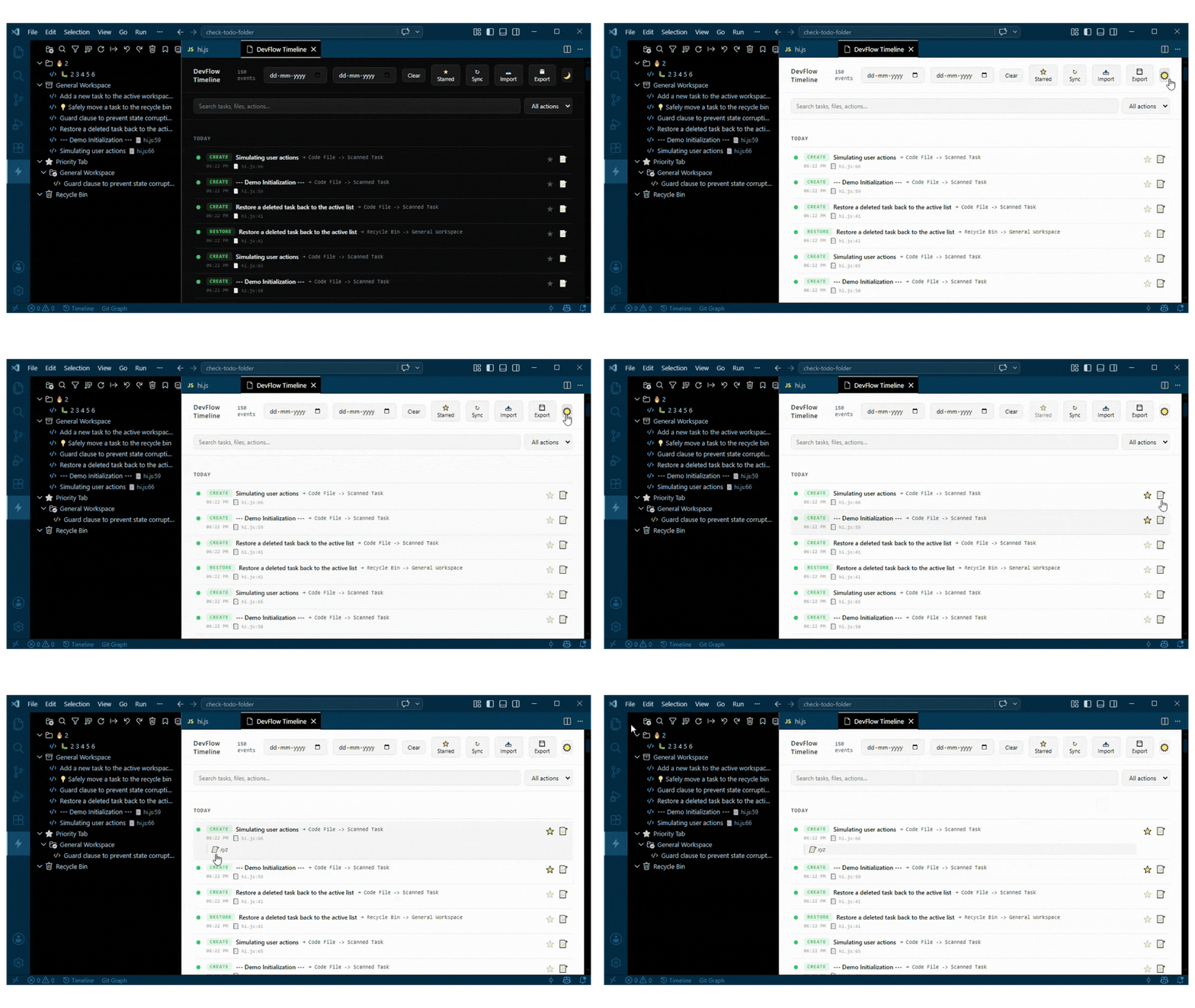
Activity Timeline
Features
- Task Explorer: Sidebar workspace manager with custom folders, priority tab, scanned inline comments, notes, tags, and a recycle bin.
- Smart Code Scanning: Automatically scans your workspace for inline
// comments and organizes them into tabs based on folder name matching.
- Local Pin System: Snapshot any file at any point. Compare past states with the current file using a side-by-side diff view.
- Activity Timeline: Every extension action is logged with timestamps, file paths, and line references. Export as JSON, CSV, TXT, or PDF.
- Recycle Bin: Deleted tasks and folders move to a recycle bin. Restore individually, restore all, or permanently delete.
- Priority Tab: Pin any task to a dedicated priority view regardless of which folder it belongs to.
- Note Engine: Attach private markdown notes to any task without modifying your codebase.
- Tagging System: Tag and filter tasks and pins by category or status.
- 100% Local: No accounts, no telemetry, no data leaves your machine.
Getting Started
- Install DevFlow Suite from the VS Code Marketplace.
- Click the DevFlow icon in the Activity Bar to open the Explorer.
- Tasks from your inline
// comments are scanned automatically on file save.
- Use the pin button in the editor title bar to snapshot the current file state.
Task Explorer
Manage all your workspace tasks from a structured sidebar:
- Create custom folders to group related tasks.
- Drag and drop tasks between folders.
- Move tasks to the Priority Tab for immediate focus.
- Delete tasks to the Recycle Bin and restore them later.
- Attach notes and tags to individual tasks.
Local Pin System
Never lose an intermediate code state before committing to Git.
- Save automatic snapshots of actively edited files on a configurable interval.
- View all pins in a clean, filterable panel with star and tag support.
- Click View Code on any pin to open a side-by-side diff against the current file.
Activity Timeline
Every extension action generates a log entry with a timestamp, file path, and line reference.
- Filter logs by type, date range, or keyword.
- Export the full timeline as CSV, JSON, TXT, or print-ready HTML/PDF.
Commands
| Command |
Description |
DevFlow: Pin Current State |
Manually snapshot the active file |
DevFlow: View Local Pins |
Open the Pins Manager panel |
DevFlow: Open Timeline |
View the activity audit log |
DevFlow: Export Logs |
Export the timeline to CSV / JSON / PDF |
DevFlow: Search Tasks |
Search across all workspace tasks |
DevFlow: Scan / Refresh |
Re-scan the workspace for inline comments |
Keyboard Shortcuts
| Action |
Windows / Linux |
macOS |
| Pin Current File State |
Ctrl+Shift+P twice |
Cmd+Shift+P twice |
| View Local Pins Panel |
Ctrl+Shift+L |
Cmd+Shift+L |
| Open Activity Timeline |
Ctrl+Shift+T |
Cmd+Shift+T |
| Search Tasks |
Ctrl+Shift+F |
Cmd+Shift+F |
| Scan / Refresh Workspace |
Ctrl+Shift+R |
Cmd+Shift+R |
All shortcuts can be customized via File > Preferences > Keyboard Shortcuts.
Contributing
Contributions, issues, and feature requests are welcome.
Repository: github.com/webkmsyed/DevFlow-Suite
Please read CONTRIBUTING.md for setup instructions, project structure, and contribution guidelines.
License
MIT License. See the LICENSE file for details.




