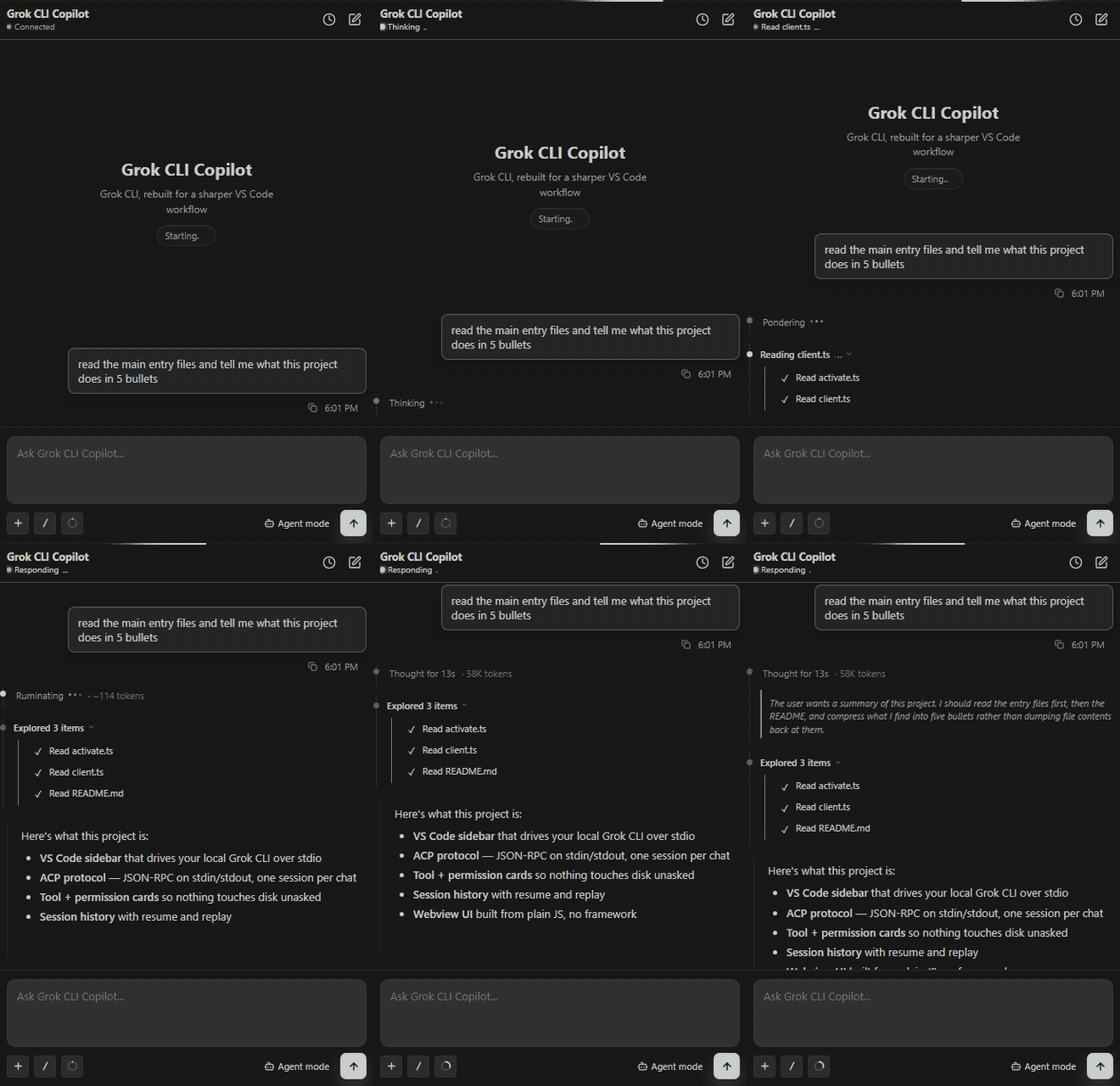
AI coding copilot for VS Code powered by the local Grok CLI — chat, agentic edits, slash commands, file & folder context, @-mentions, image paste, and live sessions in a focused sidebar.
Installation
Launch VS Code Quick Open (Ctrl+P), paste the following command, and press enter.
Not an official xAI product. Independent, community-built, and held together by
TypeScript and reasonable intentions. It drives your local Grok CLI over stdio.
Not affiliated with, endorsed by, or published by xAI — there is no official Grok
extension from xAI for VS Code, which is roughly why this one exists. "Grok" is a
trademark of xAI, borrowed here only to describe what this talks to.
A focused VS Code sidebar that puts the local Grok CLI where you already live —
next to your code, instead of in yet another browser tab.
Requirements
The Grok CLI, installed and signed in (it does the actual thinking)
Setup — log in to the Grok CLI first
This extension is a friendly face for the Grok CLI. No CLI, no face. Install and
sign in before opening the sidebar, otherwise it sits there loading models
with the patience of a saint and the results of a brick.
Install the Grok CLI:
Windows (PowerShell): irm https://x.ai/cli/install.ps1 | iex
npm run package
code --install-extension grok-cli-copilot-*.vsix
Features
chat with the local Grok CLI without leaving your editor
a quiet transcript: thinking and tool steps sit on one vertical rail, each a
single dim line — a dot, what it's doing, and how many tokens it has spent —
so the answer stays where you're looking instead of below a wall of reasoning
expand any step to read the full trace; collapsed is the default
session history and quick switching, because you will lose track
slash commands (with search) and effort control — dial the reasoning up or down
file/folder context, @ mentions, and image paste
inline generated media and permission cards (it asks before it touches anything)
Settings
grok.cliPath — where the CLI lives, for when auto-detect gives up