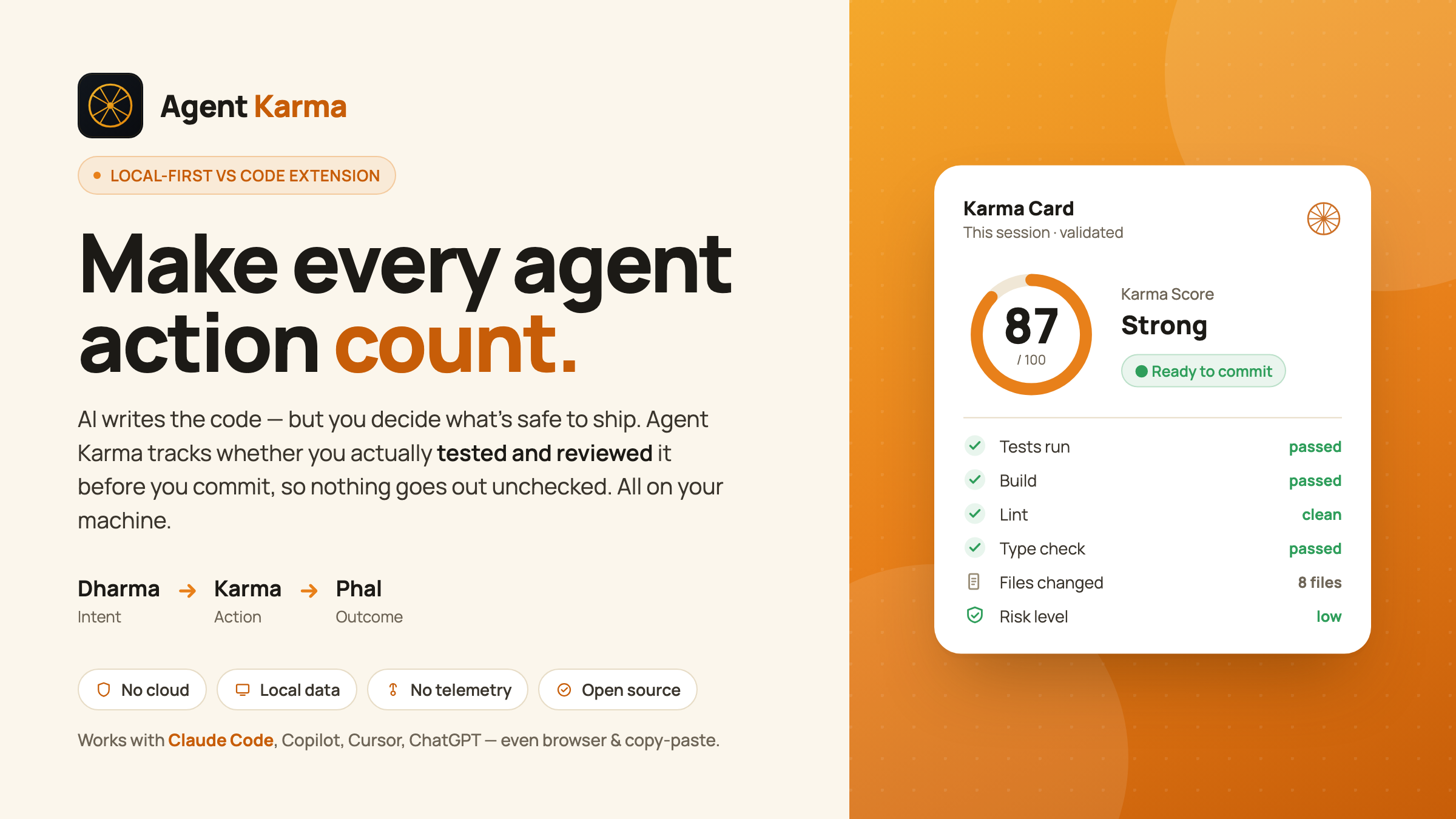
Mind the verification gap: did you validate what the AI produced — before you trusted it?
Agent Karma is not another AI coding assistant, not an enterprise analytics dashboard, and not a surveillance tool. It works with Claude Code, GitHub Copilot, Cursor, ChatGPT, and others — including browser and copy-paste workflows — because it watches your validation actions, not where the code came from.
Why it exists
The problem with AI code isn't generating it — it's trusting it.
96% of developers don't fully trust AI-generated code — yet only 48% always verify it before committing. (Sonar, State of Code 2026)
As agents write more of our code, the developer becomes the last line of trust — and most of us aren't reliably holding that line. The industry's answer is to automate the review (machines checking machine code). Agent Karma's answer is the opposite: keep the human in the loop by making verification a visible habit — without surveillance, gamification, or your code ever leaving your machine.
Every other tool measures AI usage for managers (acceptance rates, lines, tokens). Agent Karma measures one thing, for you: did you validate the AI's work? It's the mirror, not the dashboard.
The philosophy: Dharma → Karma → Phal
| Concept |
Meaning |
In Agent Karma |
| Dharma |
Intent, direction |
What you asked the AI to do |
| Karma |
Action |
The changes you and the AI actually made |
| Phal |
Outcome, fruit |
Whether the result is validated and ready |
Unvalidated Karma bears uncertain Phal. An action you never verified produces a fruit you can't trust.
What it does
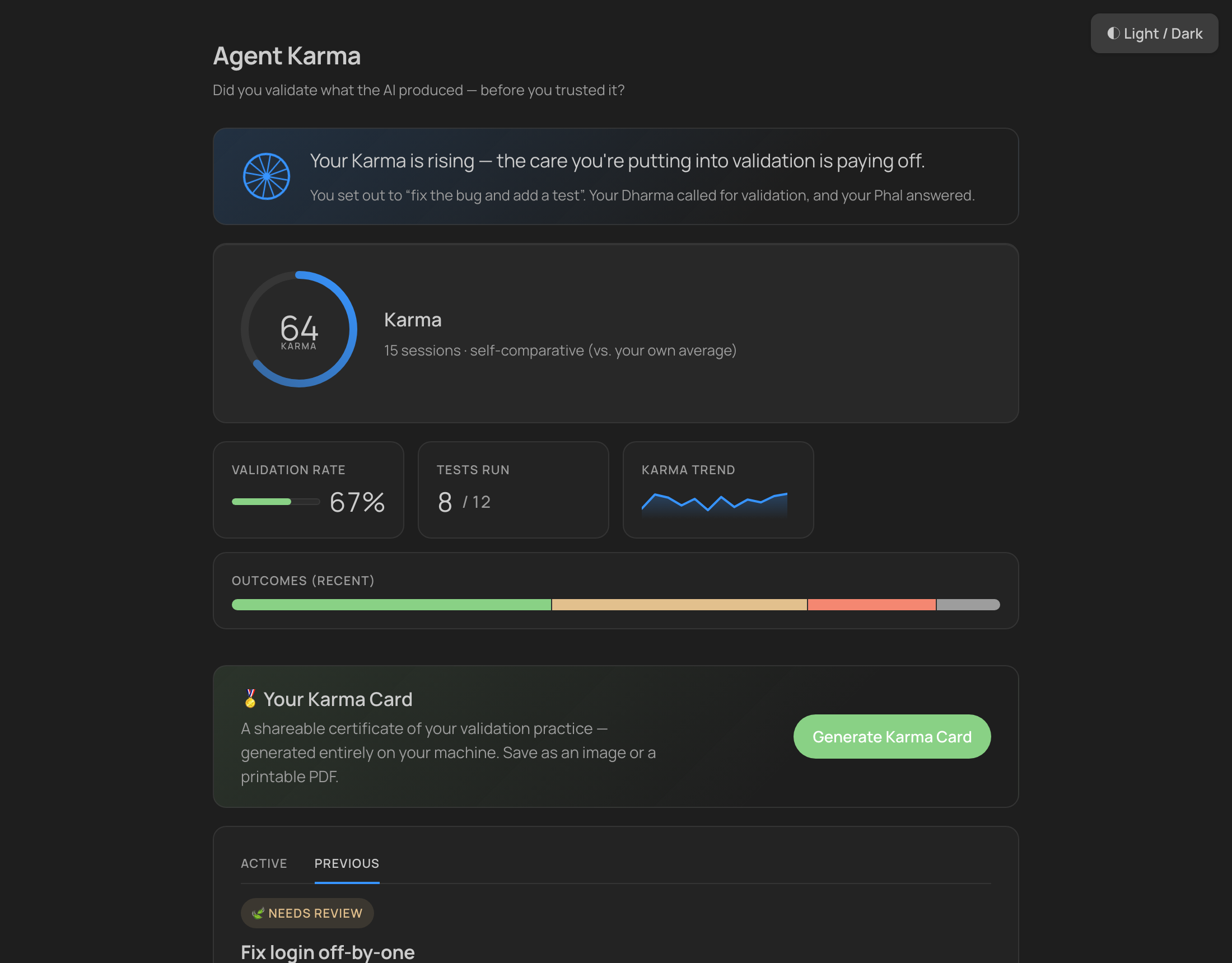
For each AI-assisted coding session, Agent Karma produces:
- 🪔 Dharma Card — your intent, prompt clarity, expected validation, and risk level
- 🔗 Karma Trace — a chronological, privacy-safe timeline (files saved, validation commands run, git diff summary)
- 🍃 Phal Card — the outcome: files changed, tests/build/lint detected, ready for commit or review
- ⚖️ Karma Score — an objective, transparent score built only from the validation actions you actually took — never a vague self-rating. Every point is explained.
- 🩺 Validation Context Health — "can you even validate?" — a config-only scan for the means to verify AI output (test/build/lint/type-check, a pre-commit net, CI, and whether your
CLAUDE.md/AGENTS.md asks the AI to validate). Names your biggest gap and offers a one-click fix.
- 🛡️ Pre-commit nudge (opt-in) — a local git hook reminding you to validate AI-assisted changes before you commit
- 📊 Insight dashboard — a calm, theme-adaptive view: a 🛞 karmic reflection, validation-consistency strip, Karma & validation trend lines, a task × check heatmap, risk × validation alignment, habit trends, a high-risk watchlist, and "what your Karma is made of"
- 🧾 Local AI usage (opt-in, Claude Code) — reads Claude Code's local session logs (no network, no API key, metadata only) to show what your AI work cost — tokens, turns, plus wastage (tokens spent on unvalidated work)
- 💬
@agentkarma chat participant — /verify (logs a validation — covers browser & copy-paste AI) and /summary
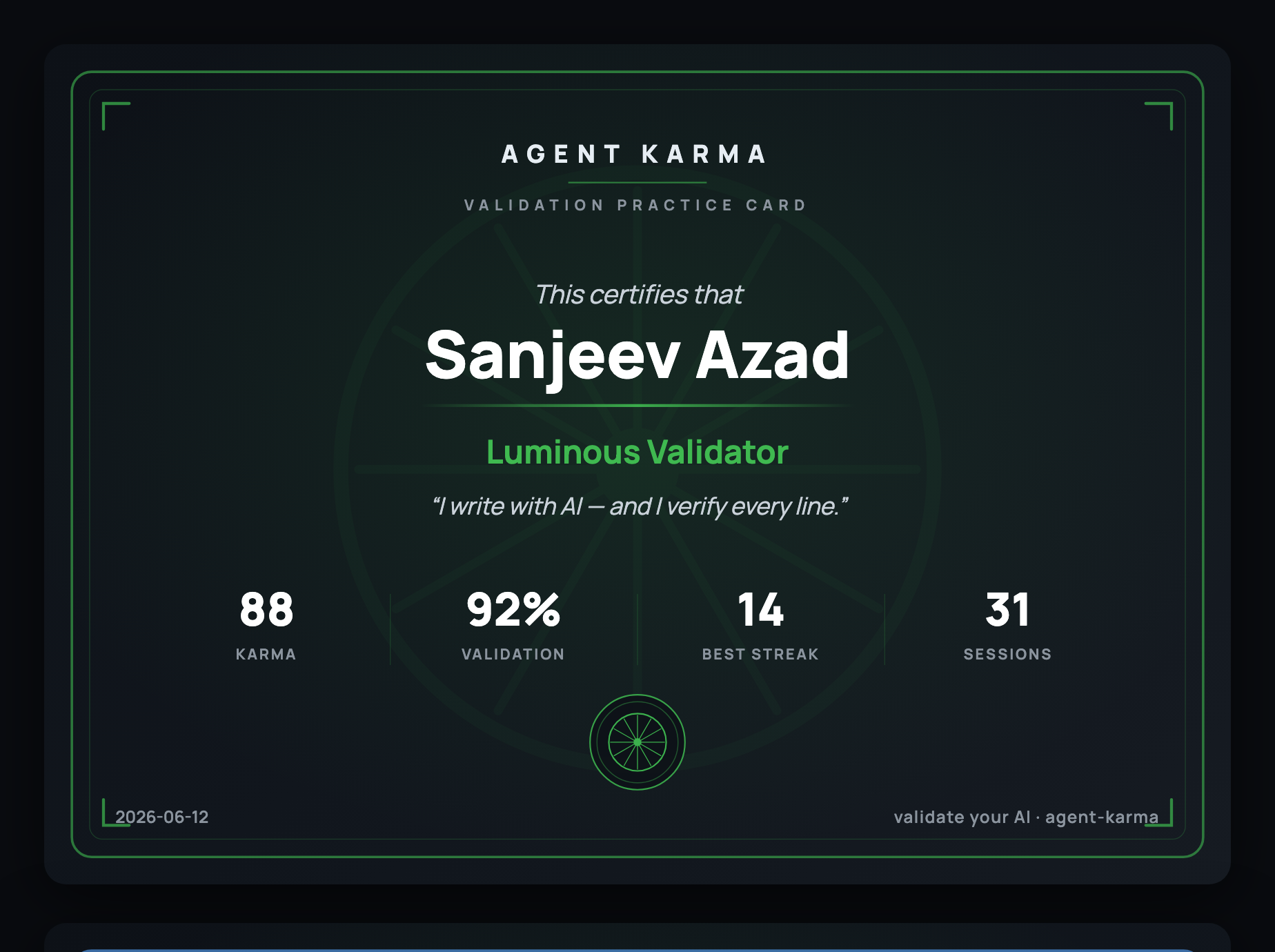
- 🏅 Shareable Karma Card — a personalised certificate of your validation practice; export as SVG or print to PDF, generated entirely locally
- 📤 Export — your session as JSON or Markdown
- 🗑️ Delete everything / Reset history — wipe all local data, or just clear your Karma history while keeping settings
Everything is stored as plain JSON on your machine.
Quick start
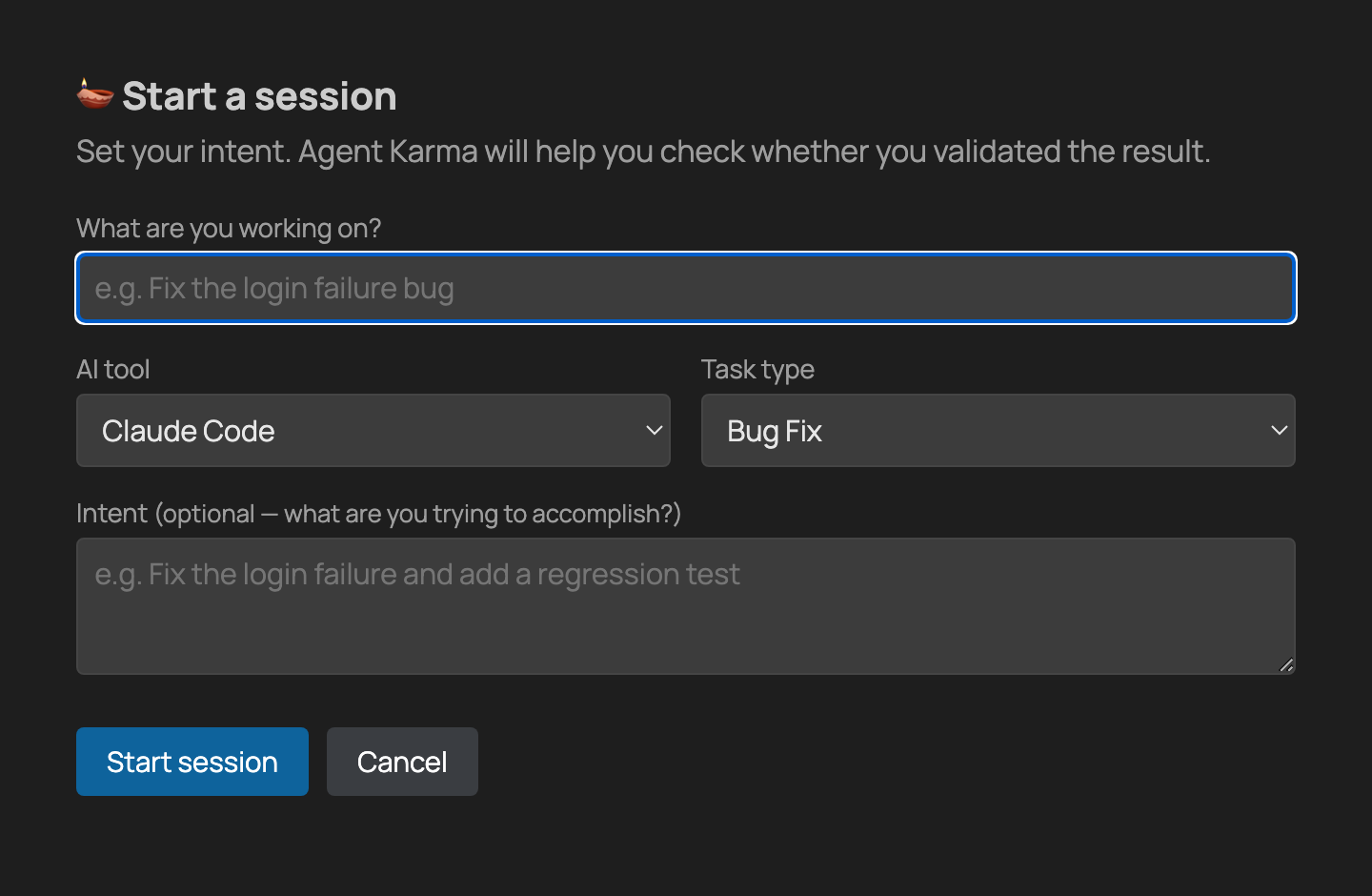
- Click ▶ Agent Karma: Start in the status bar (or run Agent Karma: Start Session). Give it a title, the AI tool you're using, a task type, and your intent.
- Work normally with your AI tool — edit and save files, and run your tests / build / lint as you go.
- Click ● Recording … — End to finish, then open the dashboard to review your Karma Score and Phal outcome.
Tip: validating in a browser or via copy-paste? Use @agentkarma /verify in the Chat view to log that you checked the output, even when there's no terminal command to detect.
Commands
| Command |
What it does |
| Agent Karma: Start Session / End Session |
Begin / finish a tracked session |
| Agent Karma: Toggle Session |
One keybinding to start or end |
| Agent Karma: Show Dashboard |
Open the insight dashboard |
| Agent Karma: Add Validation Command |
Log a test/build/lint command you ran |
| Agent Karma: Check Validation Readiness |
"Can you even validate?" workspace scan |
| Agent Karma: Find Validation Gaps |
Suggest the highest-leverage next step |
| Agent Karma: Install / Remove Pre-Commit Nudge |
Add or remove the opt-in local git hook |
| Agent Karma: Generate Karma Card |
Create your shareable certificate (SVG / printable PDF) |
| Agent Karma: Weekly Reflection |
A short summary of your week |
| Agent Karma: Why Did My Karma Move? |
Explain your most recent score change |
| Agent Karma: Toggle Ambient Mode (experimental) |
Continuous capture without explicit sessions |
| Agent Karma: Toggle AI Usage Reading (Claude Code, local) |
Turn local usage metadata on/off |
| Agent Karma: Export Current Session as JSON / Markdown |
Export your data |
| Agent Karma: Reset Karma History |
Clear sessions & trend, keep settings |
| Agent Karma: Delete All Local Data |
Wipe everything, permanently |
Settings
| Setting |
Default |
What it does |
agentKarma.capturePromptText |
true |
Store your typed intent text locally (so cards/dashboard read back meaningfully). Turn off to redact it; it never leaves your machine either way. |
agentKarma.captureExternalFileChanges |
true |
Count file changes made outside the editor (by AI agents or the CLI). File names only — never contents. |
agentKarma.captureTerminalCommands |
true |
Observe validation commands via VS Code shell integration. The command type/result is kept; the raw string is discarded. |
agentKarma.readClaudeUsage |
false |
Read Claude Code's local session logs to show token/turn cost. Fully local — metadata only; your prompts, the AI's replies, and your code are never read. |
agentKarma.cardName |
(blank) |
Name printed on your shareable Karma Card. Blank uses your local git user.name (or OS username). Resolved locally — never sent anywhere. |
Plus agentKarma.enabled (master switch), enableGitDiffSummary, storeFullFilePath, and idleEndMinutes — see VS Code Settings → Agent Karma for the full list and descriptions.
Privacy promise
Local-first. No source code captured. No terminal output captured.
No cloud upload. No telemetry. No login. No surveillance.
Agent Karma records that you validated — file-change events (file names only, including edits made by AI agents, the CLI, or other tools, gated by agentKarma.captureExternalFileChanges), the validation command types you ran, a git diff summary (counts, not content), and the short SHA of commits. It does not capture your source code, your terminal output, or your keystrokes. Your typed intent text is recorded locally by default (so cards and the dashboard read back meaningfully) — turn it off with agentKarma.capturePromptText; it never leaves your machine regardless. Read the full contract in PRIVACY.md.
FAQ
Does it work with tools other than Claude Code?
Yes. It's tool-agnostic — Copilot, Cursor, ChatGPT, browser, copy-paste. It watches your validation actions, which don't care where the code came from.
Does my code or any data leave my machine?
No. There is no network call at all — a CI-enforced check guarantees the shipped bundle contains no network APIs. Everything is plain local JSON you can export or delete anytime.
Is the Karma Score subjective?
No. It's built only from validation actions actually detected (tests/build/lint run, coverage, measured change). Every point is explained — never a self-rating.
Will it slow me down or nag me?
No background surveillance, no leaderboards. The one optional interruption is the pre-commit nudge, which you explicitly opt into.
Links
Licensed under Apache-2.0. A purely individual, community contribution — not affiliated with any employer or vendor. Bundled third-party components (incl. the Manrope font under the SIL OFL) are credited in THIRD-PARTY-NOTICES.md.
Provided "AS IS", without warranty of any kind (Apache-2.0 §§7–8). Agent Karma is a habit and awareness aid — not a guarantee of code correctness, security, or production-readiness; you remain responsible for validating and shipping your code.
Use any AI coding tool. Agent Karma helps you use it better.