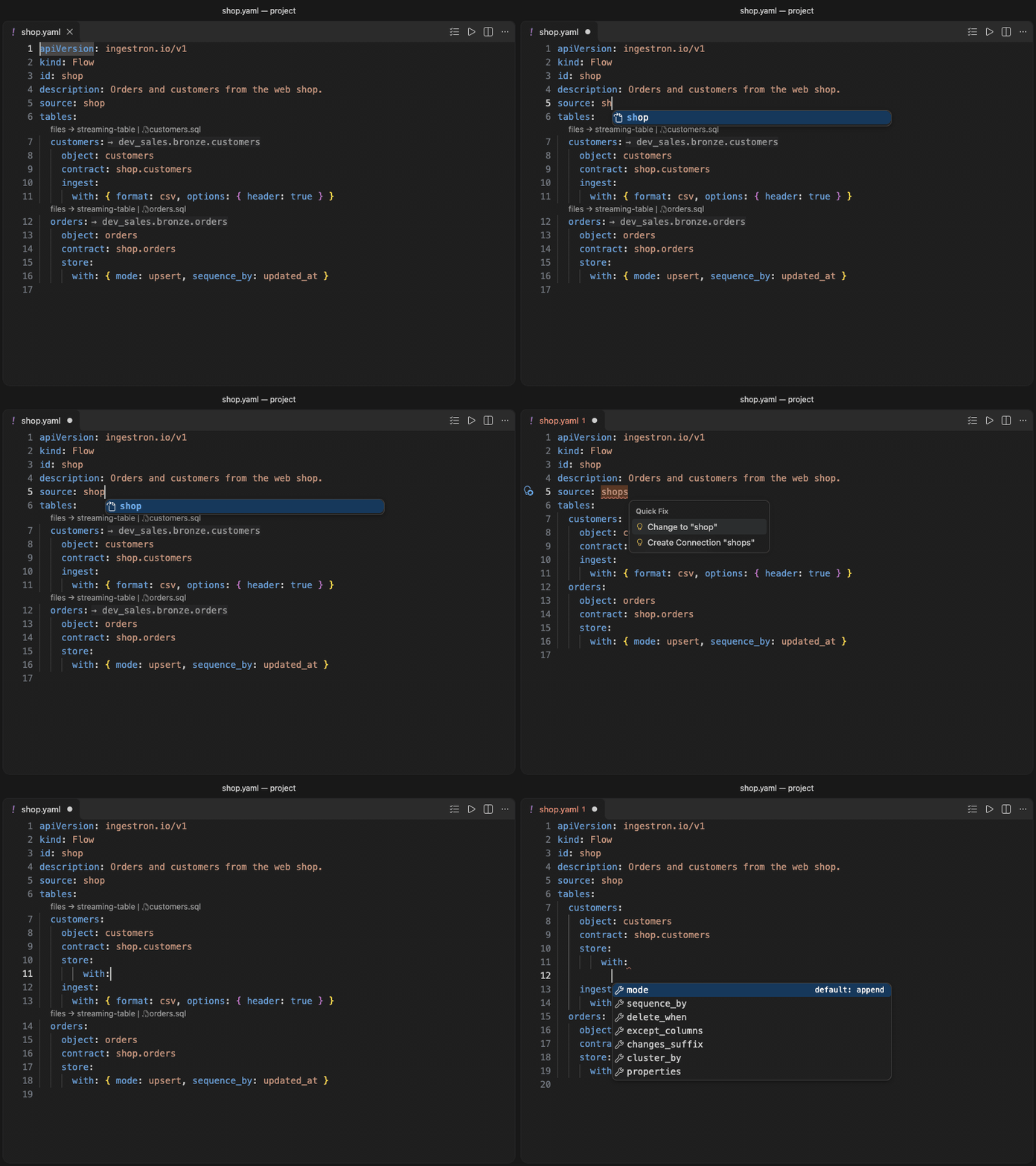
Ingestron for VS CodeWrite Ingestron projects with problems marked as you type, completion that knows your project, and previews of the files Ingestron generates.
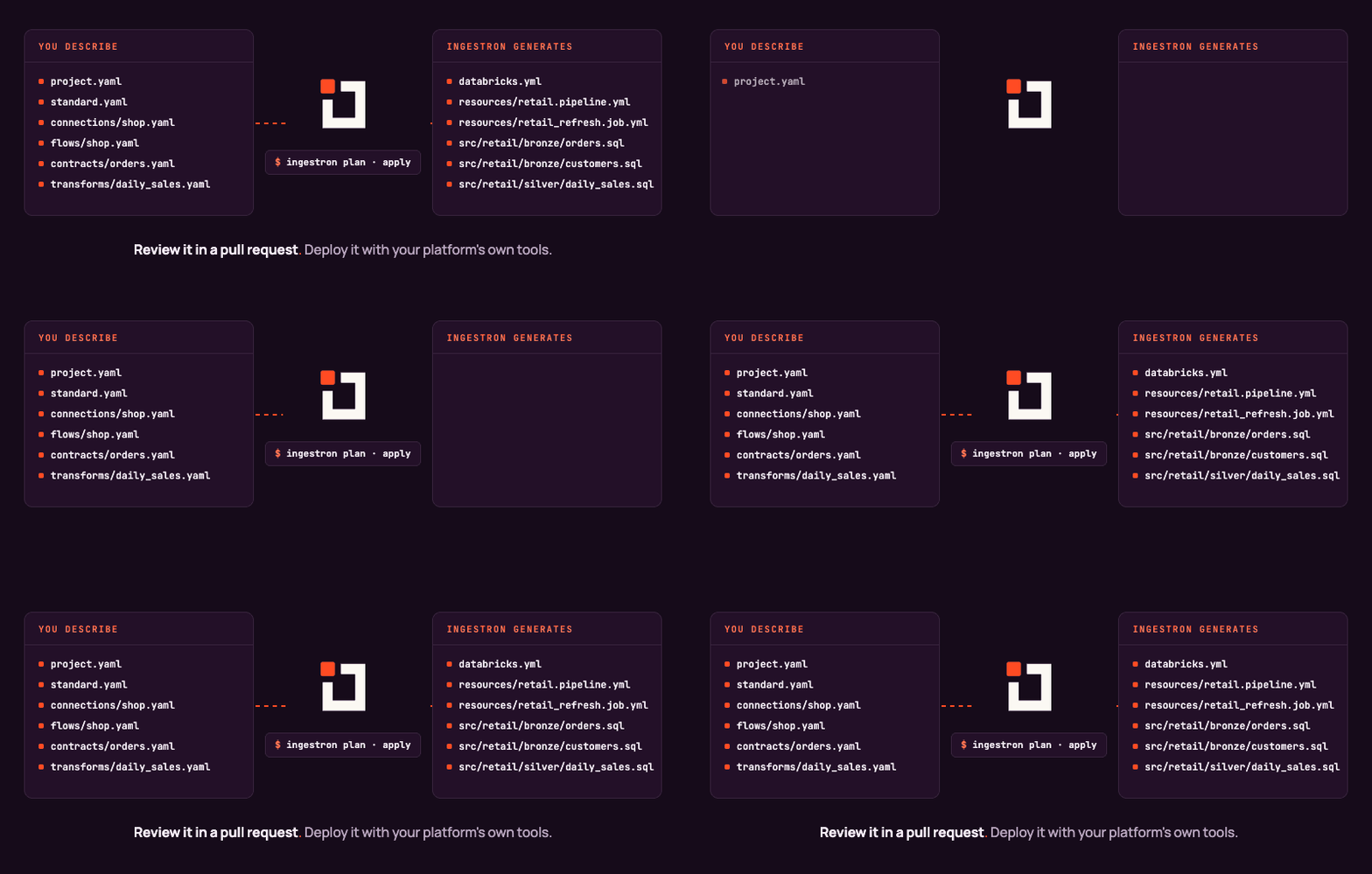
Ingestron turns YAML your team reviews into the files you would otherwise write by hand: Databricks bundles and pipelines, Azure Data Factory pipelines, Synapse serverless views and DuckDB SQL, with your organisation's standard applied. It runs on your machine, never connects to your sources or your cloud, and never overwrites a file someone edited by hand. Write the definitionsA project is a folder of YAML files: connections, flows, contracts and transforms. The extension reads them as you type.
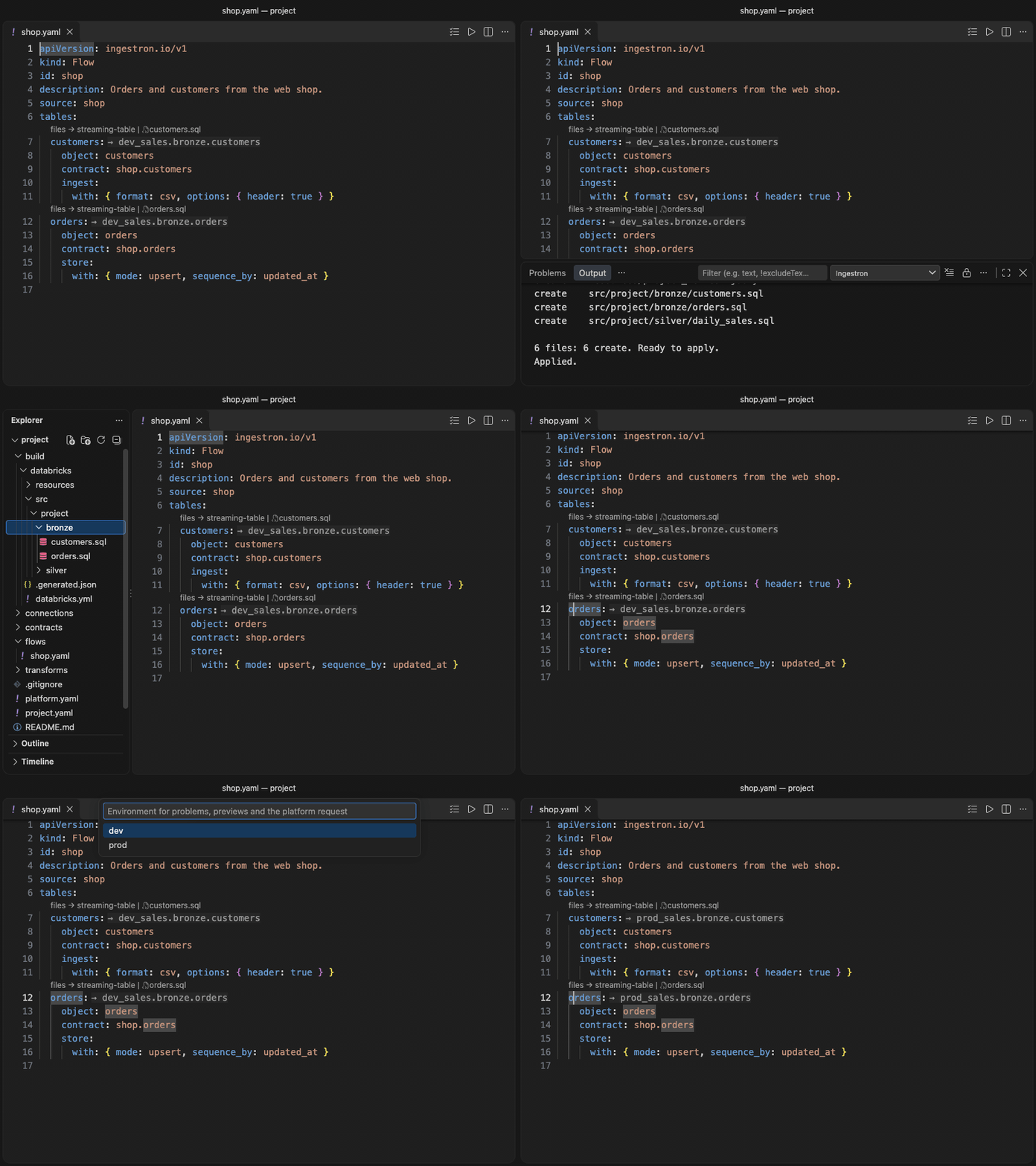
See what it generatesPlan lists what would change, Apply writes it, and the files appear in your project, one set for every environment.
New project starts a project from a starter, and the Project and Reference views sit beside the editor. Documentation: docs.ingestron.io. InstallRequires Visual Studio Code 1.104 or later. Install Ingestron from the Visual Studio Marketplace, or search for "Ingestron" in the Extensions view, or run: Open a folder that holds a PrivacyThe extension sends no telemetry and makes no network calls of its own. It reads and writes only the files in your workspace. Questions: privacy@ingestron.io. ContactQuestions and feedback: hello@ingestron.io. Security reports: security@ingestron.io (see SECURITY.md). Privacy: privacy@ingestron.io. LicenceLicensed under the Apache License 2.0; see NOTICE. |