Skip to content
| Marketplace
Sign in
Visual Studio Code>Debuggers>Python Debug Plotter: Arrays, Tensors & GraphsNew to Visual Studio Code? Get it now.
Python Debug Plotter: Arrays, Tensors & Graphs

Python Debug Plotter: Arrays, Tensors & Graphs

inag-ufscar

|
3 installs
| (0) | Free
Debug and plot NumPy arrays, PyTorch tensors, images, and NetworkX graphs instantly. Lightweight & dependency-free.
Installation
Launch VS Code Quick Open (Ctrl+P), paste the following command, and press enter.
Copied to clipboard
More Info

Python Debug Plotter Icon

Python Debug Plotter

Visualize NumPy, PyTorch, and Graphs while debugging — no extra dependencies required.

VS Code Version Python Version Last Commit License

Marketplace GitHub

Features

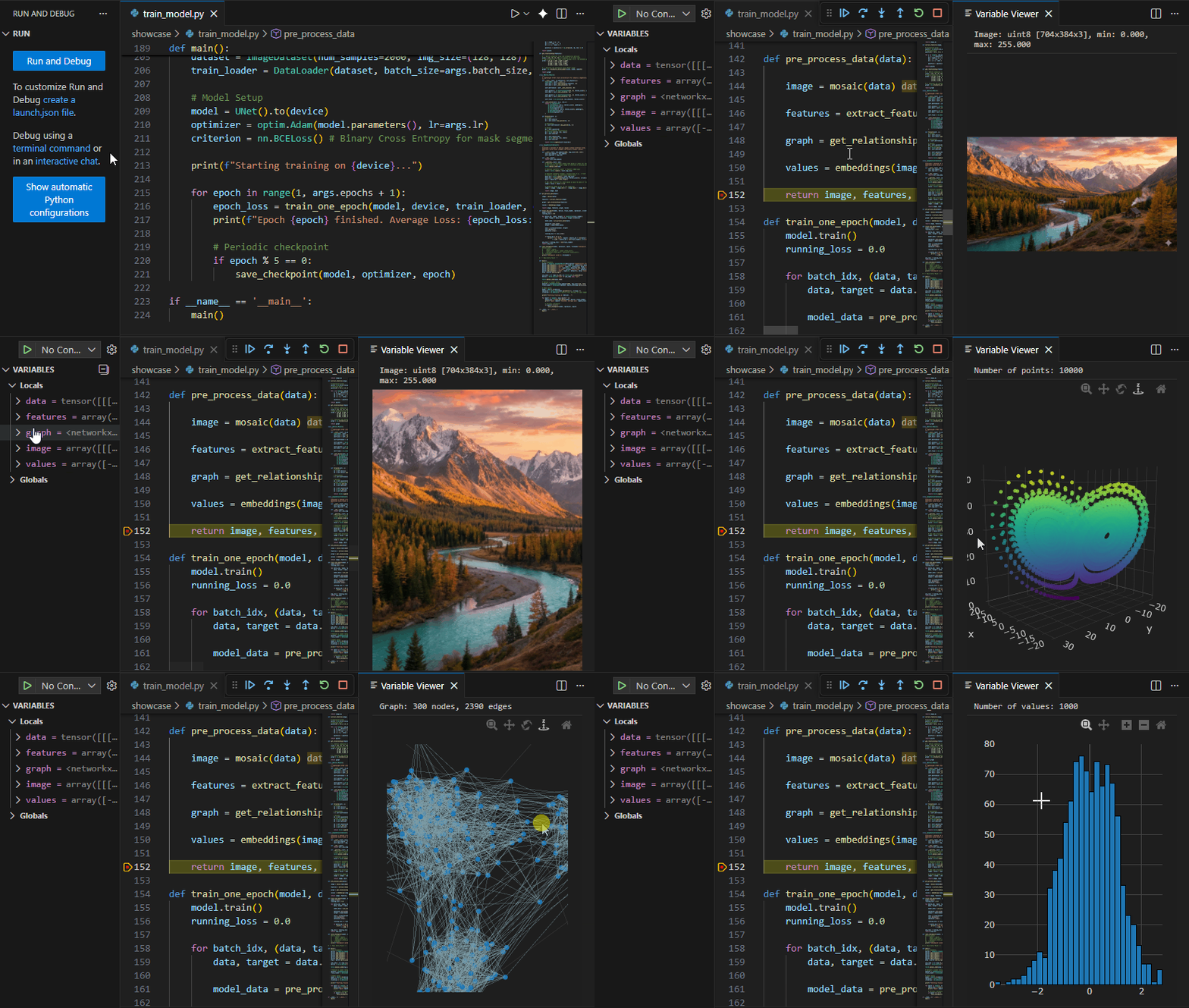
View 2D single and three channel arrays as images, Nx2 and Nx3 arrays as point clouds, networkx graphs and 1D arrays as histograms.

Histogram viewer


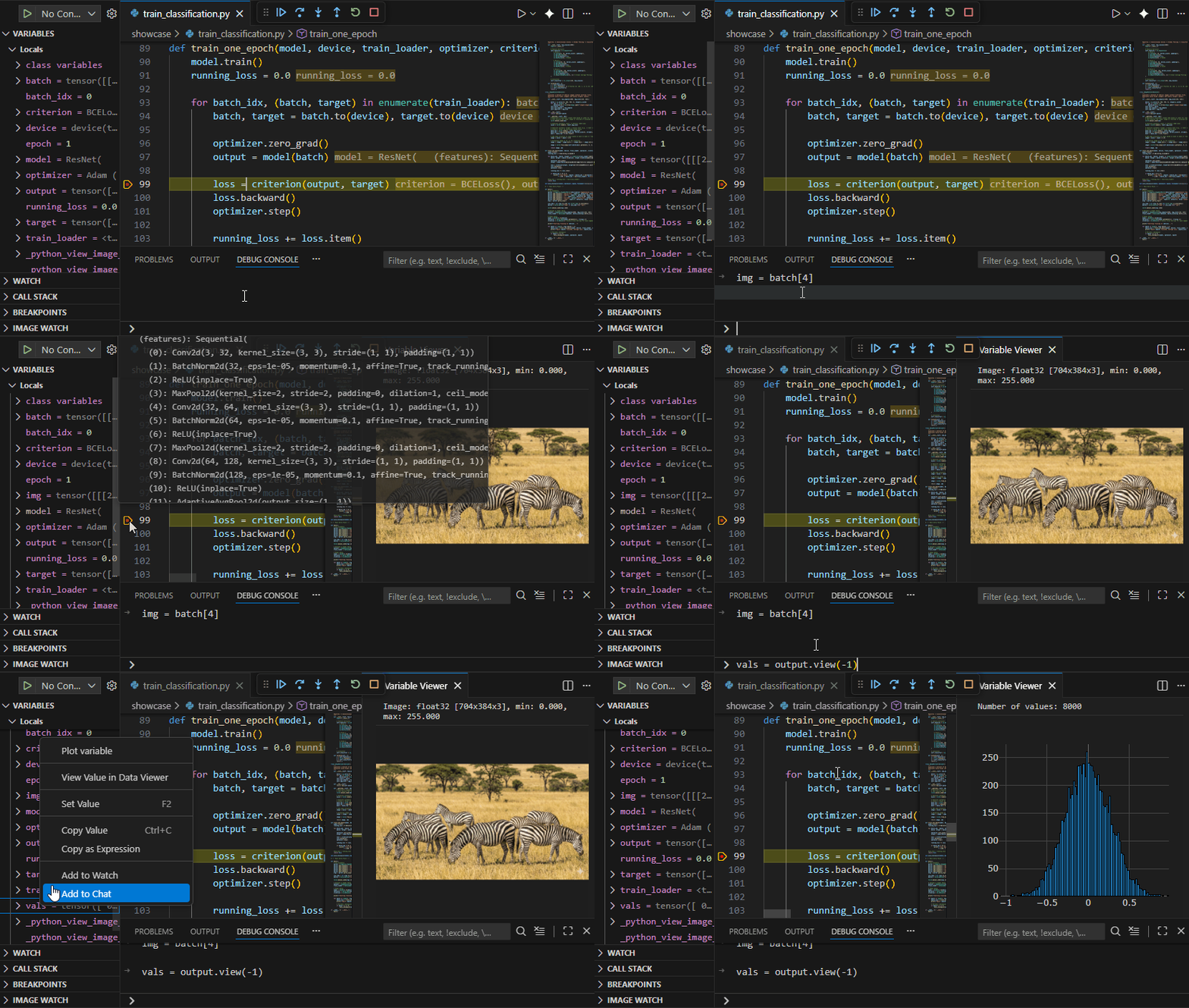
You can explore any ND array or tensor by first creating one of the primitives above in the debug console. A Bx3xHxW tensor can be shown by first typing img = batch[4] and then plotting the image.

Batch viewer


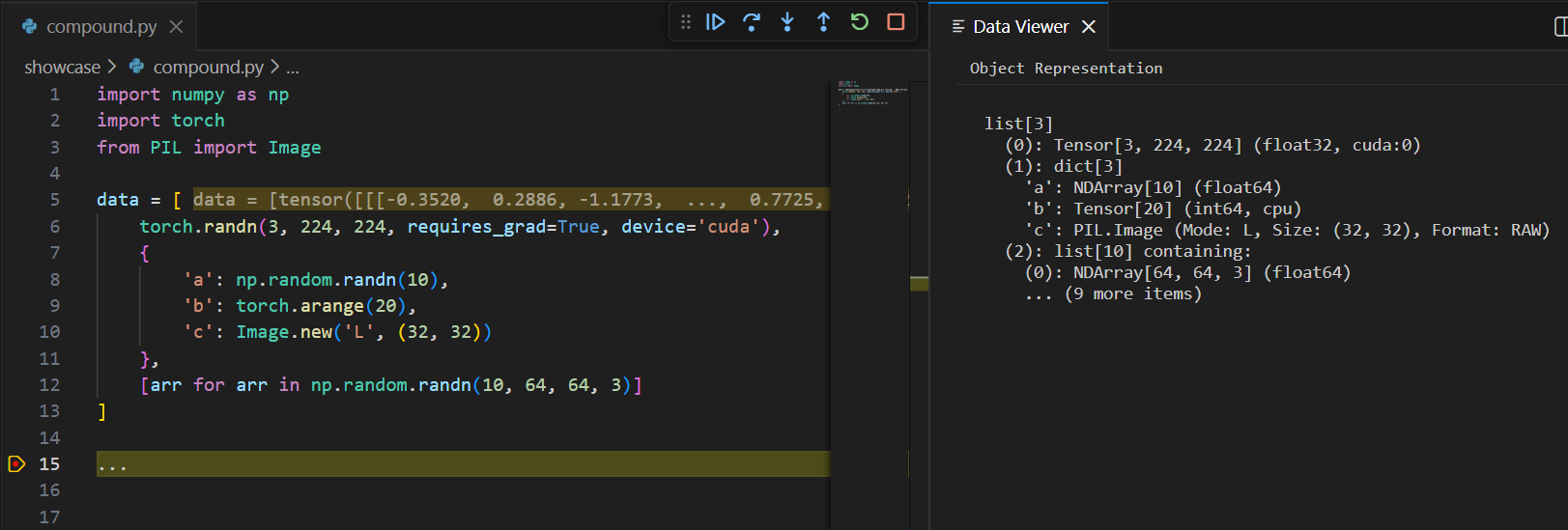
Compound data that cannot be plotted is printed with rich information. For instance, a list with a torch tensor on the GPU, a dictionary with an array, a tensor and a pillow image and a list of 10 arrays is shown as

Data viewer

Requirements

  • VS Code 1.96.0 or higher
  • Python debugger session active

Usage

  1. Start a Python debugging session
  2. Set a breakpoint and pause execution
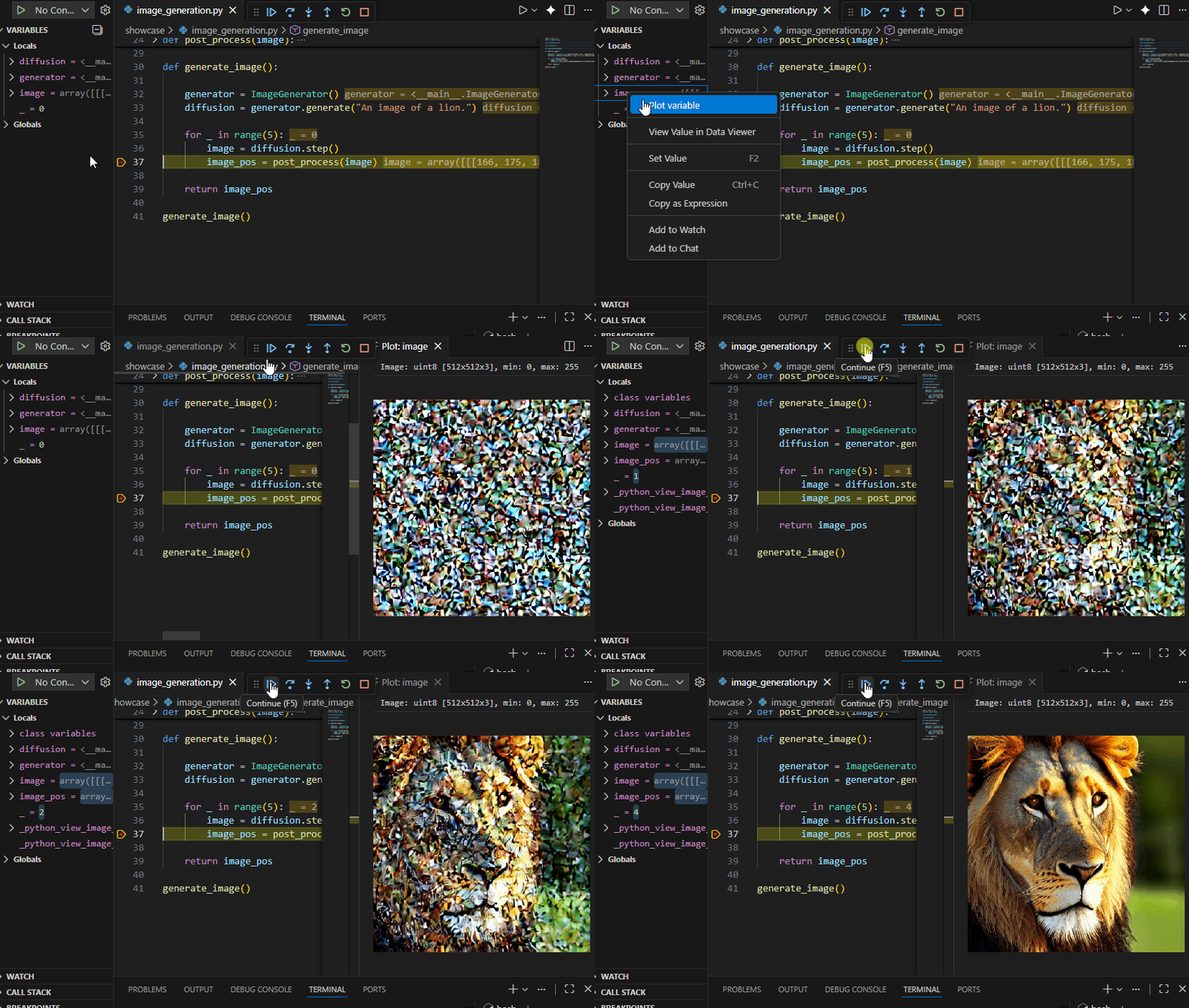
  3. In the Variables panel, right-click on a PyTorch tensor, NumPy array, or NetworkX graph
  4. Select "Plot variable" from the context menu
  5. The data will be visualized in a new panel

Supported Variable Types

The extension uses a smart heuristic to automatically detect the best visualization for your data.

TYPE DETECTION LOGIC SPECIAL NOTES
Histogram ndim == 1 NaNs and Infs are converted to 0.
Point Cloud ndim == 2 AND shape[1] is 2 or 3 Supports 2D (XY) and 3D (XYZ) coordinates.
Image ndim == 2 (width ≥ 4) OR ndim == 3 Supports Channels First/Last and 1, 3, or 4 channels.
Graph Has .nodes and .edges Looks for pos, coord, or xy keys for node layout.
PyTorch Checks for detach and cpu attributes Automatically calls .detach().cpu().numpy().
Generic Supports np.asarray() or .numpy() Seamlessly handles Pillow images and Tensorflow tensors.
Text Anything else Fallback to a rich string representation.

Note on Graphs: If no coordinate information is found in the node data, the extension will attempt to use NetworkX for automatic layout calculation if available in the environment.

Change Log

See CHANGELOG.md for full release history.

  • Contact us
  • Jobs
  • Privacy
  • Manage cookies
  • Terms of use
  • Trademarks
© 2026 Microsoft