RelayCode
An AI coding workspace for VS Code and Antigravity.
Ask questions, plan changes, edit your workspace, run validation, and review every change before it is accepted.
Releases ·
Issues ·
Tiếng Việt
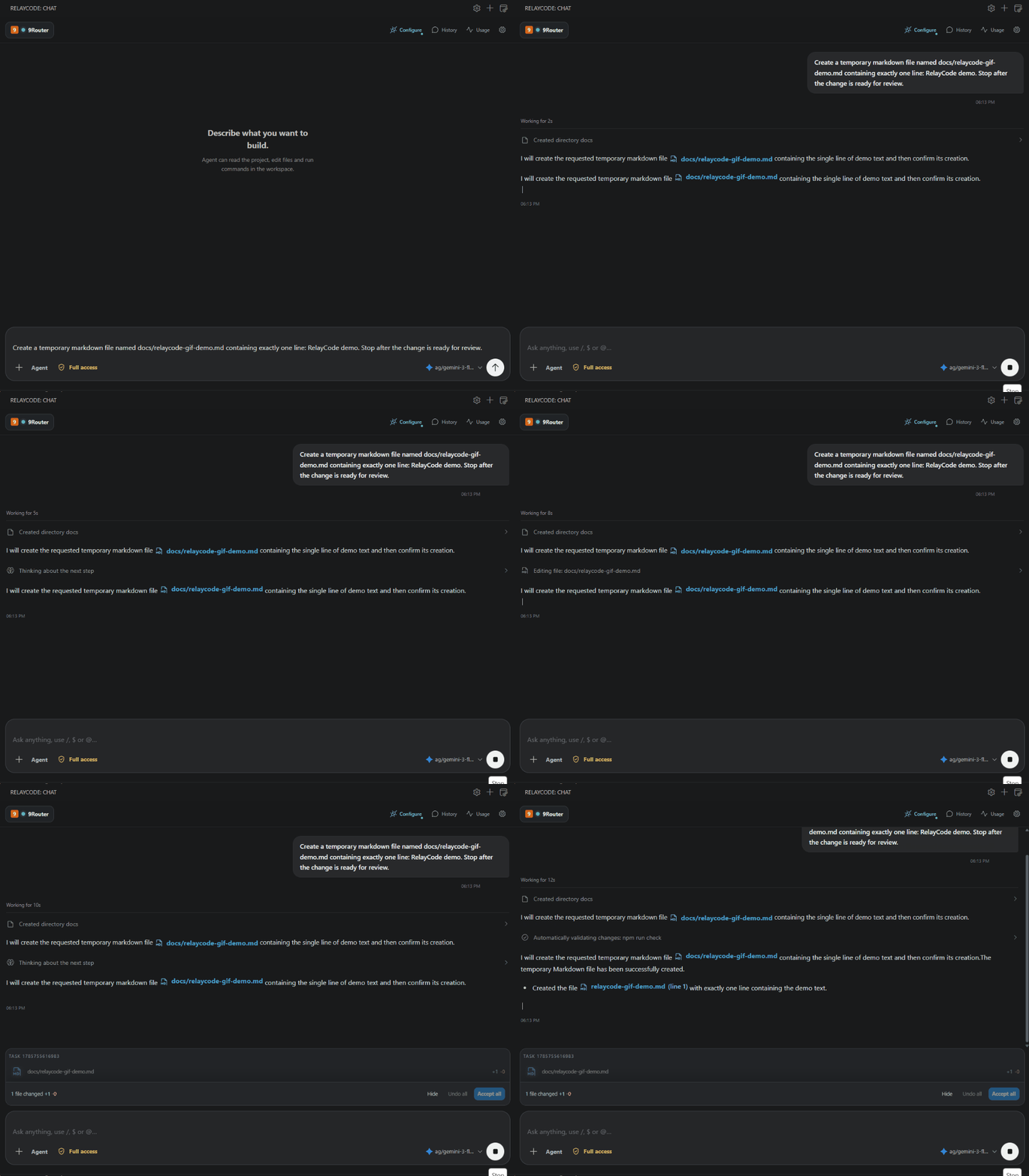
Agent workflow — follow activity, edits, and review in the IDE.
RelayCode in five seconds
RelayCode is a model-agnostic AI coding agent that lives inside your IDE. It can answer questions about a project, make approved changes, run the right checks, connect to MCP tools, and show you a reviewable diff before you keep or undo the result.
It is for developers, technical teams, and curious builders who want AI help without handing over a hidden, uncontrolled terminal session. You choose the provider, model, tools, permission level, and final changes.
Real interface
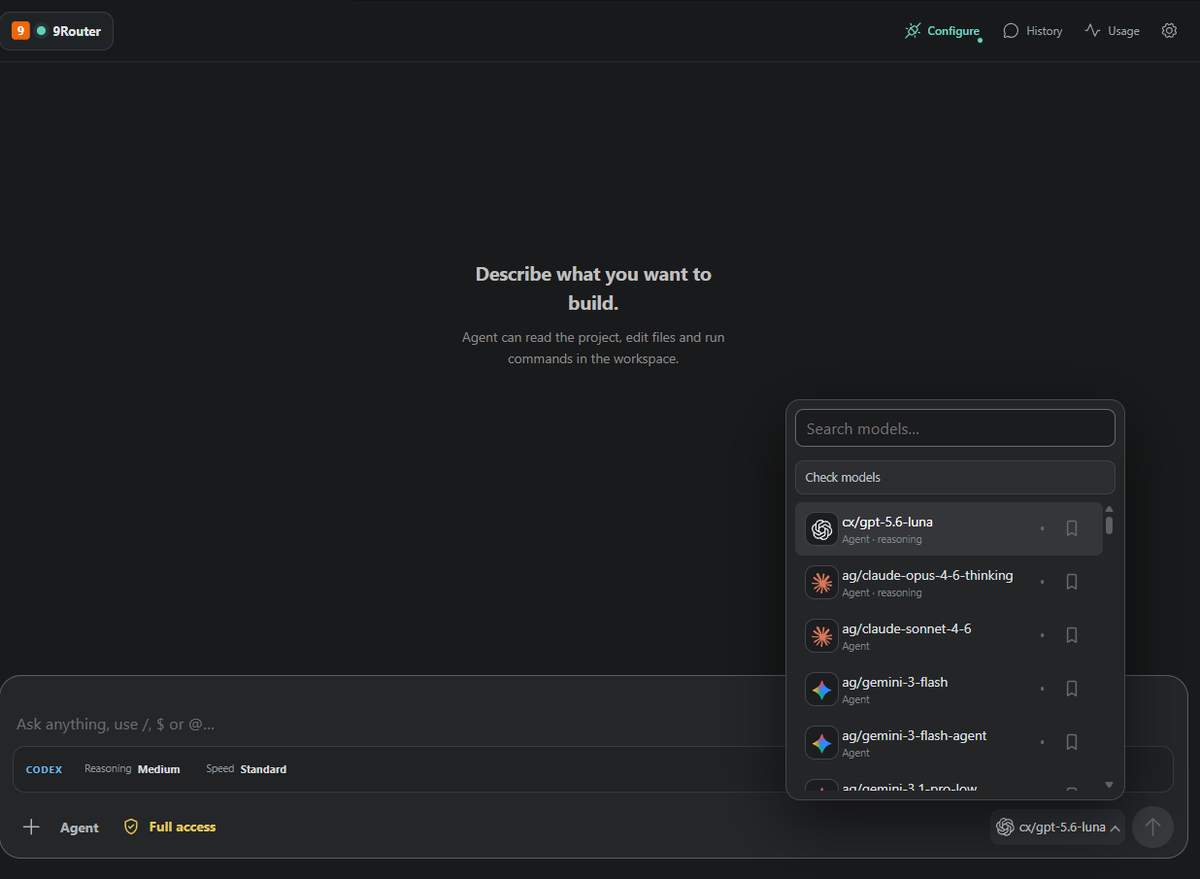
These are screenshots of the actual RelayCode extension, not generated product mockups.
Permission request Choose how much autonomy Agent has before it acts. |
Changed-file review Inspect files and line counts before accepting the result. |
 |
 |
Connection Center
The provider card makes the active 9Router endpoint and API health state visible at a glance.
How the workflow fits together
The diagram below summarizes the product flow; the screenshots above show the real extension UI.
Why RelayCode?
Most AI coding tools optimize for speed first. RelayCode is designed for speed with visibility:
- The model can work in the same workspace as you.
- Tool calls, terminal activity, and progress remain understandable while a task is running.
- File edits are collected into a change set instead of disappearing into the background.
- You can review a file or hunk, accept it, undo it, or leave it pending.
- Approval modes make the amount of autonomy explicit.
- Your provider and model are replaceable; the workflow is not tied to one AI vendor.
What RelayCode can do
1. Three ways to work
| Mode |
Best for |
What it does |
| Chat |
Questions, explanations, debugging ideas, code review |
Talks to the selected model without editing files, running commands, or calling Agent tools. |
| Agent |
Building, fixing, refactoring, and validating a project |
Reads workspace context, uses approved tools, edits files, runs commands, and reports the result. |
| Plan |
Larger or risky changes |
Turns an outcome into a short plan that you can inspect before execution. |
You can switch modes from the composer and start a new thread without losing your saved history.
2. Workspace-aware coding
Agent can:
- Read files, folders, selections, problems, Git diffs, and terminal context.
- Create, update, move, rename, and delete files inside the trusted workspace.
- Inspect nested applications and monorepos.
- Detect the nearest project and run its relevant test, type-check, lint, or build command.
- Feed validation failures back into the same conversation so the model can repair and retry.
- Continue a task after an IDE reload using the saved Agent cursor and pending tool state.
- Keep recent conversation context for follow-up messages such as “continue” or “fix that one issue.”
3. Reviewable file changes
After an Agent task, RelayCode shows:
- Changed files and total additions/removals.
- A native IDE diff for before/after review.
- Individual changed hunks where supported.
- Review, Accept, and Undo actions.
- Safe handling for newly created files: undoing a new file removes it from the workspace.
- Pending changes that survive a reload until you resolve them.
4. Visible execution
While Agent is working, the chat can show:
- The current activity and elapsed wait time.
- Tool calls and terminal output.
- Validation commands and their results.
- Provider errors and recovery suggestions.
- A scroll-to-bottom control when new output arrives while you are reading older messages.
When the task is complete, temporary progress and terminal noise are collapsed away so the final answer and changed-file review remain easy to find.
5. Permission and autonomy controls
RelayCode makes permissions visible instead of silently changing behavior:
- Ask: request approval before Agent actions.
- Allow edits: permit workspace file edits while retaining protection for riskier operations.
- Full access: allow file edits and commands with one explicit confirmation.
- Allow once: approve only the current action.
- Allow similar: approve matching commands for the current conversation when available.
- Always allow file edits: switch to the edit permission mode without repeatedly asking for file changes.
Duplicate approval cards are deduplicated, and every approval can be denied.
6. Multiple providers and models
RelayCode separates the coding workflow from the model source. Supported provider types include:
| Provider |
Authentication |
Default endpoint |
| 9Router |
API key |
http://127.0.0.1:20128/v1 |
| Cockpit Tools |
Client key |
http://127.0.0.1:1455/v1 |
| OpenCode |
API key |
https://opencode.ai/zen/v1 |
| OpenAI |
API key |
Official OpenAI API |
| Anthropic Claude |
API key |
Anthropic Messages API |
| OpenAI-compatible |
Provider-specific |
Any compatible endpoint you configure |
| Ollama |
None by default |
http://localhost:11434/v1 |
| LM Studio |
None by default |
http://localhost:1234/v1 |
You can create provider profiles, switch between them, save credentials securely, refresh models, mark favorites, and configure fallback models. Local providers still need their local server running and a model installed.
7. Model health and routing
RelayCode can:
- Probe available models with a small request.
- Distinguish healthy, limited, checking, and unavailable states.
- Show provider rate-limit information when the provider exposes it.
- Ask for confirmation before switching to a fallback model.
- Route different conversations through different provider profiles.
- Record latency and token usage for troubleshooting and comparison.
8. MCP integrations
Model Context Protocol lets Agent use external tools that you configure. RelayCode supports:
- Streamable HTTP MCP servers.
- Local stdio MCP servers.
- Browser OAuth when the server supports dynamic client registration.
- API-key and bearer-token authentication.
- Separately stored MCP environment values and credentials.
This can connect Agent to documentation, browsers, design systems, issue trackers, databases, and other MCP-compatible services. MCP data is sent only to the server you configure.
9. Skills and project instructions
RelayCode discovers standard SKILL.md packages from:
.agents/skills in the current workspace.
~/.agents/skills for the current user.
Type $ in the composer to search installed skills. A skill is loaded when you explicitly call it, for example:
$design-frontend Build a polished landing page in plain HTML and CSS.
RelayCode also reads applicable AGENTS.md instructions from user and project scope, including the closest instruction file for the active workspace.
10. Fast workspace context
Use these composer tokens to attach focused context:
@selection selected editor text
@file:path/to/app.ts
@folder:path/to/folder
@terminal recent terminal context
@git-diff current Git changes
@problems current IDE diagnostics
Useful slash commands include:
/goal <outcome> /new /compact /skills
/model /plan /review /status
/diagnostics /mcp /settings /logs
/export
11. Agent image generation
When the active provider exposes an OpenAI-compatible /images/generations endpoint, Agent can:
- Discover image-capable models.
- Generate PNG, JPEG, or WebP assets from a prompt.
- Place the generated asset in the workspace.
- Show it as a reviewable file change that can be accepted or undone.
Chat mode remains text-only and does not run workspace tools or commands.
12. Usage and diagnostics
The usage dashboard can show:
- Input and output tokens.
- Estimated cost when provider prices are configured.
- Request latency.
- Provider rate-limit headers.
- Recent requests grouped by provider profile and model.
RelayCode also provides connection diagnostics, model health checks, Agent logs, and an exportable diagnostic package. API keys and tokens are excluded from diagnostic exports.
13. History and recovery
RelayCode keeps local chat history, thread titles, provider profiles, pending reviews, and active-run checkpoints. If the IDE or extension host reloads during a task, the Agent can resume from its saved cursor without replaying completed writes.
Install
Manual VSIX installation
- Download the latest
relaycode-huxon-<version>.vsix from the RelayCode Releases page.
- Open VS Code or Antigravity.
- Open the Command Palette.
- Run Extensions: Install from VSIX....
- Select the downloaded VSIX.
- Run Developer: Reload Window.
Automated releases
Then run:
npm run release:patch
This bumps the patch version, commits and pushes the Git tag. GitHub Actions then runs the tests, packages the VSIX, and creates a GitHub Release with the VSIX attached. Upload that VSIX to the Visual Studio Marketplace manually when you want to publish it there. Use npm version minor or npm version major for larger releases.
Build from source
git clone https://github.com/hungson1002/RelayCode.git
cd RelayCode
npm install
npm run check
Press F5 to launch an Extension Development Host.
First connection
- Open the RelayCode icon in the Activity Bar.
- Open Settings.
- Select a provider or create a provider profile.
- Enter the endpoint and API key when required.
- Save the profile, choose a model, and send a small test prompt.
For 9Router, RelayCode can detect the local service, offer to install it, start it without a separate terminal, and open its management page.
For Cockpit Tools, enable API Service, create a Client Key, and select Cockpit. RelayCode discovers models through Cockpit's local OpenAI-compatible gateway and does not read Cockpit account credentials.
Safety model
Agent execution requires a trusted workspace. Important safeguards include:
- Workspace Trust before Agent, terminal, or MCP execution.
- Configurable command allow and deny lists.
- A deny list for destructive command fragments, including in Full access.
- A Git checkpoint before the first file mutation when possible.
- Reviewable pending changes that can be accepted or undone.
- Approval prompts for file edits and commands according to the selected mode.
- Secure credential storage through VS Code
SecretStorage.
RelayCode is an assistant, not a replacement for code review. Check diffs, commands, generated assets, and provider output before shipping production changes.
Privacy
- RelayCode does not operate its own analytics service.
- Prompts and selected context are sent to the active provider you choose.
- MCP input is sent only to MCP servers you configure.
- Provider and MCP credentials are stored in
SecretStorage.
- Credentials are excluded from diagnostic exports.
- Chat history, telemetry, and pending reviews remain on the local machine.
Read the full privacy policy.
Configuration
Settings are available under the nineRouter.* namespace. Important options include:
| Setting |
Purpose |
nineRouter.provider |
Default provider type. |
nineRouter.endpoint |
OpenAI-compatible endpoint for the active provider. |
nineRouter.defaultMode |
Start in Chat or Agent mode. |
nineRouter.defaultModel |
Select a model automatically at startup. |
nineRouter.fallbackModels |
Ordered fallback models when the selected model fails. |
nineRouter.planBeforeRun |
Ask Agent to provide a short plan before tools. |
nineRouter.autoValidateChanges |
Run the nearest project validation after edits. |
nineRouter.confirmFallback |
Ask before switching models. |
nineRouter.commandAllowList |
Optional command prefixes Agent may run. |
nineRouter.commandDenyList |
Command fragments Agent must never run. |
nineRouter.agentInactivityTimeoutSeconds |
Stop a request after prolonged inactivity. |
nineRouter.contextMaxChars |
Maximum context sent before compaction. |
nineRouter.monthlyCostLimit |
Optional estimated monthly cost limit. |
nineRouter.language |
English or Vietnamese interface. |
Current limitations
- Agent quality and tool support depend on the selected model and provider.
- Cloud cost estimates require input/output prices in the provider profile.
- Model health checks use a small request and may consume provider quota.
- OAuth availability depends on each MCP provider's authorization policy.
- Image generation requires an image-capable provider endpoint.
- Local providers must be running on your machine before RelayCode can use them.
Development
npm install
npm run typecheck
npm test
npm run build
npm run package
The project requires Node.js 20+ and VS Code 1.100+. The release workflow tests on Node.js 24.
License
MIT