REST ClientREST Client for Visual Studio Code Installation Launch VS Code Quick Open ( Ctrl+P), paste the following command, and press enter.Copied to clipboard |

REST Client
REST Client allows you to send HTTP request and view the response in Visual Studio Code directly. Main Features
UsageIn editor, type an HTTP request as simple as below: Or, you can follow the standard RFC 2616 that including request method, headers, and body. Once you prepared a request, click the You can view the breakdown of the response time when hovering over the total duration in status bar, you could view the duration details of Socket, DNS, TCP, First Byte and Download. When hovering over the response size in status bar, you could view the breakdown response size details of headers and body.
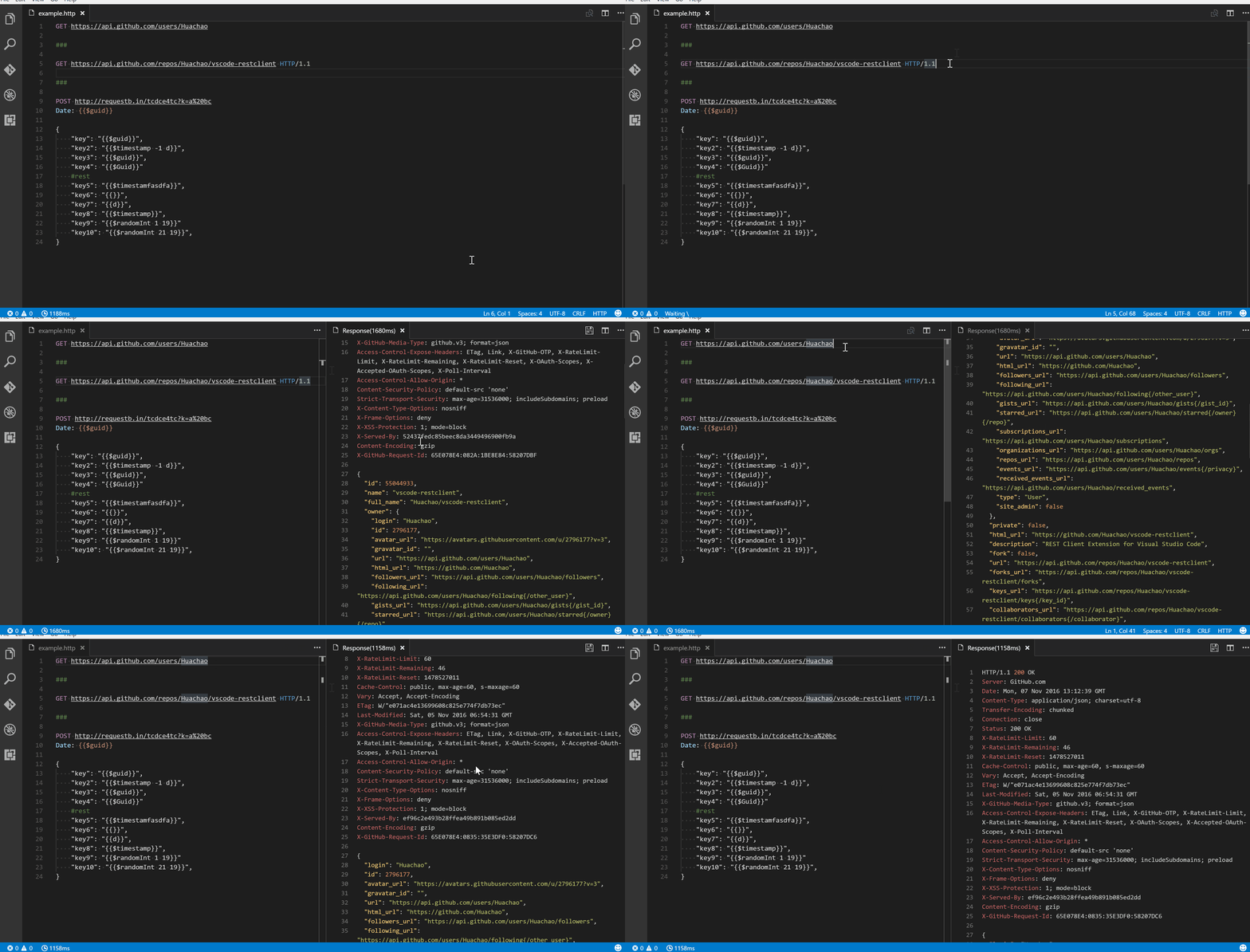
Select Request TextYou may even want to save numerous requests in the same file and execute any of them as you wish easily. REST Client extension could recognize requests separated by lines begin with three or more consecutive REST Client extension also provides the flexibility that you can send the request with your selected text in editor. InstallPress Making Request
Request LineThe first non-empty line of the selection (or document if nothing is selected) is the Request Line. Below are some examples of Request Line: If request method is omitted, request will be treated as GET, so above requests are the same after parsing. Query StringsYou can always write query strings in the request line, like: Sometimes there may be several query parameters in a single request, putting all the query parameters in Request Line is difficult to read and modify. So we allow you to spread query parameters into multiple lines(one line one query parameter), we will parse the lines in immediately after the Request Line which starts with Request HeadersThe lines immediately after the request line to first empty line are parsed as Request Headers. Please provide headers with the standard Request BodyIf you want to provide the request body, please add a blank line after the request headers like the POST example in usage, and all content after it will be treated as Request Body. Below are examples of Request Body: You can also specify file path to use as a body, which starts with If you want to use variables in that file, you'll have to use an to override the default encoding, simply type it next to the When content type of request body is When content type of request body is
Making GraphQL RequestWith GraphQL support in REST Client extension, you can author and send You can specify a request as Making cURL Request
Copy Request As cURLSometimes you may want to get the curl format of an http request quickly and save it to clipboard, just pressing Cancel RequestOnce you want to cancel a processing request, click the waiting spin icon or use shortcut Rerun Last RequestSometimes you may want to refresh the API response, now you could do it simply using shortcut Request History
You can also clear request history by pressing Save Full Response
Save Response BodyAnother icon in the upper right corner of the response preview tab is the Fold and Unfold Response BodyIn the response webview panel, there are two options AuthenticationWe have supported some most common authentication schemes like Basic Auth, Digest Auth, SSL Client Certificates, Azure Active Directory(Azure AD) and AWS Signature v4. Basic AuthHTTP Basic Auth is a widely used protocol for simple username/password authentication. We support three formats of Authorization header to use Basic Auth.
The corresponding examples are as follows, they are equivalent: and and Digest AuthHTTP Digest Auth is also a username/password authentication protocol that aims to be slightly safer than Basic Auth. The format of Authorization header for Digest Auth is similar to Basic Auth. You just need to set the scheme to SSL Client CertificatesWe support
Or if you have certificate in Azure Active Directory(Azure AD)Azure AD is Microsoft’s multi-tenant, cloud-based directory and identity management service, you can refer to the System Variables section for more details. Microsoft Identity Platform(Azure AD V2)Microsoft identity platform is an evolution of the Azure Active Directory (Azure AD) developer platform. It allows developers to build applications that sign in all Microsoft identities and get tokens to call Microsoft APIs such as Microsoft Graph or APIs that developers have built. Microsoft Identity platform supports OAuth2 scopes, incremental consent and advanced features like multi-factor authentication and conditional access. AWS Signature v4AWS Signature version 4 authenticates requests to AWS services. To use it you need to set the Authorization header schema to
Generate Code Snippet
HTTP LanguageAdd language support for HTTP request, with features like syntax highlight, auto completion, code lens and comment support, when writing HTTP request in Visual Studio Code. By default, the language association will be automatically activated in two cases:
If you want to enable language association in other cases, just change the language mode in the right bottom of
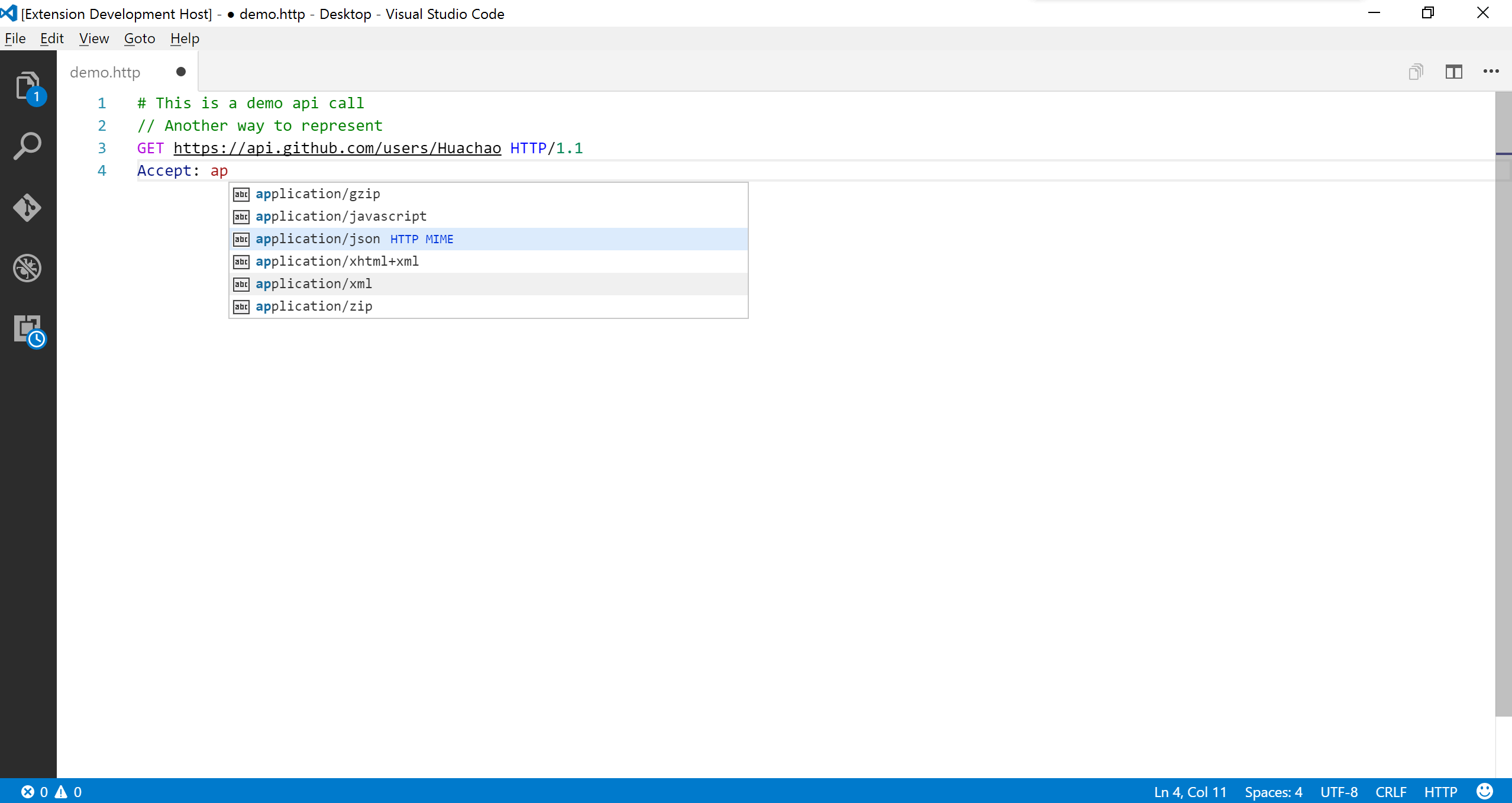
Auto CompletionCurrently, auto completion will be enabled for following seven categories:
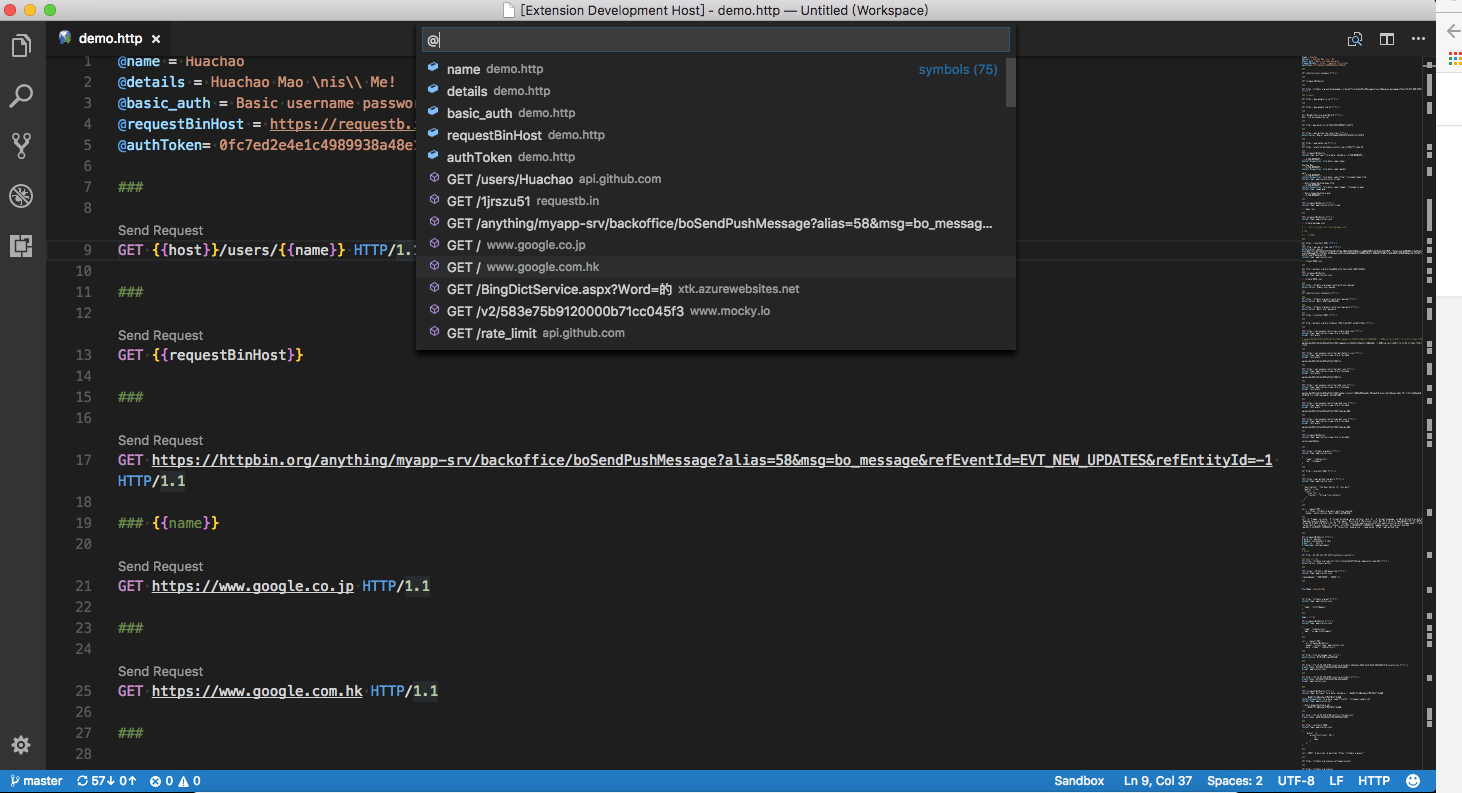
Navigate to Symbols in Request FileA single EnvironmentsEnvironments give you the ability to customize requests using variables, and you can easily switch environment without changing requests in Environments and including variables are defined directly in VariablesWe support two types of variables, one is Custom Variables which is defined by user and can be further divided into Environment Variables, File Variables, Prompt Variables, and Request Variables, the other is System Variables which is a predefined set of variables out-of-box. The reference syntax of system and custom variables types has a subtle difference, for the former the syntax is Custom VariablesCustom variables can cover different user scenarios with the benefit of environment variables, file variables, and request variables. Environment variables are mainly used for storing values that may vary in different environments. Since environment variables are directly defined in Visual Studio Code setting file, they can be referenced across different Environment VariablesFor environment variables, each environment comprises a set of key value pairs defined in setting file, key and value are variable name and value respectively. Only variables defined in selected environment and shared environment are available to you. You can also reference the variables in shared environment with A sample usage in File VariablesFor file variables, the definition follows syntax File variables can be defined in a separate request block only filled with variable definitions, as well as define request variables before any request url, which needs an extra blank line between variable definitions and request url. However, no matter where you define the file variables in the Prompt VariablesWith prompt variables, user can input the variables to be used when sending a request. This gives a flexibility to change most dynamic variables without having to change the The reference syntax is the same as others, follows Request VariablesRequest variables are similar to file variables in some aspects like scope and definition location. However, they have some obvious differences. The definition syntax of request variables is just like a single-line comment, and follows The reference syntax of a request variable is a bit more complex than other kinds of custom variables. The request variable reference syntax follows
Below is a sample of request variable definitions and references in an System VariablesSystem variables provide a pre-defined set of variables that can be used in any part of the request(Url/Headers/Body) in the format
The offset options you can specify in
Below is a example using system variables:
Customize Response PreviewREST Client Extension adds the ability to control the font family, size and weight used in the response preview. By default, REST Client Extension only previews the full response in preview panel(status line, headers and body). You can control which part should be previewed via the
Settings
Rest Client extension respects the proxy settings made for Visual Studio Code ( Per-request SettingsREST Client Extension also supports request-level settings for each independent request. The syntax is similar with the request name definition,
LicenseChange LogSee CHANGELOG here Special ThanksAll the amazing contributors❤️ FeedbackPlease provide feedback through the GitHub Issue system, or fork the repository and submit PR. |



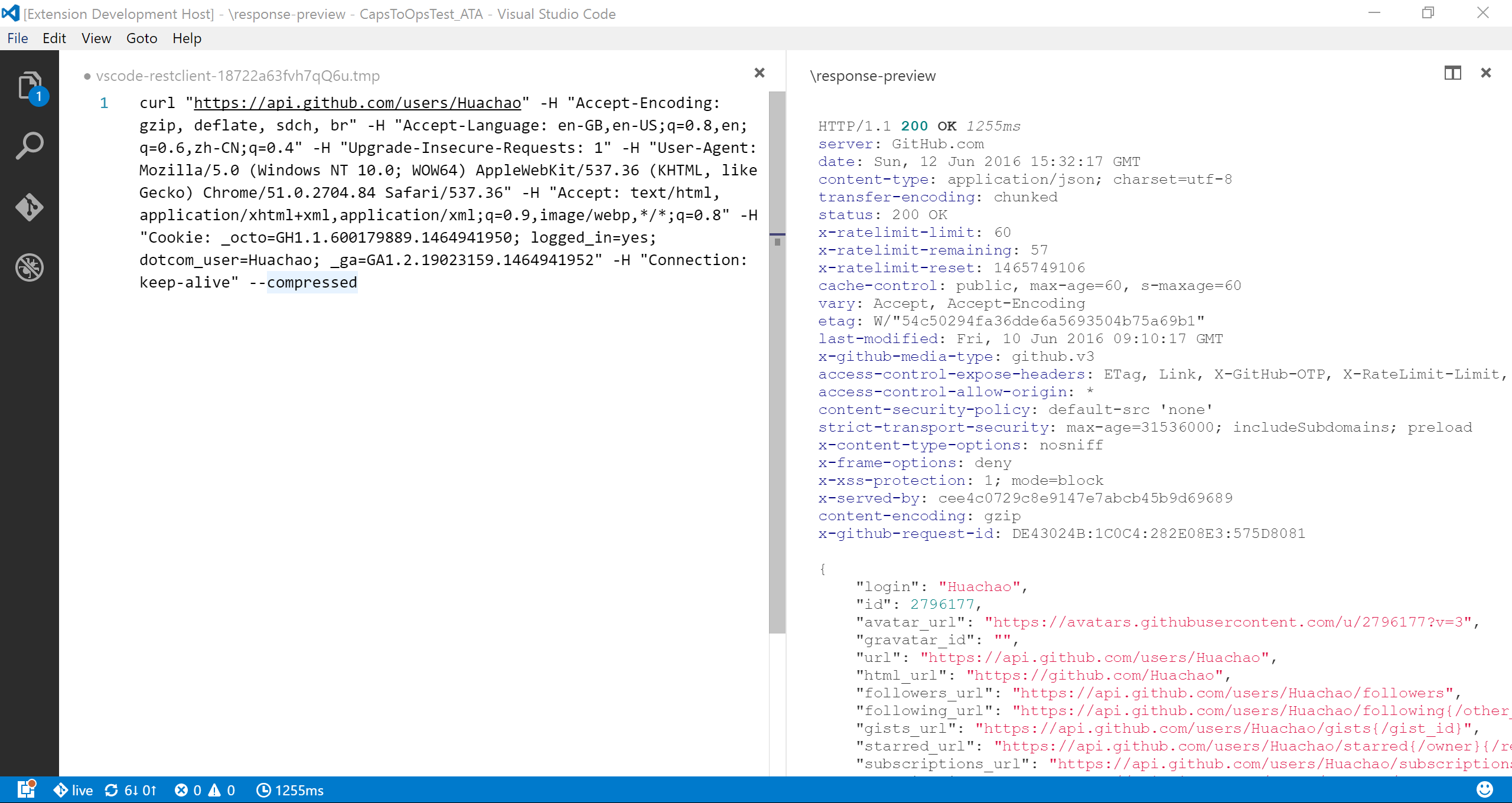 We add the capability to directly run
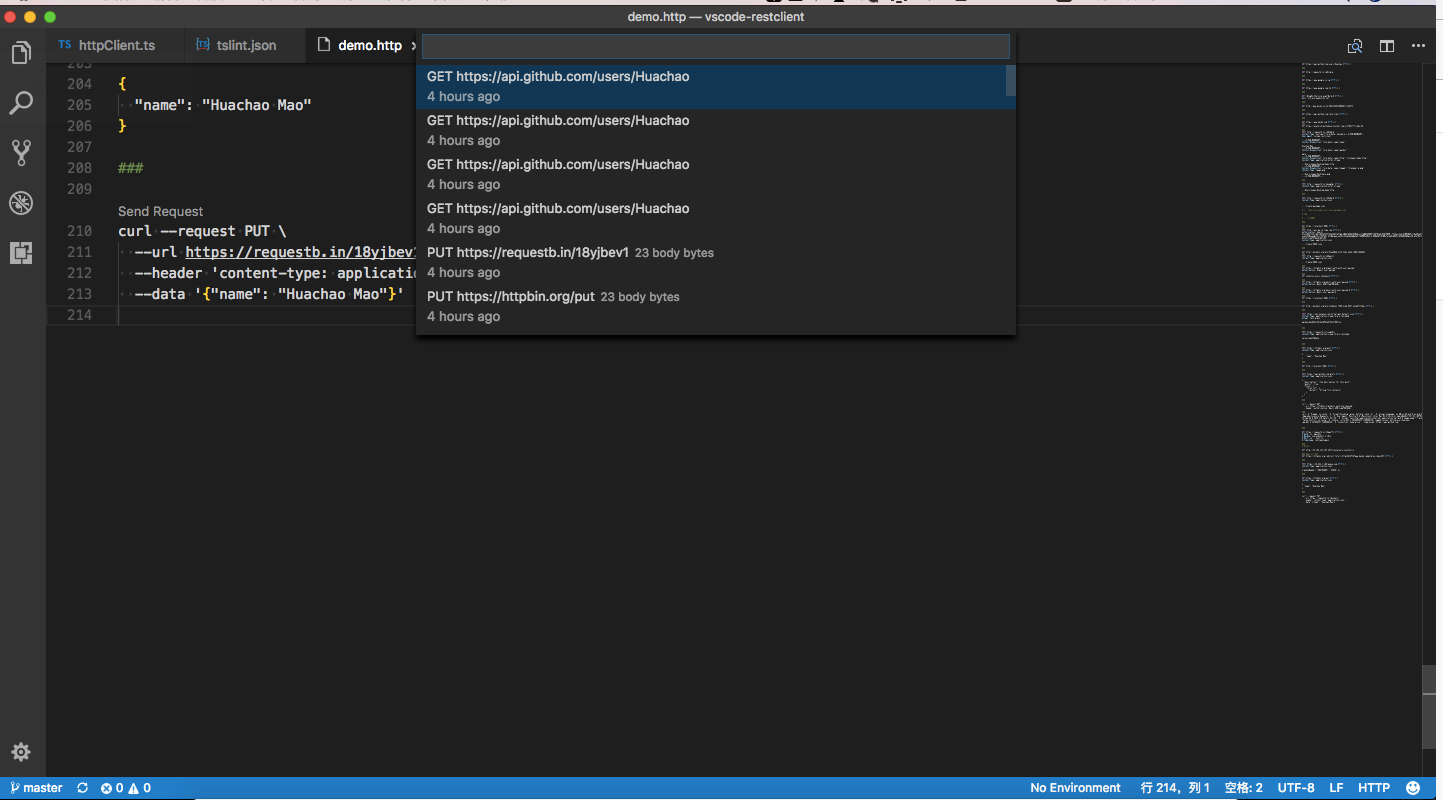 Each time we sent an http request, the request details(method, url, headers, and body) would be persisted into file. By using shortcut
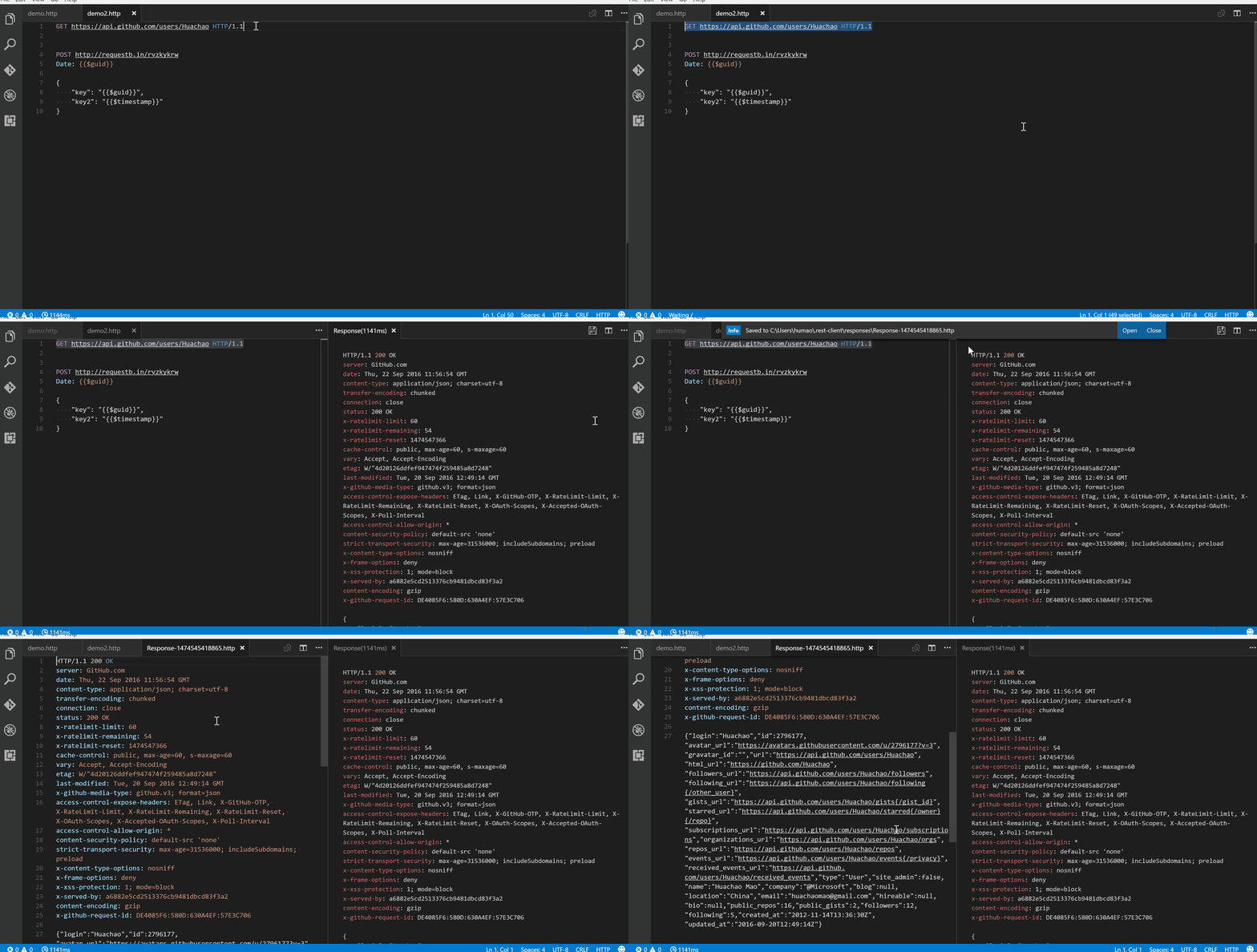 In the upper right corner of the response preview tab, we add a new icon to save the latest response to local file system. After you click the
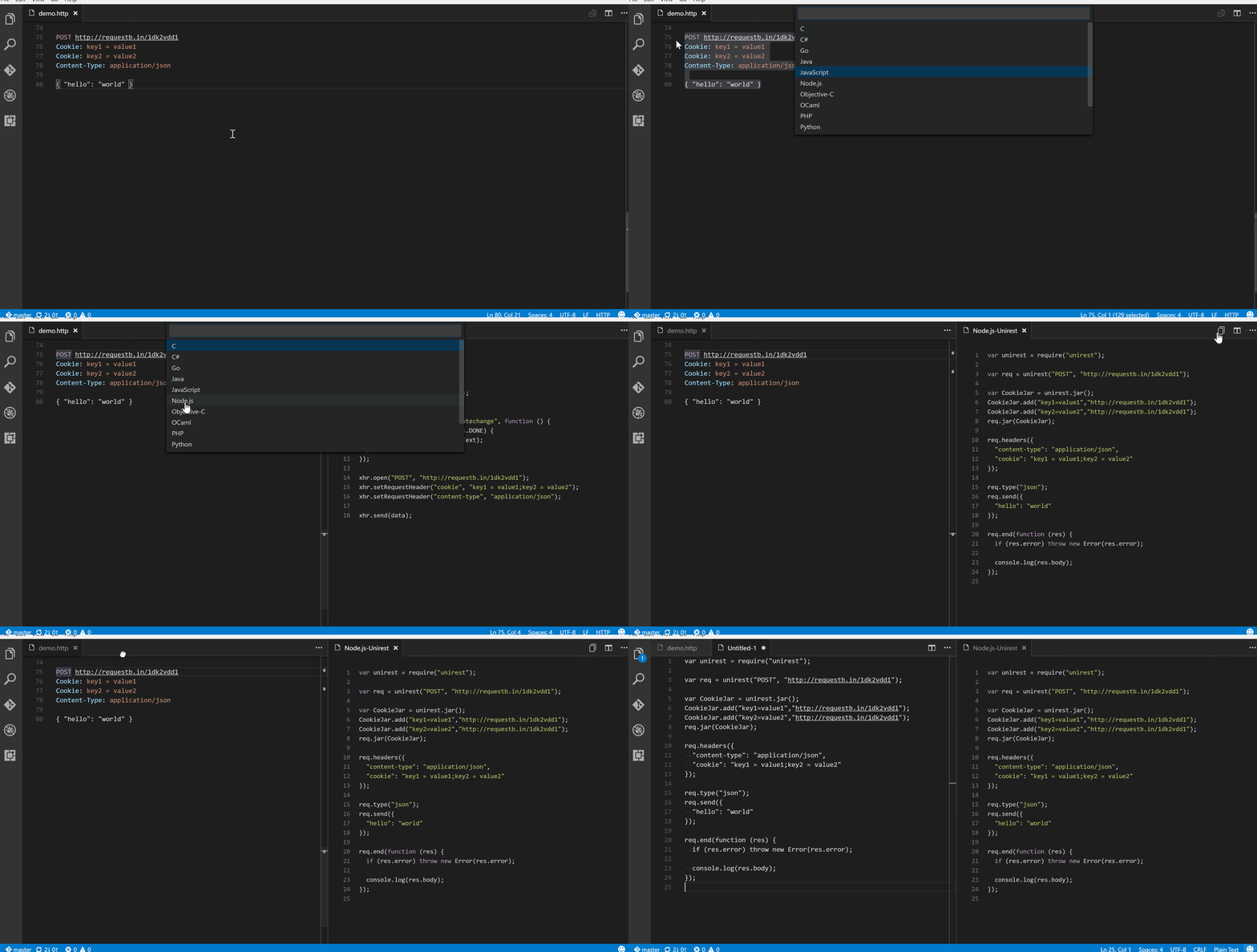 Once you’ve finalized your request in REST Client extension, you might want to make the same request from your source code. We allow you to generate snippets of code in various languages and libraries that will help you achieve this. Once you prepared a request as previously, use shortcut