annotron — Markdown preview, Mermaid diagrams & point‑and‑click review
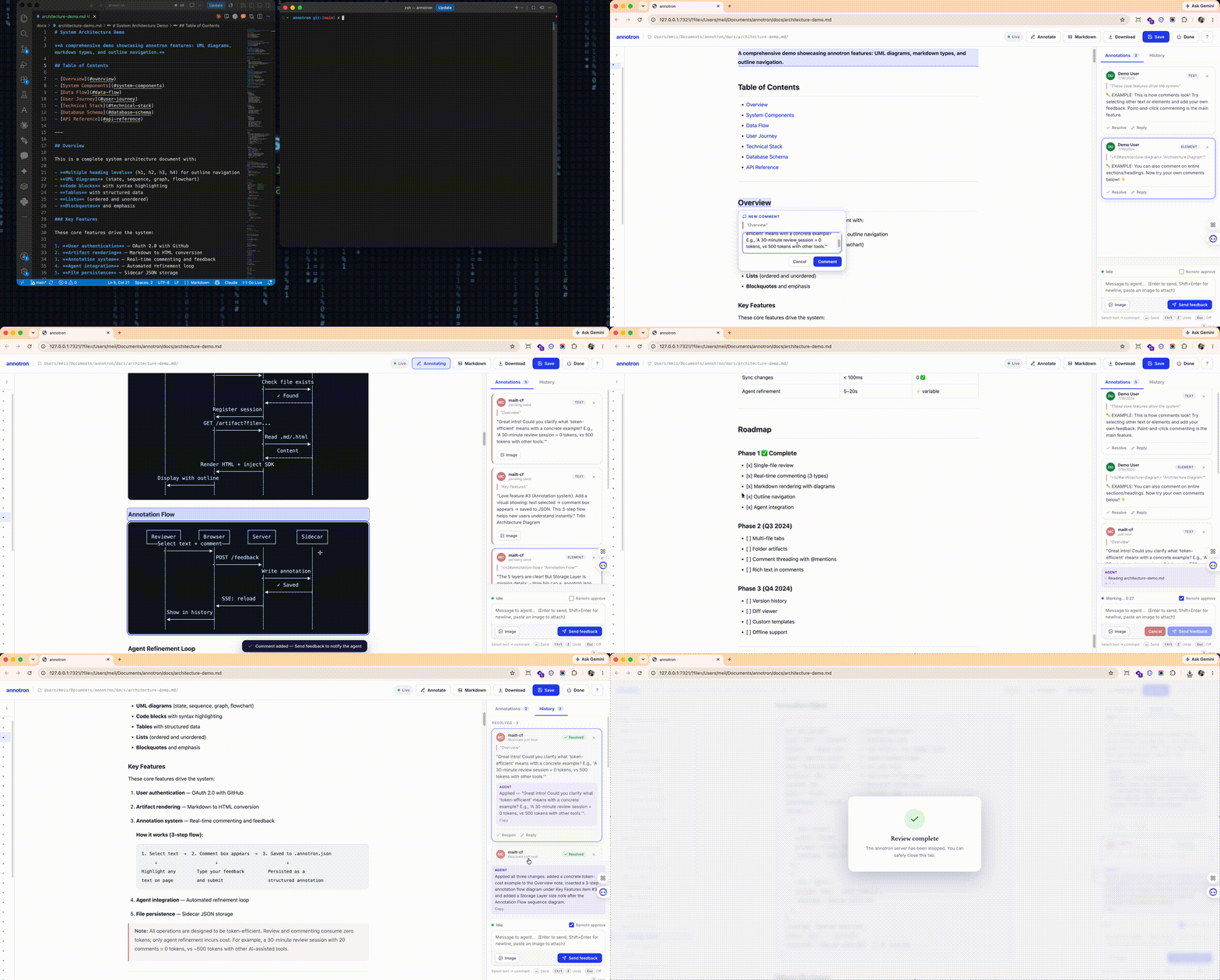
Preview Markdown and HTML with live Mermaid diagrams, then click to comment. Right‑click any .md or .html file → Open in annotron → review it point‑and‑click in your browser: comment on any element or text selection, render mermaid diagrams, edit the Markdown source and Save to re‑render, and (optionally) drive an AI‑agent feedback loop.
🌍 Also available on
| VS Code Extension |
OpenVSX Registry |
npm CLI |
 |
 |
 |
| You're here! |
For VS Code forks & IDEs |
npm install -g annotron |
Features
- 📝 Markdown preview — render
.md to a clean, readable document (tables, code, blockquotes, everything).
- 📐 Mermaid diagrams —
flowchart, sequence diagram, class diagram, ER diagram, C4, gantt, gitGraph and more render to inline SVG (via merslim) — no client‑side diagram runtime, perfect for architecture docs and UML.
- 🖱️ Point‑and‑click annotation & review — select text or click an element to comment; each comment carries the exact selector + text, so feedback is precise. Threads, resolve/reply, and reviewer identity (your GitHub account) included.
- 💾 Two‑way Markdown sync — edit the Markdown source in a side pane and Save (⌘/Ctrl+S) to write it back and re‑render (diagrams included). The
.md stays the source of truth.
- 🤖 AI‑agent loop (optional) — send structured feedback to your coding agent, watch its activity live, and approve tool permissions from the browser.
- 🌐 HTML too — review any rendered
.html artifact the same way.
Usage
- Explorer / editor right‑click → Open in annotron (on
.md / .html).
- Open With… → annotron — Ctrl/Cmd‑click a
.md/.html file → Open With… → annotron opens the review UI right inside a VS Code editor tab. annotron is offered as an option and never overrides your default editor.
- Command Palette →
annotron: Open in annotron (uses the active editor's file).
annotron: Stop annotron server shuts the background server down.
Settings
| Setting |
Default |
Description |
annotron.port |
7321 |
Port the bundled server listens on (127.0.0.1). |
annotron.openIn |
browser |
browser (external default browser) or vscode (a Simple Browser tab). |
annotron.autoAgent |
true |
On open, also start an agent that auto-applies your feedback with Claude Code (claude) in a terminal. Turn off to review without an agent. |
Agent loop & loop engineering
Loop engineering is the practice of building a tight feedback cycle between human reviewers and AI agents. annotron automates this entirely—no wiring needed.
Auto-apply feedback (agent loop)
With annotron.autoAgent on (default), opening a file launches an annotron agent in a terminal that:
- 👁️ Watches for your annotations (comments on elements, text, or the full document)
- 🔄 Polls continuously for feedback
- 🤖 Runs Claude Code to apply changes to the source
- 📝 Replies with a summary of edits made
- 🔁 Repeats until you're done
So Send feedback → applied edits → live preview update in seconds. Requires claude CLI on your PATH.
Manual agent control
Prefer finer control? Turn annotron.autoAgent off and drive it yourself:
# Open in annotron
annotron design.md

# In another terminal, run the agent manually
annotron agent design.md            # auto-poll & apply feedback
# or
annotron poll design.md             # one-shot: wait for feedback
annotron poll design.md --reply "…" # reply with a status message
Why annotron: human-in-the-loop for AI agents
The problem: Reviewing agent-generated docs (PRDs, tech designs, architecture diagrams, mockups) by describing changes in prose is slow and lossy. "Change this paragraph" → agent guesses what you meant → you repeat.
The solution: Loop engineering with annotron. You point at exactly what to change (click an element, select text, add a note), annotron sends structured feedback to the agent, the agent applies it, and you see the result live — close the agent feedback loop in seconds instead of minutes. Precise feedback in, precise edits out.
What loop engineering means in annotron
- Integrated agent loop — no manual wiring (
annotron --agent starts it automatically)
- Structured feedback — each annotation carries the CSS selector, selected text, and your note; images attach too
- Live activity mirror — watch the agent's tool calls (Read/Edit/Bash) stream into the sidebar
- Instant preview updates — file changes → browser reloads → you see edits immediately
- Continuous cycle — repeat until both agree; then finalize
How it works
The extension bundles annotron and starts it with VS Code's own Node runtime
(ELECTRON_RUN_AS_NODE) — no global install required. The server renders the
file, injects the review UI into the browser only (never to disk, never to your
agent), and drives the annotation / feedback loop.
Keywords: markdown preview, mermaid, mermaid preview, diagram, uml, flowchart, sequence diagram, class diagram, ER diagram, C4, gantt, annotate, review, code review, comment, html preview, architecture docs, AI agent artifacts.

