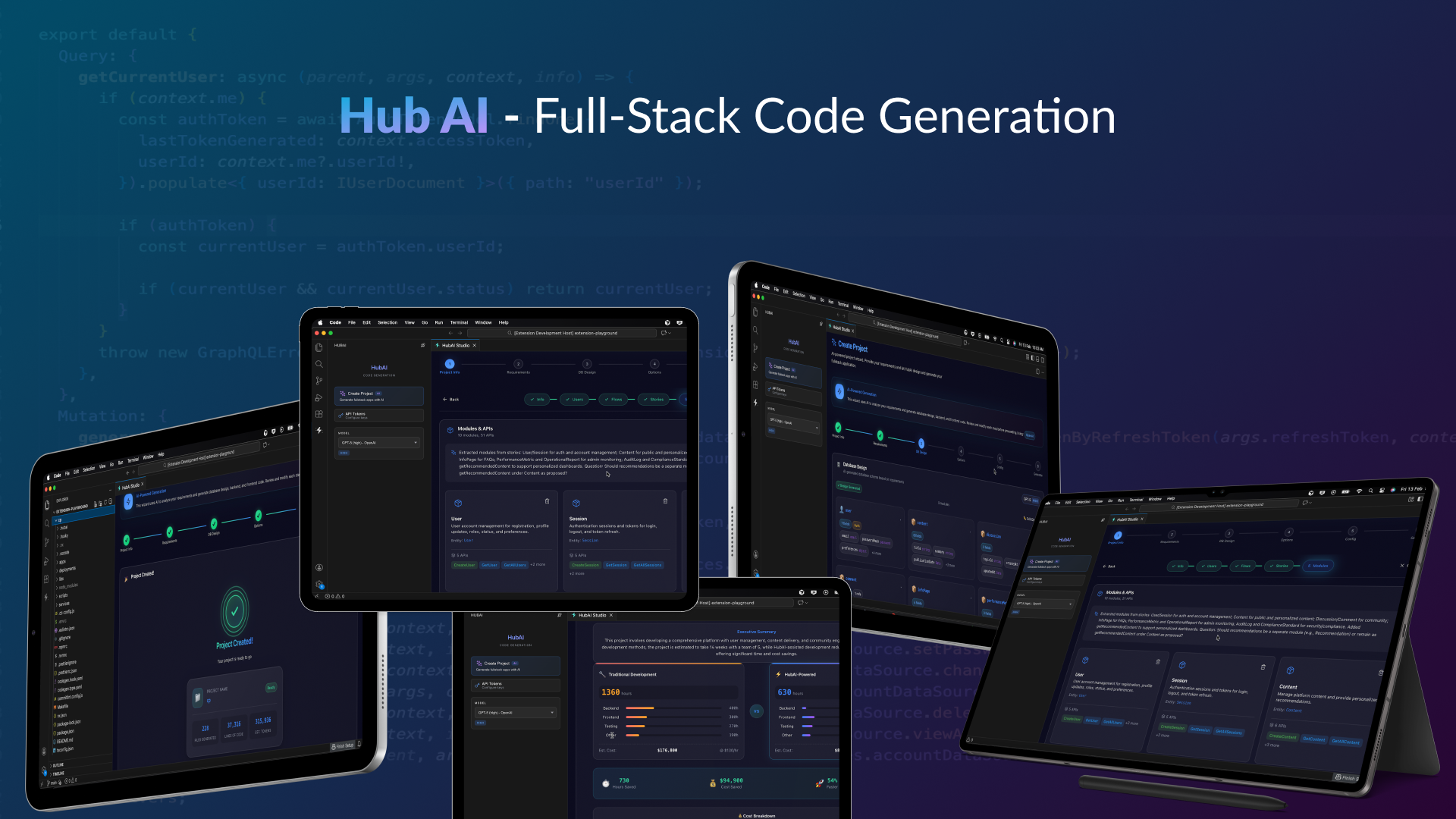
HubAI ⚡ AI-Driven Development
Predictable. Transparent. Production-Ready.
AI-Powered Fullstack Code Generation — No Black Boxes, Just Code You Own






AI does the thinking. HubAI does the heavy lifting. Enterprise output you can trust.





Why Chat-Based AI Fails at Enterprise Scale
Chat-based tools rely on unstructured, probabilistic LLM output. Every line of code is improvised. Every generation is different. At enterprise scale, that is not innovation — it's a liability.
There's a structured way.
- You describe what you want in natural language
- LLM improvises code — different output every time
- You review, find inconsistencies, ask for changes
- Context window fills up. Quality degrades.
- No architectural discipline. No validation pipeline.
- Repeat ad-hoc for every file, every entity, every endpoint
- Result: Non-deterministic, unauditable output at scale
Unstructured generation. Unpredictable results.
|
HubAI — The Structured Approach
- You define requirements through visual forms and wizards
- Multi-agent Brain designs the architecture (orchestrated, specialized agents)
- Deterministic structured patterns render thousands of lines of production code (zero improvisation)
- QA Agent validates every output against quality standards
- Done. One pass. Enterprise-grade consistency.
Structured methodology. Predictable, auditable results.
|
Unstructured Approach
~50K–200K tokens consumed
per CRUD backend scaffold
Every line improvised by LLM — non-deterministic
|
Structured Approach (HubAI)
~8K tokens for design + deterministic generation
AI thinks, structured patterns build — 25x more efficient
Auditable, consistent, identical across every run
|
Same AI model. Structured methodology. Deterministic output. Nine engineering principles. Enterprise-grade at any scale.
The Structured Generation Engine



Other tools use the LLM to improvise every line of code. HubAI uses the LLM for architectural decisions — then renders production code through battle-tested structured patterns.
🧠 LLM for Architecture
Requirement analysis, schema design, architecture decisions — focused, specialized agent calls scoped to each domain.
The AI does what AI is best at: understanding your intent and making smart design decisions.
|
⚡ Structured Patterns for Building
Codified production patterns generate code deterministically — zero hallucination, 99%+ consistency across every run.
Every output is deterministic, auditable, and identical across runs.
|
🔬 Multi-Agent Specialization
6 specialized agents — Orchestrator, Requirement, Database Architect, Frontend Architect, Code Generator, QA — each with isolated context, clear responsibility.
No single agent is overloaded. Every agent excels at one thing.
|
📐 Progressive Context
Agents load information just-in-time, never flooding the context window. Each agent operates with precisely the context it needs.
Engineered precision at every stage of the pipeline.
|
HubAI Execute — Sit Back and Relax


Create your project with HubAI (AI), then run hubai execute — sit back and relax; the AI agent does the work for you.
HubAI generates your fullstack scaffold with AI. After that, run hubai execute and the Coding Agent autonomously completes your application from start to finish.
You create with AI. You run one command. The agent does the rest.
|
"Chat tools improvise code. HubAI engineers it. That is the difference enterprises demand."
Why Structure Always Wins




Every mature engineering discipline has made the same transition: from ad-hoc to structured. The enterprises that adopted structure first won their markets.
Before: Manual Servers
Engineers configured servers by hand. Every environment was different. Deployments were fragile.
Then came Infrastructure as Code.
Terraform, CloudFormation, Pulumi — structured, repeatable, auditable.
|
Before: Manual Deploys
Teams deployed by SSH and prayer. Rollbacks were guesswork. Downtime was expected.
Then came CI/CD Pipelines.
GitHub Actions, Jenkins, ArgoCD — structured, automated, reliable.
|
Before: Ad-hoc APIs
Developers hand-wrote endpoints. No contracts. Frontend and backend drifted apart.
Then came Schema-First Design.
GraphQL schemas, OpenAPI specs, Protobuf — structured, typed, consistent.
|
Before: Ad-hoc AI Code
Chat tools improvise code line by line. Every run is different. No auditability. No guarantees.
Now: Structured AI Generation.
HubAI — multi-agent architecture, deterministic patterns, QA validation. Engineered, not improvised.
|
Every engineering discipline has moved from ad-hoc to structured. AI code generation is next. HubAI is how — domain-specific, context-engineered, deterministic.
The Problem with AI Code Generators
Most AI coding tools promise magic but deliver mystery.
What Others Give You
- Black box outputs — Code appears from nowhere, impossible to trace or understand
- Unpredictable results — Same prompt, different code every time
- Unmaintainable spaghetti — Clever tricks that break when you try to modify them
- Vendor lock-in — Proprietary patterns that trap you in their ecosystem
- One-off solutions — Works for demos, breaks in production
|
What HubAI Delivers
- Transparent generation — Every line follows established patterns you can trace
- Consistent, predictable output — Same inputs, same reliable structure
- Clean, maintainable code — Standard patterns your team already knows
- Zero lock-in — It's your code, period. Take it anywhere.
- Production-grade from day one — Built for scale, not just demos
|
"The best code generator is one that writes code exactly like your best engineer would — consistent, documented, and utterly predictable."
Engineering Architecture




HubAI is not assembled from off-the-shelf LLM wrappers. Every layer is purpose-built around nine engineering principles drawn from production experience building AI agent systems. These principles are codified into the architecture itself — not aspirational guidelines, but enforced constraints.
1. Context Engineering
|
Context is a finite, expensive resource. Every token in an agent's context window consumes attention budget and degrades signal-to-noise ratio. Chat-based tools ignore this — they dump everything into a single context and watch quality degrade as the window fills.
HubAI treats context like memory in a high-performance system:
- Capped token budgets — Each agent operates within ~8K tokens max. No agent is ever overloaded with irrelevant information.
- Just-in-time loading — Agents discover and load data on demand through tools, not through pre-loaded context dumps. The
ContextManager coordinates what each agent sees and when.
- Compaction — For long-horizon tasks,
SemanticMemory summarizes and compresses completed phases while preserving architectural decisions. The KnowledgeBase stores project state, design patterns, and user preferences outside the context window.
- Isolated agent contexts — Each agent has its own context window. No shared pollution. Sub-agents return condensed summaries to the orchestrator, not raw data.
|
The result:
General-purpose tools consume 50K-200K+ tokens per CRUD scaffold — most of it wasted on improvisation and context bleed.
HubAI uses ~8K tokens for architecture decisions, then generates code deterministically with zero additional LLM tokens.
That is a 6x-25x improvement in token efficiency, which directly translates to faster execution, lower cost, and higher output quality.
|
2. Multi-Agent Orchestration
|
One agent cannot do everything well. A single agent juggling requirements, database design, frontend architecture, code generation, and quality assurance will produce mediocre results at every stage. Context bleeds across domains, attention fractures, and quality degrades.
HubAI implements the Orchestrator-Worker pattern with strict separation of concerns:
OrchestratorAgent — Analyzes the task, creates an execution plan via PlanningModule, spawns specialized agents, and synthesizes results. It decides the strategy; workers execute.MessageBus — Inter-agent communication without shared context. Agents coordinate through structured request/response messages with timeouts, not by reading each other's context windows.ExecutionEngine — Dependency-aware parallel execution. Independent phases run concurrently; dependent phases wait. Progress tracking and cancellation are built in.- Six specialized agents — Requirement, Database Architect, Frontend Architect, Code Generator, QA, and Plan Mode — each with focused responsibility and isolated context.
|
Why this matters:
Multi-agent architectures provide compression (parallel context windows processing different domains simultaneously) and separation of concerns (distinct tools, prompts, and trajectories per domain).
The MessageBus ensures agents communicate through lightweight references, not by passing full context — avoiding the "game of telephone" that degrades output in naive multi-agent setups.
Each agent excels at exactly one thing. The orchestrator ensures they work together.
|
3. Agentic Workflow Patterns
|
Complexity should be earned, not assumed. HubAI follows a strict hierarchy: use the simplest solution that works, add complexity only when it demonstrably improves outcomes.
Three workflow patterns drive the pipeline:
Prompt Chaining — The orchestration pipeline decomposes generation into a fixed sequence: Requirements Analysis -> Database Schema Design -> Frontend Architecture -> QA Validation -> Code Generation. Each phase consumes the previous phase's structured output. Gates between phases validate intermediate results before proceeding.
Routing — Input is classified and directed to domain-specialized agents. Database design goes to the Database Architect. Frontend layout goes to the Frontend Architect. Each agent has prompts, tools, and context tuned for its domain — not a generic "do everything" instruction.
Evaluator-Optimizer — The QA Agent evaluates every output against quality standards. If validation fails, the pipeline can re-run specific phases with feedback. This is not a post-hoc check — it is an integral loop in the generation pipeline.
|
The discipline:
Chat-based tools use a single agent with a single prompt for everything. That is the simplest possible architecture — and it breaks at enterprise scale.
HubAI's phased pipeline means each stage operates with maximum precision and minimum context, producing structured artifacts that flow cleanly into the next stage.
No improvisation. No context drift. No quality degradation at scale.
|
4. Design Patterns
|
The codebase is built on classical design patterns — not because they are fashionable, but because they enforce the right constraints:
- Template Method —
AbstractGenerator defines the generation flow (load template, map variables, render, format, write). Subclasses (ApolloGenerator, ExpressGenerator, ViteGenerator) implement domain-specific logic without altering the pipeline.
- Factory —
SkillFactory and ToolFactory create specialized instances without coupling callers to concrete types. Agent creation uses factory singletons (getOrchestratorAgent(), getCodeGeneratorAgent()).
- Strategy — Pluggable generators per backend type (Apollo, Express, Serverless, Subgraph). Same interface, different algorithm. Swapped at runtime based on project configuration.
- Observer —
MessageBus subscribers react to agent events (stage changes, tool executions, progress updates) without tight coupling.
- Builder — Incremental schema construction.
FrontendBuilder assembles complex frontend schemas step by step, validating at each stage.
- Singleton — All agents,
MessageBus, ExecutionEngine, and PlanningModule use singletons to ensure consistent state across the orchestration lifecycle.
|
Why patterns matter for AI systems:
AI agents are inherently non-deterministic. Design patterns impose structural determinism on the system surrounding them.
The Template Method pattern guarantees every generator follows the same flow. The Factory pattern guarantees agents are instantiated correctly. The Strategy pattern guarantees new backend types can be added without modifying existing code.
Patterns are the guardrails that keep a non-deterministic system producing deterministic results.
|
|
Tools are contracts between deterministic systems and non-deterministic agents. Poorly designed tools are the primary source of agent failure. HubAI treats tool design with the same rigor as API design:
BaseMCPTool — Abstract base class enforcing single-purpose tools with Zod schema validation, safe execution with error handling, and JSON Schema conversion for MCP protocol compliance.ToolRegistry — Centralized tool discovery and execution. Agents select tools from the registry based on clear, unambiguous descriptions — not by guessing.- Token-efficient results — Tool responses return minimal, high-signal data. No raw dumps, no opaque IDs. Summaries and filtered results keep agent context clean.
- Actionable errors — Error responses include specific guidance and valid examples, not stack traces. Agents can self-correct without wasting tokens on debugging.
|
The principle:
If a human cannot choose which tool to use from the description alone, an agent cannot either.
Every tool in HubAI has a single clear purpose, typed inputs via Zod schemas, and responses sized to fit within agent token budgets.
The tool set is minimal by design — no overlapping tools, no bloated APIs. Each tool subdivides work the way a human would.
|
6. Structured Reasoning
|
Agents must think before they act. The most expensive mistake an AI agent can make is acting on incomplete information or stale context. HubAI enforces think-before-act discipline at every level:
PlanningModule — Before any execution, the orchestrator creates a structured execution plan with dependencies, parallel groups, and phase ordering. Plans are inspectable and cancellable.- Inter-phase reasoning — Agents reason between phases, not mid-generation. After the Database Architect produces a schema, the orchestrator evaluates the result before routing to the Frontend Architect.
- Progress tracking — Phased orchestration with structured progress tracking means every session can be resumed from the last clean checkpoint. No lost work, no repeated computation.
- Incremental verification — Each phase produces a verifiable artifact. The QA Agent validates against quality standards before the pipeline advances. Features are only marked complete after end-to-end verification.
|
The difference:
Chat-based tools generate code in a single pass — think and act simultaneously. When something goes wrong, the entire context is polluted.
HubAI separates planning from execution. The PlanningModule creates the plan. The ExecutionEngine executes it. The QA Agent validates it. Three distinct phases, three distinct concerns.
This is how production systems are built — and it is how production code should be generated.
|
Nine principles. One architecture. Every principle is enforced by code, not by convention. That is what separates an engineered system from a prompt wrapper.
Why Domain-Specific Engineering Outperforms


General-purpose AI coding tools try to solve every problem. They generate Python scripts, debug CSS, write documentation, refactor legacy code, and scaffold new projects — all through the same interface, the same context window, the same improvisation loop. Jack of all trades, master of none.
HubAI takes the opposite approach: solve one problem with surgical precision. Structured fullstack code generation is a bounded, well-defined domain. By engineering specifically for this domain, every architectural decision compounds:
Narrower Problem, Deeper Optimization
General tools spread attention across every possible coding task. HubAI concentrates its entire architecture — agents, tools, templates, memory, orchestration — on structured fullstack generation.
Every agent is tuned for its specific phase. Every tool is designed for the exact operations agents need. Every template encodes production-tested patterns. Nothing is generic. Everything is purpose-built.
Deterministic Where It Matters
The insight that separates HubAI from chat-based tools: code generation does not require an LLM. Architecture decisions do. Schema design does. Requirement analysis does.
HubAI uses the LLM exclusively for architectural thinking (~8K tokens), then renders production code through deterministic Handlebars templates with zero additional LLM tokens. The Code Generator agent never calls an AI model. It compiles structured schemas into code — like a compiler, not a chatbot.
Engineered Token Economy
Chat-based tools consume 50K-200K+ tokens per CRUD scaffold because every line is improvised by the LLM. Token-by-token generation means token-by-token cost, latency, and hallucination risk.
HubAI's token budget: ~8K for architecture + 0 for generation. That is not an optimization — it is a fundamentally different architecture. The LLM does what LLMs are best at (reasoning about design). Templates do what templates are best at (rendering consistent code).
|
Compound Consistency
Every pattern, every generator, every template in HubAI reinforces the same architectural standard. Generate 10 files or 10,000 — they follow identical conventions, identical structure, identical quality.
Chat-based tools cannot offer this guarantee. Each generation is an independent improvisation. Consistency across files is accidental, not architectural. At enterprise scale, accidental consistency is no consistency at all.
The Compiler Analogy
Software engineering has seen this pattern before:
| Era |
Before |
After |
| 1950s |
Hand-written assembly |
Compilers (structured, deterministic) |
| 1990s |
Manual server config |
Infrastructure as Code (repeatable, auditable) |
| 2010s |
Ad-hoc deployments |
CI/CD pipelines (automated, reliable) |
| 2020s |
Ad-hoc AI code |
Structured AI generation (engineered, deterministic) |
Compilers did not replace programmers — they replaced the tedious, error-prone act of translating high-level intent into low-level code. HubAI does the same for fullstack scaffolding. The LLM is the architect. The structured pipeline is the compiler. The output is production code you own.
|
General-purpose tools optimize for breadth. Domain-specific systems optimize for depth. At enterprise scale, depth wins — because consistency, auditability, and reliability are not optional.
Built for Enterprise Teams
HubAI is built with the rigor and discipline enterprise teams expect — not as another experiment, but as production infrastructure for AI-driven development.
🎯 Predictable Code
No mysteries. No surprises.
Every line HubAI generates is clean, standardized, and human-readable. You can read it, understand it, modify it, and own it completely.
What you see is what you get — code that follows the same patterns every single time.
Your codebase stays consistent whether you generate 10 files or 10,000.
|
🚀 Enterprise-Ready
Production-grade from line one.
Security scaffolding, authentication layers, RBAC, and scalable architecture patterns are built in — not bolted on.
No more "it works in development" disasters. HubAI generates code that's ready for real users, real traffic, and real security requirements.
Skip months of architecture work.
|
🤝 Team-Friendly
Code your team can trust.
Git-friendly output designed for collaboration. Every generated file can be reviewed, extended, and maintained by any developer on your team.
No tribal knowledge required. No "don't touch that file" warnings. Just clean code that follows patterns everyone understands.
Onboard new developers in days, not weeks.
|
Not Another Black Box



Other tools hide their magic. HubAI shows its work.
| What This Means |
Why It Matters |
| Every pattern is documented |
Your team knows exactly what to expect |
| No hidden abstractions |
Debug issues in minutes, not days |
| Standard industry conventions |
Any developer can jump in immediately |
| No proprietary dependencies |
Switch tools anytime — your code stays yours |
| Deterministic outputs |
Same configuration = same code structure |
When AI generates mysterious code, you're not saving time — you're borrowing it at high interest. HubAI generates code you'd be proud to have written yourself.
The HubAI Advantage


| Differentiator |
HubAI |
| Consistency |
Same inputs → same structure, every time |
| Reliability |
Production-grade patterns, not demo code |
| Ownership |
Your codebase. Your rules. Zero lock-in. |
| Speed |
Fullstack scaffolding in minutes, not days |
| Structure |
Deterministic generation pipeline — not ad-hoc LLM improvisation |
| Auditability |
Every output is traceable, repeatable, and reviewable |
| Scalability |
From one entity to hundreds — consistent architecture at any scale |
| Context Engineering |
~8K tokens per agent, isolated context windows, zero context bleed |
| Domain Precision |
Purpose-built for structured fullstack generation — not a generic wrapper |
99%+ structural consistency across generations. Built on 9 engineering principles. The structured standard for AI-driven development.
The 9 Engineering Principles Behind HubAI
| # |
Principle |
What It Means |
| 1 |
Context Engineering |
Context is finite. Each agent operates within ~8K tokens. Just-in-time loading. Semantic compaction. |
| 2 |
Multi-Agent Orchestration |
Orchestrator-Worker pattern. Six specialized agents. MessageBus coordination. Parallel execution. |
| 3 |
Agentic Workflow Patterns |
Prompt chaining, domain routing, evaluator-optimizer. Simplest solution first, complexity earned. |
| 4 |
Design Patterns |
Template Method, Factory, Strategy, Observer, Builder, Singleton. Structural determinism for non-deterministic systems. |
| 5 |
Tool Architecture |
Self-contained MCP tools. Zod validation. Token-efficient results. Minimal, non-overlapping tool sets. |
| 6 |
Tool Evaluation |
QA Agent validates every output. Programmatic evaluation loops. Transcript analysis for improvement. |
| 7 |
Coding Agent Discipline |
Explore, design, generate, validate. Minimal scaffolding. Absolute paths. Single-match edits. |
| 8 |
Structured Reasoning |
PlanningModule creates plans before execution. Think-before-act. Inter-phase reasoning, not mid-generation. |
| 9 |
Long-Horizon Resilience |
Phased orchestration. Structured progress tracking. Cancellable plans. End-to-end verification. |



| Capability |
Chat-Based Tools |
HubAI |
| Code generation method |
Token-by-token LLM improvisation |
Deterministic structured patterns — engineered output |
| AI efficiency per project |
~50K–200K+ tokens consumed |
~8K tokens (architecture only) + deterministic render |
| Output consistency |
Varies every run — non-deterministic |
99%+ structurally identical — auditable |
| Fullstack scaffolding |
Manual, ad-hoc, file by file |
One pass — backend, frontend, infra |
| Architecture decisions |
You prompt, it guesses |
Multi-agent specialization per domain |
| Code quality validation |
None built-in |
QA Agent validates every generation |
| Model flexibility |
Locked to one vendor |
14 providers — cloud, local, enterprise |
| Prompt engineering required |
Yes, extensive |
No — visual forms and wizards |
| Code hallucination risk |
High (LLM improvises every line) |
Near zero (generation is deterministic) |
| Context window degradation |
Yes — quality drops as context fills |
No — isolated agent contexts, scoped precision |
| Enterprise auditability |
Opaque — different output each run |
Transparent — traceable, repeatable, reviewable |
| Engineering foundation |
Generic LLM wrapper |
9 codified engineering principles — context, orchestration, patterns, tools |
| Domain specificity |
Solves every problem generically |
Purpose-built for structured fullstack generation |
| Agent coordination |
Single agent, single context |
MessageBus, ExecutionEngine, PlanningModule — production orchestration |
Structured generation is not just faster. It is more reliable, more consistent, and more auditable. Domain-specific engineering outperforms general-purpose tools — every time, at every scale.
The Market is Moving Fast
"AI will revolutionize coding, automating 90% of the grunt work by 2030, freeing humans to innovate like never before."
— Dario Amodei, CEO of Anthropic
$37.34B
Market by 2032 |
84%
Developers using AI in 2025 |
95%
Code AI-generated by 2030 |
4x-5x
Faster development cycles |
The question isn't whether to use AI for coding. It's whether to use AI that produces code you can actually maintain.
The AI Coding Revolution
AI-driven development isn't coming — it's here. Industry leaders are betting big:
"The next decade of software will be written with AI as a copilot. Developers who adopt the right tools today will define the platforms of tomorrow."
— Satya Nadella, CEO of Microsoft
"We're seeing a fundamental shift. The best teams aren't just using AI — they're building with AI-native workflows from day one."
— Sam Altman, CEO of OpenAI
HubAI puts you ahead of the curve. While others experiment with one-off prompts, you're generating production-ready fullstack applications through a visual, predictable workflow. The revolution is happening now — be part of it.
What is HubAI?
HubAI is a VS Code extension that transforms how you build fullstack applications. Through an intuitive visual interface integrated directly into your IDE, you generate production-ready code for entire projects — backends, frontends, APIs, and more.
Unlike chatbot-style AI tools that produce one-off snippets, HubAI generates complete, architecturally-sound applications that follow consistent patterns across every file.
🧠 Multi-AI Powered
Choose from 14 AI providers — cloud (OpenAI, Claude, Gemini, Mistral, Groq, Cohere, Together), local (Ollama, LM Studio, llama.cpp), or enterprise (Azure OpenAI, AWS Bedrock, Vertex AI). HubAI ensures consistent output regardless of the underlying model.
|
🏗️ Visual-First Design
No prompt engineering required. Design your application through intuitive forms and wizards. HubAI translates your intentions into clean, standardized code every time.
|
How It Works
1
Open HubAI
Click the HubAI icon in your VS Code activity bar to open the sidebar panel
|
2
Configure AI
Set your preferred AI provider token through the intuitive settings interface
|
3
Create Project
Use the visual wizard to create workspaces, apps, and project structures
|
4
Generate Code
Design entities and operations through forms — HubAI generates production code
|
5
Refine & Ship
Review generated code, refine with AI chat, and deploy with confidence
|
What HubAI Generates
Backend Applications
- Apollo GraphQL — Federated microservices with resolvers, schemas, and data sources
- Express — REST APIs with routes, controllers, and middleware
- Serverless — AWS Lambda functions with API Gateway integration
- Gateway — Apollo Federation gateway for microservice orchestration
|
Frontend Applications
- React — Modern React frontend applications
- Component Library — Reusable UI components
- Form Generation — Auto-connected forms from backend schemas
- API Integration — Service hooks and data fetching layers
|
Infrastructure
- Monorepo Structure — Nx-powered workspace organization
- Database Schemas — MongoDB/Mongoose models
- Authentication — Secure auth layers with RBAC
- Testing — Cypress E2E and Jest unit test scaffolds
|
Operations
- CRUD Operations — Complete entity management
- Entity Relations — One-to-many, many-to-many relationships
- Seed Data — AI-generated realistic test data
- Shared Libraries — Reusable packages across apps
|
Proven Results



| Metric |
Impact |
| MVP Launch Time |
Multiple MVPs launched in under 2 weeks |
| Development Velocity |
4x–5x faster cycles in pilot projects |
| Onboarding |
Dramatic reduction in new developer ramp-up time |
| Code Quality |
Fewer integration bugs, cleaner architecture |
| Team Collaboration |
Git-friendly, transparent code for distributed teams |
| Lines of Code Generated |
Thousands of production-ready lines per project, consistent style |
| AI Context Efficiency |
Optimized prompts and context windows — fewer model calls, better output |
| Developer Hours Saved |
Significant reduction in boilerplate and scaffolding time per sprint |
The compounding value is real: every project built with HubAI reinforces predictable patterns, so your next one ships even faster.
Vision & Roadmap
HubAI is just getting started. Here's where we're headed:
✅ Now
v0.1.10
Context engineering
Real-time progress UI
Frontend Builder with AI
Brain multi-agent system
14 AI provider support
|
🔄 Q2 2026
Cloud Integration
HubAI Cloud Platform
Project sync & backup
Team collaboration features
Pattern marketplace
Enterprise dashboard
|
🔜 H2 2026
Mobile & More
React Native generation
Python backend support
Next.js patterns
Advanced AI refactoring
Plugin ecosystem
|
🔮 2027+
Enterprise Scale
Custom AI model tuning
Brand/code style consistency
Advanced analytics
HubAI Academy
Global community
|
Supported Technologies













Getting Started
1️⃣ Install
Search for "HubAI" in the VS Code Extensions marketplace and click Install
|
Click the HubAI icon in the activity bar and set your AI provider API token
|
3️⃣ Create
Open HubAI Studio and start generating your first fullstack project
|
4️⃣ Execute (optional)
In your generated project directory, run hubai execute. The AI agent takes over and completes the app — sit back and relax.
|
Running Your Generated Application
Once HubAI generates your fullstack project, follow these steps in order to get it running locally.
Prerequisites: Node.js (with npm) and Docker installed and running.
1 |
Install dependencies
npm install
Installs all packages for every app and library in the monorepo.
|
2 |
Start Docker services
make recreate stage=local
Spins up the local infrastructure (MongoDB, etc.) required by the backend.
|
3 |
Generate GraphQL types
npm run codegen:type
Generates TypeScript types from your GraphQL schemas so the backend code is fully typed.
|
4 |
Start the backend
npx nx serve app-main
Launches the main API server. Keep this terminal running.
|
5 |
Generate React hooks
npm run codegen:hook
Generates typed React hooks from your GraphQL operations. The backend must be running (step 4) before you run this.
|
6 |
Start the admin frontend
npx nx serve admin-web
Launches the admin web application. Open the URL shown in the terminal to view it in your browser.
|
Tip: Steps 4 and 6 each occupy a terminal, so run them in separate terminal windows or tabs.
Ownership & Verification
This project and its published extensions on both the VS Code Marketplace and Open VSX Registry are owned and maintained by:
This documentation serves as public verification linking the source repository to the official published extensions. Any extensions published under the hubspire publisher identity originate from this repository and are managed by the account listed above.
Get in Touch
Have questions about HubAI? We'd love to hear from you.

Built with ❤️ by HubSpire
The structured standard for enterprise AI development.
Website •
VS Code Marketplace •
GitHub
© 2026 HubSpire. All rights reserved.
Keywords
AI Coding Assistant • VS Code Extension • Code Generation • AI Pair Programming • GPT for Coding • Claude for VS Code • Copilot Alternative • Claude Code Alternative • Cursor Alternative • AI Code Completion • Intelligent Code Suggestions • Developer Productivity • Fullstack Development • Code Automation • AI-Powered IDE • Machine Learning Code Assistant • Natural Language to Code • Smart Code Editor • AI Developer Tools • Code Refactoring AI • Automated Coding • Next-Gen Development • Enterprise AI Coding • Multi-Agent Code Generation • Pattern-Driven Development • Structured Code Generation • Deterministic AI Output
| |

