🌙 Hixbe Theme for VS Code
A stunning, minimal dark blue theme that enhances your coding experience with elegant colors and perfect readability.
Elevate your VS Code editor with Hixbe – inspired by the Ayu Mirage theme, designed for developers who value aesthetics and productivity.





📸 Screenshots
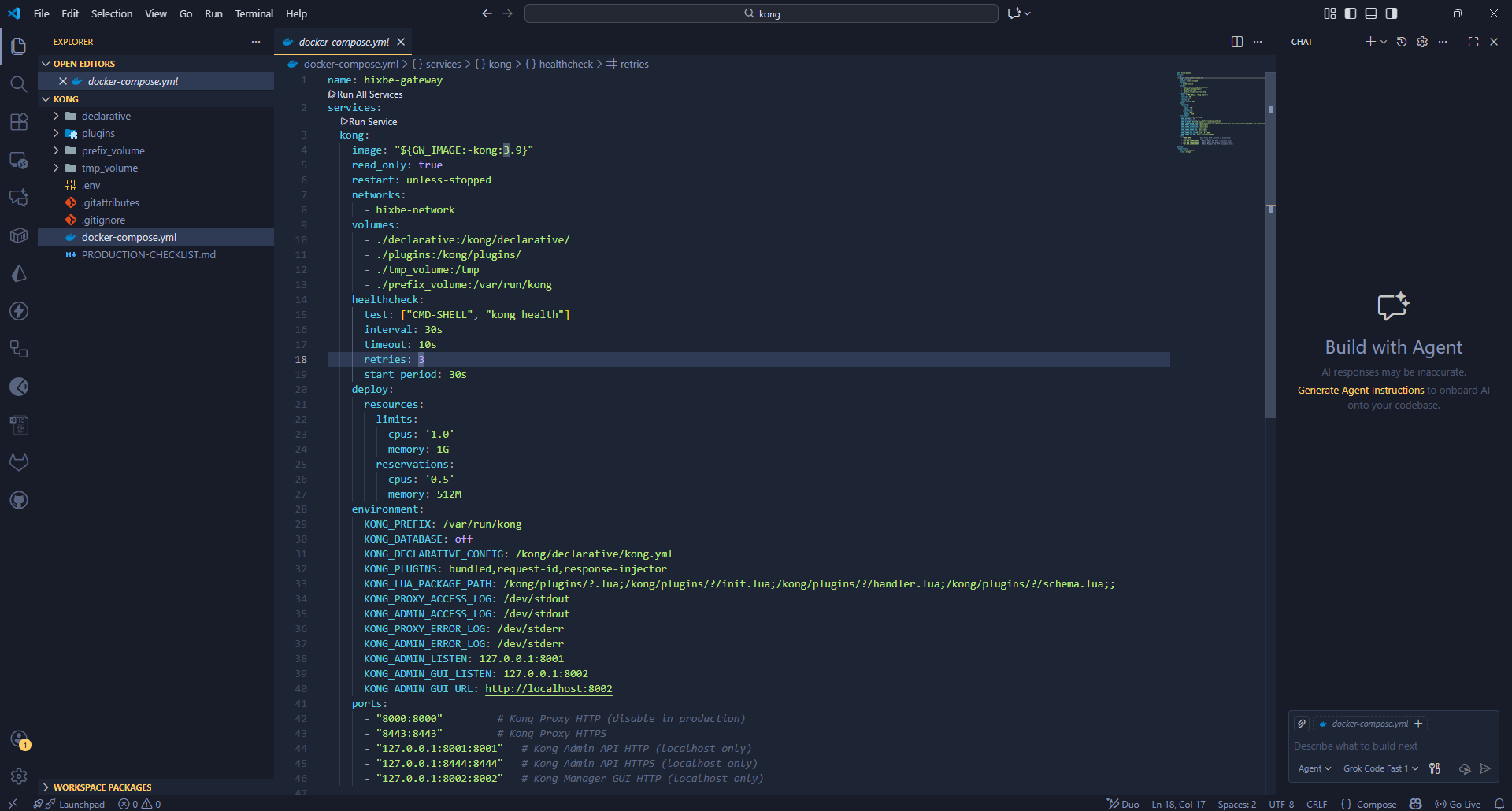
Hixbe Theme in action – clean, dark, and beautiful.
✨ Features
- 🎨 Carefully Crafted Colors: A harmonious dark blue palette that's easy on the eyes during long coding sessions.
- 🔧 Syntax Highlighting: Optimized for multiple programming languages with distinct, readable colors.
- 🌟 UI Consistency: Seamless integration with VS Code's interface for a cohesive experience.
- 🚀 Performance: Lightweight theme that doesn't impact editor performance.
- 🌍 Cross-Platform: Works perfectly on Windows, macOS, and Linux.
- 🔄 Regular Updates: Based on the popular Ayu Mirage theme, with ongoing refinements.
🚀 Installation
Via VS Code Marketplace (Recommended)
- Open the Extensions view in VS Code (
Ctrl+Shift+X or Cmd+Shift+X on Mac).
- Search for
Hixbe Theme.
- Click Install.
- Reload VS Code if prompted.
- Go to
File > Preferences > Color Theme and select Hixbe.
Manual Installation
For manual installation or development:
- Download the latest
.vsix file from the Releases page.
- In VS Code, go to
View > Command Palette and run Extensions: Install from VSIX....
- Select the downloaded
.vsix file.
- Follow steps 4-5 above.
For more details, check the VS Code Extension Quickstart Guide.
🎯 Recommended Icon Theme
To complement Hixbe perfectly, we recommend the Material Icon Theme with these settings:
{
  "material-icon-theme.folders.color": "#8695b7",
  "material-icon-theme.folders.theme": "specific",
  "material-icon-theme.hidesExplorerArrows": true
}
This combination creates a cohesive, professional look for your file explorer.
🎨 Color Palette
Hixbe uses a carefully selected palette of colors for optimal readability and aesthetics.
Syntax Highlighting Colors
| Color |
Hex Code |
Usage |
 |
#c3a6ff |
Keywords, constants, template literals |
 |
#ffd580 |
Functions, classes, object literal keys |
 |
#ffae57 |
Constants, operators |
 |
#bae67e |
Strings, markdown headings |
 |
#5ccfe6 |
Special keywords, classes, markdown code blocks |
 |
#a2aabc |
Variables, property names, tags |
UI Element Colors
| Color |
Hex Code |
Usage |
 |
#171c28 |
Workbench background |
 |
#1d2433 |
Editor background |
 |
#2f3b54 |
Highlight, widgets, panels |
 |
#6679a4 |
Dividers, subtle UI elements |
 |
#8695b7 |
Status bar text, buttons |
 |
#d7dce2 |
Active text, highlights |
 |
#ffcc66 |
Accent, badges |
|
#bae67e |
Addition highlights |
 |
#ef6b73 |
Deletion highlights, errors |
|
#5ccfe6 |
Modified highlights |
🛠️ Customization
Hixbe is designed to work out-of-the-box, but you can customize it further:
- Token Colors: Modify
themes/hixbe-theme.json to adjust syntax highlighting.
- Workbench Colors: Override UI colors in your VS Code settings.
- Extensions: Pair with other themes or extensions for enhanced functionality.
For advanced customization, refer to the VS Code Theme Documentation.
🤝 Contributing
We welcome contributions! Whether it's bug reports, feature requests, or code improvements:
- Fork the repository
- Create a feature branch (
git checkout -b feature/amazing-feature)
- Commit your changes (
git commit -m 'Add amazing feature')
- Push to the branch (
git push origin feature/amazing-feature)
- Open a Pull Request
Please read our Contributing Guidelines for more details.
📚 Resources
📦 Publishing
To publish a new version:
vsce publish patch  # For patch updates
vsce publish minor  # For minor updates
vsce publish major  # For major updates
🌟 Also Available For
Hixbe isn't just for VS Code! Check out the theme for other editors:
📄 License
This project is licensed under the MIT License - see the LICENSE file for details.