GitAmidaNot a full Git client—just a clearer way to read history. See what changed across a range of commits in the bottom Panel. Installation Launch VS Code Quick Open ( Ctrl+P), paste the following command, and press enter.Copied to clipboard |

GitAmida
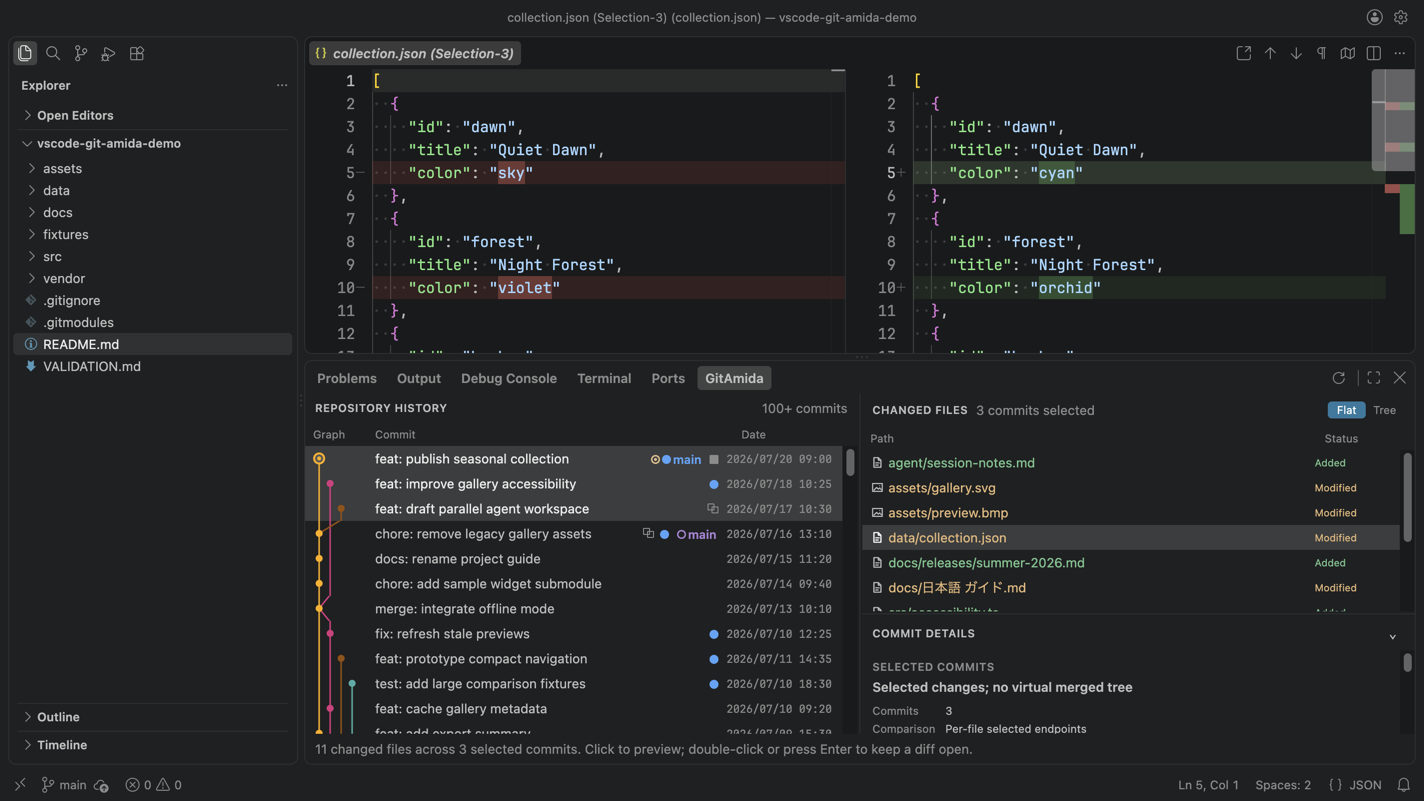
GitAmida does one thing: make Git history readable. It is not a full Git client and does not replace the editor's built-in Source Control view. Select a range of commits and see what changed across the whole range in one view. Keep your code open in the editor while you follow its history in the bottom Panel, moving between repository history and file history without losing your place. Comparisons open in the editor's native diff view, not a custom one. Install
Highlights
More screenshots
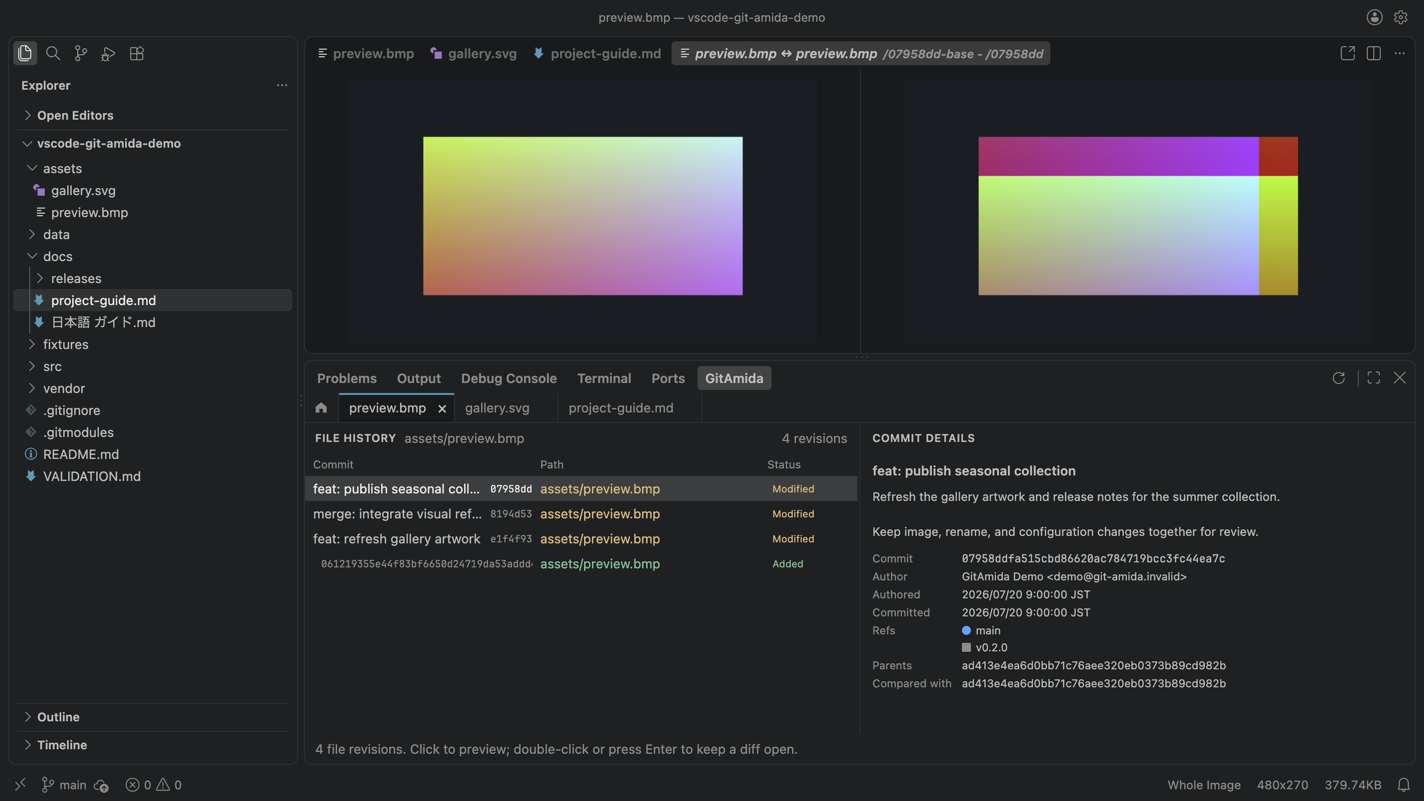
File History — Keep several file investigations open and preview supported image revisions in the native diff editor.
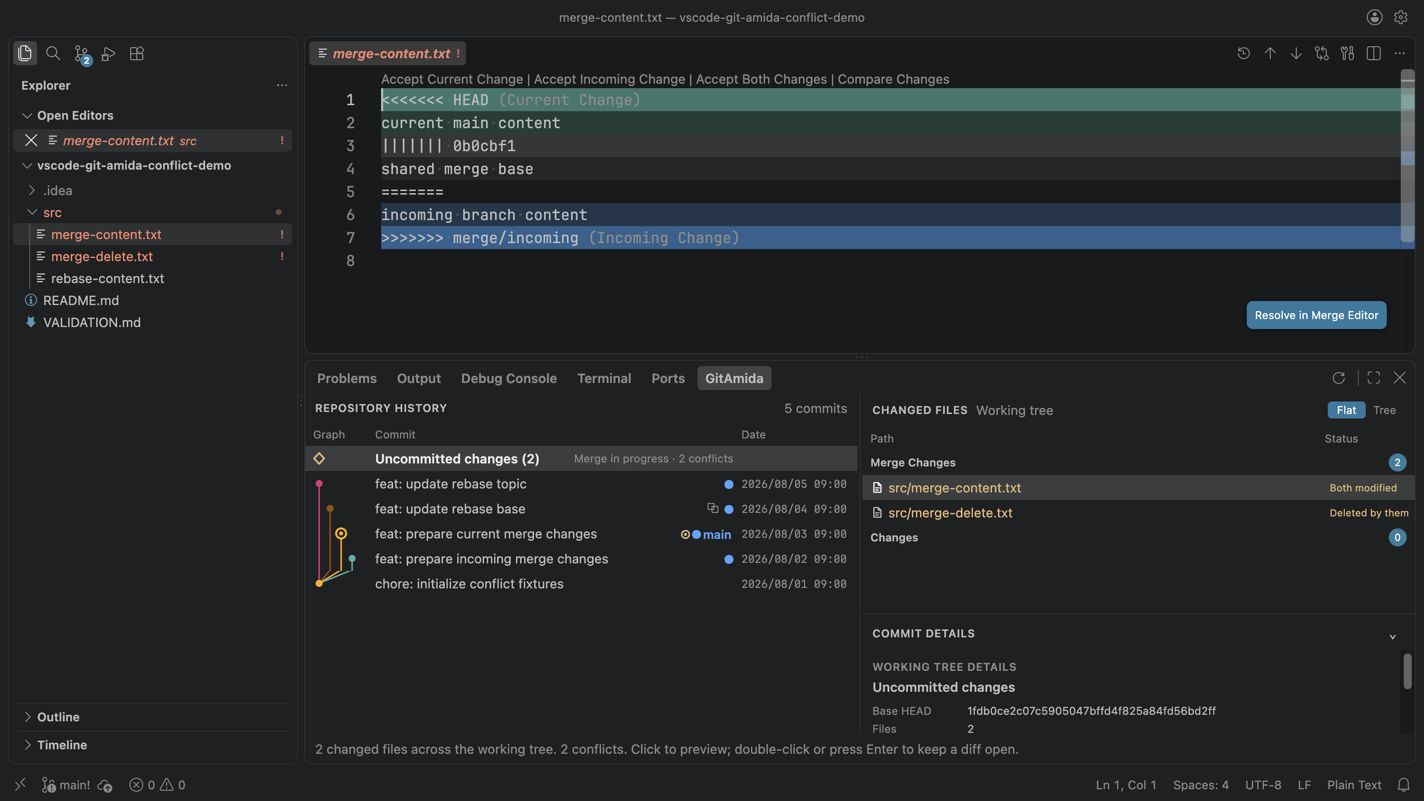
Conflict resolution — Inspect unresolved paths in GitAmida, then continue in the host editor's native conflict flow. Getting started
Conflict workflowWhen Git has unresolved index entries, GitAmida counts them, separates Merge Changes from Changes, and labels reliable in-progress merge, rebase, cherry-pick, and revert states. Unclassified sources such as stash application remain generic. Supported content conflicts open in the host editor's native resolution flow, with a configured Git mergetool available as a secondary choice before entering the Merge Editor. Modify/delete conflicts are resolved from Source Control. GitAmida does not stage files or complete the Git operation. Requirements
Current limitations
PrivacyGitAmida reads repository contents and metadata locally to render history and prepare diffs. It does not collect telemetry or analytics, and it does not transmit repository contents or personal information to a GitAmida-operated service. When selected historical Git LFS content is missing locally, GitAmida fetches only those exact endpoints from the repository's configured LFS remote with cancellable progress. An external difftool receives local temporary endpoint copies only after the user explicitly invokes that action. An explicitly invoked Git mergetool operates on the live conflicted file and may modify or stage it according to Git and tool configuration. SupportReport a problem or request a feature. LicenseGitAmida is available under the MIT License. It is an independent project and is not affiliated with or endorsed by Microsoft, GitHub, or Anysphere. |