Skip to content
| Marketplace
Sign in
Visual Studio Code>Themes>XBOX ThemesNew to Visual Studio Code? Get it now.
XBOX Themes

XBOX Themes

Hector Jimenez

|
6,442 installs
| (6) | Free
| Sponsor
Visual Studio Code color themes inspired by every XBOX console generation (Original, 360, ONE, Series X) plus High Contrast Dark & Light editions.
Installation
Launch VS Code Quick Open (Ctrl+P), paste the following command, and press enter.
Copied to clipboard
More Info

XBOX Themes for VS Code

Marketplace Version Installs Rating GitHub stars License

Visual Studio Code color themes inspired by the XBOX console generations:

XBOX console generations

Console editions (chronological):

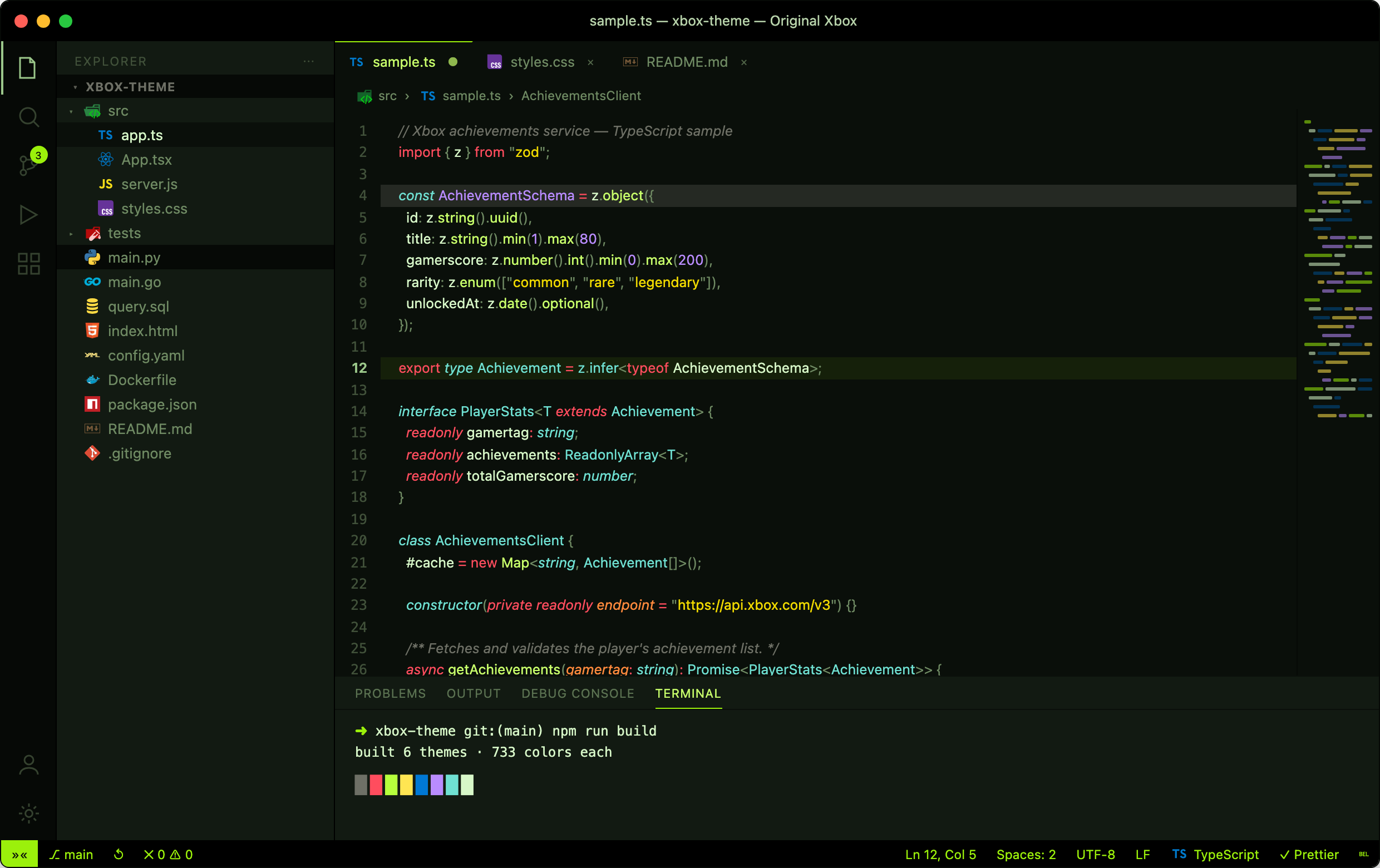
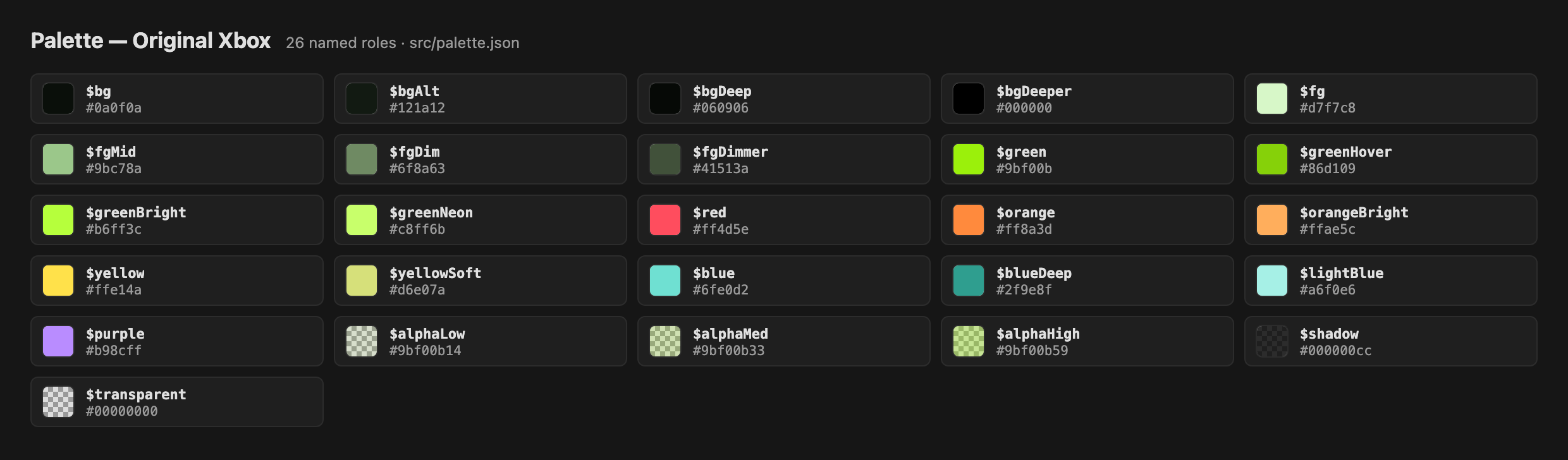
  • XBOX (Original 2001) — dark theme inspired by the matte-black original console and its translucent neon-green "jewel" logo (#9bf00b).
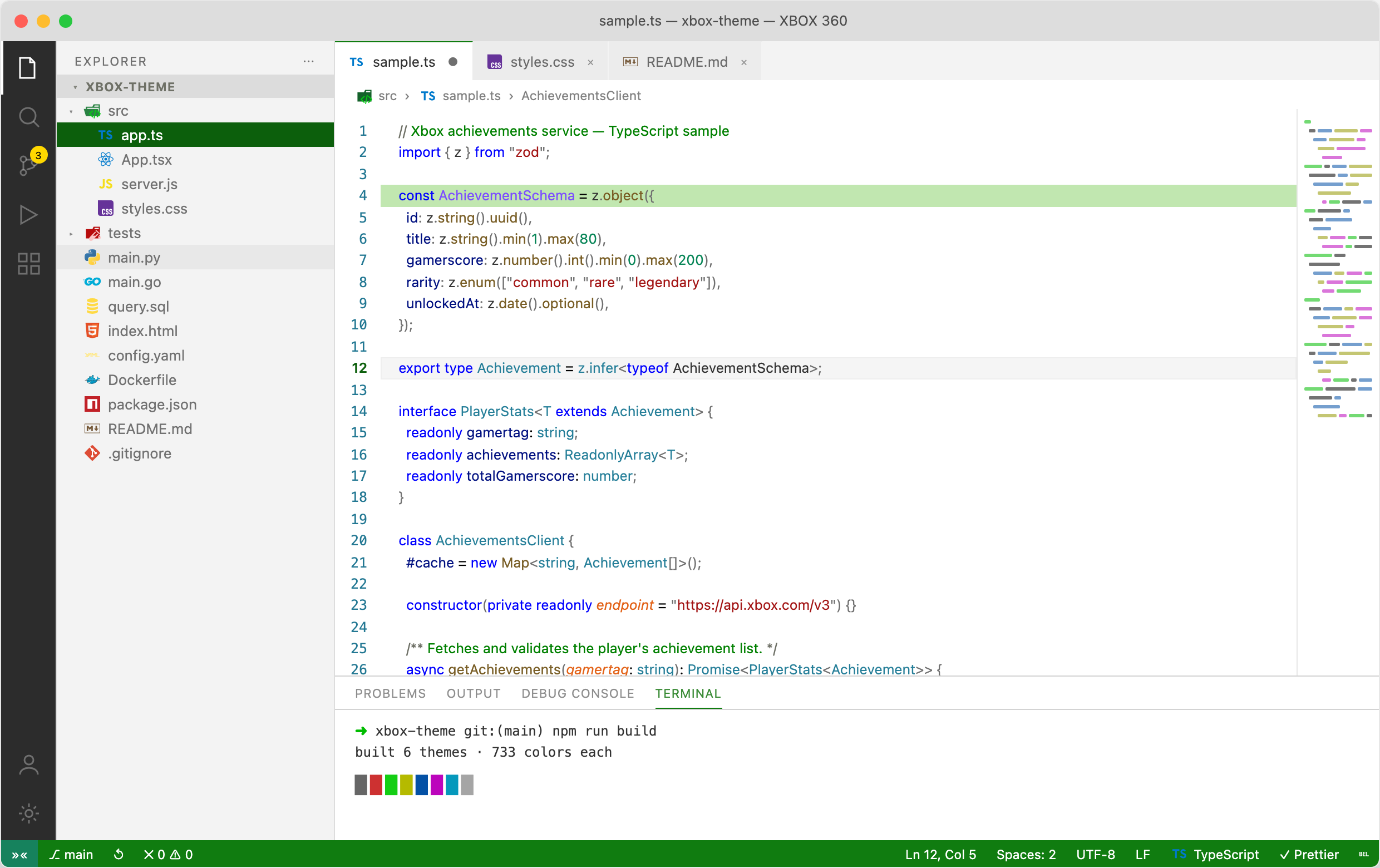
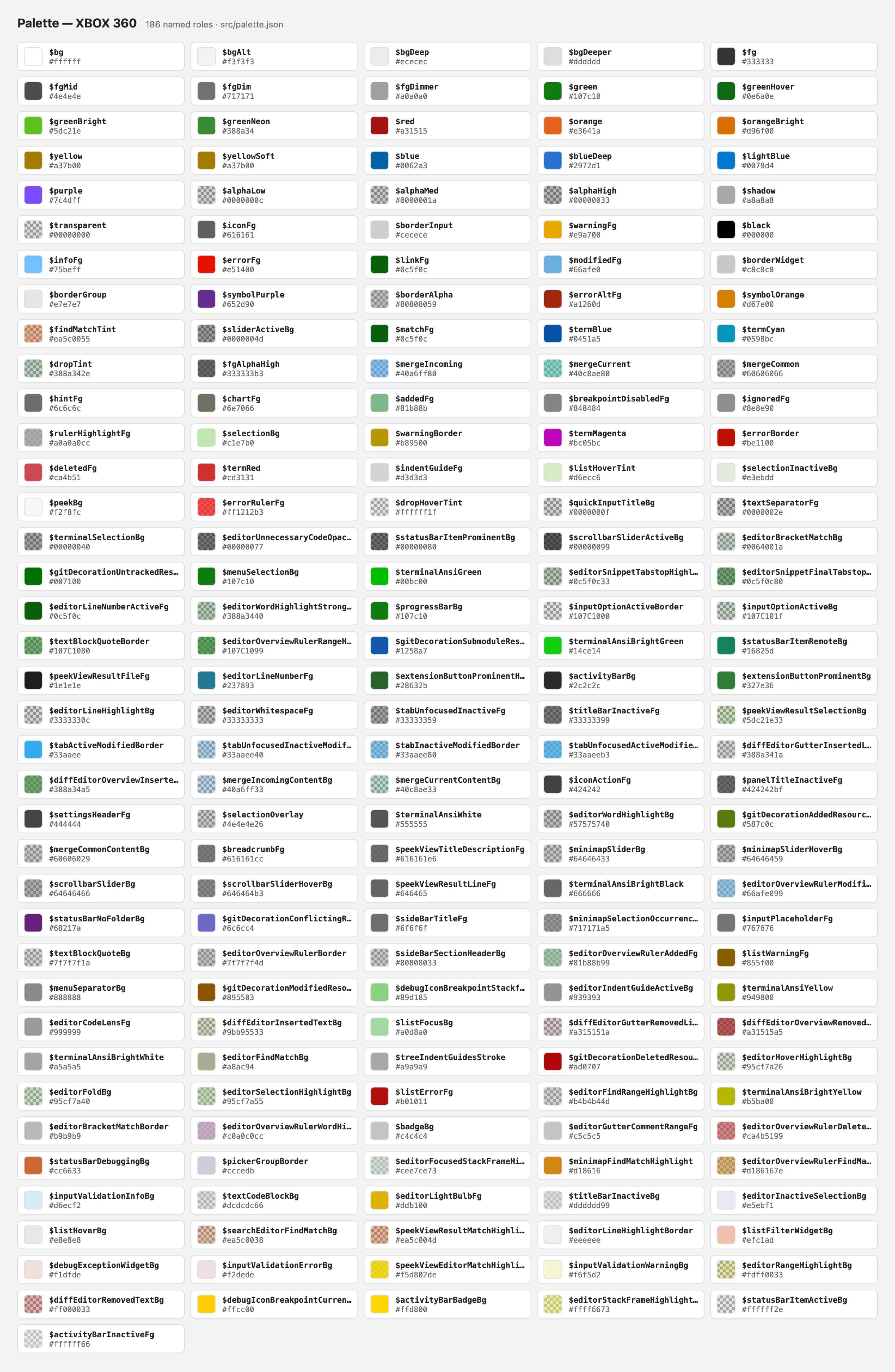
  • XBOX 360 (2005) — clean light variant with XBOX green accents.
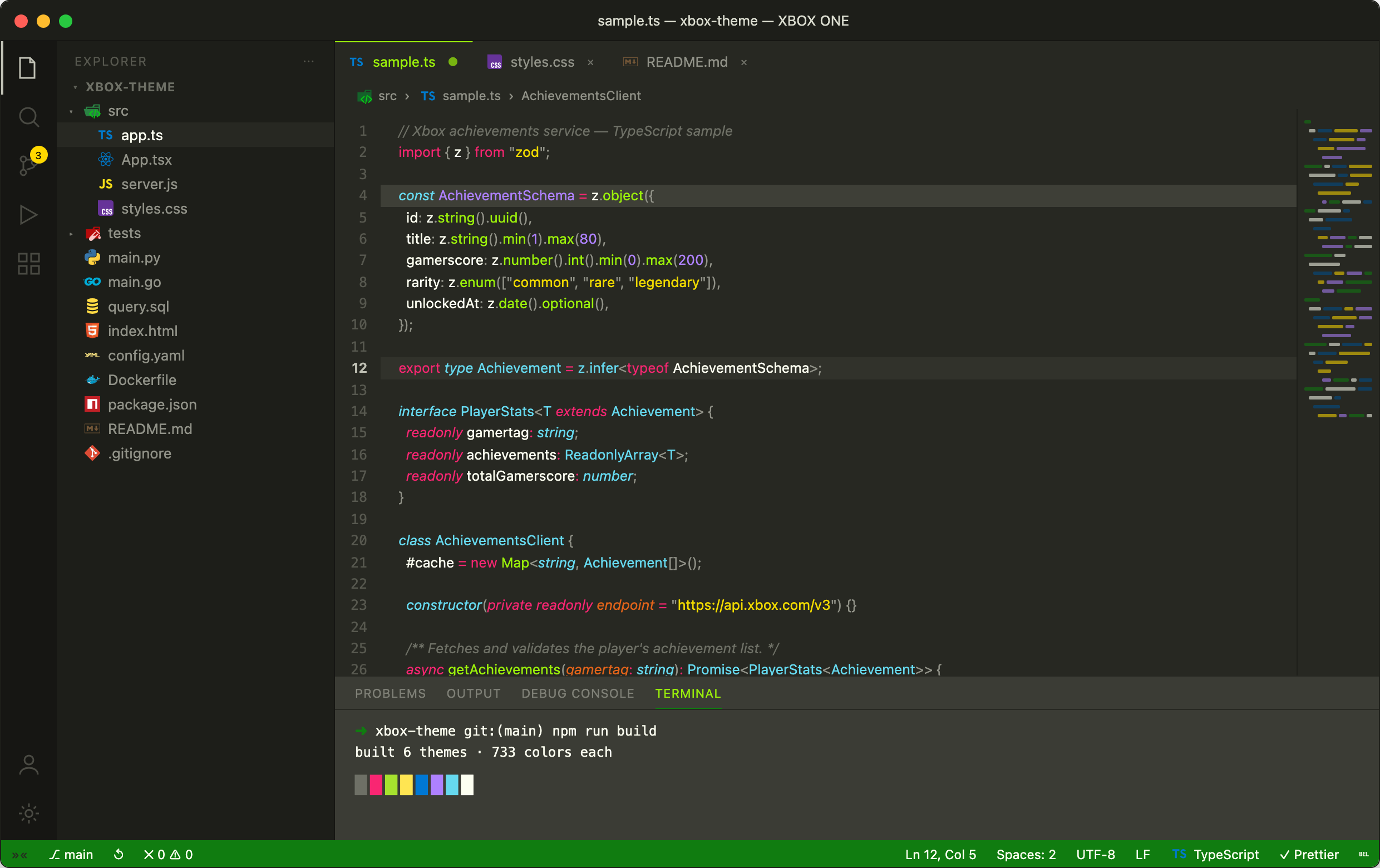
  • XBOX ONE (2013) — the classic deep-charcoal dashboard look.
  • XBOX Series X (2020) — 25th Anniversary edition inspired by the translucent OG XBOX green hardware — neutral warm grays with a soft controller-lime accent.

High-contrast editions (accessibility):

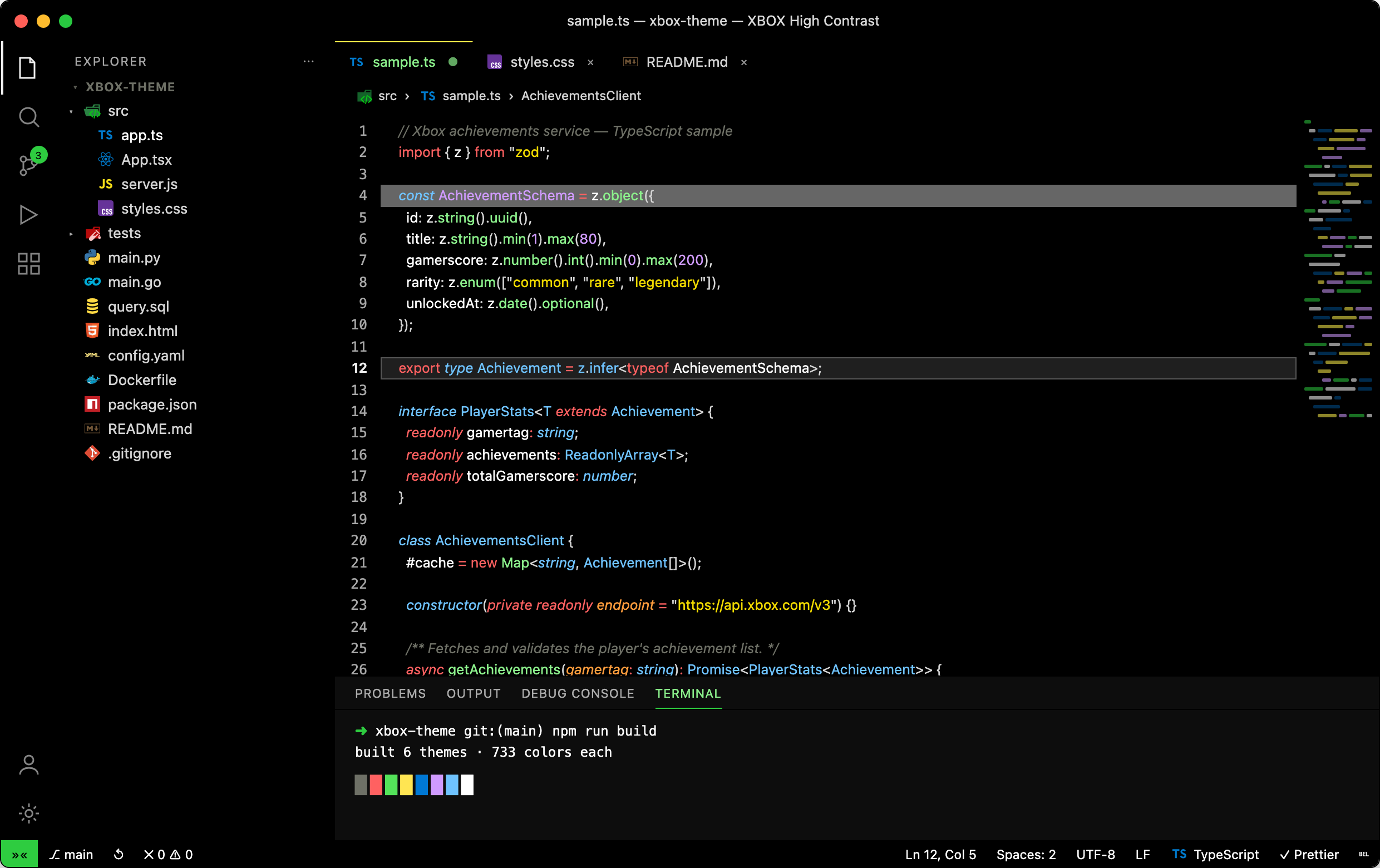
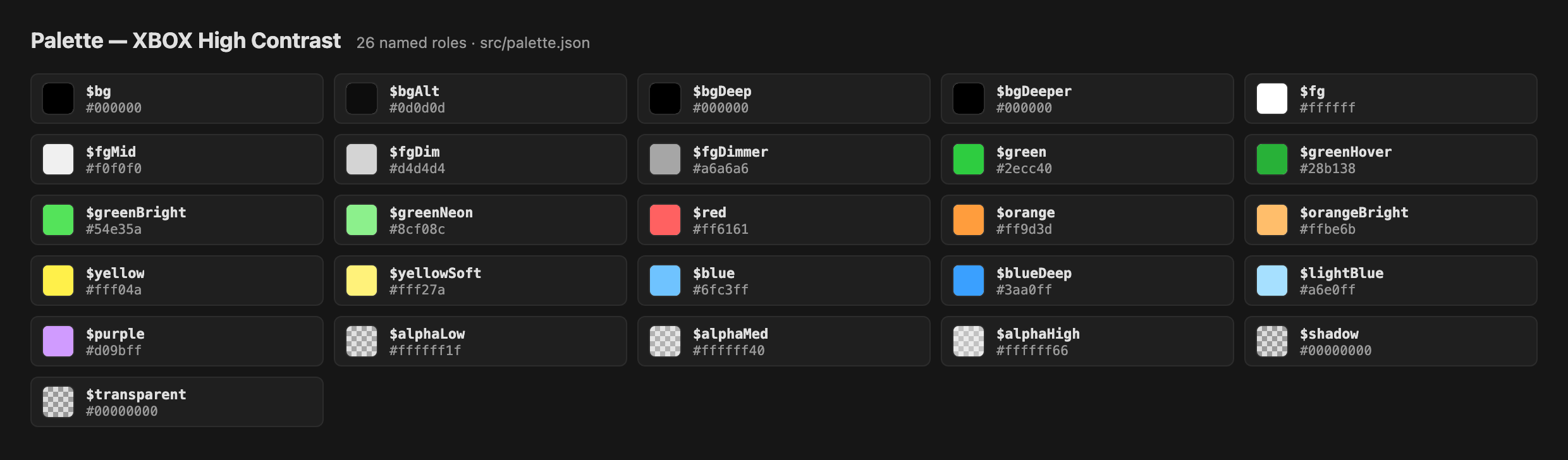
  • XBOX High Contrast Dark — pure-black background with white text, bright contrast borders, and an accessible green accent (#2ecc40, ~9.8:1 contrast).
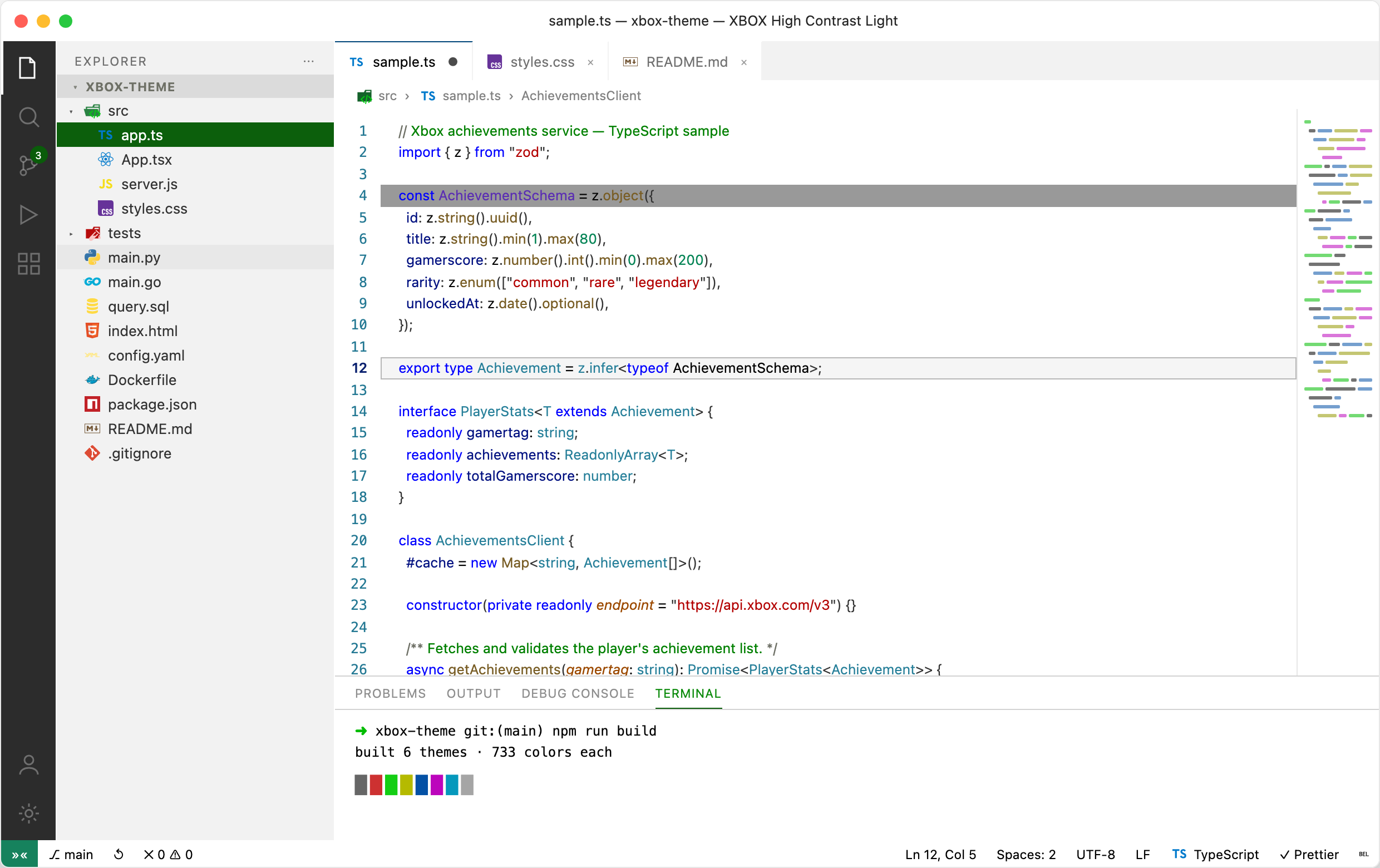
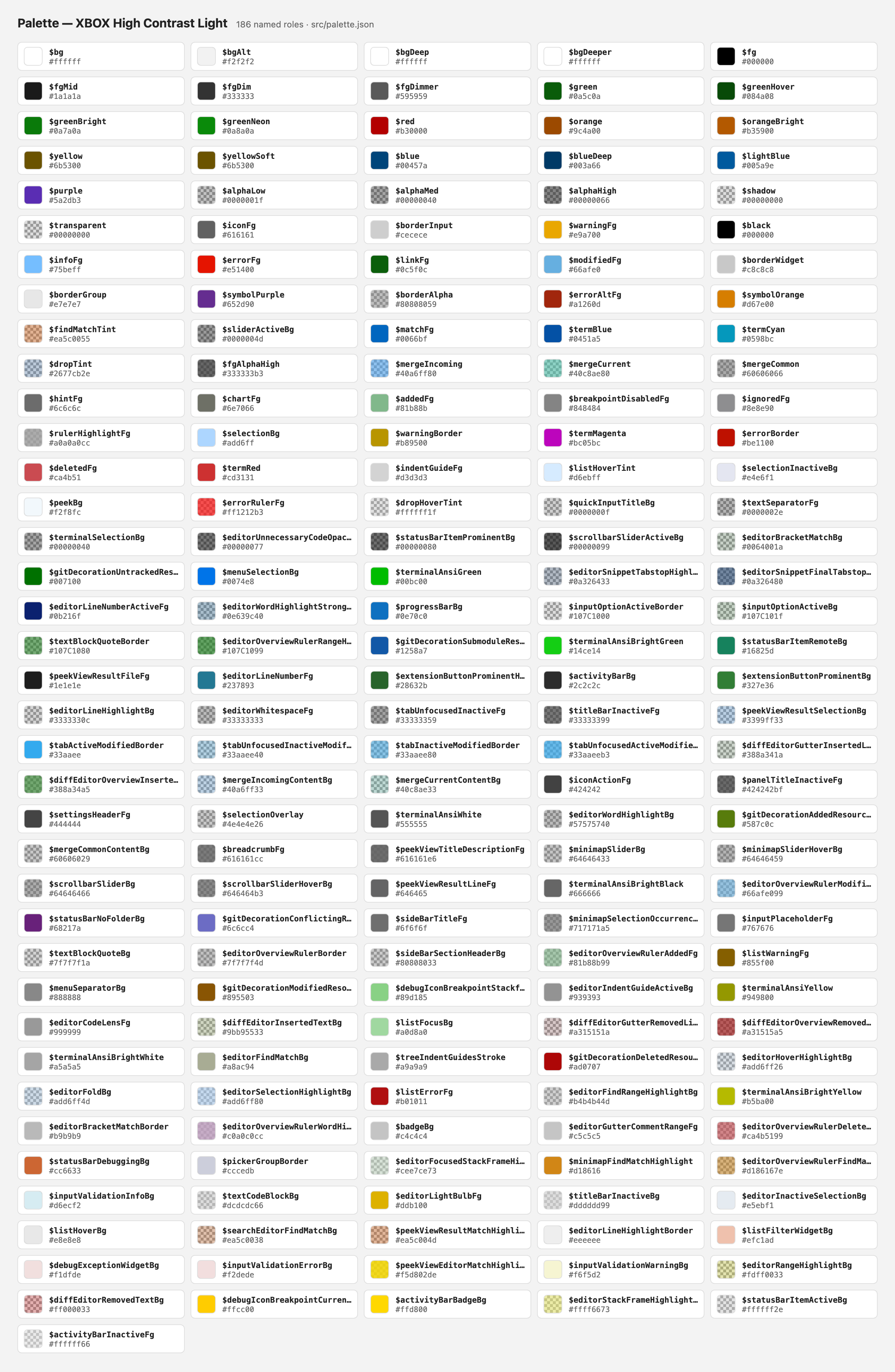
  • XBOX High Contrast Light — pure-white background with black text and strong dark-green/blue contrast borders.

Plus matching XBOX Icons file icon themes for the Explorer — Colorful and Green (see below).


Install

From inside VS Code:

  1. Open the Extensions view (Ctrl+Shift+X / Cmd+Shift+X).
  2. Search for XBOX Themes.
  3. Click Install.
  4. Open the Command Palette (Ctrl+Shift+P / Cmd+Shift+P) → Preferences: Color Theme → pick any XBOX theme (console editions or High Contrast).

Or from the command line:

code --install-extension hector-jimenez.xbox-theme

Recommended settings

These themes are tuned for VS Code's semantic highlighting and bracket-pair colorization (the palette defines all six bracket levels and a full semanticTokenColors map). For the intended look, add to your settings.json:

{
  // Language-server-aware token colors (functions, types, parameters, etc.)
  "editor.semanticHighlighting.enabled": true,
  // Colorized matching brackets + active-pair guide
  "editor.bracketPairColorization.enabled": true,
  "editor.guides.bracketPairs": "active"
}

File icons

The extension also ships two file icon themes that pair with the color themes, giving the Explorer full-coverage icons for files, folders, and languages:

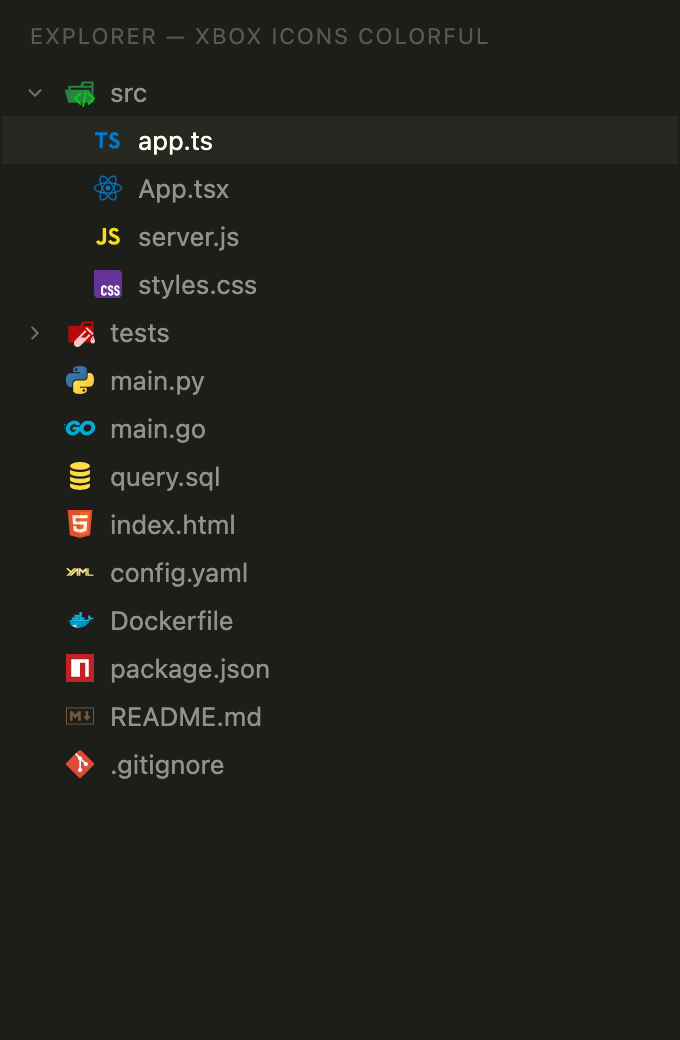
  • XBOX Icons Colorful — the familiar full-color icon set.
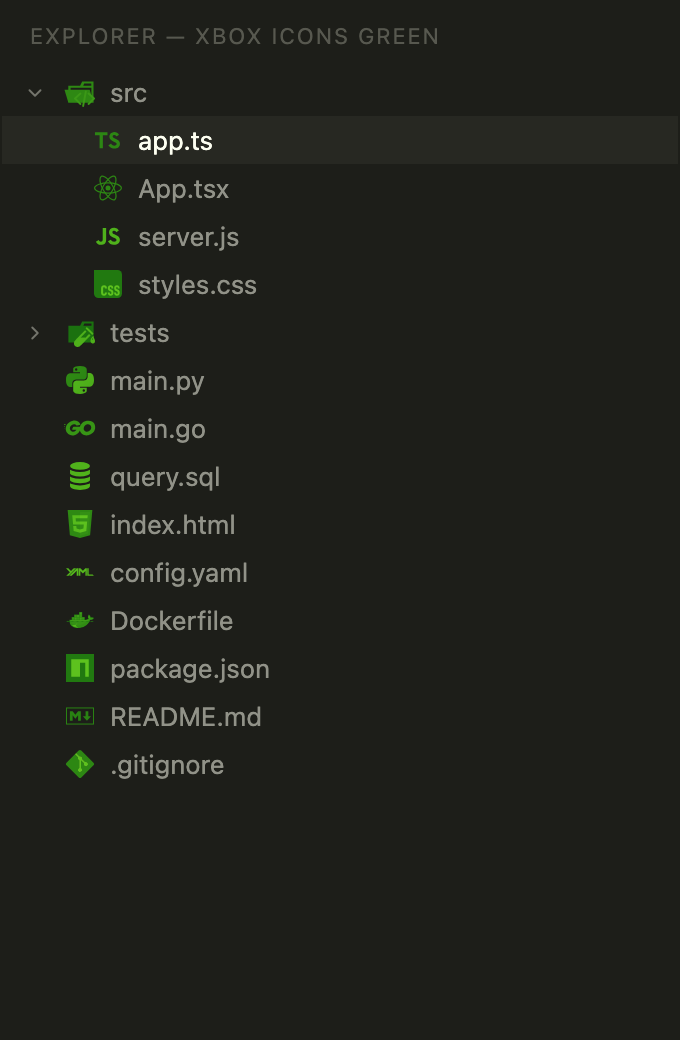
  • XBOX Icons Green — the same icons recolored into a single XBOX-green duotone, for a brand-consistent, monochrome-style look.

To enable one:

  1. Open the Command Palette (Ctrl+Shift+P / Cmd+Shift+P).
  2. Run Preferences: File Icon Theme.
  3. Pick XBOX Icons Colorful or XBOX Icons Green.

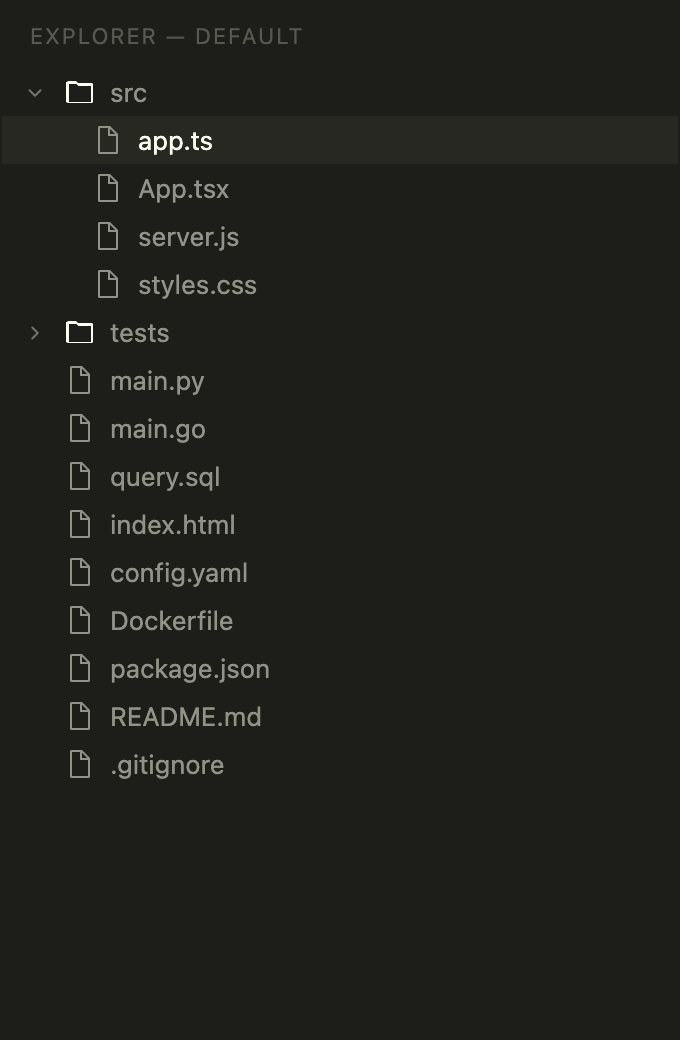
The Explorer with the default icons, XBOX Icons Colorful, and XBOX Icons Green:

Default icons XBOX Icons Colorful XBOX Icons Green
Explorer with default icons Explorer with XBOX Icons Colorful Explorer with XBOX Icons Green

The icon themes are independent of the color theme — you can mix either with any color theme (or switch back to your previous icons) at any time. Teams can pin one per-workspace via .vscode/settings.json:

{
  // "xbox-icons-colorful" (colorful) or "xbox-icons-green"
  "workbench.iconTheme": "xbox-icons-colorful"
}

The file icons are bundled from the MIT-licensed vscode-icons project; the green variant is a derived recolor. See THIRD-PARTY-NOTICES.md for attribution.


Screenshots

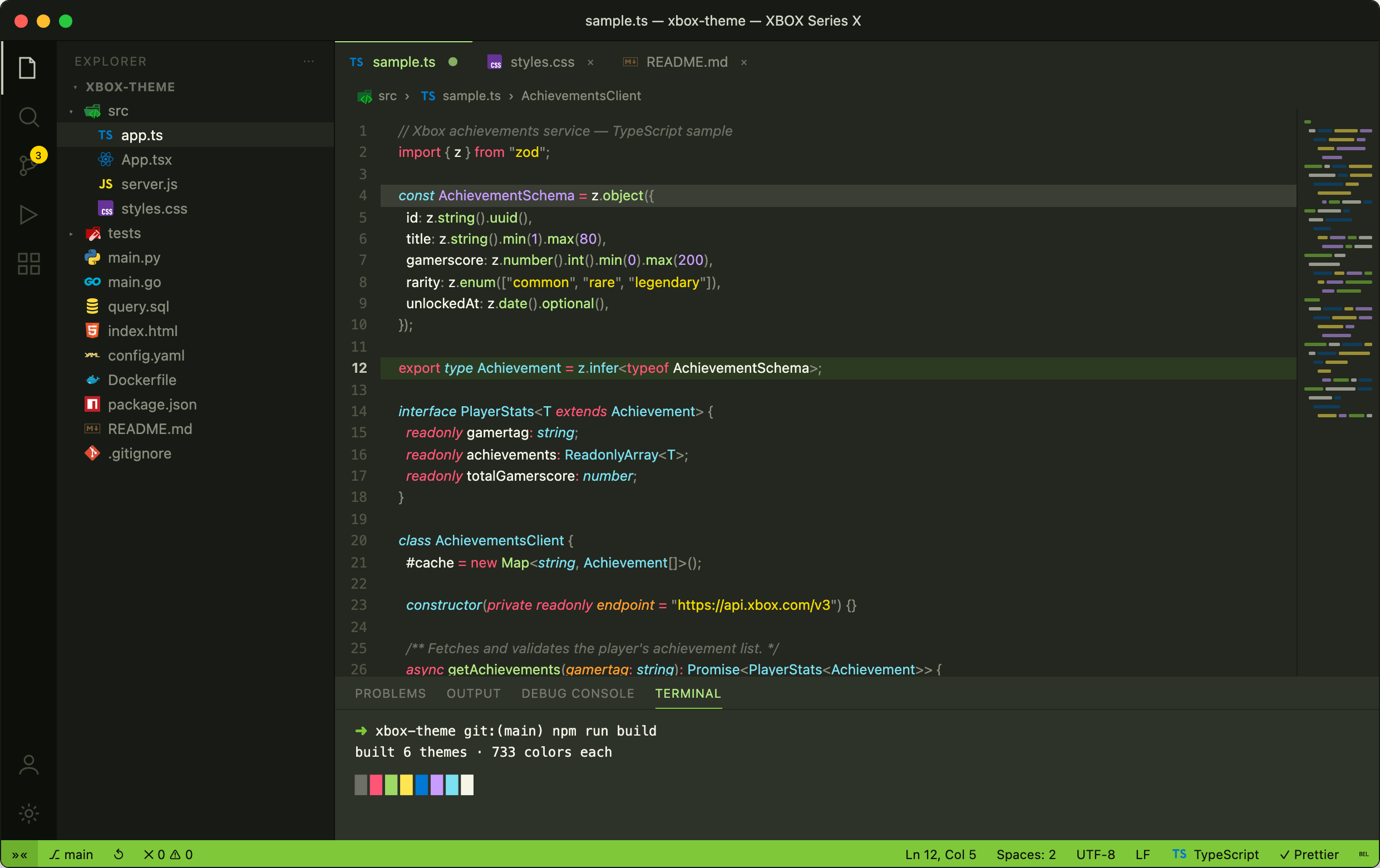
Each theme rendered on the same source file, in console-generation order. Every shot is produced deterministically by npm run screenshots, and each theme ships a full color-palette sheet so you can preview the entire token set at a glance.

XBOX (Original 2001)

XBOX (Original 2001)

Color palette

XBOX (Original 2001) palette

XBOX 360 (2005)

XBOX 360 (2005)

Color palette

XBOX 360 (2005) palette

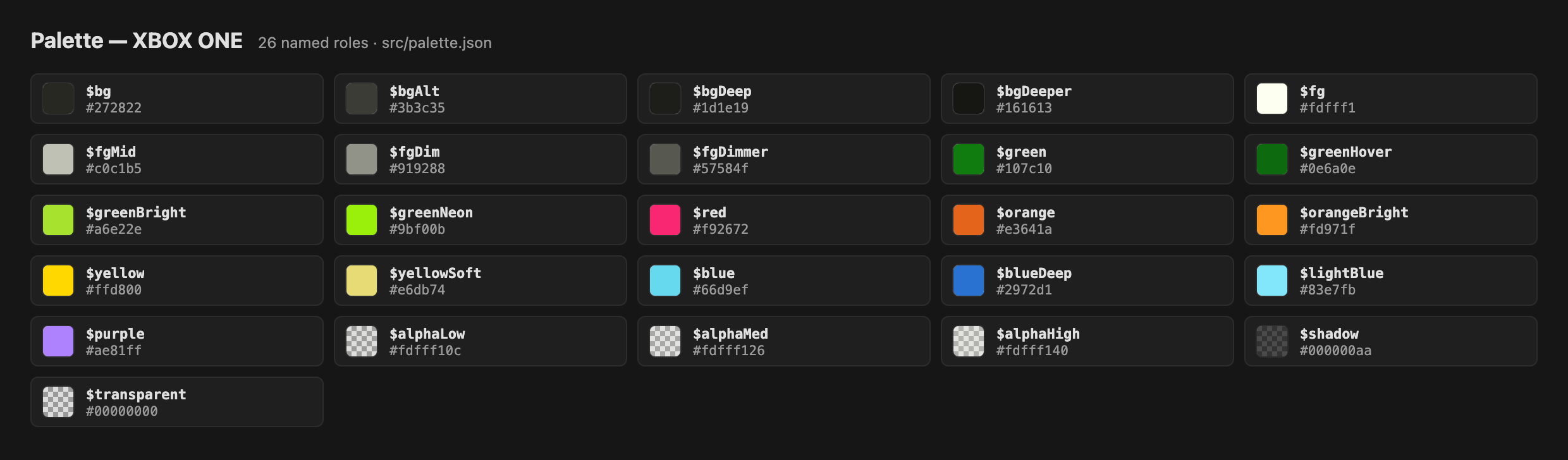
XBOX ONE (2013)

XBOX ONE (2013)

Color palette

XBOX ONE (2013) palette

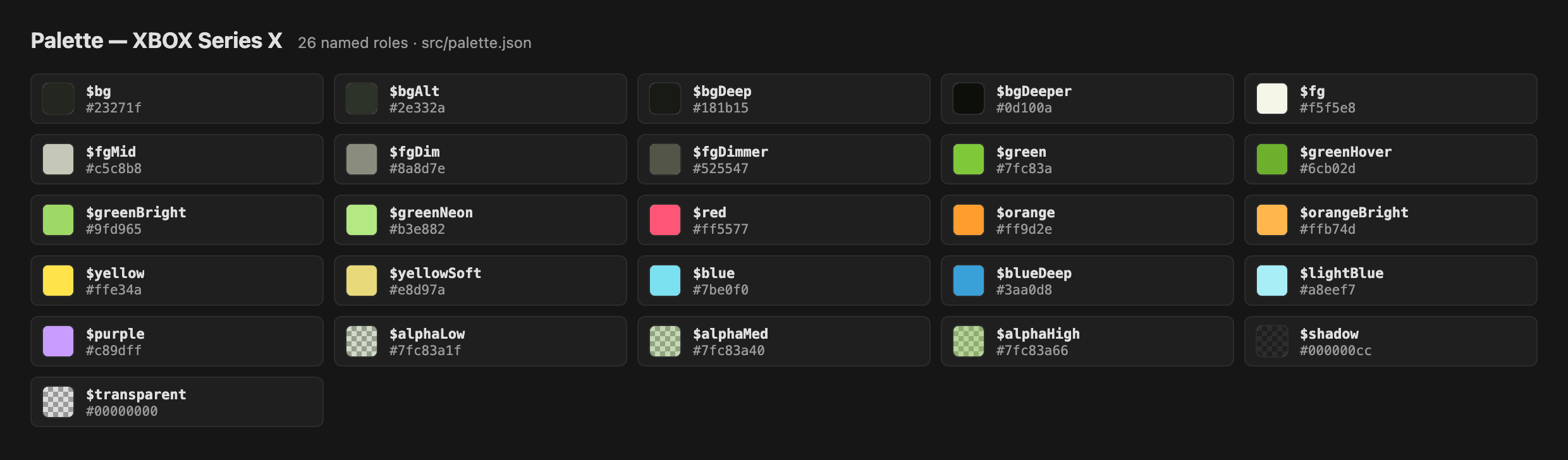
XBOX Series X (2020)

XBOX Series X (2020)

Color palette

XBOX Series X (2020) palette

XBOX High Contrast Dark

XBOX High Contrast Dark

Color palette

XBOX High Contrast Dark palette

XBOX High Contrast Light

XBOX High Contrast Light

Color palette

XBOX High Contrast Light palette


Contributing

Issues and pull requests are welcome at github.com/hectorjjb/vs-code-xbox-theme.

If you find a UI element that isn't colored well (or at all), please open an issue with a screenshot and the VS Code version.

See CONTRIBUTING.md for the full development guide — project layout, how the src/ → themes/ build works, adding a theme, testing, and the release process.


License

Apache-2.0 © Hector Jimenez

Bundled file icons are from the MIT-licensed vscode-icons project — see THIRD-PARTY-NOTICES.md.

  • Contact us
  • Jobs
  • Privacy
  • Manage cookies
  • Terms of use
  • Trademarks
© 2026 Microsoft