Skip to content
| Marketplace
Sign in
Visual Studio Code>Themes>HearthCode ThemeNew to Visual Studio Code? Get it now.
HearthCode Theme

HearthCode Theme

HearthCode

|
180 installs
| (1) | Free
Warmth or structure, with meaning kept clear across Dark and Light. Includes calibrated Ember and Moss themes plus the built-in Theme Forge.
Installation
Launch VS Code Quick Open (Ctrl+P), paste the following command, and press enter.
Copied to clipboard
More Info

HearthCode

Warmth or structure. Meaning stays clear. Choose warm Ember or dry, editorial Moss in Dark and Light. Both keep the same reading rhythm through syntax and editor chrome; the built-in Theme Forge carries that system into your own primary color.

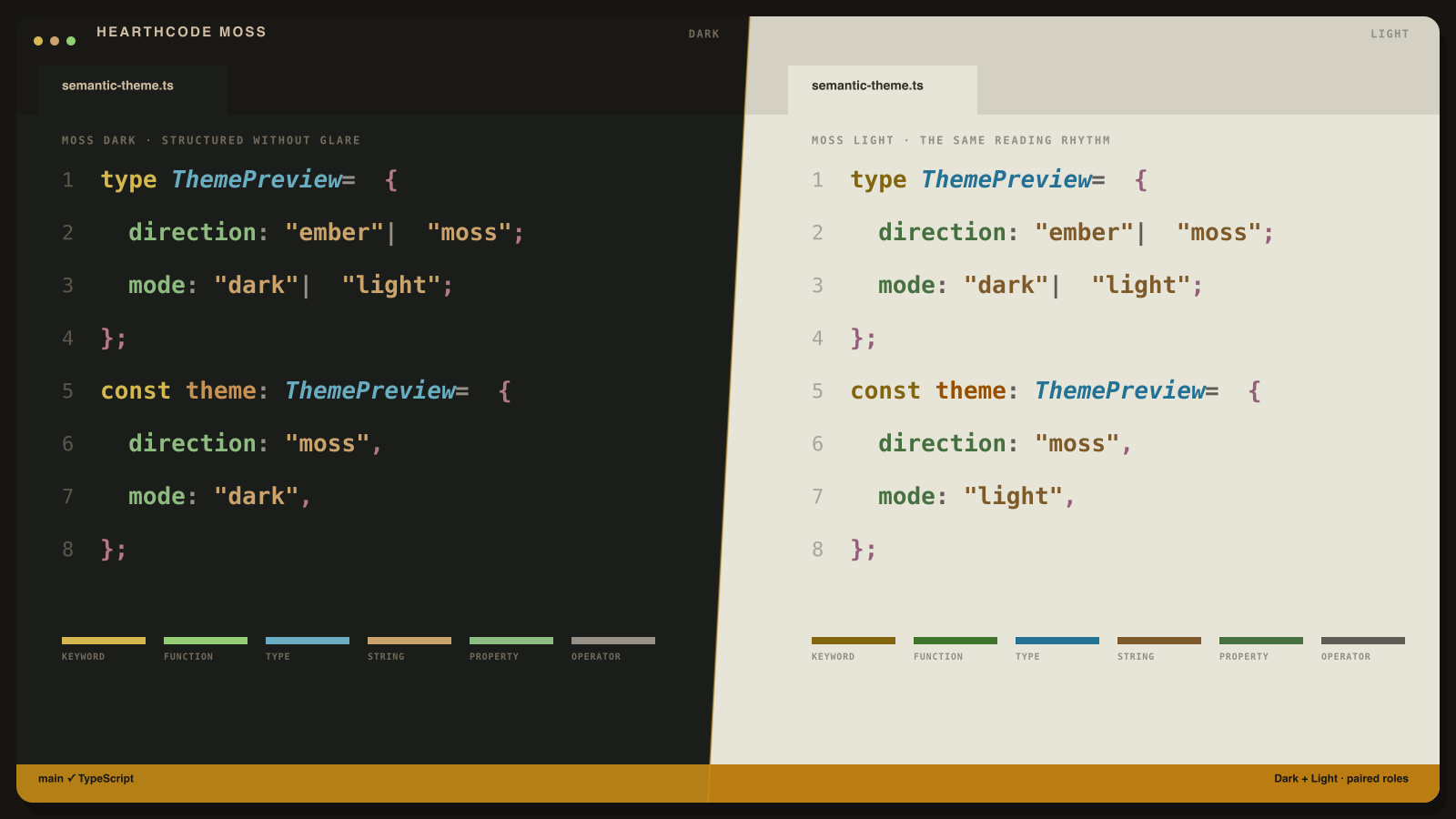
HearthCode shown in a real editor layout with TypeScript syntax and editor chrome

Try it or install

  • Try Moss Dark in vscode.dev
  • Try Ember Dark in vscode.dev
  • Install from the VS Code Marketplace
  • Install from Open VSX
  • Or open VS Code Quick Open and run ext install hearth-code.hearth-theme

Open VSX Downloads VS Code Marketplace Installs

Choose your direction

  • Moss: dry charcoal and paper, clearer syntax lanes, calm green callable structure.
  • Ember: warm charcoal and paper, softer hierarchy, ember-led control flow.
  • Dark: balanced for mixed light and long coding sessions.
  • Light: tuned for bright rooms and docs-heavy work.

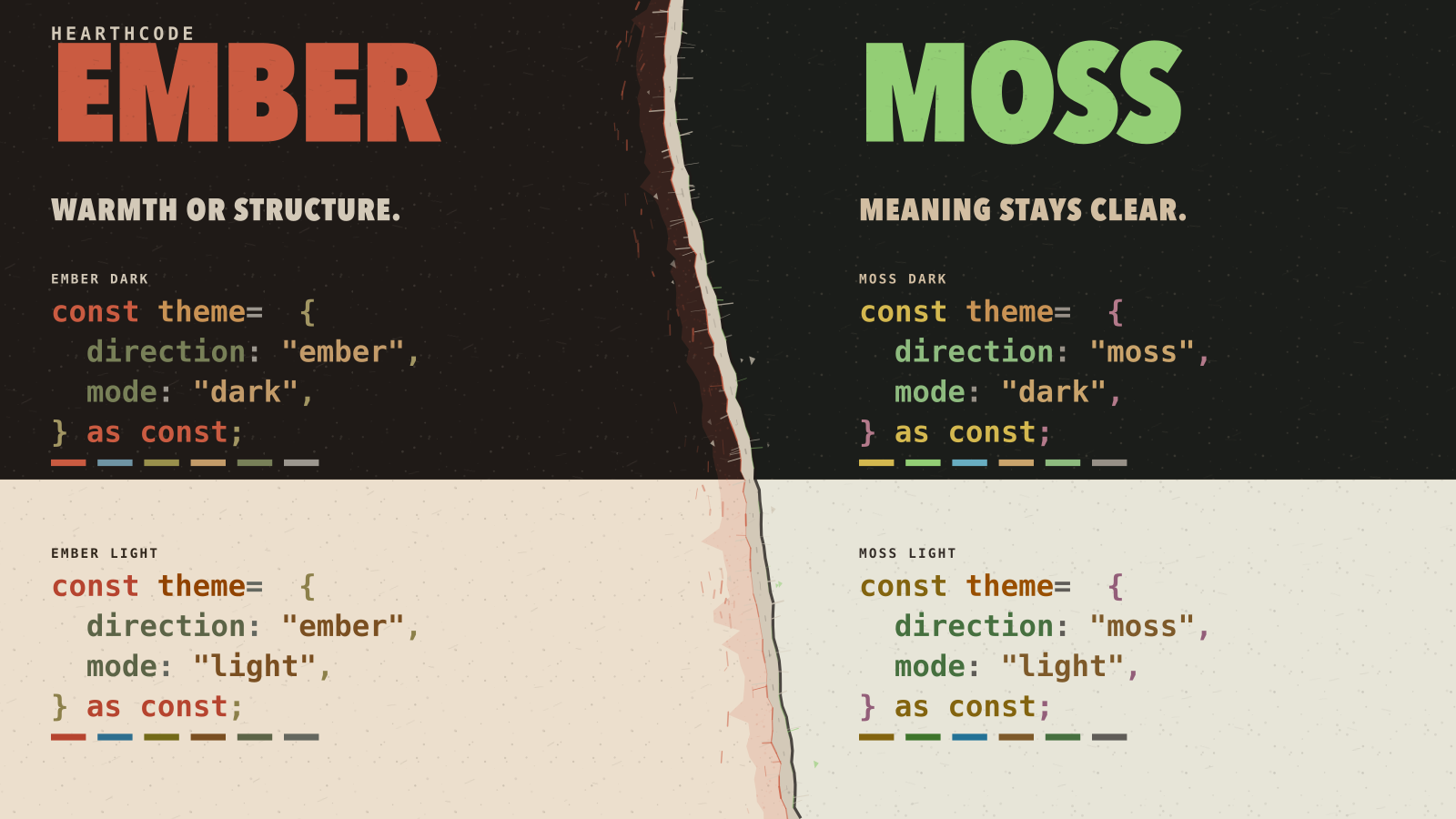
All four HearthCode themes: Moss Dark, Ember Dark, Moss Light, and Ember Light

The extension includes:

  • HearthCode Moss Dark
  • HearthCode Moss Light
  • HearthCode Ember Dark
  • HearthCode Ember Light

Theme Forge

Want your own primary color? Run HearthCode: Open Theme Forge inside the editor.

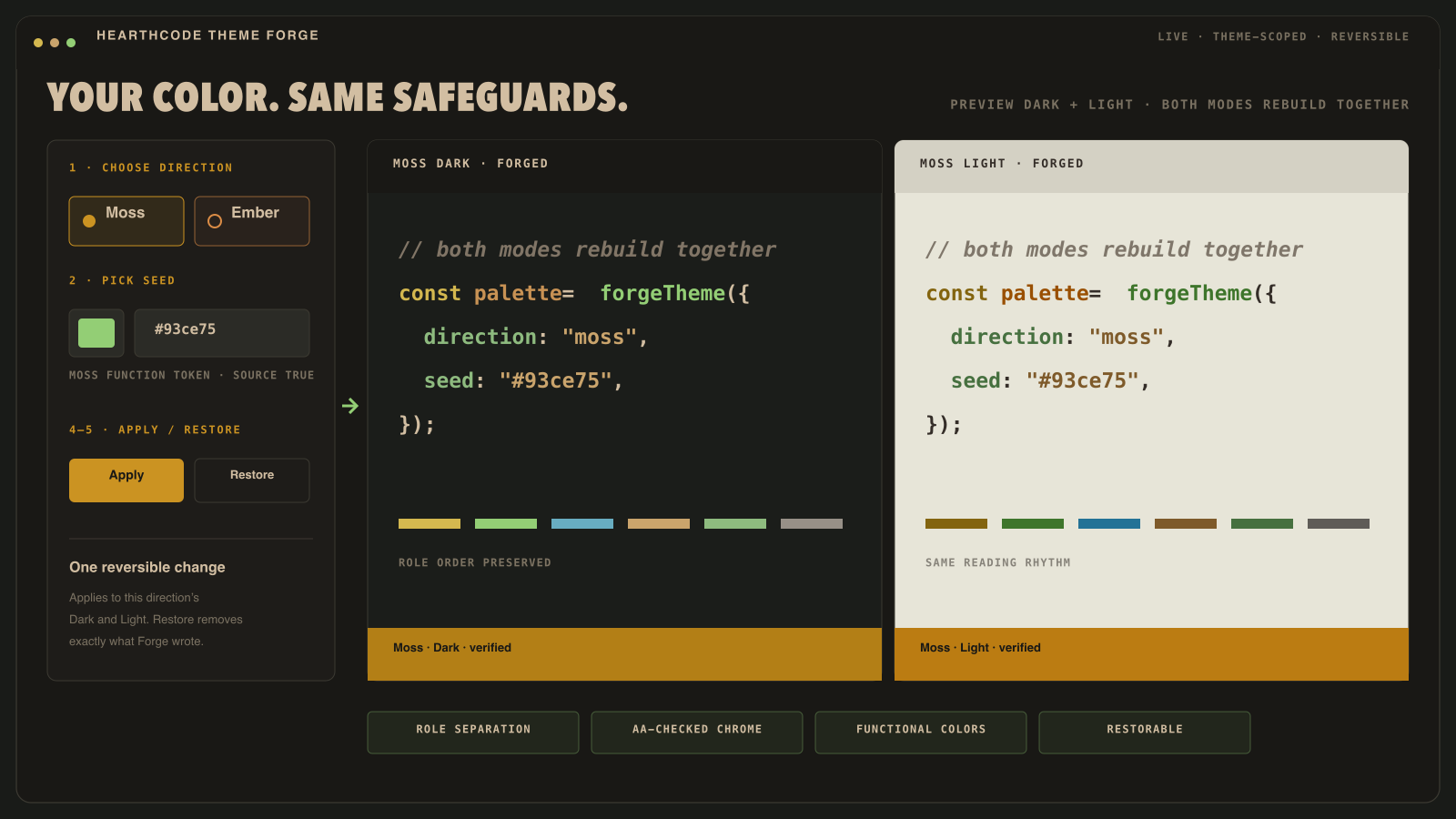
Theme Forge workflow: pick a direction and seed, preview Dark and Light, then apply or restore

  1. Pick Moss or Ember and choose a seed color.
  2. Preview syntax and editor chrome together in Dark and Light.
  3. Apply theme-scoped overrides live. Restore original theme removes exactly what Forge wrote and returns to the theme that was active before the first Apply.

Forge keeps role separation, safe saturation, AA-checked chrome text, and the meaning of terminal, error, Git, and diff colors intact.

Why HearthCode

  • Syntax and editor chrome are tuned as one system instead of separate color swatches.
  • Dark and Light share the same semantic language, so switching modes does not scramble role meaning.
  • Generated outputs are checked for contrast, role separation, and source drift before release.

Prefer no italics?

HearthCode styles comments, types, and decorators in italics. If your font renders italics poorly (common with CJK fonts), enable the hearthcode.disableItalics setting — the extension switches every italic rule off while keeping all colors intact, and undoes it when toggled back. Details and a manual alternative live in disable-italics.md.

Design note

Moss takes directional inspiration from the GruvDark theme family, especially its charcoal-and-paper balance and clearer split syntax lanes. It is re-authored through HearthCode's own semantic system and calibration rules rather than copied one-to-one.

Links

VS Code Marketplace Version Start on theme.hearthcode.dev

  • Site preview: https://theme.hearthcode.dev
  • Source repository: https://github.com/hearth-code/HearthTheme
  • Changelog: CHANGELOG.md
  • Issue tracker: https://github.com/hearth-code/HearthTheme/issues
  • Contact us
  • Jobs
  • Privacy
  • Manage cookies
  • Terms of use
  • Trademarks
© 2026 Microsoft