Skip to content
| Marketplace
Sign in
Visual Studio Code>Themes>Hacker X - Hacker Theme & Dark Hacker ThemesNew to Visual Studio Code? Get it now.
Hacker X - Hacker Theme & Dark Hacker Themes

Hacker X - Hacker Theme & Dark Hacker Themes

Hasibur R

|
33,205 installs
| (10) | Free
A premium collection of pure dark hacker themes for VS Code, with the Matrix Green Hacker Theme as its base. Built for developers, programmers, and security enthusiasts.
Installation
Launch VS Code Quick Open (Ctrl+P), paste the following command, and press enter.
Copied to clipboard
More Info

Hacker X Theme - Green Hacker & Cyberpunk Dark Themes

Installs Rating

A premium collection of 23 carefully crafted dark hacker themes designed with cybersecurity professionals, terminal lovers, and developers in mind. With 30,000+ active installations, this is the ultimate dark theme suite for VS Code.

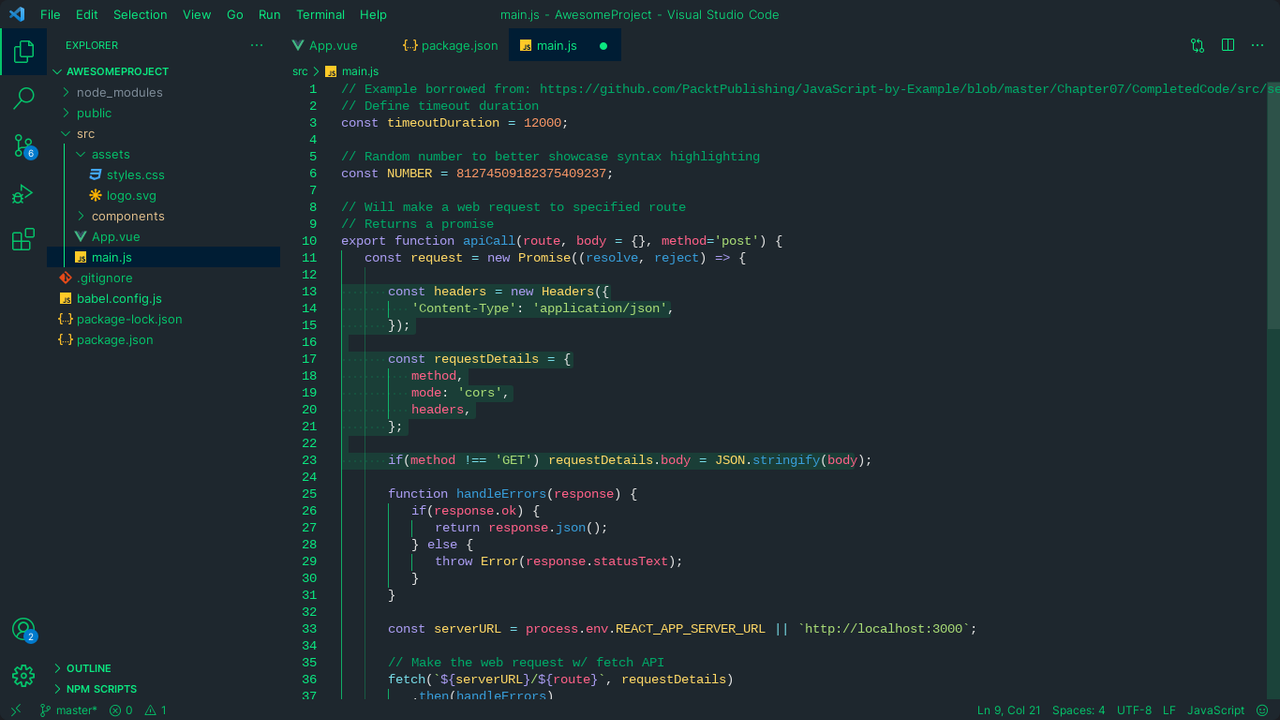
The Matrix Green theme serves as the signature base theme, recreating the classic high-contrast terminal and Matrix aesthetics.


🚀 Featured Base Theme: 🟢 Matrix Green

Optimized for extended coding sessions, the signature Matrix Green theme minimizes eye strain while providing a classic, immersive hacker terminal environment.


🎨 23 High-Contrast Theme Variants Included

  1. 🟢 Hacker X - Matrix Green (Base) - Classic hacker aesthetic.
  2. 🔴 Hacker X - Crimson Strike - Bold and aggressive.
  3. 🌿 Hacker X - Forest Whisper - Soft and easy on the eyes.
  4. ⚡ Hacker X - Terminal Zero - Authentic terminal experience.
  5. 🌑 Hacker X - Shadow Ops - Stealthy and focused.
  6. 💎 Hacker X - Emerald Prime - Crystal clear contrast.
  7. 🌋 Hacker X - Volcanic Dark - Deep and intense.
  8. 🌊 Hacker X - Deep Ocean - Serene dark blue.
  9. 🌘 Hacker X - Midnight Pulse - Perfect for night coding.
  10. ⚔️ Hacker X - Elite Force - Professional and sharp.

  11. ⚡ Hacker X - Neon Storm - Electric and vibrant.
  12. 🟢 Hacker X - Belch Hacker Theme - Unique neon acid styling.
  13. 🟢 Hacker X - Dark Code Hacker Theme - Clean, focused code elements.
  14. 🟢 Hacker X - Enhanced Material Hacker Theme - Modern material design philosophy meets hacker aesthetics.
  15. 🟢 Hacker X - Hyped Down Hacker Theme - Soft muted colors for lower brightness.
  16. 🟢 Hacker X - IntelliJ Light Flutter Hacker Theme - Inspired by IntelliJ and Flutter dev layouts.
  17. 🟢 Hacker X - Into The Unknown Hacker Theme - Dark theme with mystique neon accents.
  18. 🟢 Hacker X - Joyful Hacker Theme - Playful contrast elements.
  19. 🟢 Hacker X - Kermit Hacker Theme - Fun neon green coding vibe.
  20. 🟢 Hacker X - Modern UI Hacker Theme - Modernized flat UI elements.
  21. 🟢 Hacker X - Orange Hacker Theme - Vibrant cybernetic orange.
  22. 🟢 Hacker X - Windows 98 Hacker Theme - Nostalgic retro hacker feel.
  23. 👻 Hacker X - Ghost Protocol - Stealth carbon with cyber neon highlights.

🛠️ Installation & Usage

  1. Open the Extensions view in VS Code (Ctrl+Shift+X / Cmd+Shift+X).
  2. Search for Hacker X Theme.
  3. Click Install.
  4. Press Ctrl+K then Ctrl+T to choose your favorite variant from the theme list.

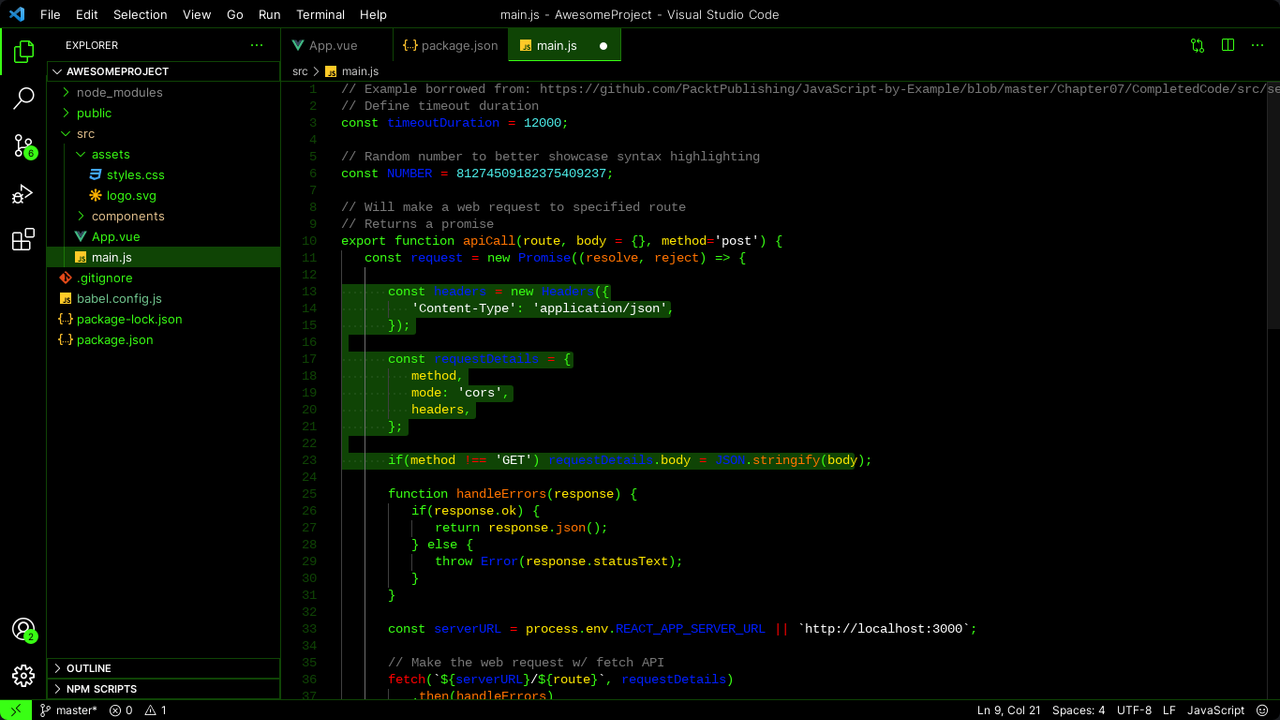
📸 Screenshots

Demo Picture 1

Demo Picture 2


Developed with ❤️ by Akon M Hasib / Hasibur R. If you enjoy these themes, please leave a ⭐⭐⭐⭐⭐ review on the VS Code Marketplace!

  • Contact us
  • Jobs
  • Privacy
  • Manage cookies
  • Terms of use
  • Trademarks
© 2026 Microsoft