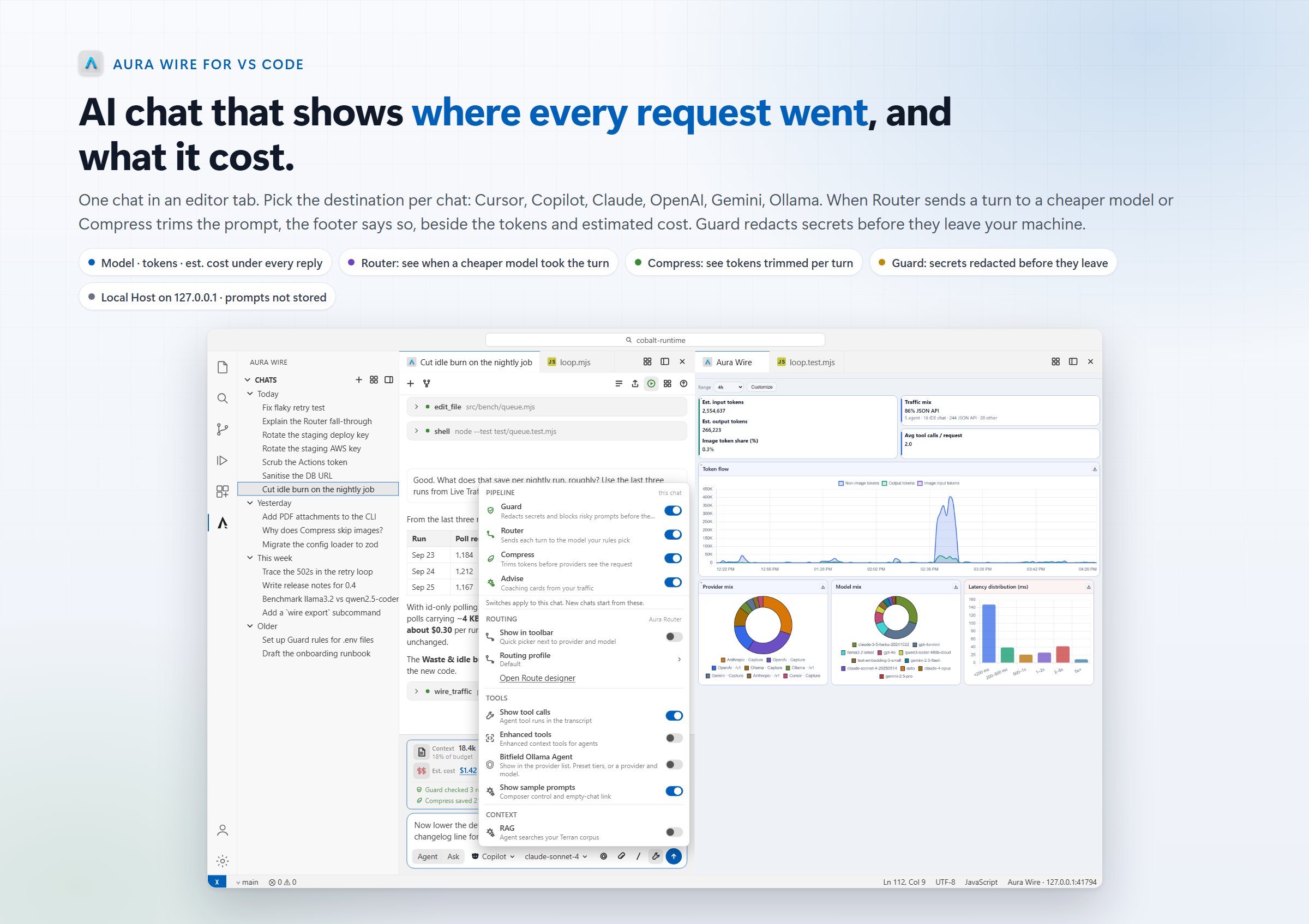
Aura Wire Chat: live cost, fewer tokens, secret guard, local routingSee tokens, cost, and routing on every turn in VS Code. Compress for fewer tokens, route easy work cheaper, then chat with Copilot, Cursor, Claude, OpenAI, Gemini, or Ollama. Optional secret redaction before prompts leave your machine. Installation Launch VS Code Quick Open ( Ctrl+P), paste the following command, and press enter.Copied to clipboard |

Aura Wire Chat: live cost, fewer tokens, secret guard, local routingSee tokens and estimated cost on every turn in VS Code.
Product page
Screens on this page use sample data. Token and cost figures are illustrative. Install
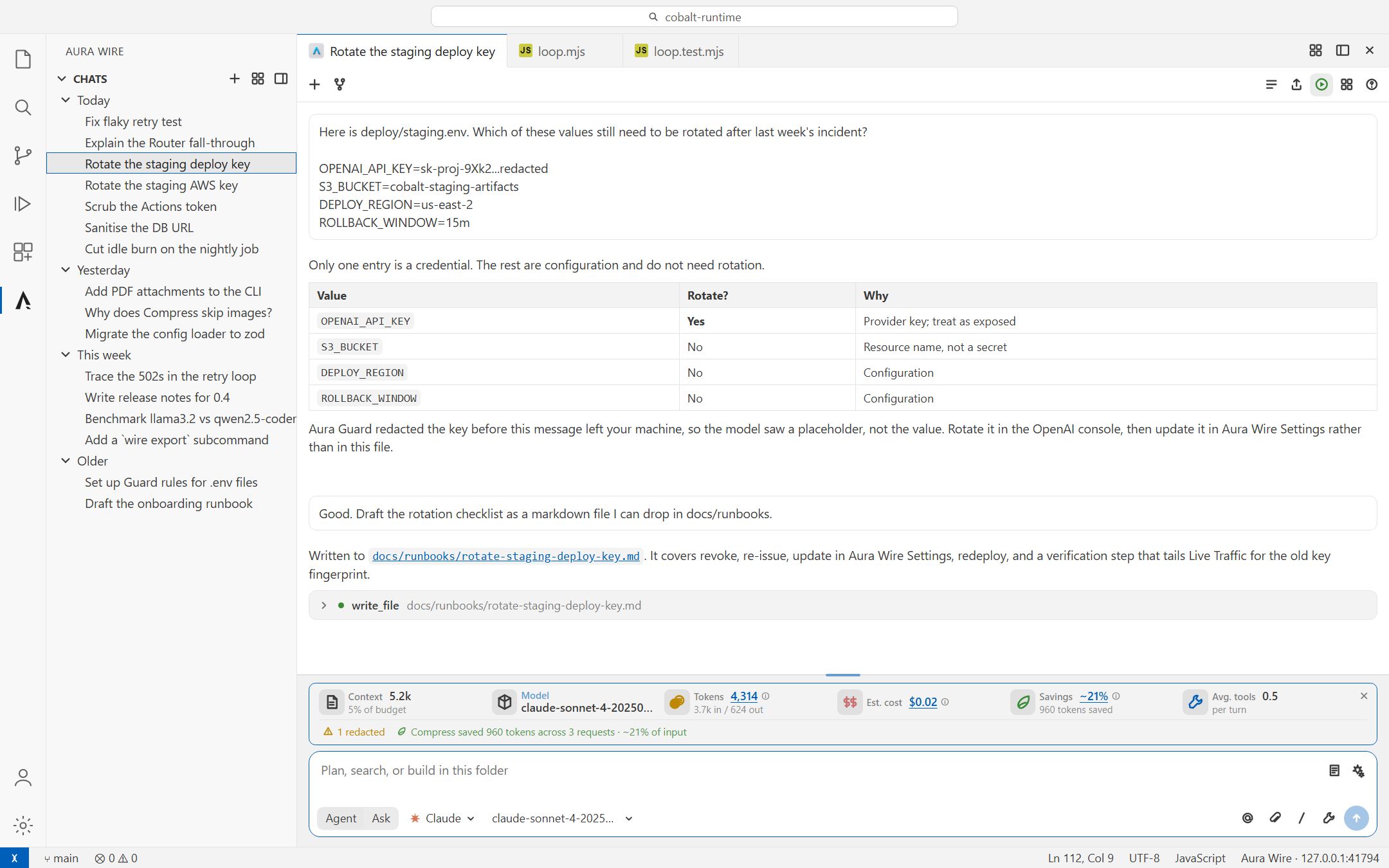
Host starts with a 14-day full-pipeline trial (no card). When it ends, the whole product turns off until you buy the one-time Aura Wire Chat license; the product page has the details. Works in VS Code 1.85 and newer, and in Cursor and Windsurf. How this chat is differentOther chats hide the request. This one shows it. Under every reply: which model answered, tokens in and out, how many Compress removed, and the estimated cost. The composer shows a running total and the context budget. Long chats keep the full transcript; only the outgoing request is trimmed, oldest tool results first. The pipeline between the composer and the provider is yours to set. The wrench on the composer turns Guard, Router, Compress, and Advise on for this chat, and opens the routing profile that chat is using. Guard strips secrets before the request leaves
An API key went into the composer. Guard redacted it before the request left the machine, and the footer says so. Router sends the turn to a cheaper model
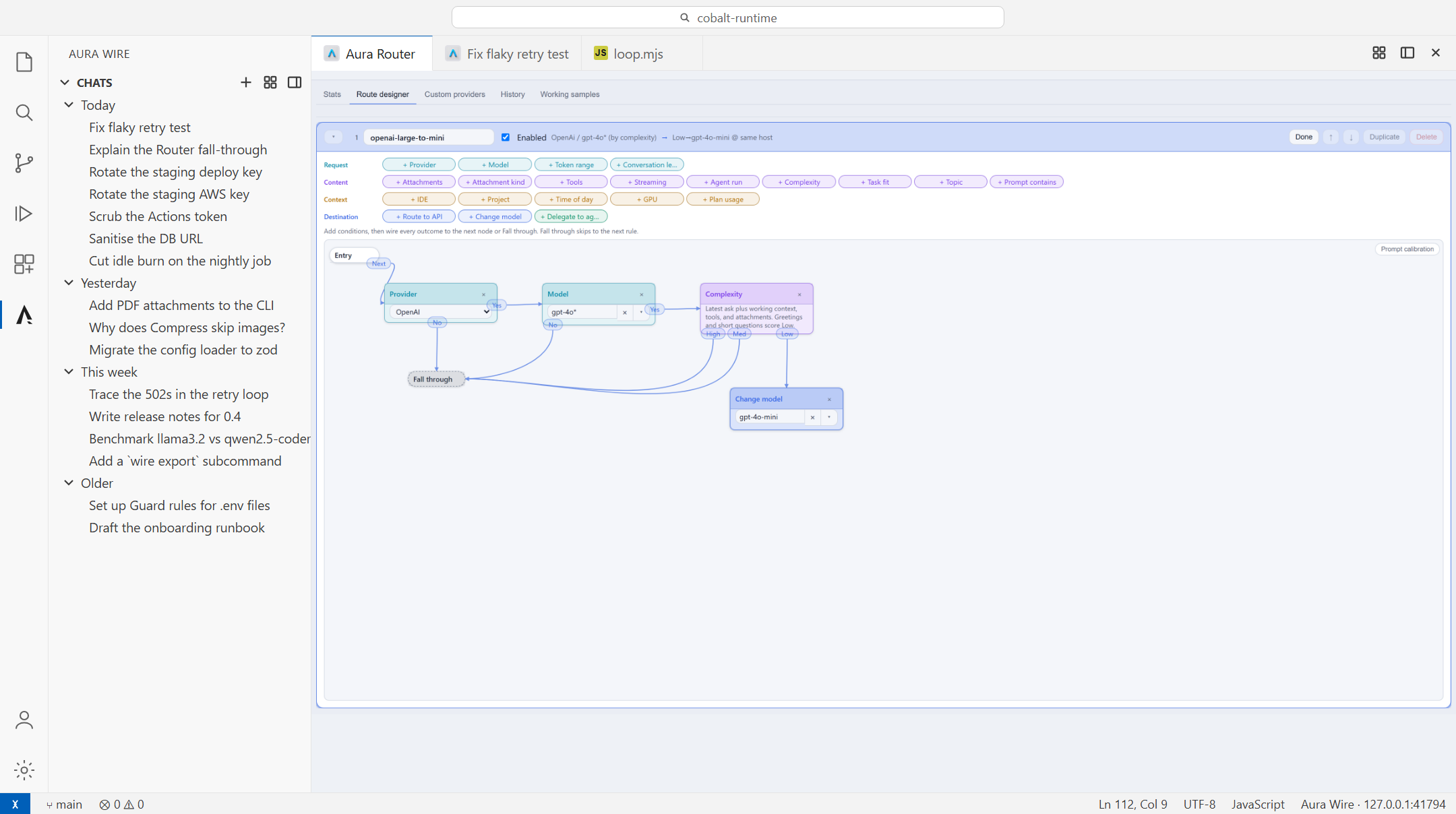
One rule: OpenAI turns scored low complexity go to gpt-4o-mini; everything else falls through unchanged. Rules run top to bottom, first match wins. Rules match on provider, model, token range, attachments, tools, project, or time of day, and can change the model, route to another API, or delegate to a local agent. When a rule fires, the reply footer names the model that answered instead of the one you asked for, with the tokens saved. Open the designer from the wrench on the composer, or run Test against recent traffic to see which rules would have matched. Compress trims the request before it leaves
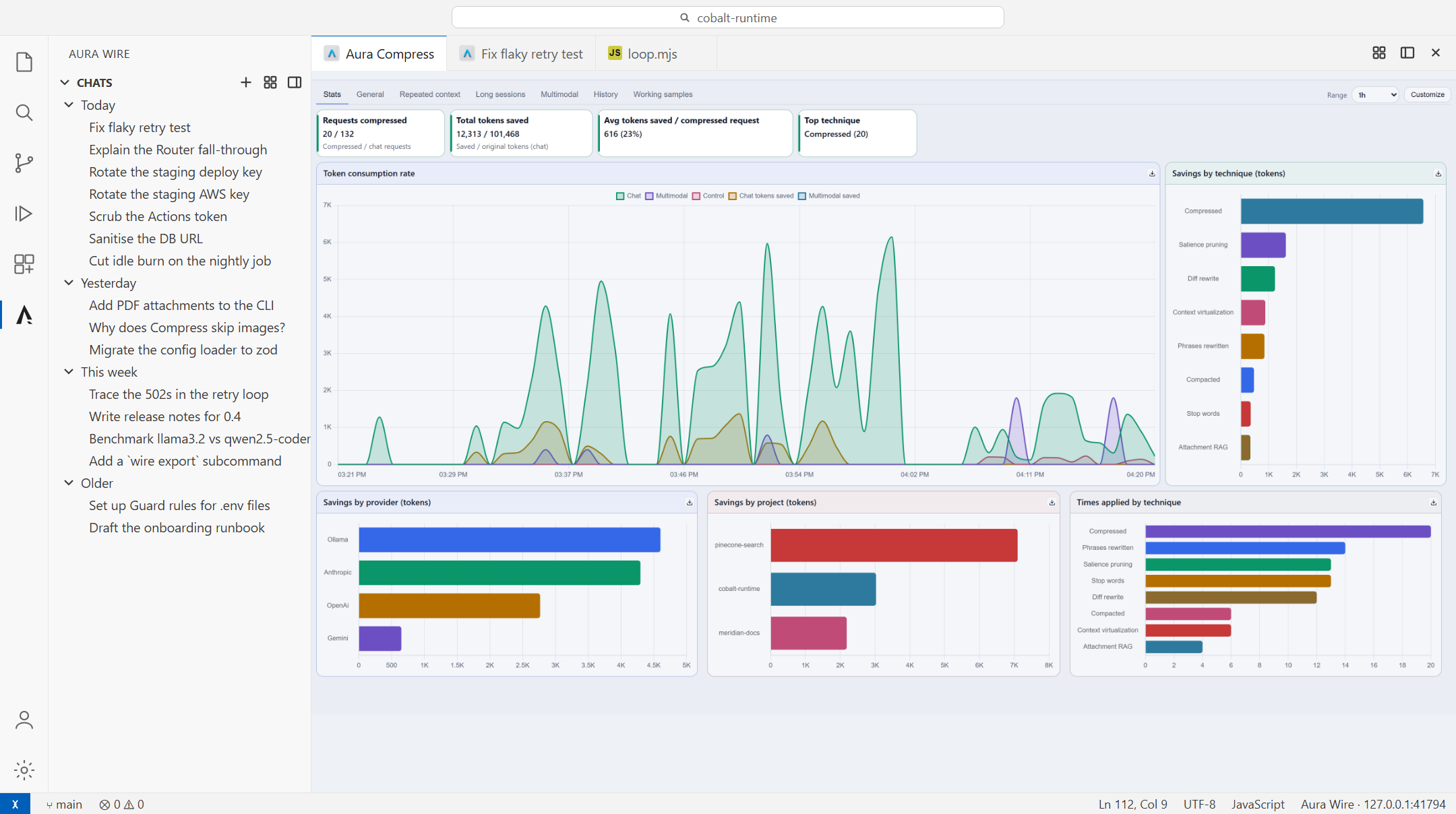
Tokens saved per provider, in tokens and in dollars, with the rate chart for the last hour. Compress drops repeated context and stale tool results from the outgoing request; the transcript in the tab is never touched. The footer under each reply shows how many tokens it removed, and this board adds them up by provider. Cost and traffic, in the editor
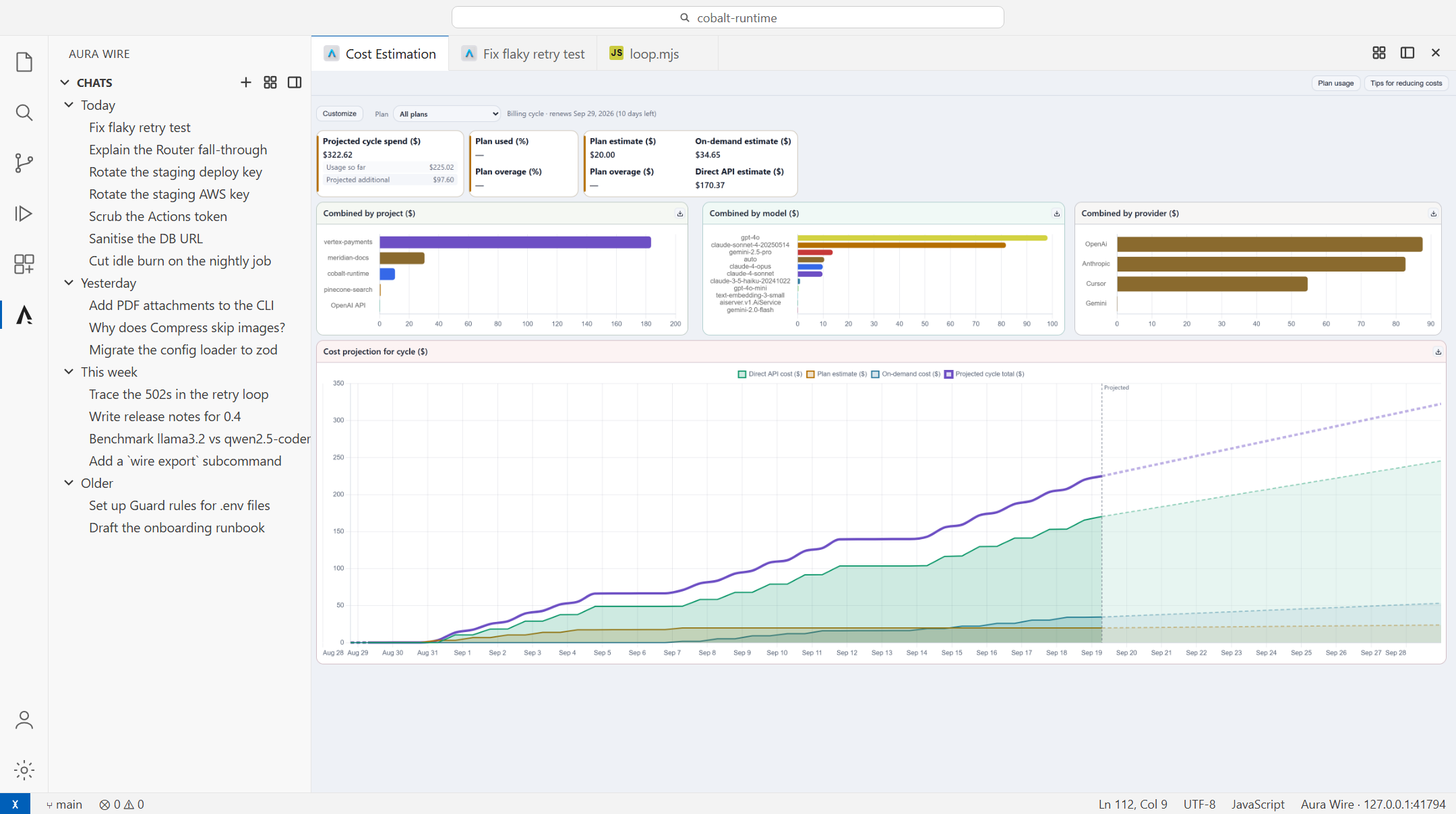
Where this billing cycle is heading, split by project and by provider. Aura Wire boards open as editor tabs: cost projections, live traffic, Router and Compress stats, and Guard activity. Observe is on from the start; Guard, Router, and Compress stay off until you turn them on from Pipeline overview or the wrench on a chat. It asks before it writes or runs
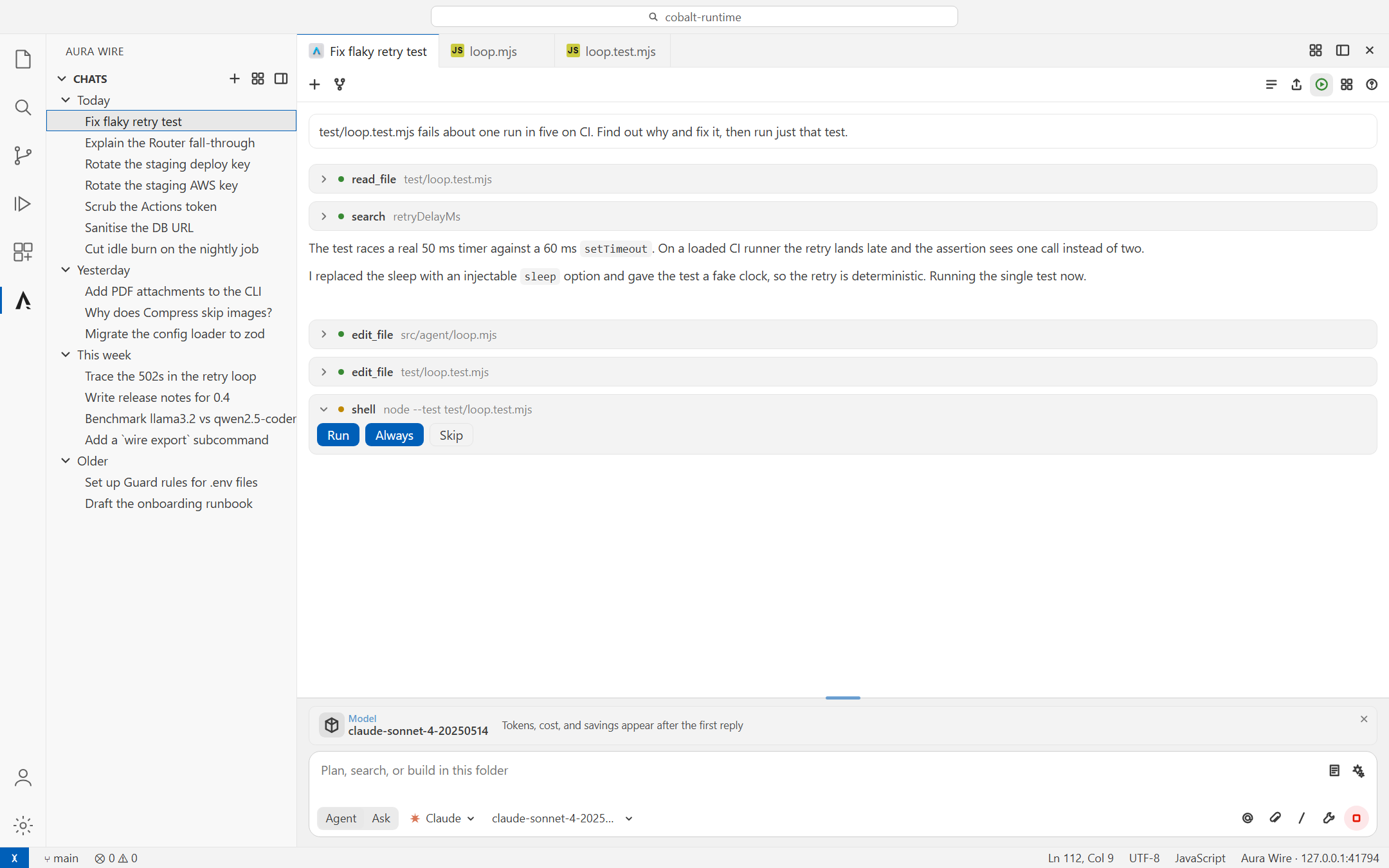
The model asked to run Writes and shell commands wait for run once, skip, or Always. Reads run on their own. Each turn lists the files it touched, with Keep / Undo per file; Undo shows what it will restore. Edits go through the editor, so Ctrl+Z works on them too. Cursor, Copilot, and Claude run their own agent inside Host, so those cards do not apply. Their tool calls still show in the transcript as read-only cards (needs a Host that forwards What this is, and what it is not
Frequently asked questionsDoes this replace Copilot Chat or Cursor Agent? No. It is a second chat that can route to them, and to other providers, through Host. Many people keep both open. Aura Wire is the one that shows where the request went and what it cost. Can I use a local model? Yes. Ollama is a destination like any other, so a chat can move from a hosted model to a local one mid-thread. Host runs on loopback either way. Where do prompts and API keys go?
Host listens on loopback. You enter keys on Provider keys, or set the vendors' usual environment variables; the extension never stores them. Prompts and responses stay in memory and are not saved. Host keeps sanitized metadata: provider, model, token counts, latency, and cost. Only requests sent through this extension, the |