HAProxy Config — VS Code Extension


Version-aware HAProxy language support for VS Code. Stop memorizing directive names, guessing valid options, and discovering config errors only when HAProxy refuses to start.
Full language support for HAProxy configuration files — recognized by name or by their section headers — with version-aware validation, intelligent autocompletion, and inline documentation right inside VS Code.
Built and maintained by Juan Torchia as part of GMM Software Solutions.
Why DevOps and SRE teams use it
- Catch mistakes before reloads — unknown directives, wrong sections, undefined backends, deprecated options, and version mismatches show up while editing.
- Edit against the HAProxy version you run — validate configs for HAProxy 2.4 through 3.4 per workspace.
- Keep context in VS Code — completions, hover docs, snippets, formatting, folding, symbol navigation, and quick fixes reduce trips to the manual.
If this extension helps you avoid HAProxy config mistakes, consider starring the repo so other operators can find it.
Features
Syntax Highlighting
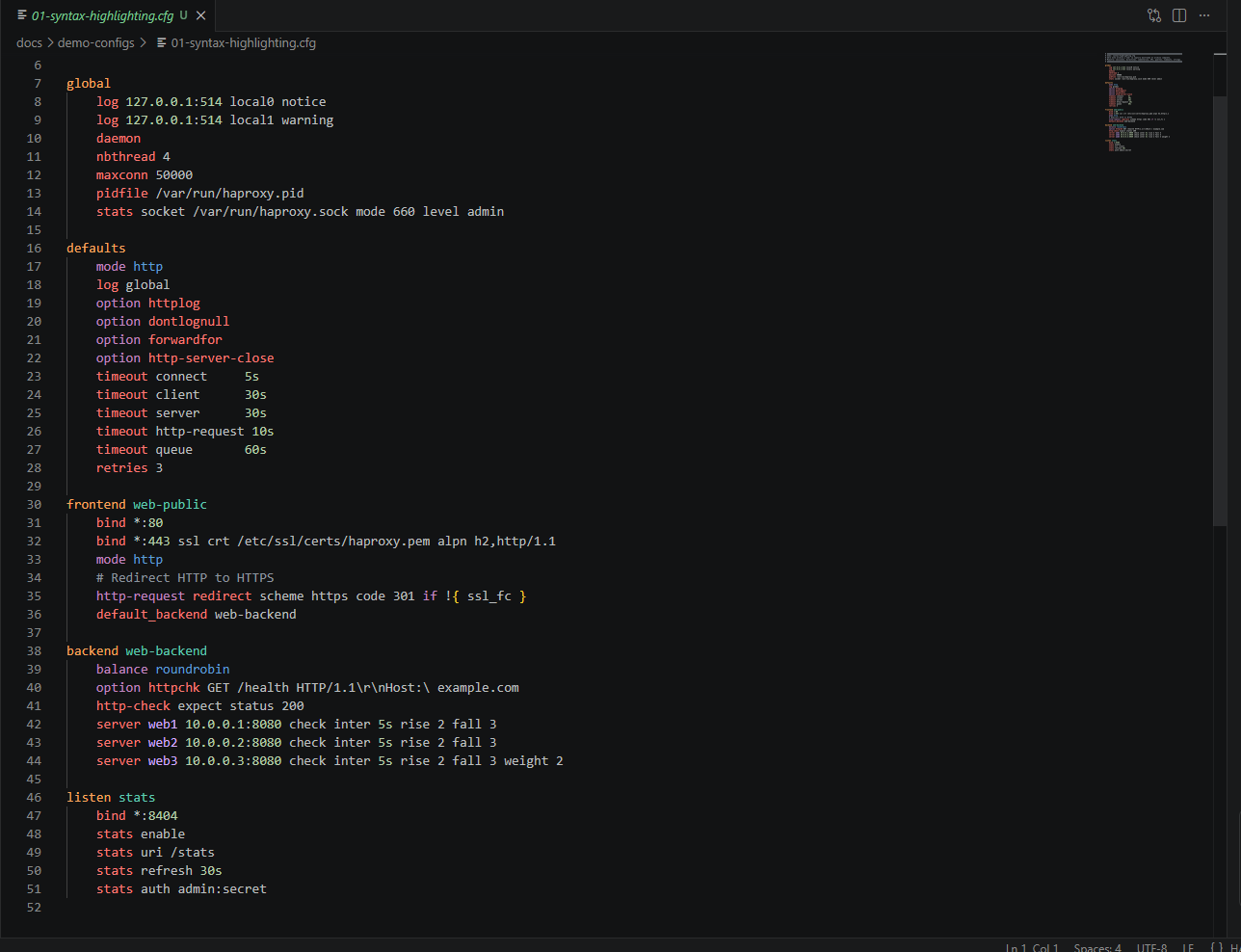
Every token in your HAProxy config gets meaningful color — section headers, directives, ACL names, backend references, IP addresses, ports, and timeouts.
Intelligent Autocompletion
Context-aware suggestions that know which directives are valid in each section. No more guessing whether use_backend belongs in a backend or a frontend.
- Filters by section type (
frontend, backend, global, etc.)
- Respects
mode http vs mode tcp — only shows relevant options
- Deprecated directives shown with strikethrough
- Every suggestion includes signature and documentation

Version-Aware Validation
Select your HAProxy version and get real-time diagnostics tailored to it. Directives removed in 2.4? Flagged as errors. Options deprecated in 3.0? Flagged as warnings — with the exact migration path.
- Errors — unknown directives, wrong section, removed features, syntax issues
- Warnings — deprecated directives with upgrade hints
- Cross-references —
use_backend pointing to an undefined backend

Focused demo config: docs/demo-configs/09-undefined-backend.cfg

Hover Documentation
Hover over any directive for instant reference: signature, description, valid sections, version availability, and a direct link to the HAProxy docs.

Go-to-Definition
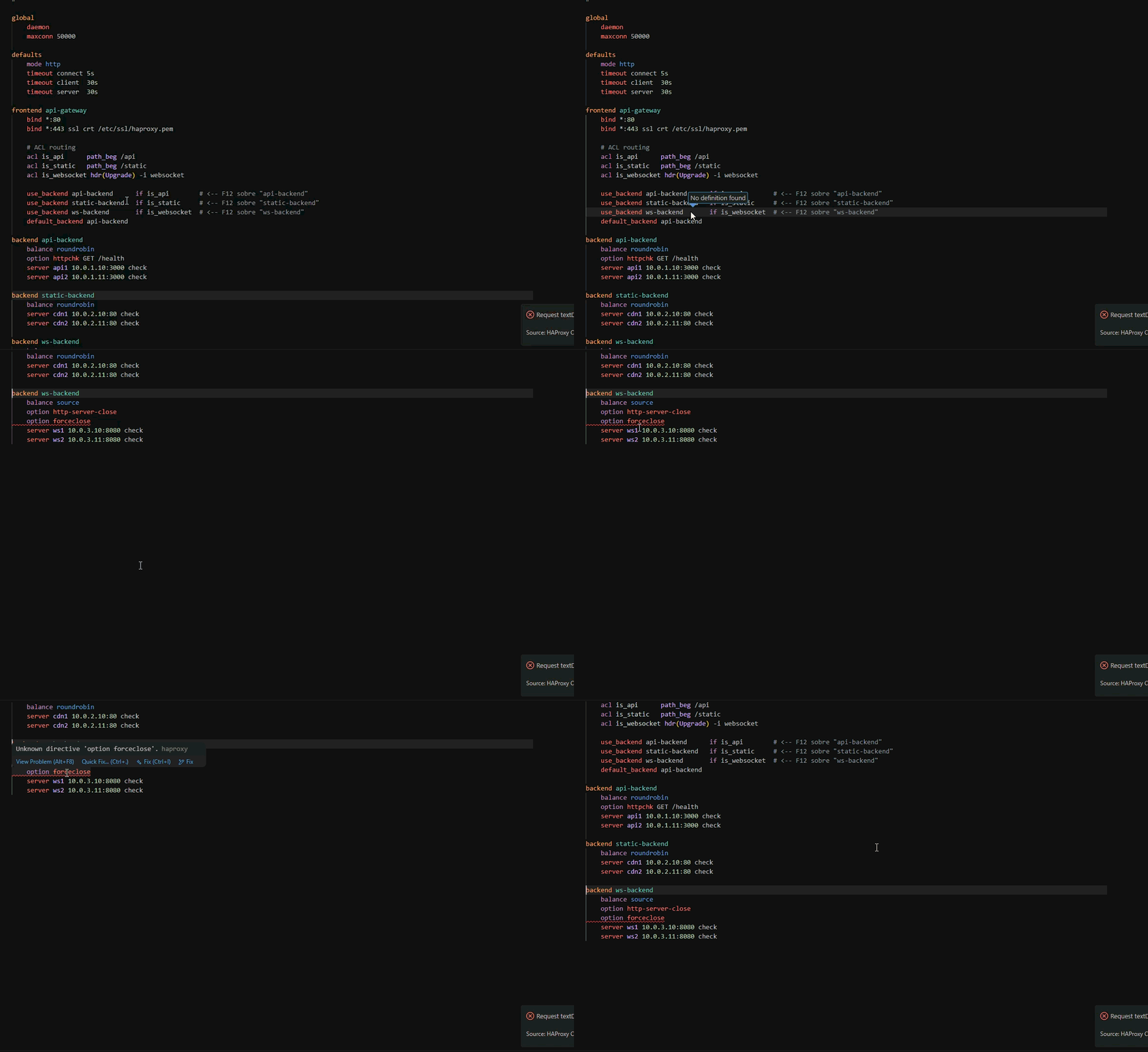
Press F12 (or Ctrl+Click) on any backend name in a use_backend or default_backend directive to jump directly to its definition.
Safe Rename, References, and Outline
Navigate and refactor named HAProxy objects without hunting through the file by hand:
- Press
F2 to rename backends, ACLs, servers, named defaults, caches, userlists, resolvers, and peers together with their references.
- Press
Shift+F12 to find every reference, or use Peek to inspect them without leaving the current section.
- Use
Ctrl+Shift+O or the Outline panel to jump between global, defaults, frontend, backend, listen, and other named sections.
- Matching definitions and references are highlighted under the cursor; negated ACL references such as
!is_api preserve the ! during rename.
These operations use the extension's parsed symbol graph and stay inside the current configuration file. Review the resulting diff before reloading production HAProxy.
Section Folding
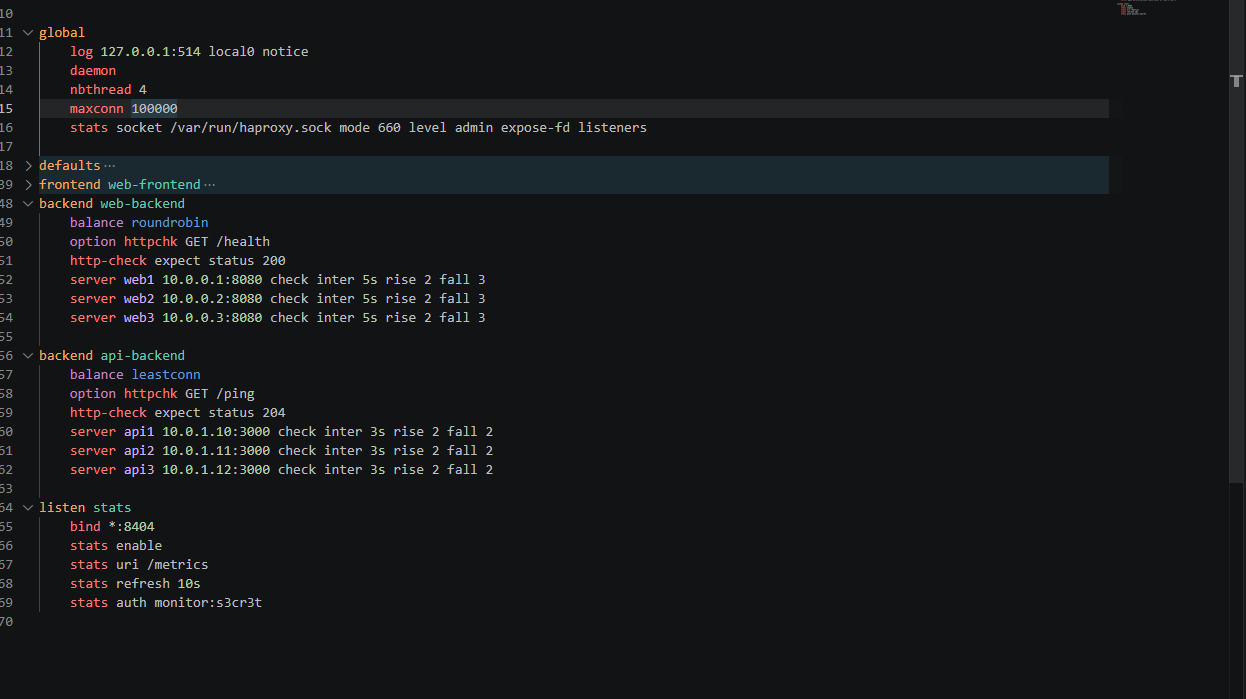
Collapse and expand individual HAProxy sections to focus on what matters.
Quick Fix — Deprecated Directives
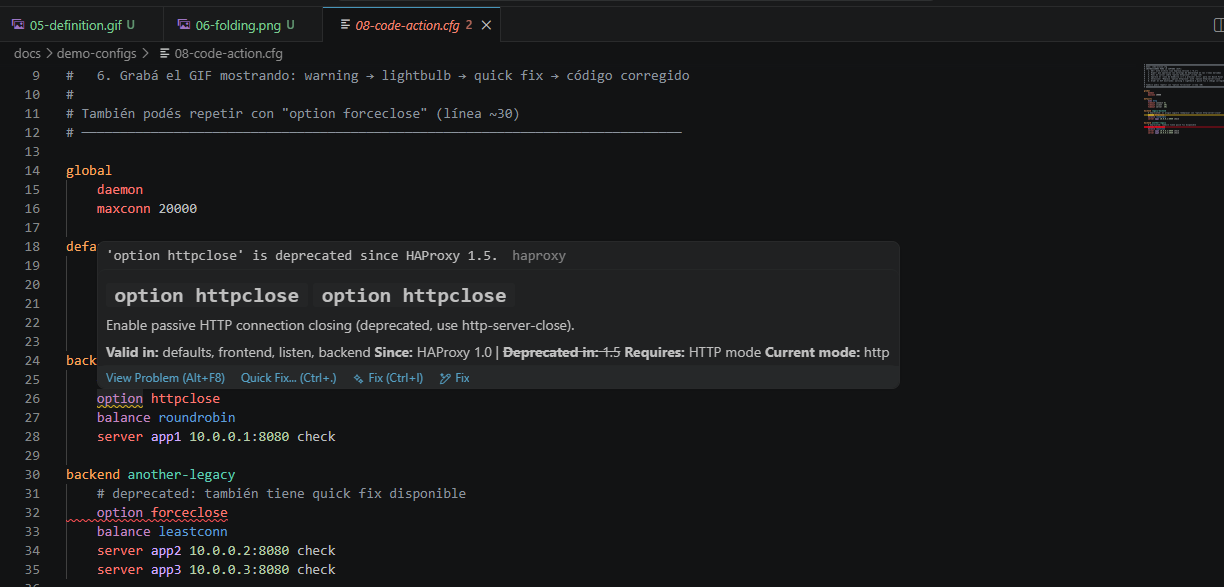
Deprecated directives get a warning with a lightbulb quick fix. One click replaces the directive with the modern equivalent.
Snippets
Start typing a section name and get a fully-formed boilerplate with tabstops. No more blank-page paralysis.
| Prefix |
Inserts |
global |
Global block with logging, threads, stats socket |
defaults |
Defaults with all common timeouts |
frontend |
HTTP frontend |
frontend-ssl |
HTTPS frontend with SSL termination |
backend |
HTTP backend with health check |
backend-ssl |
HTTPS backend |
listen |
HAProxy stats listener |
acl |
ACL definition |
use_backend |
Conditional backend routing |
server |
Server line with health check params |
httpchk |
HTTP health check option |
One keypress (Shift+Alt+F) normalizes your entire config: section headers at column 0, directives indented consistently, blank lines cleaned up — without touching your comments or string values.
Multi-Version HAProxy Support
Validate your config against the exact HAProxy version running in production. Switch versions per workspace — no global settings that affect other projects.
| Version |
Type |
Status |
| 3.4 |
LTS |
✅ Latest LTS |
| 3.3 |
Stable |
✅ Supported |
| 3.2 |
LTS |
✅ Recommended — default |
| 3.1 |
Stable |
⚠️ End of life |
| 3.0 |
LTS |
✅ Supported |
| 2.8 |
LTS |
✅ Critical fixes only |
| 2.6 |
LTS |
✅ Critical fixes only |
| 2.4 |
LTS |
⚠️ End of life |
The status bar shows your active version at all times. Click it to switch instantly.
Selecting a version that has reached end of life adds a warning diagnostic to the file, so an unsupported target is visible while editing rather than at upgrade time.
Installation
From VS Code:
- Open the Extensions panel (
Ctrl+Shift+X)
- Search for
HAProxy Config
- Click Install
From the command line:
code --install-extension gmm.gmm-haproxy-vscode
The extension recognizes haproxy.cfg, haproxy.conf, haproxy*.cfg and files under a haproxy/ directory automatically. Other .cfg and .conf files switch to HAProxy only when they contain an HAProxy section header (global, defaults, frontend, backend, listen, …) at the start of a line; nginx, Samba, setup.cfg and other formats keep their own language. If another extension (nginx, Apache) already claims .conf files, that language takes priority. A language you pick manually is kept for the session. To force HAProxy for a file, add it to files.associations:
"files.associations": { "**/lb/*.conf": "haproxy" }
Product overview and support boundaries: gmmhub.net/products/haproxy-config-vscode
Configuration
All settings are available under File → Preferences → Settings → HAProxy.
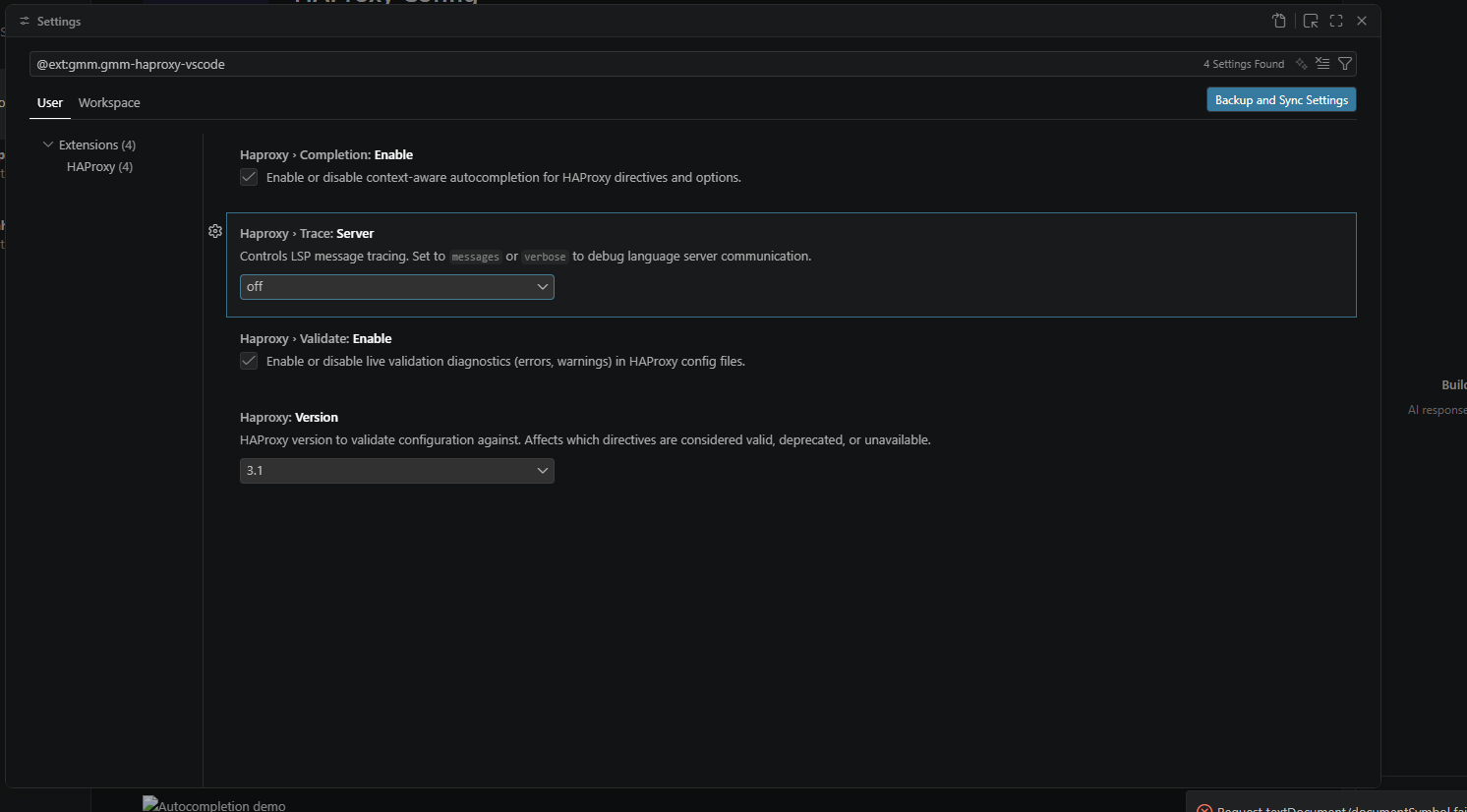
| Setting |
Default |
Description |
haproxy.version |
3.2 |
HAProxy version to validate against |
haproxy.validate.enable |
true |
Enable/disable live validation |
haproxy.completion.enable |
true |
Enable/disable autocompletion |
haproxy.trace.server |
off |
LSP trace level (off / messages / verbose) |
haproxy.ratingPrompt.enabled |
true |
Occasionally ask for a Marketplace rating after regular use (at most twice) |
Per-workspace version — open .vscode/settings.json and add:
{
  "haproxy.version": "2.8"
}
This overrides the global setting for that workspace only, so different projects can validate against different HAProxy versions simultaneously.
Commands
| Command |
Description |
HAProxy: Select Version |
Change validation version via QuickPick |
HAProxy: Restart Language Server |
Restart if the server gets into a bad state |
Why this extension?
HAProxy is one of the most widely deployed load balancers in the world. But editing its config has always been a text-editor experience — no hints, no validation, no documentation. You either memorize the manual or keep a browser tab open.
This extension brings the config editing experience up to the same level as editing code:
- Catch errors before deployment — not when HAProxy refuses to reload
- Stay on the right version — avoid deploying directives that don't exist in your production binary
- Onboard faster — new team members get inline docs without needing to read the full manual
- Move faster — snippets and completion eliminate the boilerplate
Requirements
- VS Code
1.110.0 or newer
- Node.js is not required on the target machine — the language server is bundled
Contributing
Issues and pull requests are welcome at github.com/JuanTorchia/gmm-haproxy-vscode.
The most useful contributions are small and specific: missing directive metadata, sanitized real-world fixtures, version-specific validation tests, snippet improvements, and documentation that helps operators trust the extension.
Useful starting points:
To run locally:
git clone https://github.com/JuanTorchia/gmm-haproxy-vscode
cd gmm-haproxy-vscode
npm ci
npm ci --legacy-peer-deps --prefix client
npm ci --legacy-peer-deps --prefix server
npm run compile
Then press F5 in VS Code to open an Extension Development Host with the extension loaded.
Before submitting a PR:
npm run lint must passnpm run compile must passnpm run test:unit must pass for most changesnpm test must pass before larger runtime or integration changes
If you use the Marketplace extension and notice missing HAProxy behavior, open an issue with a sanitized config snippet. Those reports directly improve completion, hover docs, and validation accuracy.
Rate / report issues — if the extension helps you, leave a review on the Marketplace; bugs and gaps go to GitHub issues.
Changelog
See CHANGELOG.md.
License
MIT © Juan Torchia

