Table Formatter and Node EditorA full Table IDE for VS Code. Open CSV, TSV, Markdown, SQL and JSON files as editable tables with Lab Mode, Node Editor, multi-cell editing and export to SQL, HTML and Markdown. Installation Launch VS Code Quick Open ( Ctrl+P), paste the following command, and press enter.Copied to clipboard |

Table Formatter and Node Editor for VS CodeOpen CSV, TSV, Markdown, SQL, and JSON files as live editable tables right inside VS Code. Multi-cell editing, drag-and-drop, formula columns, and export to SQL, HTML, Markdown, and JSON. See it work
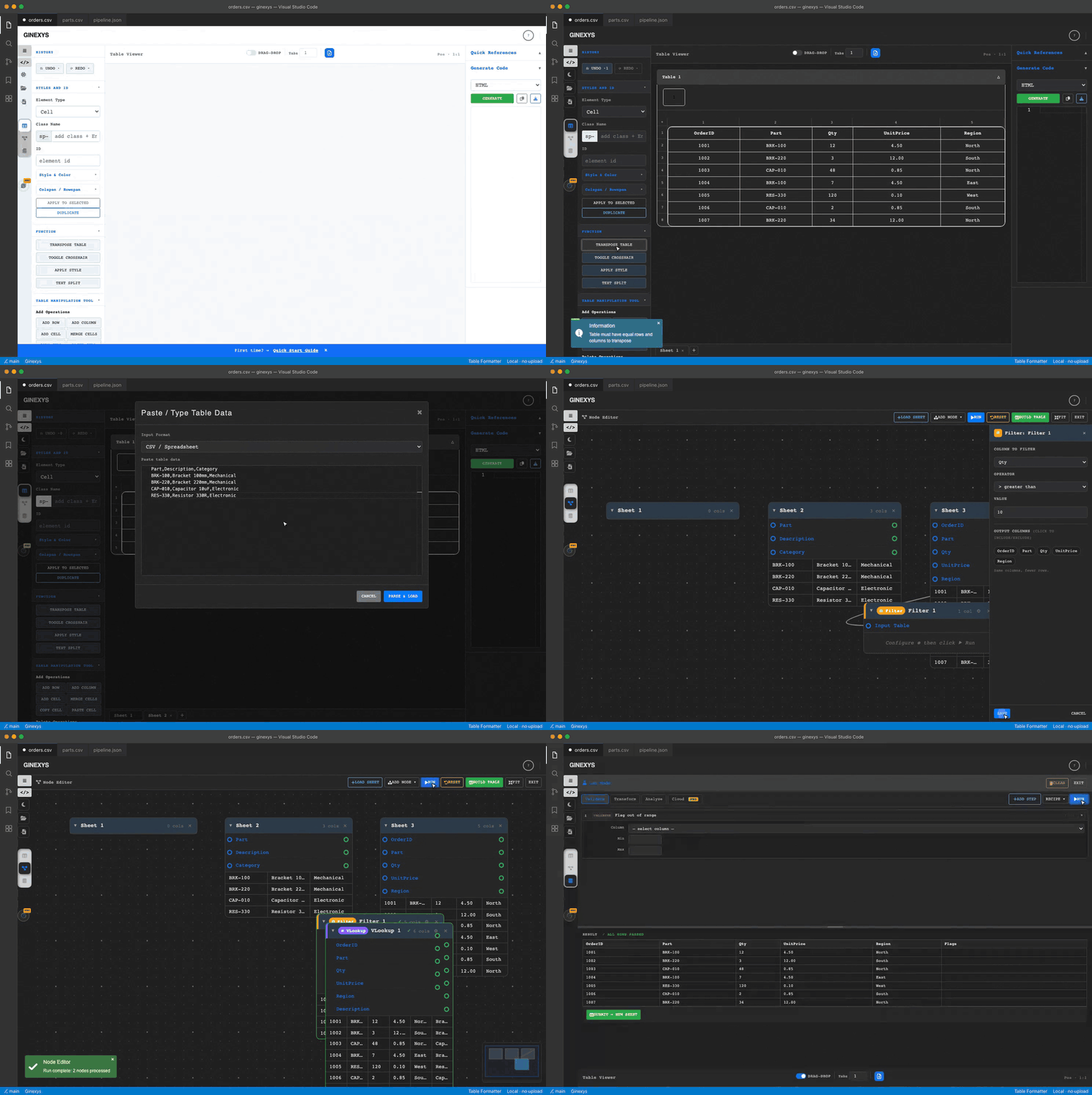
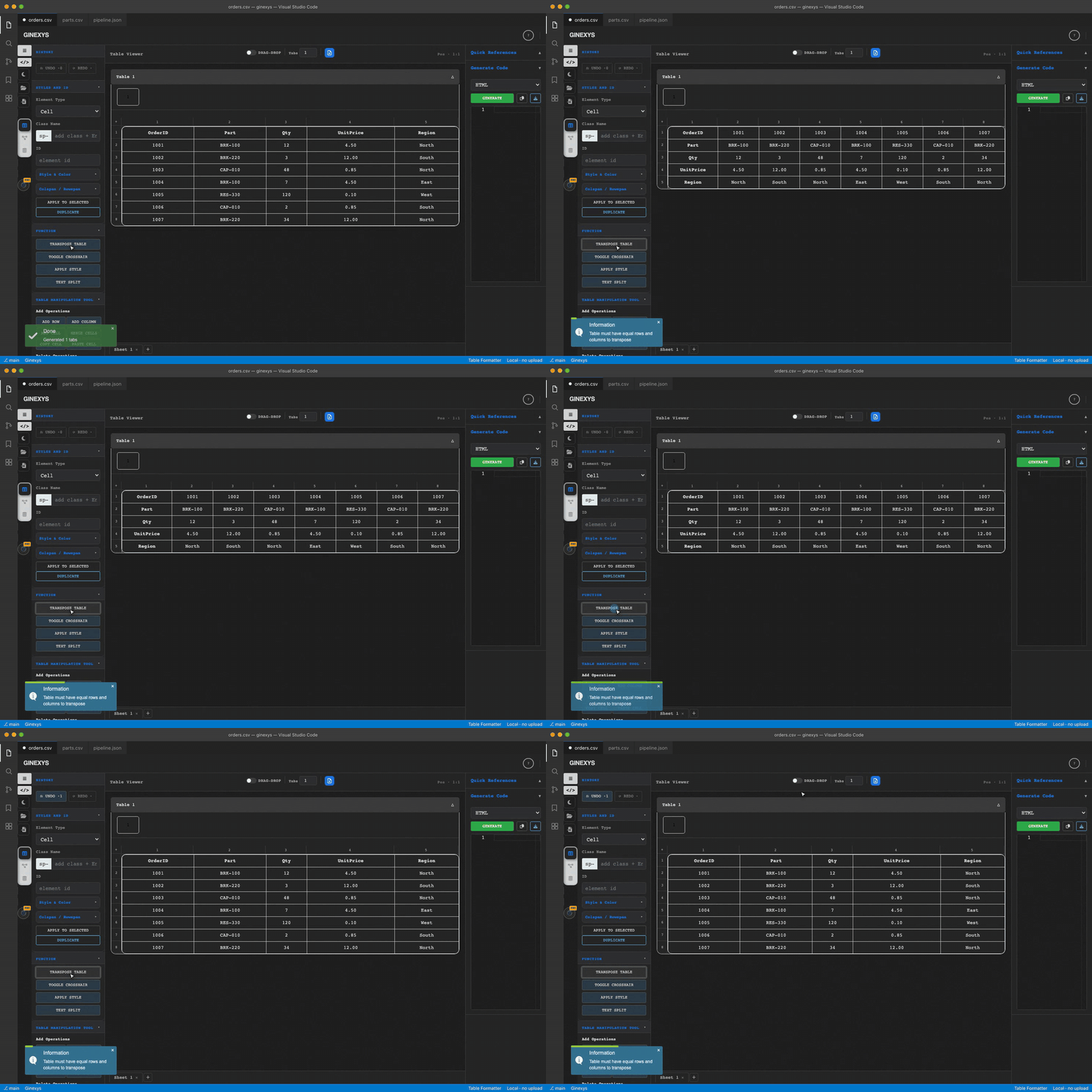
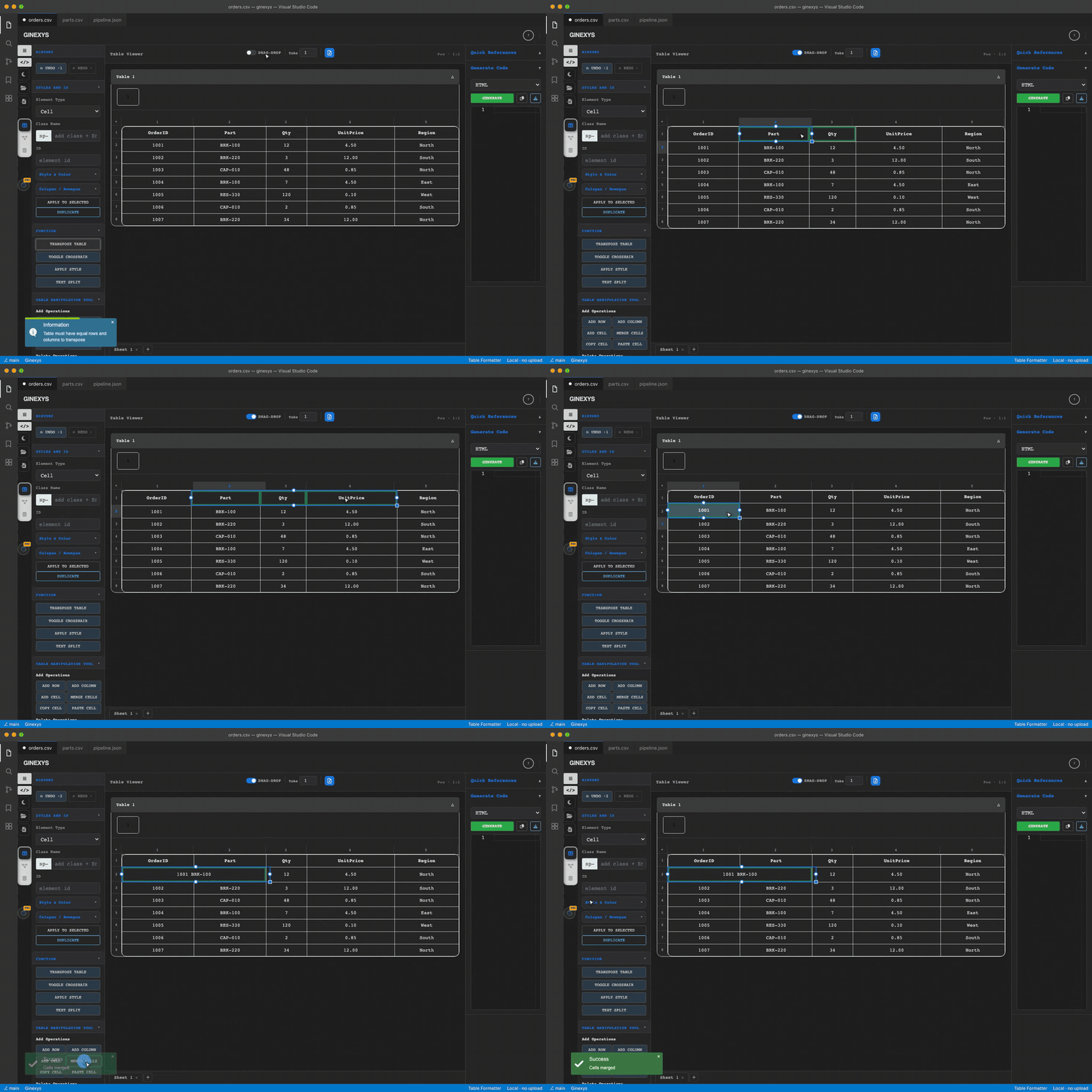
Paste a table, reshape it, wire a pipeline, validate it. Three surfaces over the same data: a visual table editor, a node graph for joins and filters, and a lab for validation and transform steps. Table view — transpose, move columns, merge cells
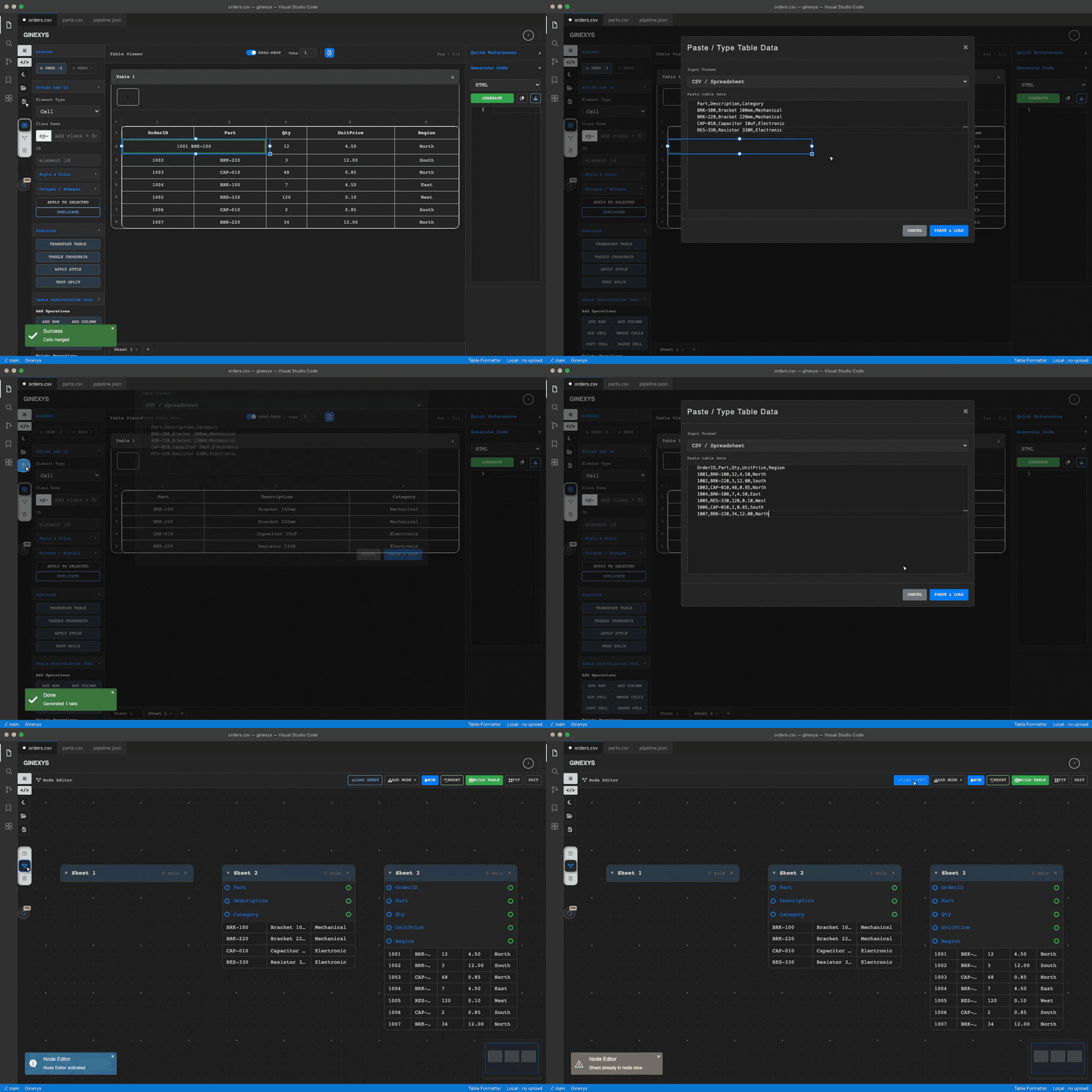
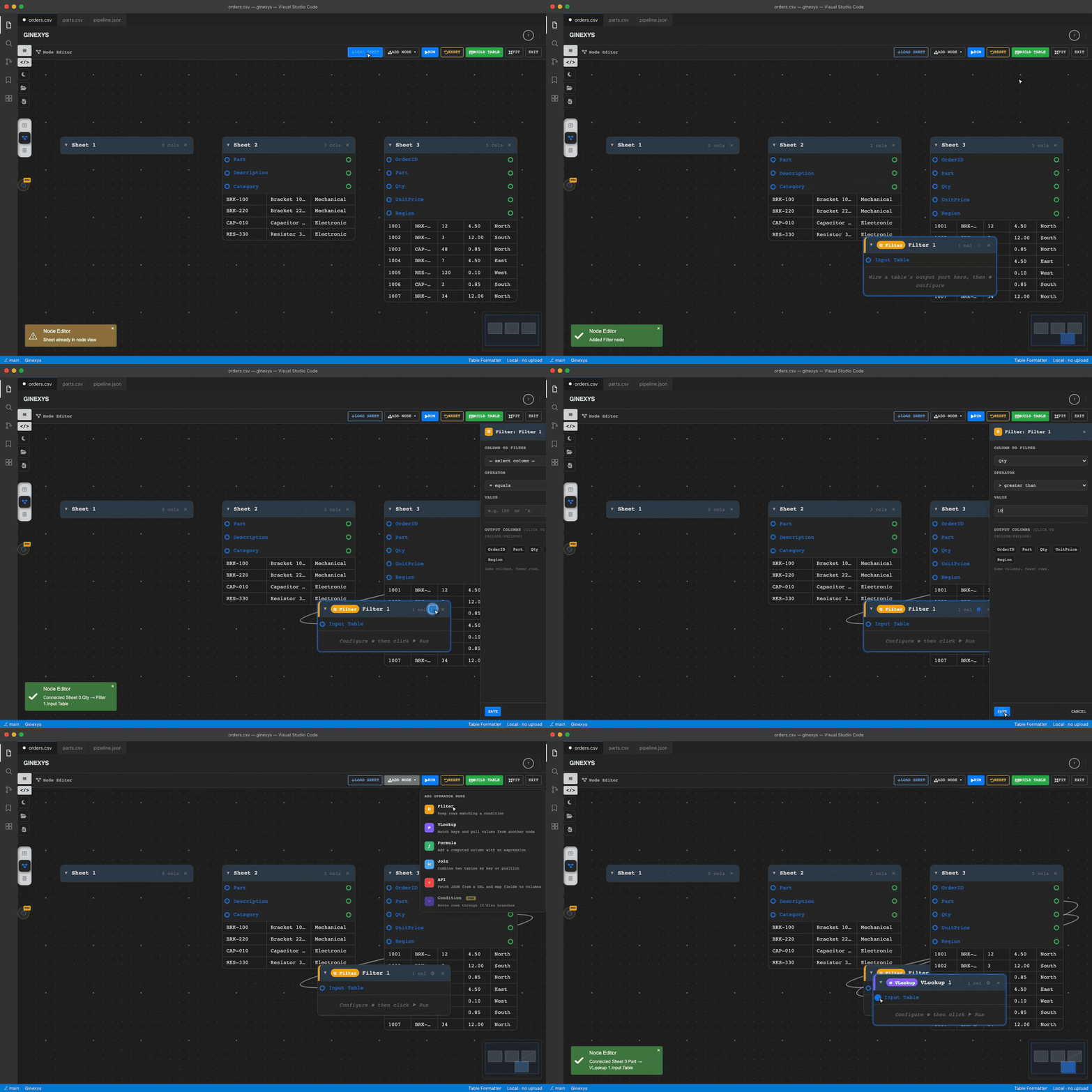
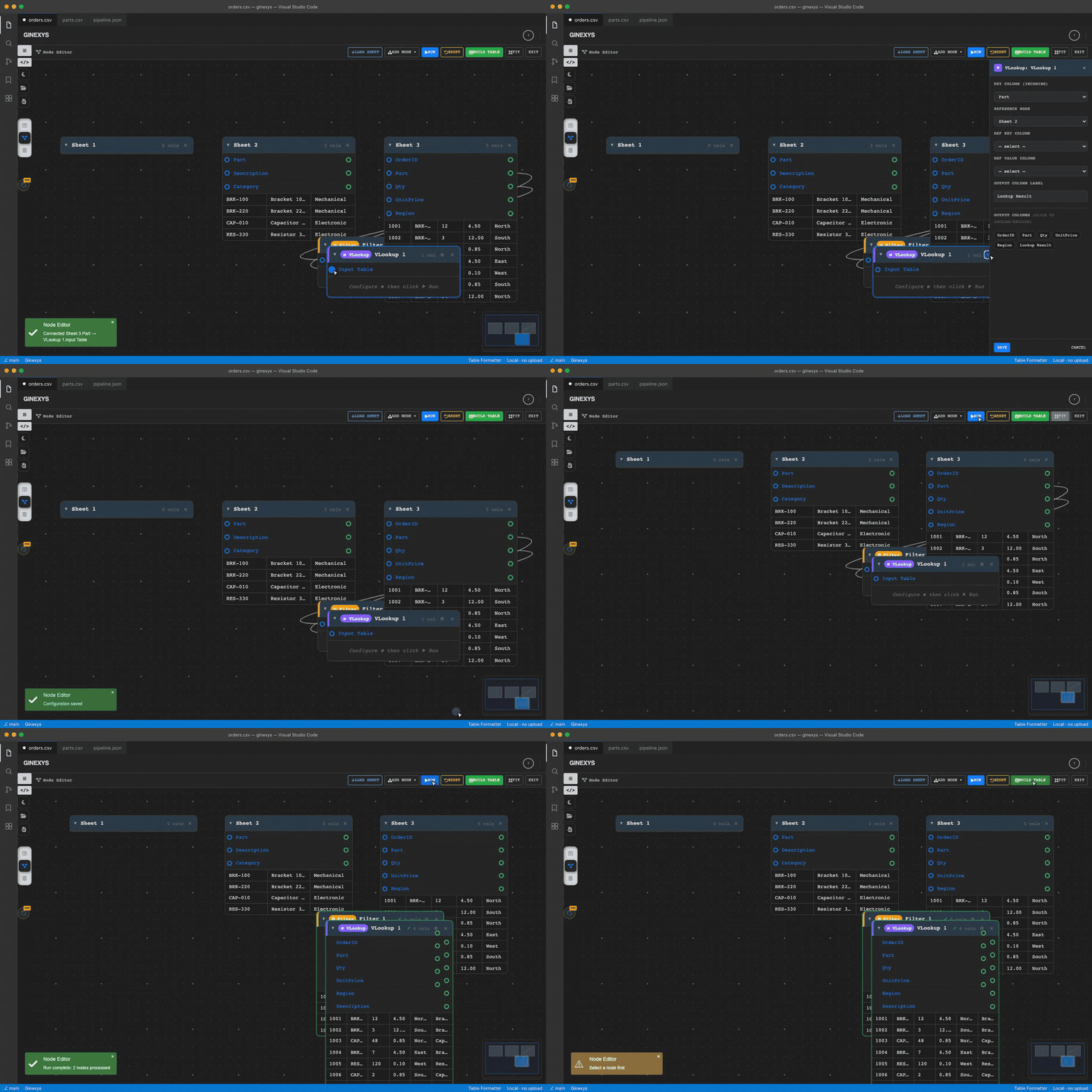
Import CSV, TSV, Markdown, JSON, SQL INSERT statements, ASCII or HTML. Edit as a real table, not as text. Node editor — wire two tables into a pipelineConnect a column's output port to an operator's input, configure it, run the graph.
Filter the orders table on quantity, then look up each part's description from a second table.
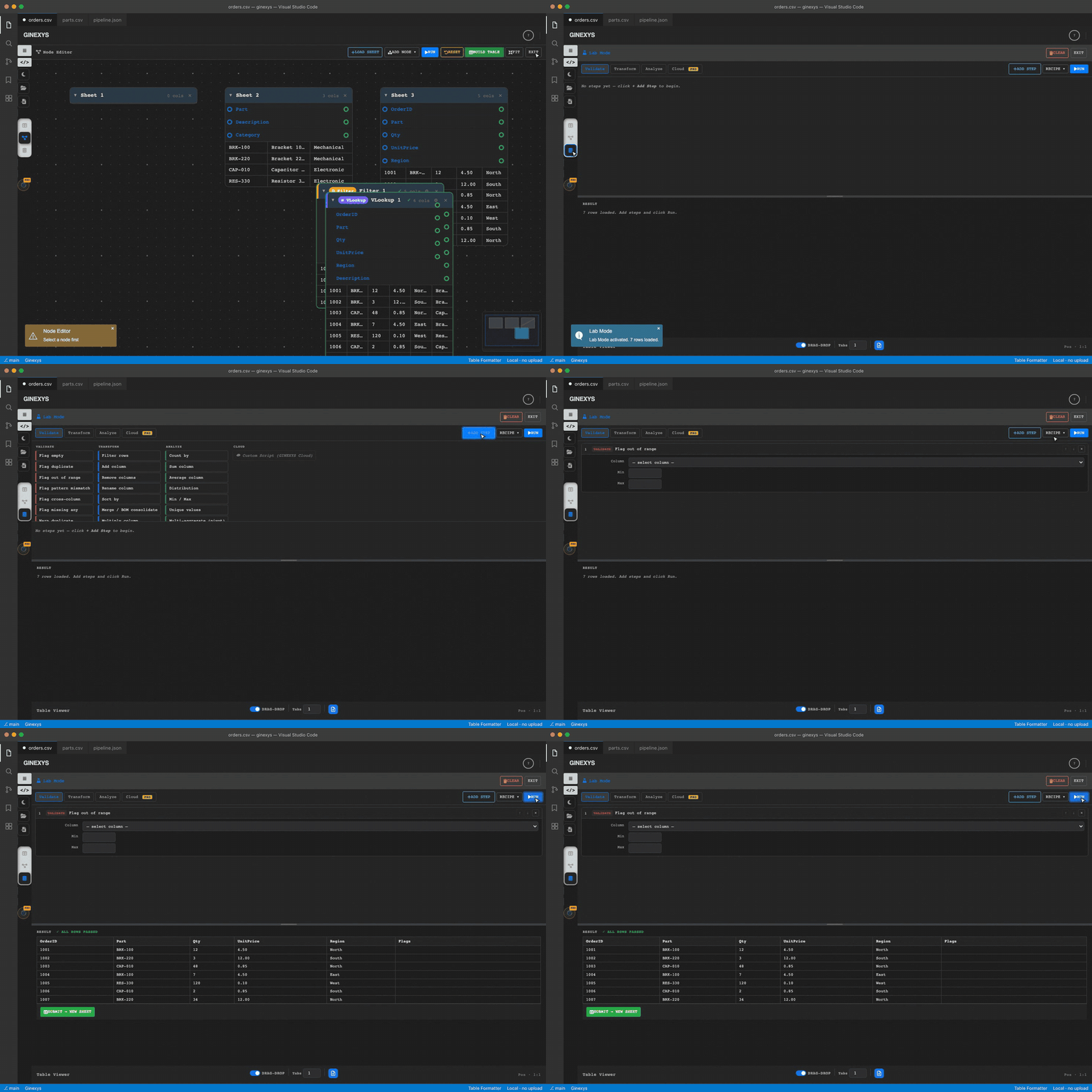
Ports are per column, so a pipeline is wired at the granularity of the data rather than the sheet. Run reports how many nodes processed, and Build Table drops the result back into the table view. Lab mode — validate, transform, analyze
Steps chain into a recipe: flag empty, flag duplicate, flag out of range, pattern and cross-column checks, plus transforms and aggregates. Results are scored, so a validated column reads differently from an unchecked one downstream. Install and use
Commands
Each command also appears in the Explorer context menu and the editor title context menu when a supported file is focused. File types
The same custom editor handles all six. CSV and TSV become flat tables. Markdown tables and fenced Live syncEdit the underlying file in a normal text editor and the table view updates after a 300ms debounce. Edit the table and the file updates. Both views stay in sync. What is Table IDETable IDE (Table Format and Node Editor) is the Transform step of the Ginexys engineering pipeline. You got a table from a PDF scrape, a legacy export, or a broken copy-paste. It is mangled. Table IDE parses it into a live visual editor. Reshape it visually: drag columns, merge cells, split text, transpose. Then export to clean HTML, Markdown, JSON, CSV, or SQL INSERT statements. Input formats
Export formats
The SQL export is the differentiator. Paste a CSV, get INSERT statements. Most table tools do not do this. Key features
Keyboard shortcuts
Who uses this
RequiresGinexys Core Extension is a dependency. VS Code installs it automatically. Part of the Ginexys pipelineTable IDE is the Transform step: Get the whole pipeline: Ginexys Developer Tools. LicenseMIT. See LICENSE. Source and issueshttps://github.com/carnworkstudios/table-ide Web version |