那是我的梦境。 ещё whisper for my daughter的梦0.
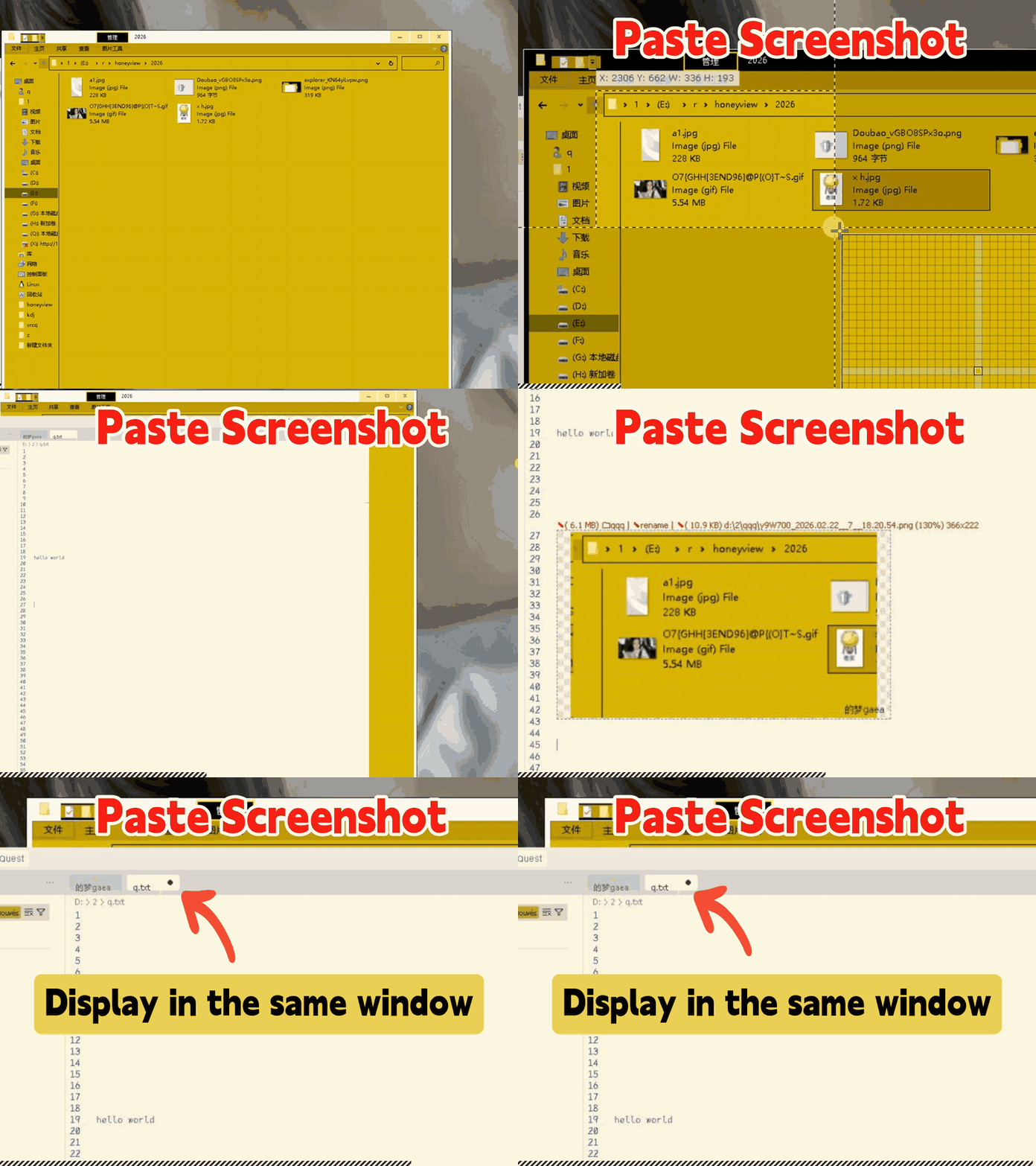
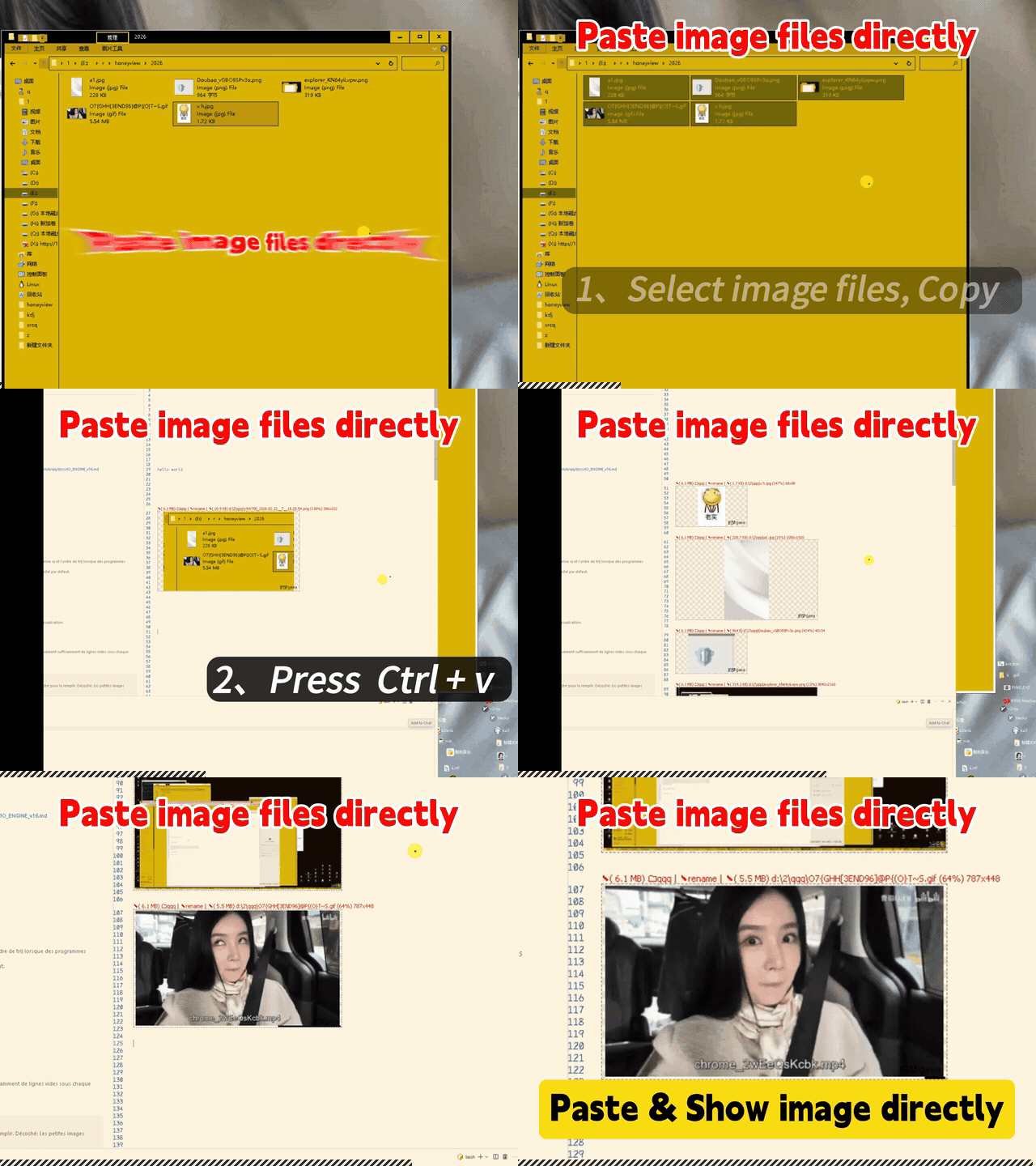
✦q✦ Enhanced Ctrl+V: Without changing any original features, Paste everything anywhere in any document👇 wait for pic loading... 👇
Works with any document e.g. ".txt", ".1", any file extension, or no extension.
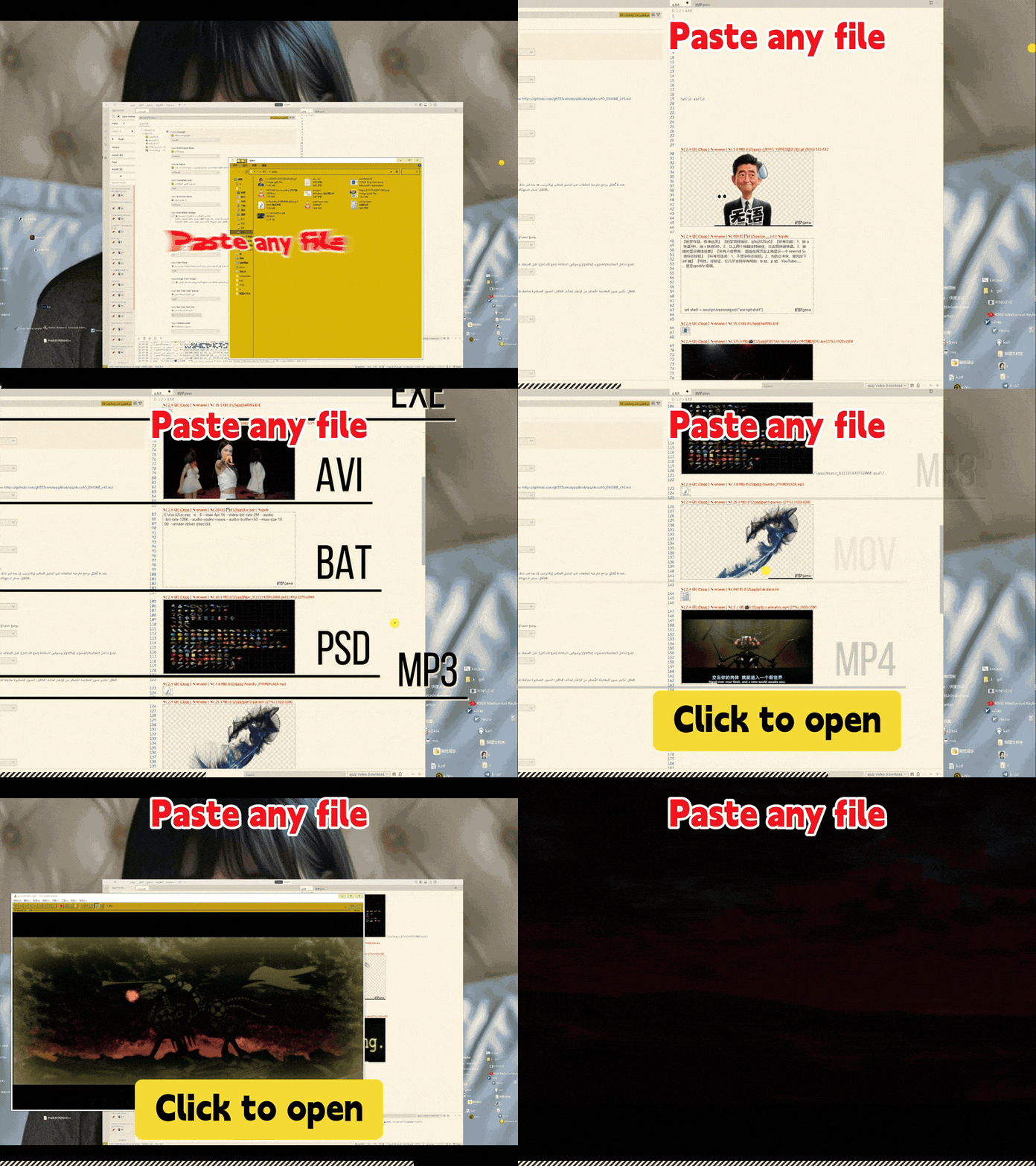
Let me be honest, via qqq you can paste txt, exe, psd, mp3, folder, mp4.... if you want. Why not?
qqq in, ctrl + v. If you don't like key combinations, try F2. You can organize your resources now. ✦q✦ A Revolution of the Tab Key (But without breaking the default Tab behavior.)Before 2026, Tab helped you code fast. Now, I advocate for tab (=Roam) to help you expand rapidly: reaching any location at the speed of thought.
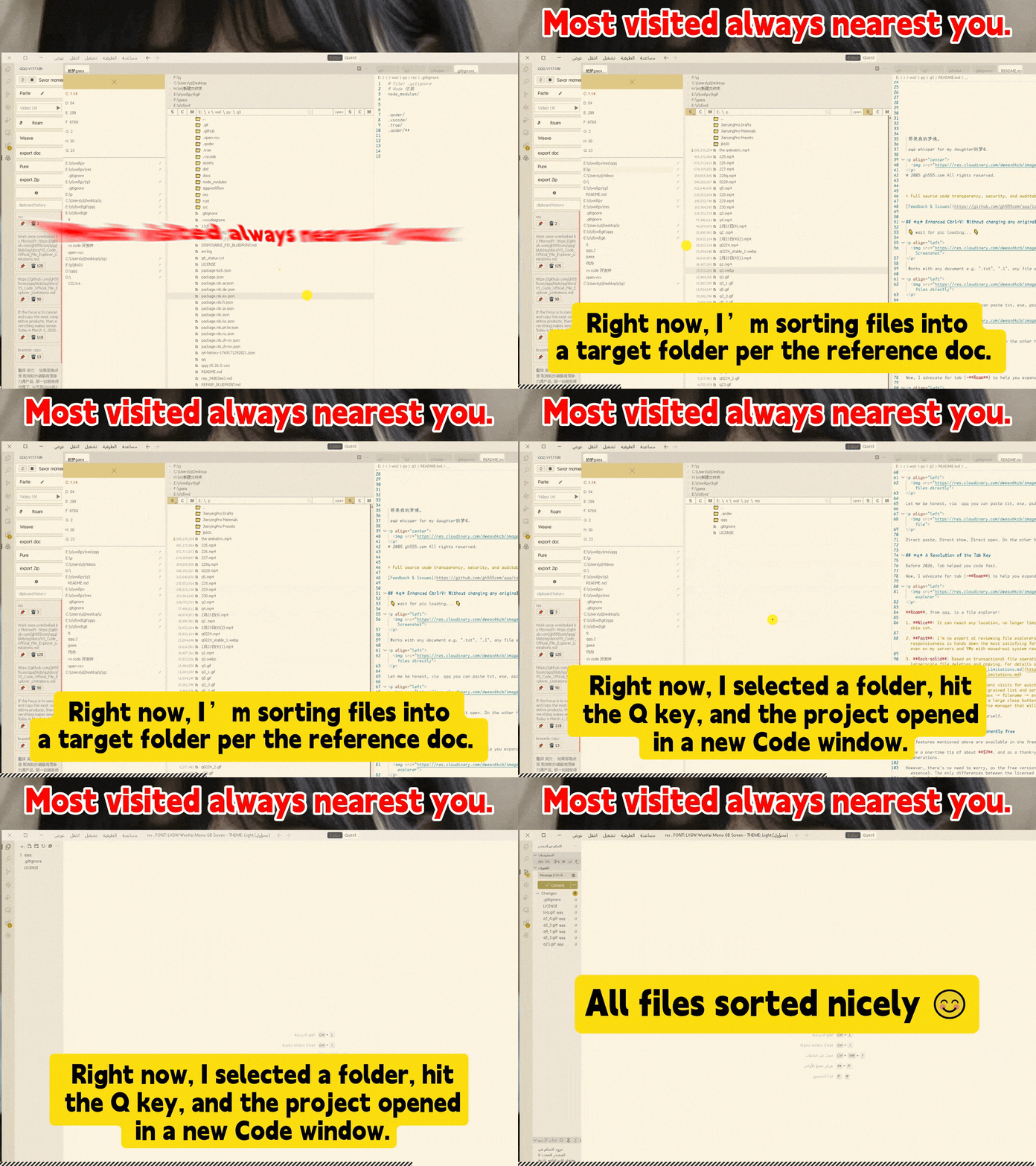
Roam, from qqq, is a file explorer:
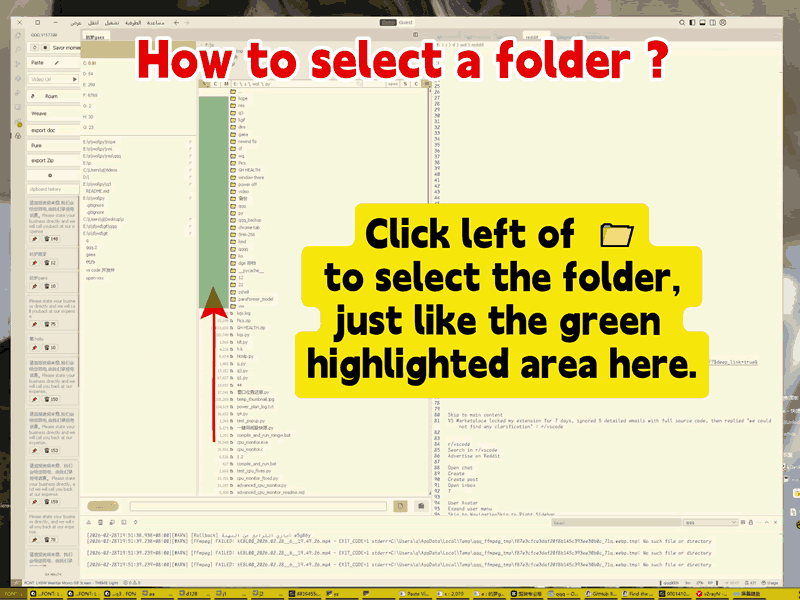
So, find the faster version of yourself. A little hint:
With this trick, you can multi-select folders (or a mix of files and folders) to copy, delete, get size in bulk.
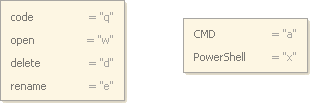
try the shortcut key of Roam:
Press Space on selected item: ignore any preferences, request its size. Press 1 to scroll to list top. Press 2 to scroll to list bottom. qqq Roam serves as your default start page for blank windows. Make the most of the Q key to open projects or documents; make the most of the W key to open your music, videos, and games. ✦q✦ Premium features are permanently freeAll features mentioned above are available in the free version. Leave a one-time tip of around $15 (~100 ge), and as a thank-you, you'll get a lifetime Premium license — built to last across generations. Additionally, there are 2 ways to obtain a Premium license key: Method 1: Earn It in 100 DaysRegister as a 的梦gaea member to automatically receive 1 ge per day—no login, no check-in, no tasks required. Since qqq is priced at 100 ge: Sign up → Wait 100 days → Get qqq for free. Method 2: Contribute a VideoOn the other hand, you can create and publish an independent qqq introduction video, and receive rewards based on the video quality:
Post the link to your published video to info@gh555.com. However, there's no need to worry, as the free version also provides unlimited access to all premium features (in essence). The only differences between the licensed and free versions are:
Apart from these, both versions are completely identical in terms of functionality and usage. Premium features include:Paste HTML
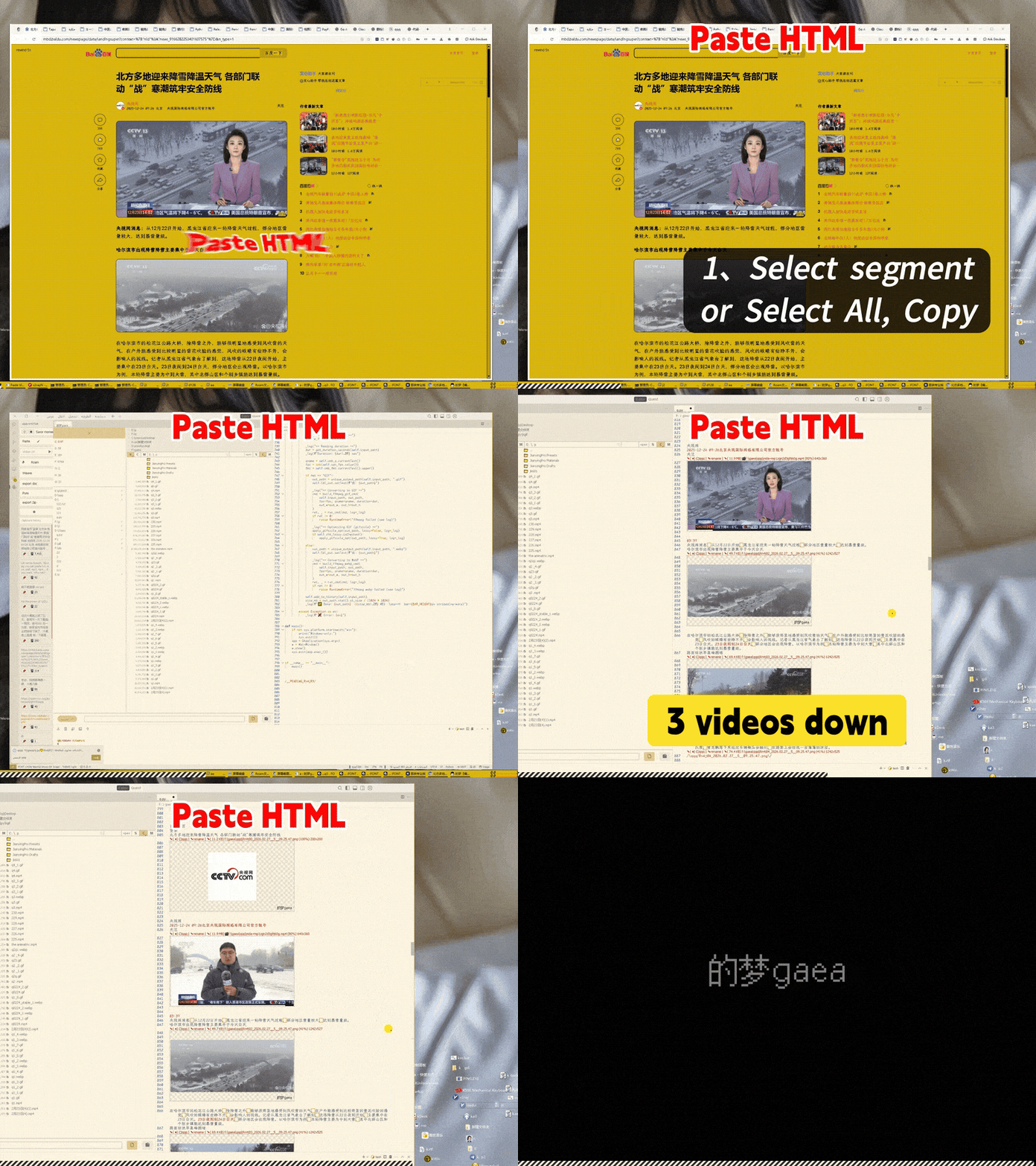
This URL contains a mix of 3 videos and multiple images. Select all on the web page, Copy → Paste. Test objectives: 1. All 3 videos have been downloaded. 2. The positions (order) of text, images, and videos are correct. 3. No garbled characters should appear. 4. After repeated operations, the same resources should only be saved once on the hard drive (identical images and videos will be deduplicated by fingerprinting). Export Doc
.doc: Compatible with Word 2003. .docx: Smaller size. Export Zip: The best way for portable and presentation resources.
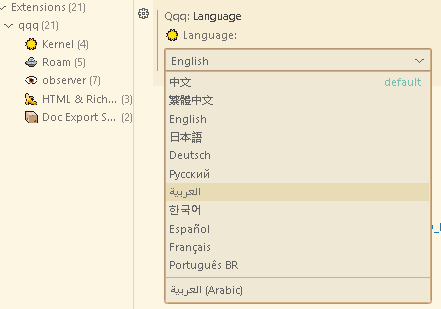
Embed online videosClean up orphaned filesClipboard history cardsDirect paste, Direct show, Direct open everything, organize your resource collection in any way you like, that make your records more comprehensive and your creativity more robust — there is no other solution that can deliver this for you without qqq. qqq was launched in December 2025. Even if there are copycat products in the future, qqq will always be the cleanest and healthiest one, vs code is deficient without qqq. For the best practice, download qqq from the official Marketplace at https://marketplace.visualstudio.com/items?itemName=gh555.qqq, this download will automatically adapt to your operating system (Windows, Linux, macOS) and processor architecture (x64, ARM, ARM64, Apple Silicon), and comes with 11 languages: zh、zh-tw、en、ja、de、ko、ru、ar、es、fr、pt-BR.
the whisper is: I miss you. |