
Skip to content
| Marketplace
Sign in
Visual Studio Code>Visualization>MarkmapNew to Visual Studio Code? Get it now.

Markmap

Gerald Liu

|
35,284 installs
| (17) | Free
Visualize your markdown in VSCode
Install
Trouble Installing?

markmap-vscode

vscode open vsx

This extension integrates markmap into VSCode.

Features
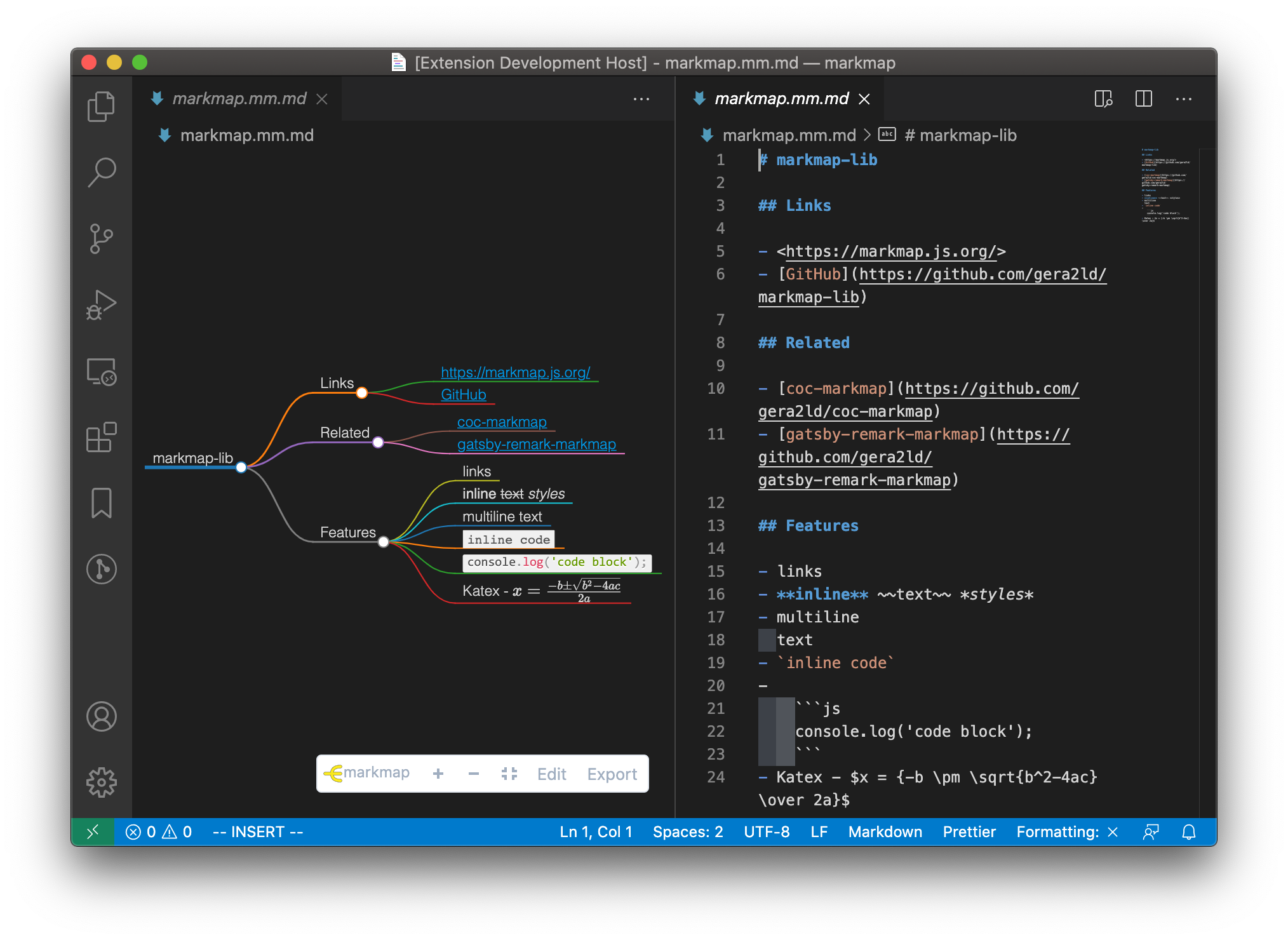
  • Preview markdown files as markmap
  • Edit markdown files in a text editor and the markmap will update on the fly
  • Works offline
markmap

Usage

Command Palette

Open a markdown file. Then open the Command Palette (⇧⌘P) and search Open as markmap, press enter.

Context menu

Right click on a markdown file, then choose Open as markmap.

Button on title-bar

Open a markdown file. Find the markmap icon on the editor title-bar and click it.

title button

Configuration

Custom CSS

Extra CSS to customize the style of markmap.

Default Options

A JSON object that will be overridden by markmap object in frontmatter, passed to markmap-view.

{
  "color": "#2980b9",
  "embedAssets": false
}
  • color: string | string[]

    Define the color of lines and circles in markmap. If only one color is provided, the markmap will be rendered in solid color.

  • embedAssets: boolean

    Whether to embed all critical assets in HTML to remove CDN dependencies (jsdelivr). This is helpful to regions that block CDNs. The downside is that the exported HTML file will be bloated.

    Note: Plugin assets will not be embedded for now.

  • Contact us
  • Jobs
  • Privacy
  • Manage cookies
  • Terms of use
  • Trademarks
© 2022 Microsoft

