🍜 Funchosa Dark Theme
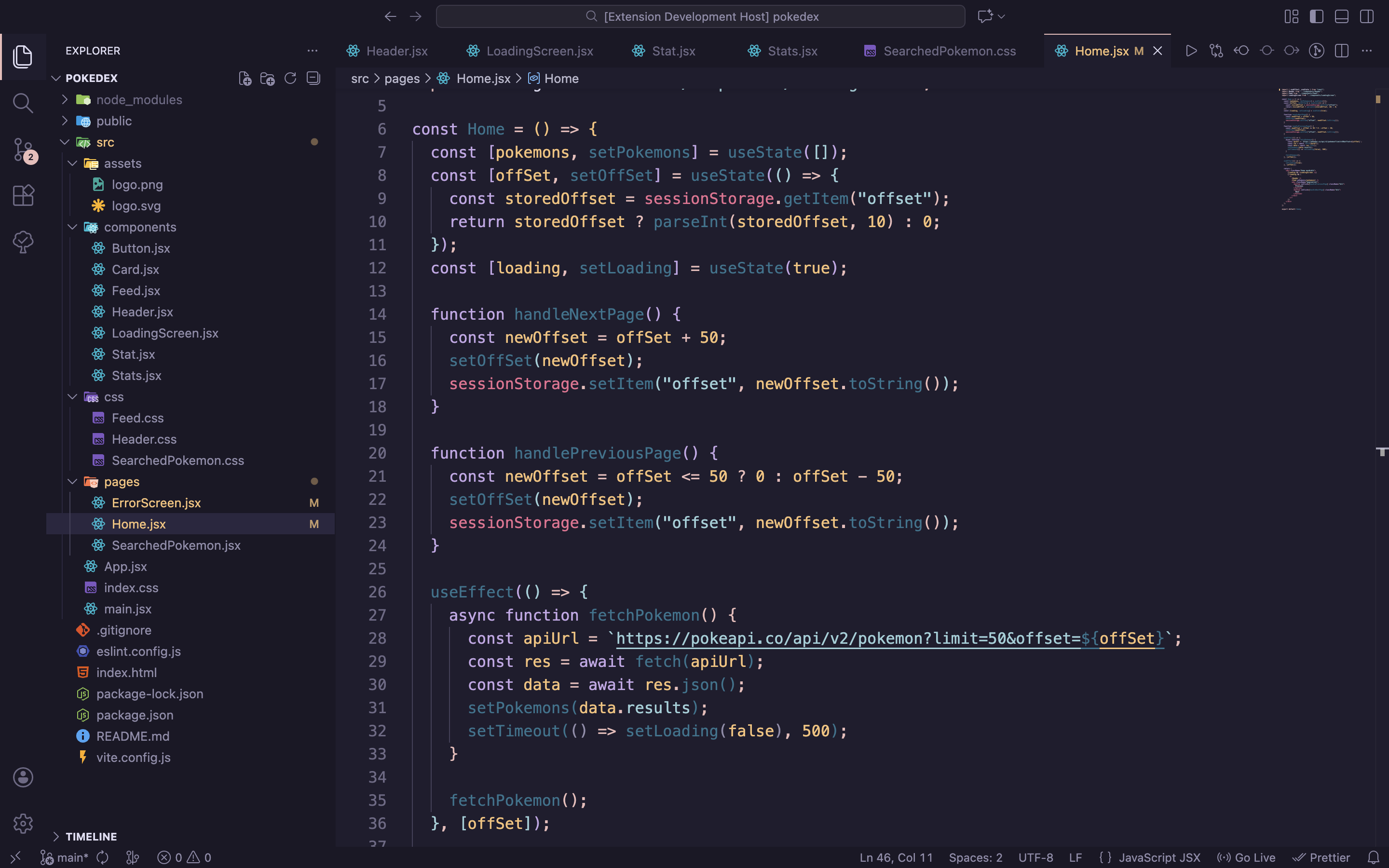
A warm dark theme with rose-gold tones, designed for eye comfort and long coding sessions.
Features
- 🌸 Rosé Pine inspired — soft, muted colors with warm undertones
- 👁️ Eye comfort — low contrast palette reduces eye strain
- 🎨 Bracket colorization — 6 distinct colors for nested brackets
- ⚡ Semantic highlighting — enhanced TypeScript/JavaScript/Go support
- 🌈 Vibrant terminal — saturated ANSI colors for better readability
Screenshots
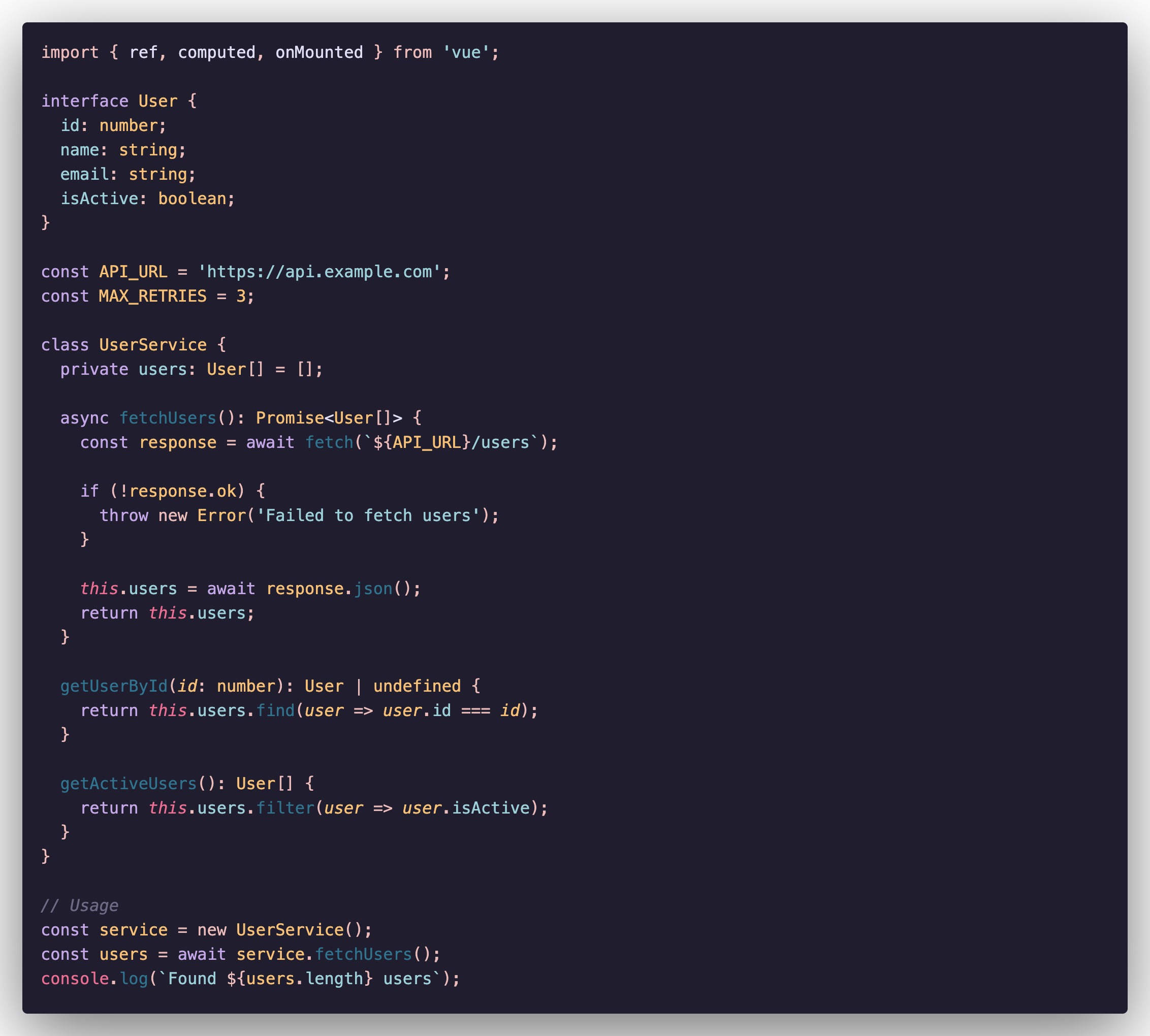
TypeScript
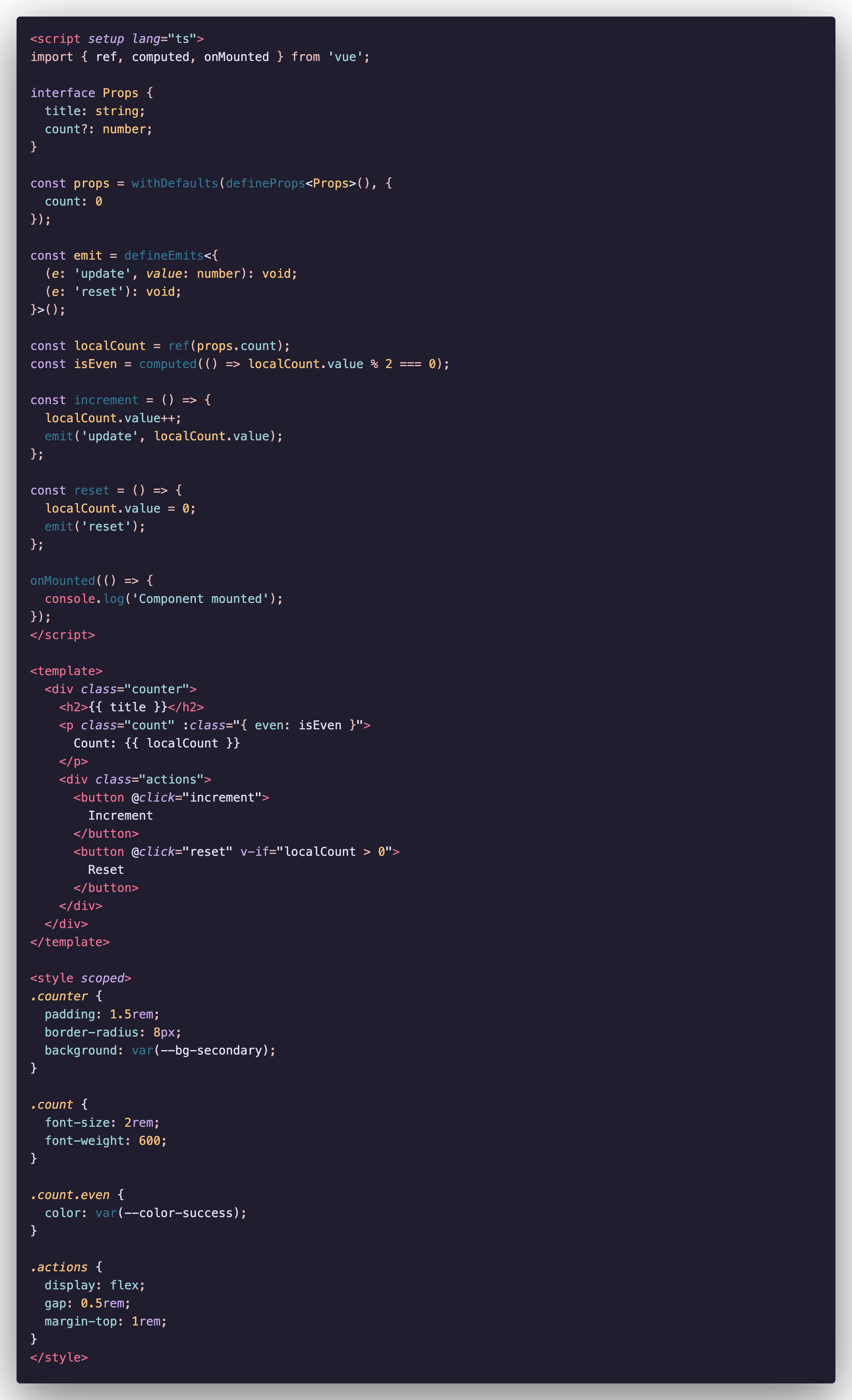
Vue
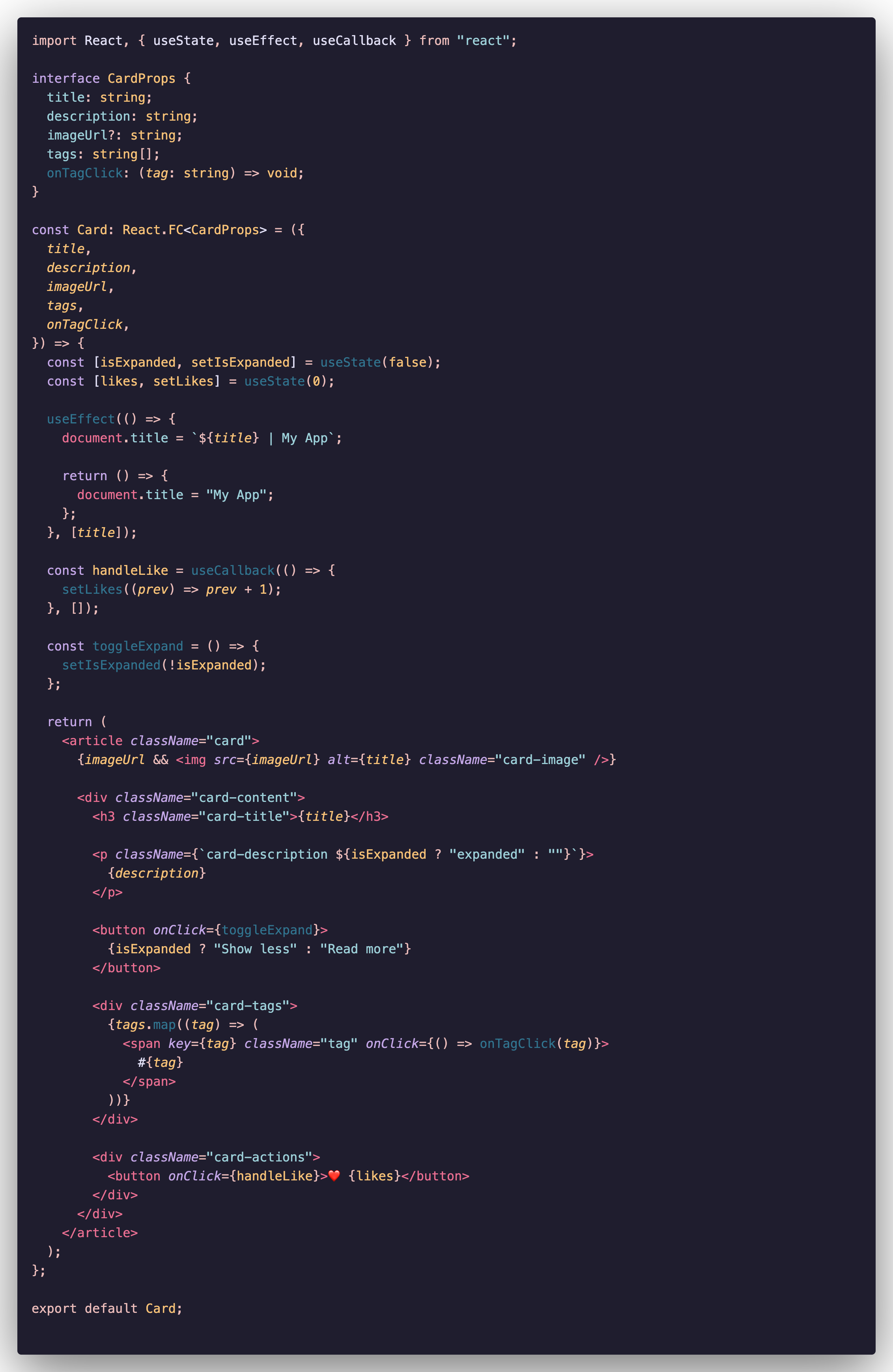
React
Installation
- Open Extensions in VS Code (
Cmd+Shift+X / Ctrl+Shift+X)
- Search for
Funchosa Dark Theme
- Click Install
- Press
Cmd+K Cmd+T / Ctrl+K Ctrl+T and select Funchosa Dark Theme
Color Palette
Editor Colors
| Color |
Hex |
Usage |
| Background |
#1f1d2e |
Editor background |
| Foreground |
#e0def4 |
Main text |
| Rose |
#eb6f92 |
Tags, errors, language keywords (this/self) |
| Peach |
#ebbcba |
Operators, punctuation, accents |
| Gold |
#f6c177 |
Numbers, constants, classes, types |
| Foam |
#9ccfd8 |
Strings, properties, CSS properties |
| Iris |
#c4a7e7 |
Keywords, control flow |
| Pine |
#31748f |
Functions, methods |
Terminal Colors (Vibrant)
| Color |
Hex |
Usage |
| Red |
#ff5555 / #ff6e6e |
Errors, git deletions |
| Green |
#50fa7b / #69ff94 |
Success, git additions |
| Yellow |
#f1fa8c / #ffffa5 |
Warnings, highlights |
| Blue |
#bd93f9 / #d6acff |
Info, directories |
| Magenta |
#ff79c6 / #ff92df |
Special characters |
| Cyan |
#8be9fd / #a4ffff |
Links, emphasis |
Syntax Highlighting
Based on Dark+ (VS Code default) token structure with Rosé Pine color palette:
- Keywords (
if, const, return) → Iris
- Functions → Pine
- Strings → Foam
- Numbers → Gold
- Classes/Types → Gold
- HTML Tags → Rose
- Attributes → Iris
- Comments → Muted gray, italic
Recommended Settings
{
  "editor.fontFamily": "'Fira Code', 'JetBrains Mono', 'Cascadia Code', monospace",
  "editor.fontLigatures": true,
  "editor.fontSize": 14,
  "editor.lineHeight": 1.6,
  "editor.bracketPairColorization.enabled": true,
  "editor.cursorBlinking": "smooth",
  "workbench.iconTheme": "material-icon-theme"
}
Why "Funchosa"?
Funchosa is glass noodles — delicate, transparent, and comforting. Just like this theme for your eyes! 🍜
Credits
Feedback
Found an issue? Have a suggestion?
License
MIT © Funchosa
Enjoy coding with Funchosa Dark Theme!
If you like this theme, please ⭐ star the repo!

