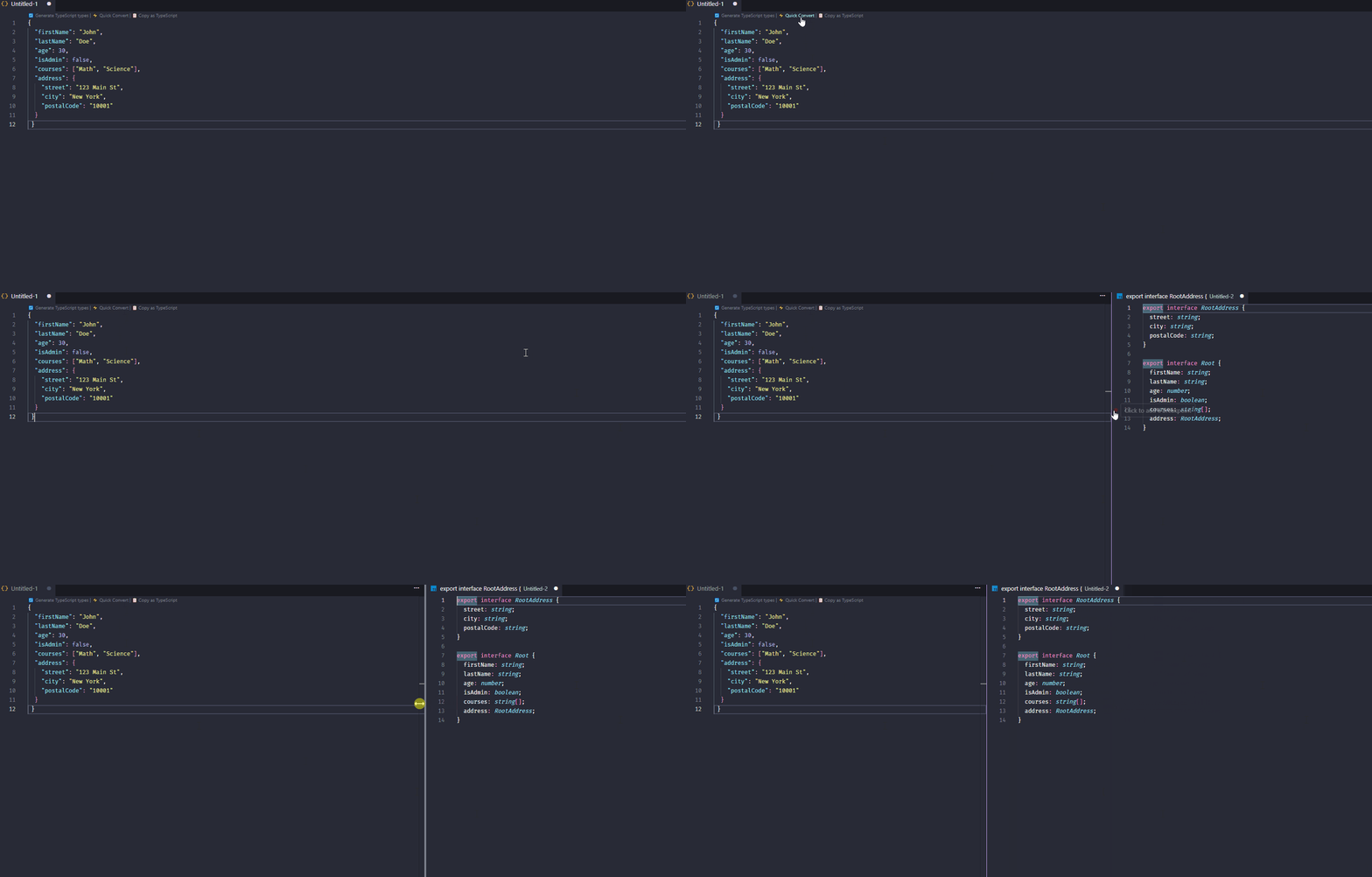
🚀 Features
🔄 Instant Conversion
Convert JSON to TypeScript interfaces or types with one click.
👀 Live Preview (NEW)
Preview generated types before inserting into your code.
🧠 Smart Type Inference
- Detects nested objects
- Handles arrays intelligently
- Supports union types
- Nullable fields detection
⚡ Auto Suggest (CodeLens)
Automatically suggests conversion when opening JSON files.
📋 Clipboard Support
Convert JSON directly from your clipboard.
🎯 Flexible Output
- Interface or type
- Export support
- Optional fields
- Custom root name
🧩 Advanced Options
- Quote style (single/double)
- Readonly properties
- Semicolon control
🚀 Usage
1. Convert Selection
- Select any JSON
- Right click → Convert Selection
2. Convert File
- Open a JSON file
- Right click → Convert File
3. Convert Clipboard
- Copy JSON
- Run command:
Convert from Clipboard
⚙️ Settings
| Setting |
Description |
| useInterface |
Use interface instead of type |
| rootName |
Root type name |
| addExport |
Add export keyword |
| useSemicolons |
Add semicolons |
| optionalNull |
Nullable fields optional |
| quoteStyle |
single or double quotes |
| generateReadonly |
Add readonly properties |
⌨️ Shortcuts
| Action |
Shortcut |
| Preview |
Ctrl + Alt + J |
| Smart Paste |
Ctrl + Alt + V |
| Convert Selection |
Ctrl + Alt + J |
| Convert File |
Ctrl + Alt + Shift + J |
🧠 Examples
{
  "user": {
    "name": "John",
    "age": 30
  },
  "tags": ["dev", "ts"]
}
Output:
export interface Root {
  user: User;
  tags: string[];
}

export interface User {
  name: string;
  age: number;
}
{
  "id": 1,
  "name": "John",
  "address": {
    "street": "Rua das Flores",
    "number": 42,
    "city": "São Paulo",
    "coordinates": {
      "lat": -23.5505,
      "lng": -46.6333
    }
  }
}
Output:
export interface UserAddressCoordinates {
  lat: number;
  lng: number;
}

export interface UserAddress {
  street: string;
  number: number;
  city: string;
  coordinates: UserAddressCoordinates;
}

export interface User {
  id: number;
  name: string;
  address: UserAddress;
}
Because writing types manually is slow, repetitive, and error-prone.
TypeForge gives you:
⚡ Speed
🧠 Accuracy
🧩 Flexibility
🔥 Coming Next
Enum generation
JSON Schema support
API response detection
Inline quick actions
⭐ Support
- If this extension helps you:
👉 Leave a ⭐ on GitHub
👉 Share with other developers
🤝 Contributing
# 1. Fork and clone
git clone https://github.com/wallacefrota/json-to-typescript.git
cd json-to-typescript

# 2. Install dependencies
npm install

# 3. Compile
npm run compile

# 4. Test (F5 in VSCode)

# 5. Create a branch
git checkout -b my-feature

# 6. Make your changes and commit
git commit -m "feat: my new feature"

# 7. Push and open a PR
git push origin my-feature
📄 License
This project is licensed under the MIT license.
Made with ❤️ for the TypeScript community
If this extension helps you, consider leaving a ⭐ on GitHub!