
Pi VS Code UI — FrostPi
A visual VS Code UI for Pi Coding Agent, built around the Pi you already use.
English ·
简体中文
FrostPi brings your existing Pi Coding Agent workflow into VS Code without replacing your configuration, extensions, models, or sessions.
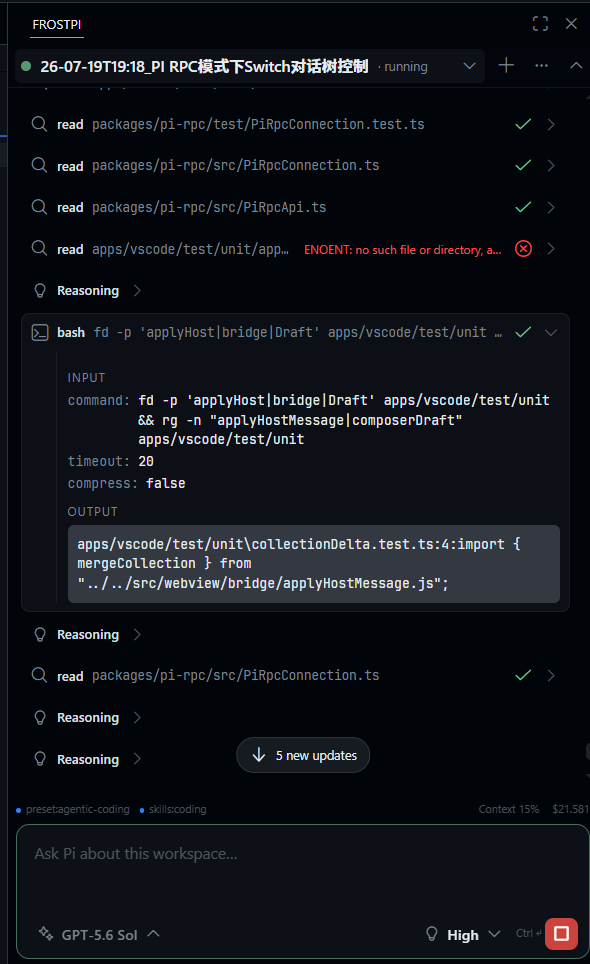
This extension is available on both VS Code Marketplace and Open VSX.
If network restrictions prevent access to the extension registries, you can also download a .vsix file from GitHub Releases and install it manually.
Why FrostPi
If you already use Pi and have built your own workflow around it, getting a GUI shouldn't mean adopting another one.
FrostPi uses your Pi, your configuration, your extensions, your models, and your sessions. It does not maintain a parallel Pi setup, inject a system prompt, or try to manage your workflow for you.
FrostPi handles the GUI. Pi stays in charge.
Highlights
The Pi experience, not just the chat.
FrostPi keeps Pi's functional workflows available from the GUI:
- Stream ordered reasoning, tool activity, command output, errors, and final responses.
- Paste PNG, JPEG, or WebP images directly into prompts.
- Use
/ completion for Pi extension commands, prompt templates, skills, and FrostPi-local actions.
- Use
@Selection, @CurrentFile, and workspace paths as explicit prompt references.
- Switch provider/model and select only thinking levels supported by the active model's Pi metadata.
- Resume sessions and use Pi's native
/compact and session-summary behavior.
- Render rich Markdown including Mermaid, compaction records, branch summaries, and Pi extension custom messages.
- Review command output and tool details; open files and Git-base diffs in native VS Code editors.
- Inspect context, token categories, tool/message counts, and estimated session cost.
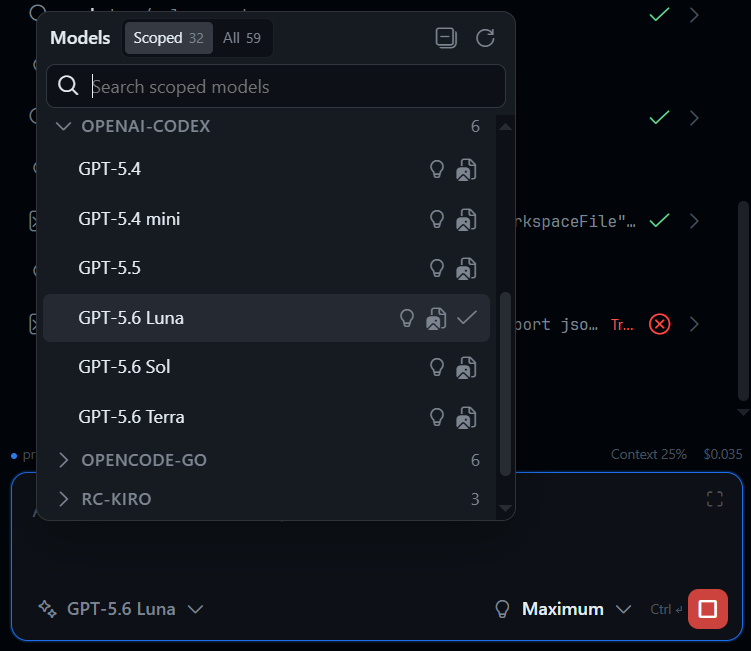
Model and thinking controls
|
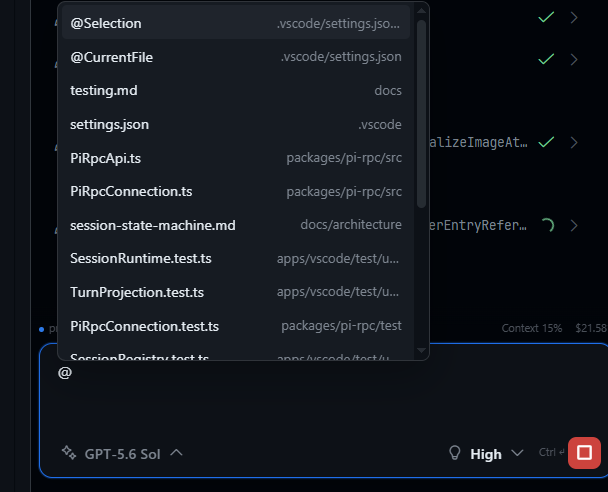
Workspace-aware prompting
|
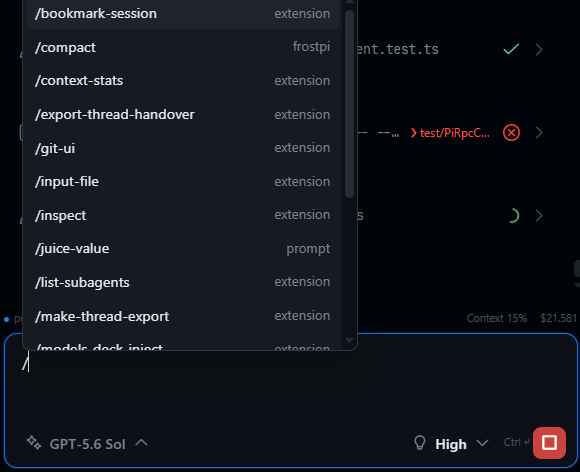
Extension commands, prompts, and skills
|
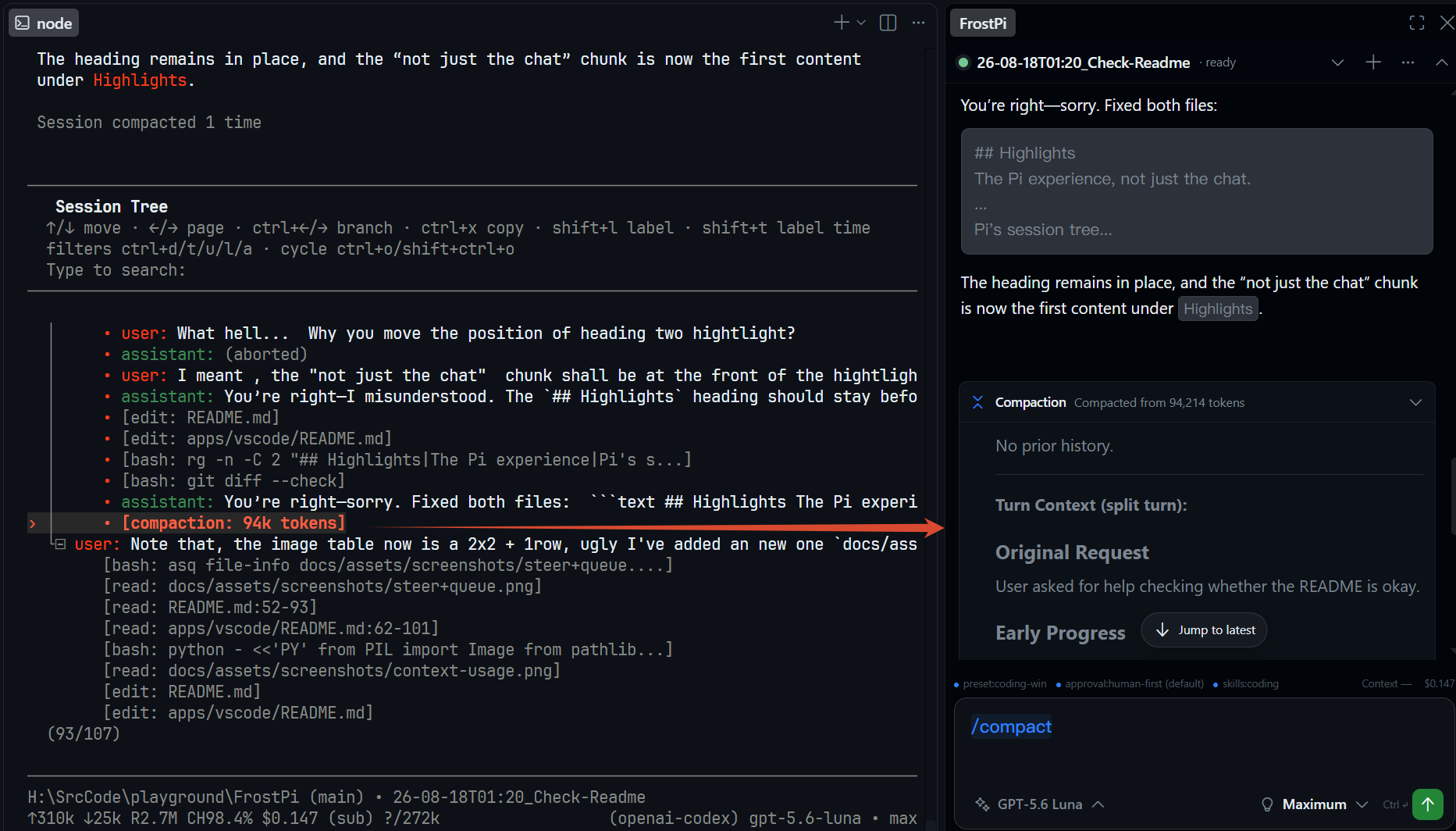
Native compaction messages
|
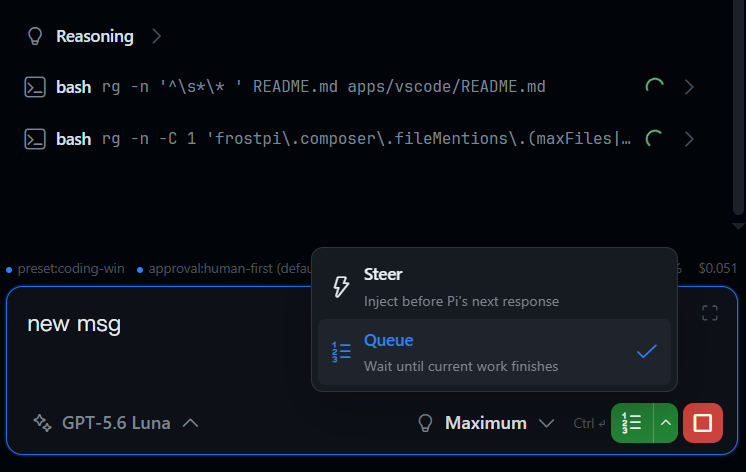
Steer and queue controls
|
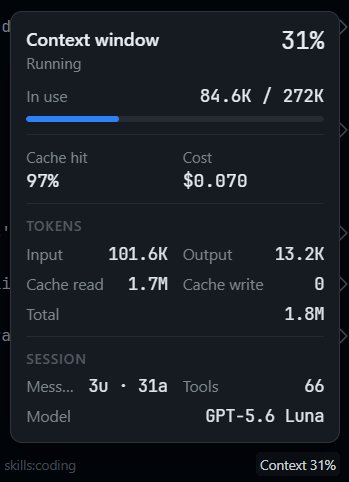
Context, token usage, and estimated session cost
|
Rich conversation rendering.
One assistant message, rendered live — Mermaid diagrams, KaTeX math, embedded images, and word-level diff highlighting.
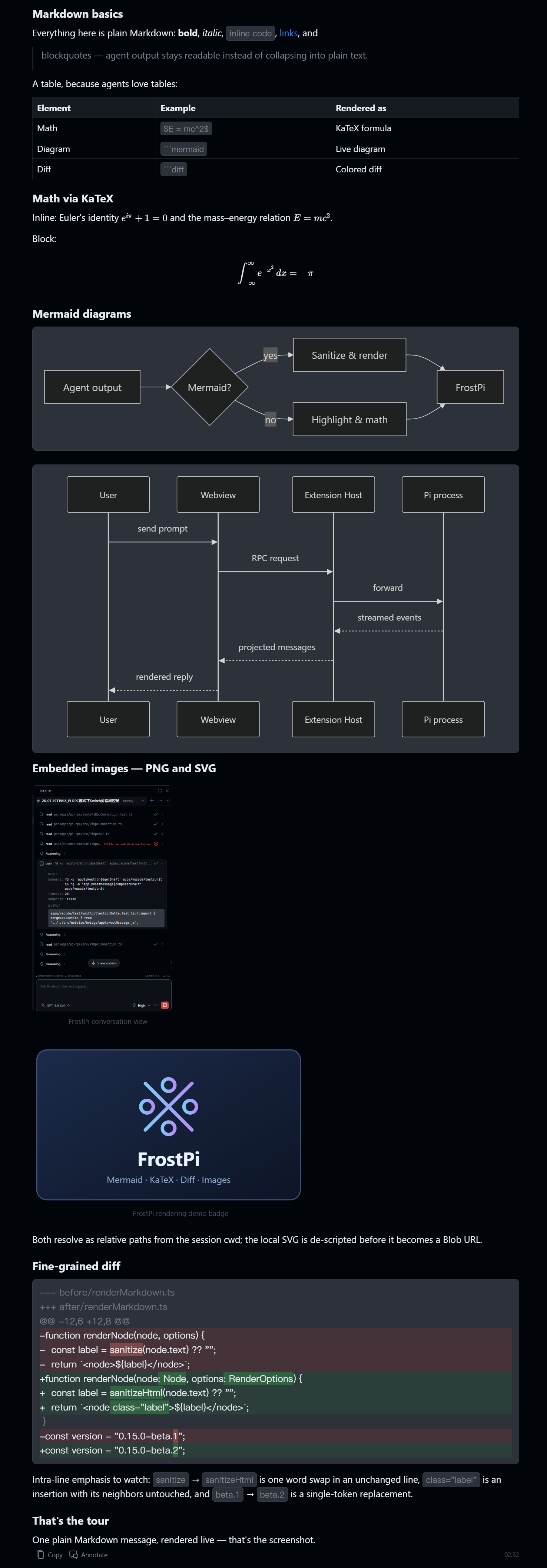
Rich conversation rendering
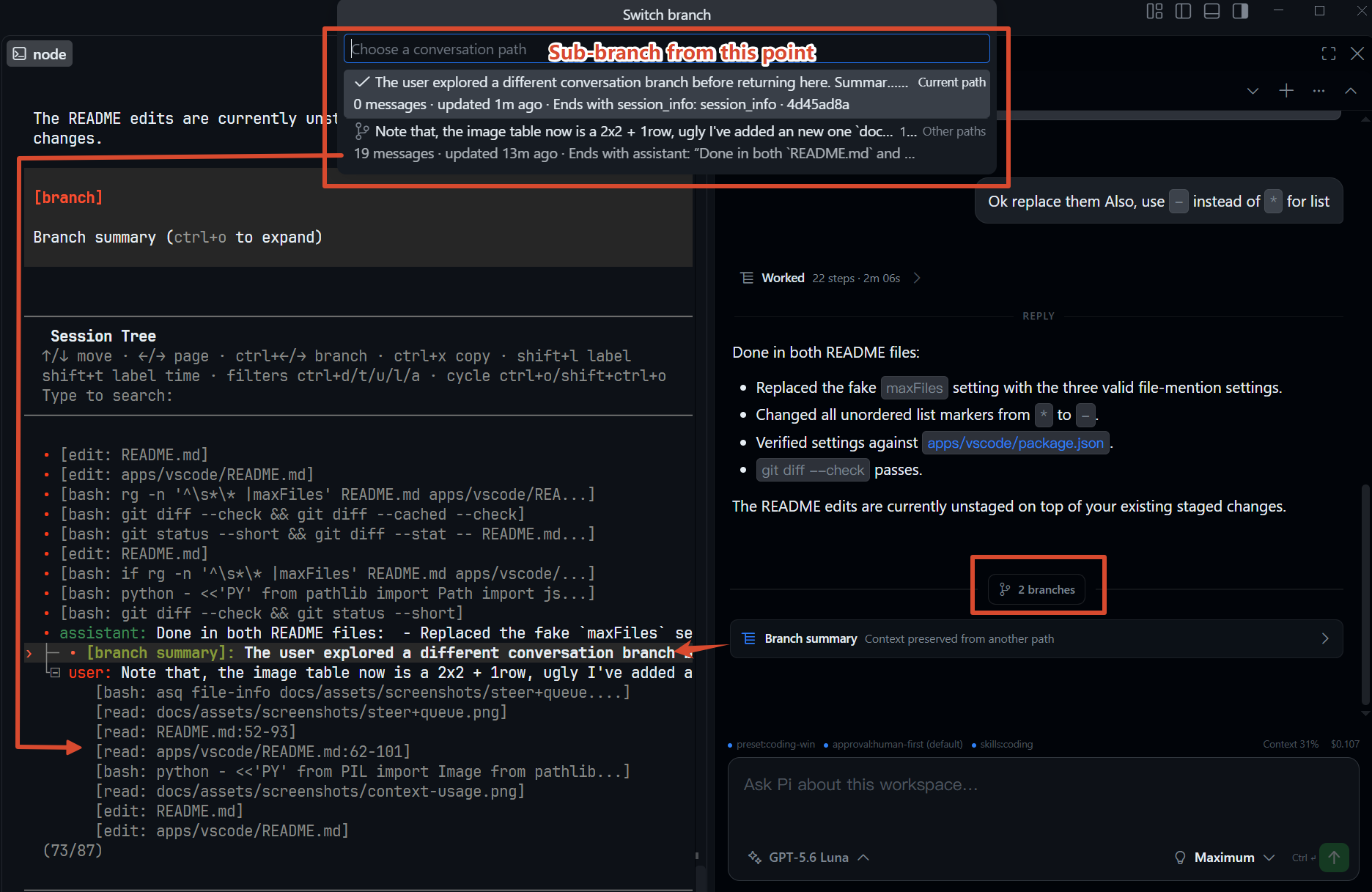
Pi's session tree, directly in the GUI.
Branch from an earlier prompt, move between existing paths, and optionally preserve context with Pi's branch summaries — all inside the current Pi session.
Fork into an independent session.
Fork selected context when you want the continuation to have its own Pi process, lifecycle, and session history instead of becoming another path in the current tree.
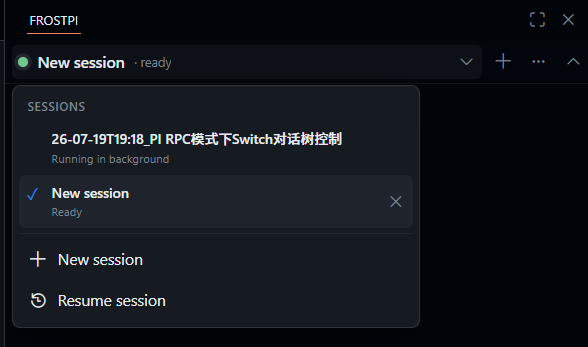
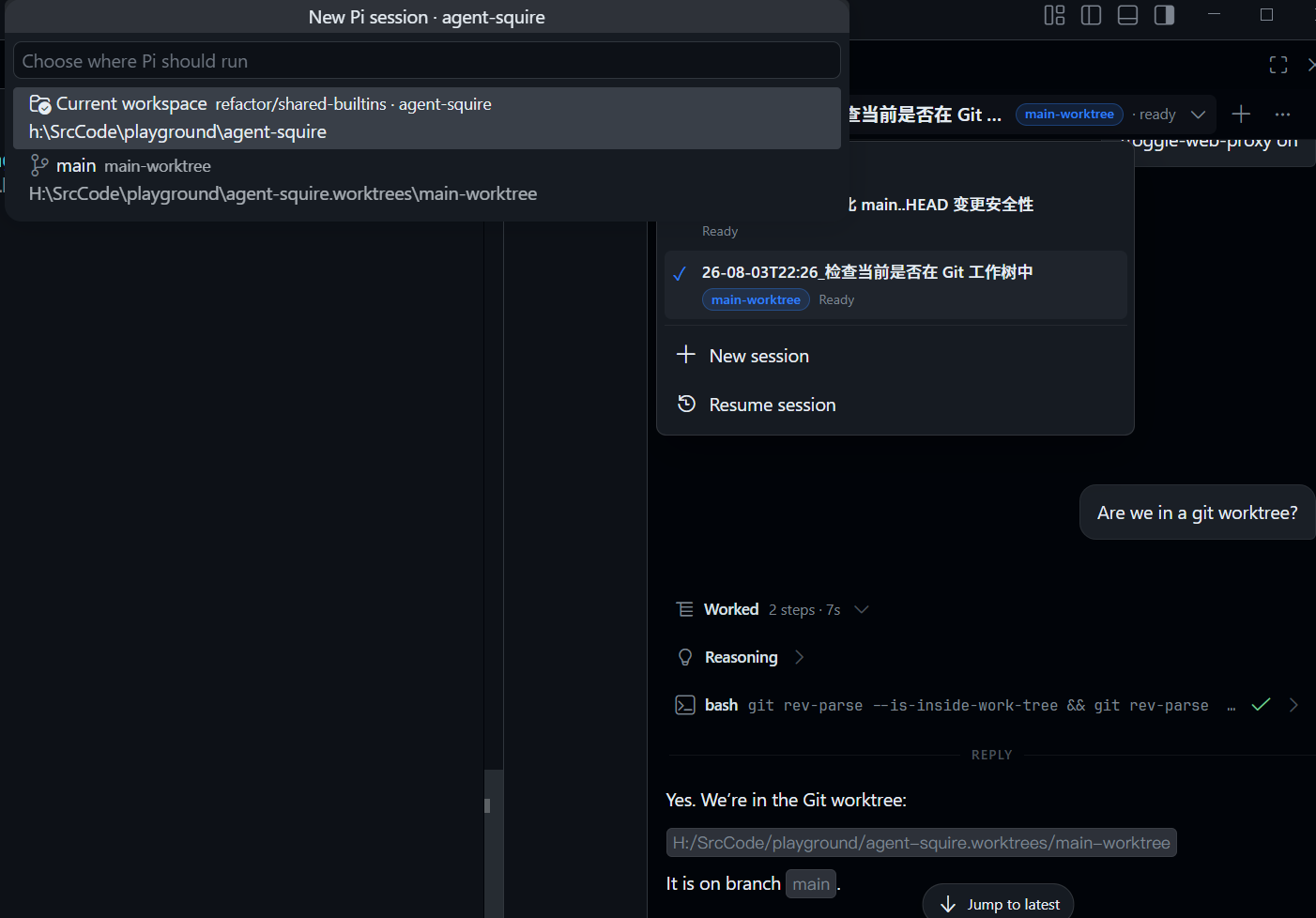
Multiple sessions and Git worktrees.
Create, resume, switch, rename, and concurrently run independent Pi sessions. If the current repository has Git worktrees, new and resumed sessions can run from them as well.
Independent concurrent sessions
|
Sessions across Git worktrees
|
Getting Started
- Install and configure Pi in the same local or remote environment where VS Code runs workspace extensions.
- Open a trusted file-system workspace.
- Open FrostPi from the Activity Bar. The view may be dragged to VS Code's Secondary Sidebar.
- Start a new session, resume an existing Pi session, or paste a prompt into the composer.
- If
pi is not on PATH, run FrostPi: Configure Pi Executable.
The executable may be the pi command, an absolute native executable, or Pi's compiled cli.js path.
Remote SSH, WSL, and Dev Container workspaces run Pi in the remote Extension Host.
For best workspace and session discovery, install fd and rg on the Extension Host's PATH.
Reference
Pi Session Tree and Fork
FrostPi exposes Pi's session-tree workflow as graphical conversation controls:
- Branch here restores an earlier user prompt and continues from it as another path in the same Pi session and session file.
- Switch branch uses a native VS Code picker to move between existing paths, with message count, last update, ending context, and optional branch summaries.
- Fork creates a separate Pi session and FrostPi session instead of another path in the current tree.
Pi remains authoritative for tree navigation and context reconstruction. FrostPi provides the GUI compatibility layer and keeps Tree navigation distinct from Fork's independent-session lifecycle.
For tree operations that Pi RPC cannot expose directly, FrostPi loads a small process-local adapter through Pi's extension mechanism.
FrostPi includes an optional bundled question tool for answering Pi question requests directly inside the Webview. It is disabled by default.
Enable it with:
frostpi.questionTool.enabled
The bundled extension is injected when a Pi session process starts, so restart running sessions after changing the setting.
Question requests appear in a bounded, collapsible panel below the conversation. Every question requires an explicit answer and Submit, including single-question requests.
Pi loads project and global extensions before FrostPi's explicit bundled extension. If another extension has already registered question, that registration keeps priority.
FrostPi injects the following environment variables into every Pi child process:
PI_INSIDE_FROSTPI=1
PI_INSIDE_FROSTPI_VERSION=<extension version>
Pi extensions can use them to detect that they are running under FrostPi and which FrostPi version launched them.
A third-party question extension can, for example, conditionally skip registration when the user wants FrostPi's Webview question tool instead. However, PI_INSIDE_FROSTPI is present regardless of whether frostpi.questionTool.enabled is on, so extensions should not use the variable as an unconditional signal to disable themselves.
Provider usage
Click Usage, left of Context in the sidebar, to view supported providers' quotas, balances and credits. The active provider loads automatically when available. Successful snapshots are cached by provider while the view remains mounted; use Refresh to fetch a new snapshot. Reset availability is read-only.
This feature reads Pi's auth.json, provider-level models.json and the workspace Extension Host environment. It does not refresh/login or use model-specific/extension-injected authentication.
Network and diagnostics
FrostPi supports inherited, VS Code, custom, and direct proxy modes for Pi subprocesses.
Custom mode accepts:
host:porthttp://... or https://...socks5://...
Use FrostPi: Configure Network Proxy or the session menu to choose User/Workspace scope and configure the active mode.
Proxy usernames and passwords are stored in VS Code SecretStorage rather than in settings.json. Running sessions show restart required until explicitly restarted.
FrostPi also provides context metrics, diagnostics export, strict LF-delimited JSONL transport, and schema-checked Host-Webview messages.
Settings
frostpi.pi.executablefrostpi.pi.runtimeCompatibility — choose the limited Pi or Oh My Pi compatibility contract; this does not enable all runtime-specific OMP features.frostpi.pi.argumentsfrostpi.session.startOnOpenfrostpi.composer.streamingBehaviorfrostpi.composer.fileMentions.respectSearchExcludefrostpi.composer.fileMentions.respectIgnoreFilesfrostpi.composer.fileMentions.followSymlinksfrostpi.attachments.maxImageBytesfrostpi.questionTool.enabledfrostpi.network.proxy.modefrostpi.network.proxy.endpointfrostpi.network.proxy.noProxyfrostpi.diagnostics.level
FrostPi also follows VS Code's Chat typography settings as soon as they change:
chat.fontFamily controls rendered message text.chat.fontSize controls rendered message and code-block size.chat.editor.fontFamily controls the composer and code-block font.chat.editor.fontSize controls the composer size.
When a Chat font remains default, FrostPi falls back to VS Code's normal interface or editor font.
Limited oh-my-pi compatibility
From v0.15.0, FrostPi provides limited compatibility with oh-my-pi. You can switch to omp as follows:
Set FrostPi: Pi Runtime Compatibility to oh-my-pi in the VS Code settings, or configure it in settings.json:
{
  "frostpi.pi.runtimeCompatibility": "oh-my-pi"
}
Effects after selecting it:
Uses omp instead of pi by default.
If omp is not on PATH, configure frostpi.pi.executable with the path to its executable.
Reads session history from .omp/sessions instead of .pi by default.
If you use a custom session directory or model scope, pass --session-dir through frostpi.pi.arguments.
Limitations:
We only provide a minimal compatibility layer. It only guarantees that FrostPi can launch omp --mode rpc under OMP's basic compatibility contract, covering basic conversation, tool calls, model switching, and discovering and resuming sessions in OMP's default or explicitly configured session directories.
However, you may not get the complete omp experience in FrostPi — because omp's RPC format is incompatible in some respects. Advanced features such as tree and fork remain disabled in an omp session, pending future integration.
Currently, / slash commands support only OMP command files (.omp/commands/*.md; prompts/*.md is not supported yet) and skill commands (/skill:<name>). Other slash commands remain unavailable.
Privacy, Repository, and License
FrostPi contains no telemetry or remote service of its own. Prompts and images are sent to the locally launched Pi process.
See PRIVACY.md in the extension package for details.
For comparisons, architecture, development instructions, and protocol documentation, see the FrostPi repository.
FrostPi is licensed under AGPL-3.0-only.
FrostPi is an independent client and is not an official Pi distribution.
FAQ
We try not to touch the internals of the user's Pi runtime. However:
- Question/Ask tools are important for agentic coding.
- Common Question/Ask tools depend on a complex TUI and cannot work properly in a GUI.
For that reason, FrostPi provides this as one of the few optional exceptions. If you enable it, we recommend disabling other local question tools to avoid conflicts.
What impact does FrostPi have on the Pi runtime?
The impact is limited, apart from the optional question tool, which is disabled by default.
If you configure a proxy, FrostPi sets the proxy environment variables when the process starts.
FrostPi also injects a session-tree-adapter extension to provide Pi's tree functionality in the GUI. This extension is process-local: it does not write to Pi's home directory or interfere with the Agent's runtime context.
Why are fd and rg recommended?
They are not mandatory, and not having them does not prevent FrostPi from working.
FrostPi's @ workspace completion uses fd internally, while session resume uses rg to accelerate session-file parsing. Installing both improves the experience.
Not currently. We may integrate tools that read VS Code workspace state in the future. Any such extension features will be introduced cautiously and disabled by default.
See GitHub issue #6.
TL;DR: Pi's built-in Write tool returns only the changed result, not a diff, so FrostPi cannot obtain the actual file changes.
However, FrostPi treats any tool details that include a diff as an Edit-like tool. You can implement an extension yourself. For example, you can send the following prompt to your Agent:
Implement an extension in Pi's home directory that overrides Pi's built-in Write tool and returns a diff: string field in its details, similar to the Edit tool. It is acceptable to construct the value by concatenating -oldcontent and +newcontent; only the changed line counts need to be accurate, not the hunk positions.
FrostPi will not implement this extension for you. We try to avoid conflicting with user extensions and will not silently change Pi's execution behavior.

