

FrootAI — VS Code Extension
From the Roots to the Fruits. It's connected, it's simply Frootful.
Solution plays · AI primitives · MCP tools · Knowledge Modules · Comprehensive Glossary v6.7.6 Azure Cost Optimizer update — Play 102 discovery, Agent FAI grounding, certification evidence, generated search, and a complete packaged preview. View published version history. 📦 What's InsideThe extension adds a FrootAI icon to your activity bar with 7 sidebar sections:
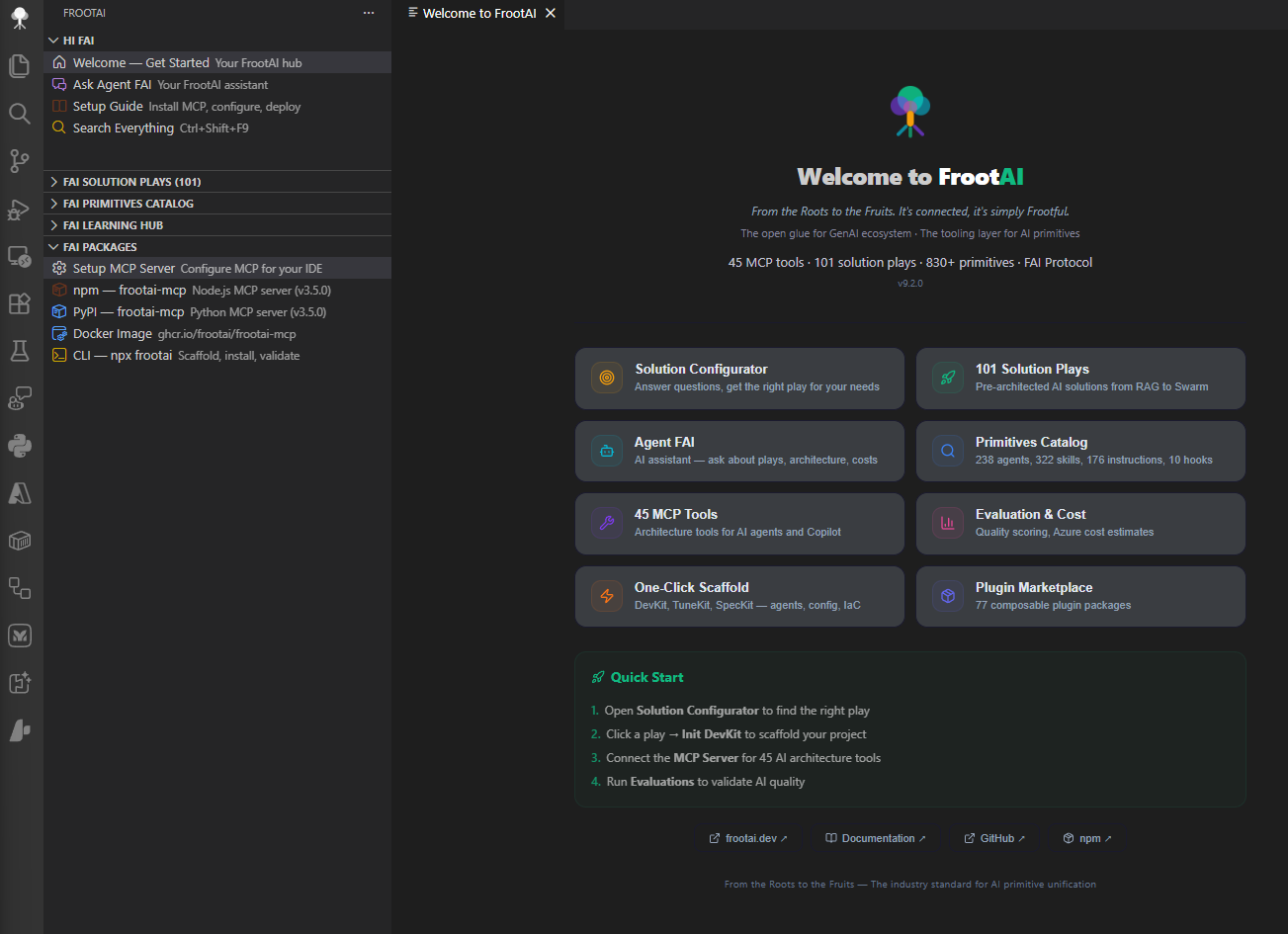
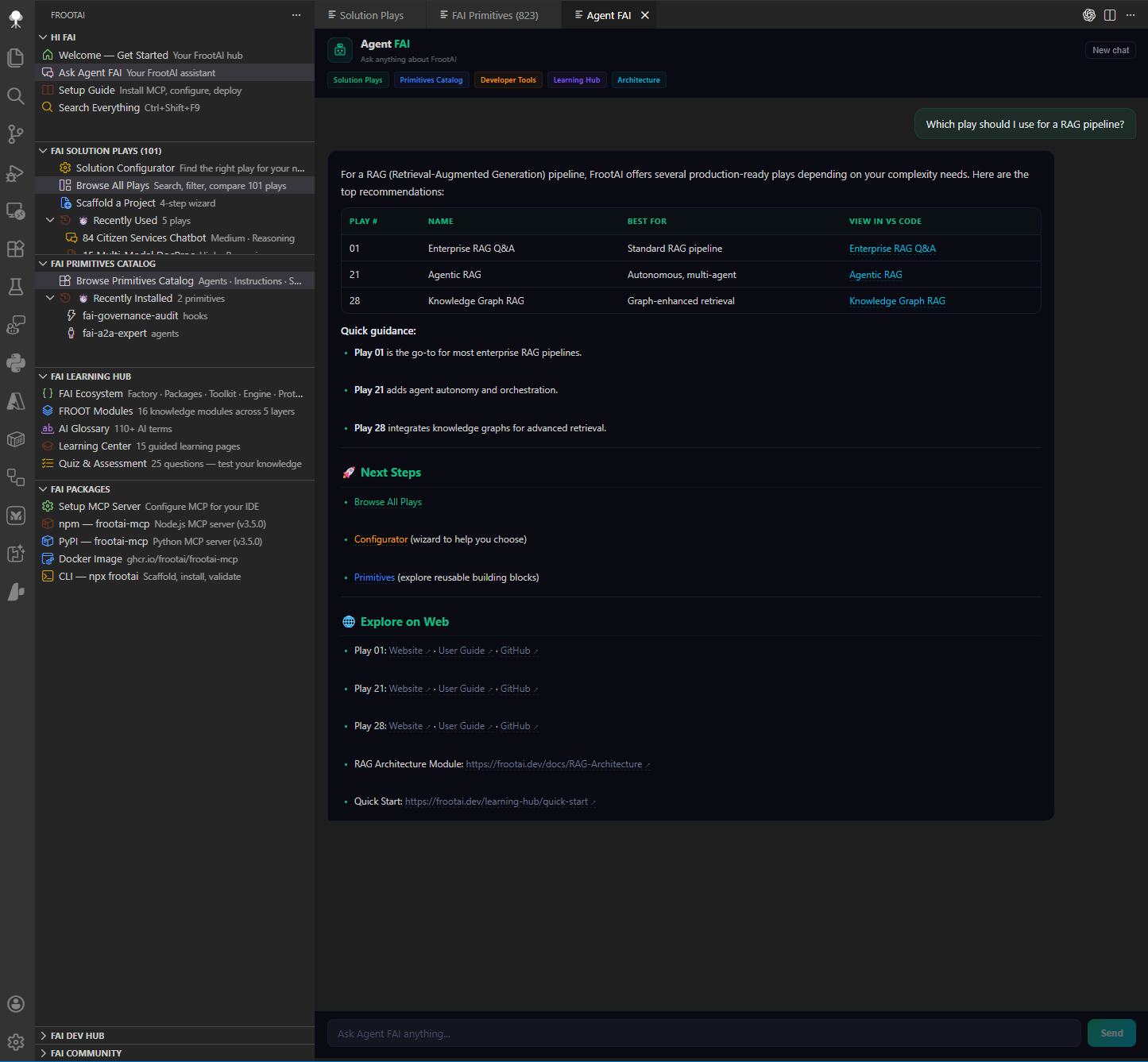
🏠 Welcome & Agent FAI
The Welcome panel is your starting point — quick-start actions, feature overview, and ecosystem links all in one place. Open it anytime with
Agent FAI is your AI-powered assistant that knows the entire FrootAI ecosystem. Ask about solution plays, architecture patterns, Azure best practices, primitives — anything. Responses stream in real-time with full context awareness. 🎯 Solution Plays
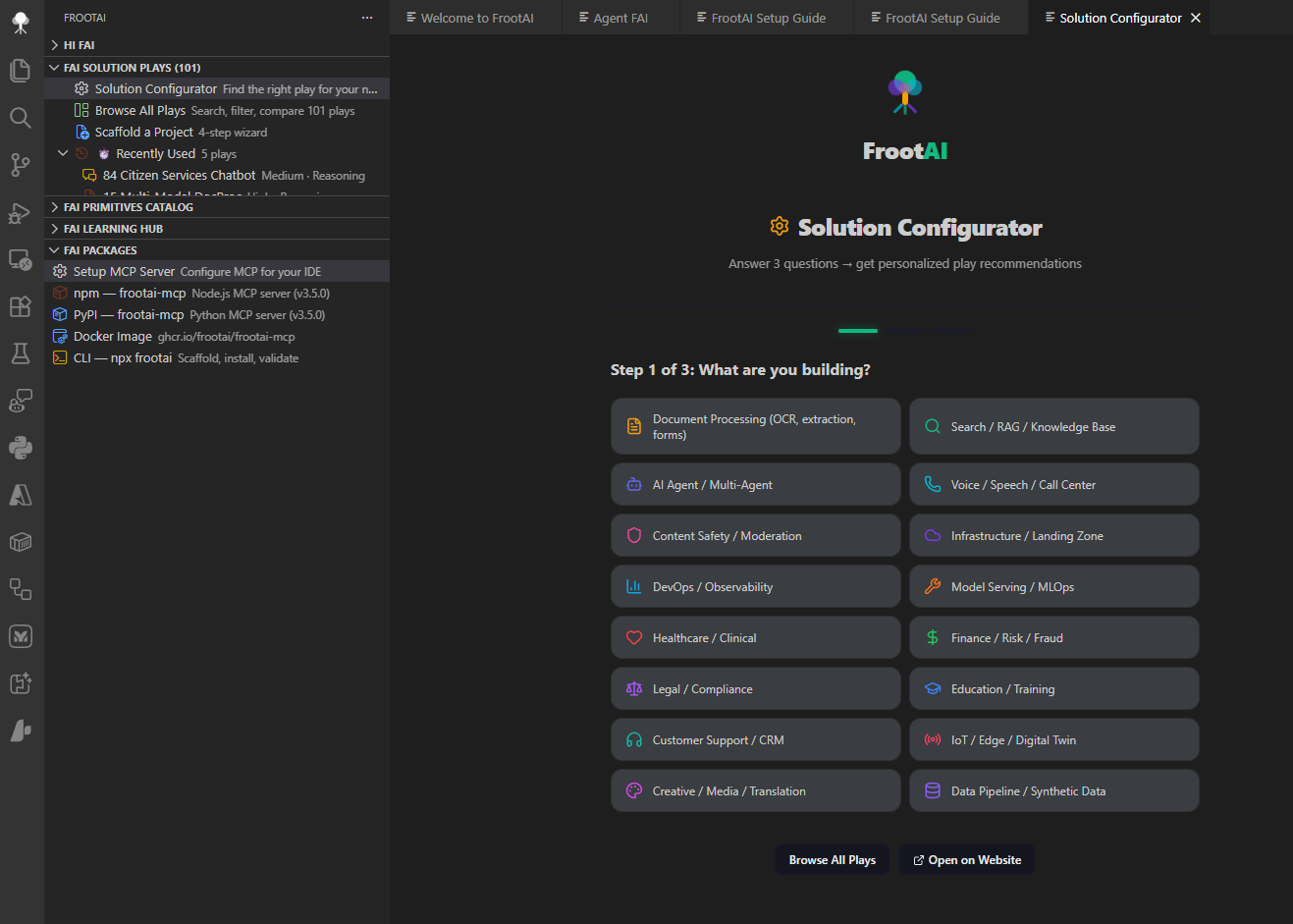
The Solution Configurator walks you through 5 questions to recommend the best play for your scenario — industry, complexity, team size, and more.
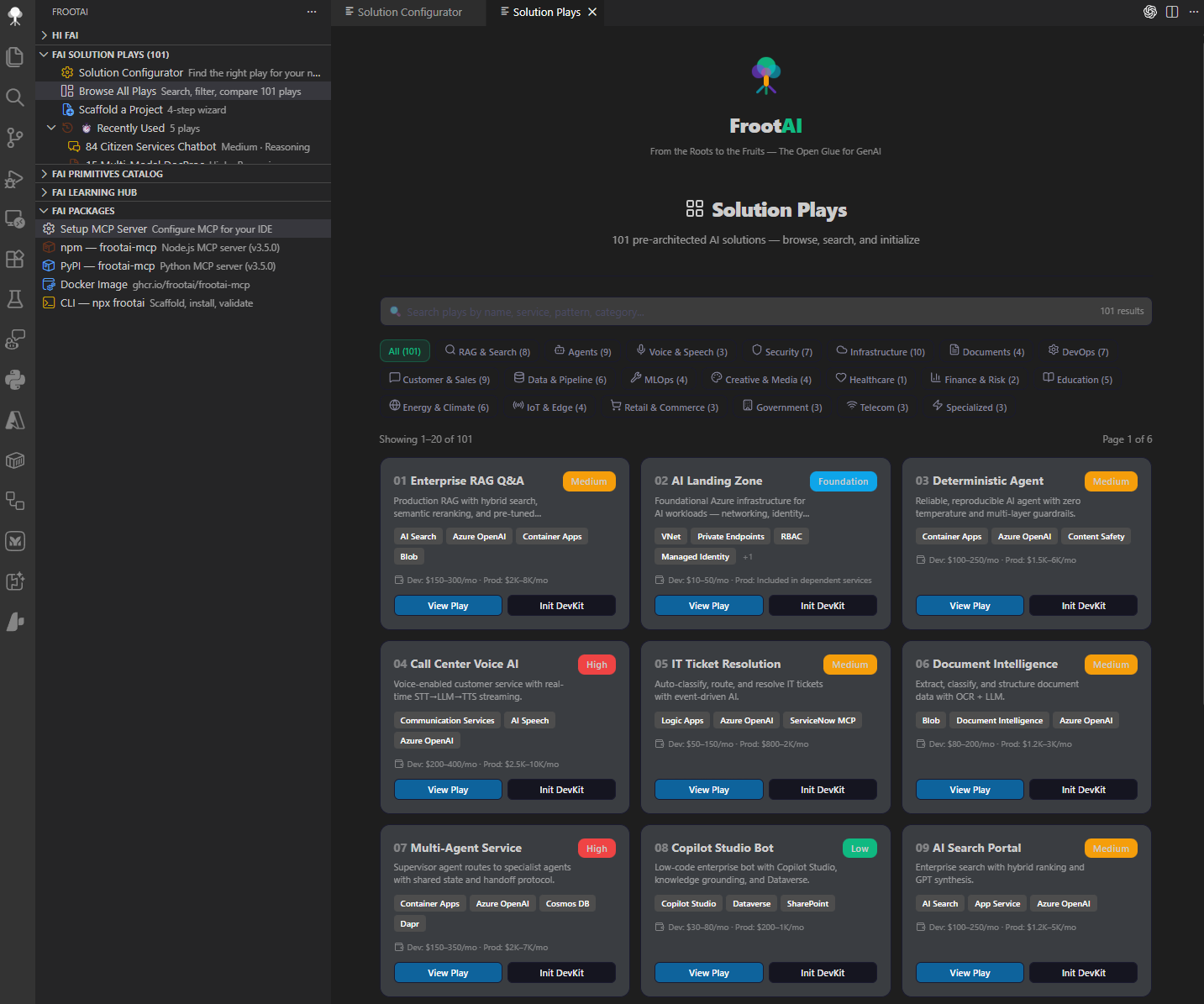
Browse All Plays gives you a searchable, filterable catalog of all solution plays. Click any play for a rich detail panel with WAF checklist, Azure services grid, tuning parameters, and cost breakdown. Each play ships as a 4-kit structure: Play actions — Init DevKit · Init TuneKit · Init SpecKit · Estimate Cost · Run Evaluation · User Guide 🧩 Primitives Catalog
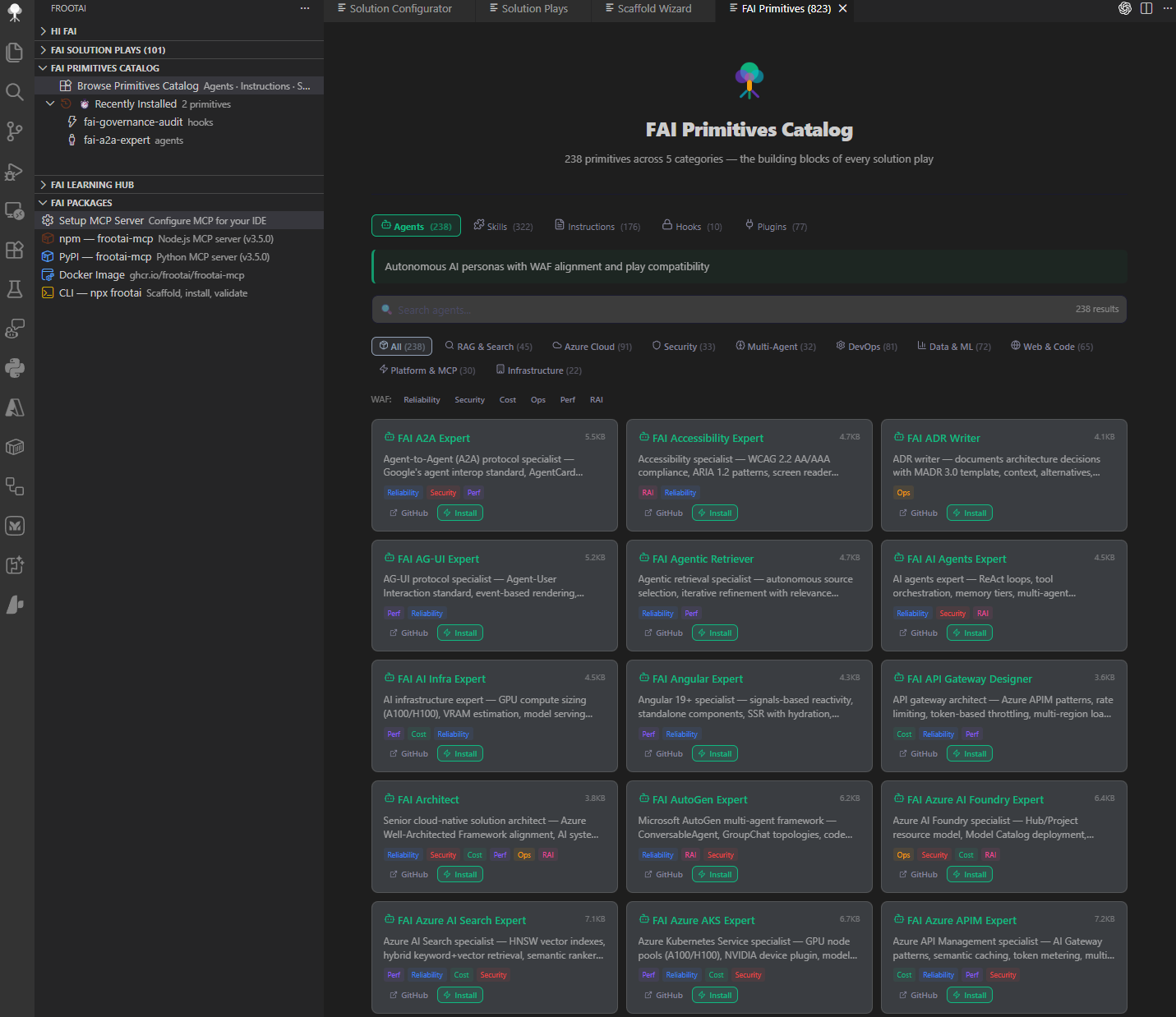
Browse AI primitives across 5 tabs with search, WAF pillar filters, and domain filters:
One-click install for any primitive — agents use the 📚 Learning HubExplore the FROOT Framework — knowledge modules across 5 layers:
Also includes:
📡 Packages & DistributionSet up the FAI ecosystem in your preferred format:
Each channel exposes its verified contract and runtime-discovered capabilities. Check the active surface for current counts and versions. 🚀 InstallationOption 1 — VS Code Marketplace (recommended): Option 2 — Terminal: ⚡ Quick StartThat's it — you're ready to build AI solutions with FrootAI. Security and PrivacyVersion 6.7.5 preserves the product features of 6.7.4 while strengthening these boundaries:
These changes address specific locally reproduced defects. They do not establish legal compliance, certify the hosted backend, or change corporate Marketplace approval policies. 📊 TokenOps — Local-First AI FinOpsTokenOps ships inside this extension. It provides evidence-first planning and reconciliation without claiming access to hidden IDE telemetry.
Evidence semantics
Exact local tokenization is used only for supported encodings. Other models are explicitly marked as provider estimates. Built-in prices are intentionally unset; pricing overrides require source and as-of provenance. Data, privacy, and retention
Receipt formatA receipt is a JSON object or an array/JSONL stream of objects. Required evidence includes a valid ISO 8601 If import fails, save a fresh template and verify that every placeholder was replaced with actual evidence. GitHub ⌨️ Keyboard Shortcuts
🎛️ Commands (
|




| Command | Description |
|---|---|
FrootAI: Search Everything |
Global search across plays, tools, glossary, modules |
FrootAI: Browse All Plays |
Full catalog with categories, search, pagination |
FrootAI: Solution Configurator |
5-question wizard → personalized recommendation |
FrootAI: Welcome |
Feature overview, quick start, ecosystem links |
FrootAI: Agent FAI |
Streaming AI chat — ask anything about FrootAI |
FrootAI: Plugin Marketplace |
Browse FAI plugins with search and filters |
FrootAI: FAI Ecosystem |
Interactive 6-tab ecosystem explorer |
FrootAI: Open Primitives Catalog |
AI primitives across 5 tabs with filters |
FrootAI: Open Evaluation |
3-mode dashboard: guide, demo, real workspace data |
FrootAI: Open Scaffold Wizard |
4-step wizard to bootstrap a play |
FrootAI: Initialize DevKit |
.github Agentic OS files |
FrootAI: Initialize TuneKit |
AI config + evaluation files |
FrootAI: Initialize SpecKit |
Architecture spec + WAF alignment |
FrootAI: Initialize Hooks |
guardrails.json |
FrootAI: Initialize Prompts |
Slash commands |
FrootAI: Install Agent |
Install FAI agent via QuickPick |
FrootAI: Install Instruction |
Install FAI instruction via QuickPick |
FrootAI: Setup MCP Server |
npm / pip / Docker / .vscode config |
FrootAI: Quick Cost Estimate |
Azure cost breakdown by tier |
FrootAI: Run Evaluation |
Auto-run eval.py + quality dashboard |
FrootAI: Auto-Chain Agents |
Build → Review → Tune workflow |
FrootAI: Validate Config |
Check config/*.json |
FrootAI: Validate Manifest |
Schema-validate fai-manifest.json with diagnostics |
FrootAI: Open Play from Manifest |
Detect play ID → open detail |
FrootAI: Look Up AI Term |
AI glossary search |
FrootAI: Search Knowledge Base |
Full-text search across modules |
FrootAI: Architecture Patterns |
Decision guides |
🔬 FAI Ecosystem Architecture
| Layer | Component | Role |
|---|---|---|
| 🏭 | FAI Factory | CI/CD · Validation · Publishing |
| 📦 | FAI Packages | npm · PyPI · Docker · VS Code |
| 🧰 | FAI Toolkit | DevKit · TuneKit · SpecKit |
| ⚙️ | FAI Engine | Runtime · Wiring · Resolution |
| 📋 | FAI Protocol | fai-manifest.json · fai-context.json |
| 🧬 | FAI Layer | The UniFAIng Glue — Context Wiring |
Flow: Factory → Packages → Toolkit → Engine → Protocol → Layer
🌱 Federation Surface (GA in 6.1.0)
The FrootAI Federation surface is GA in v6.1.0 — the bundled MCP kernel attaches external MCP areas ("areas") and routes tool calls under <area>.<tool> prefixes. One MCP connection from your client, every Tier-1 area available, trust gated by a single manifest you control.
| Layer | Ships |
|---|---|
| Settings | 5 frootai.federation.* config keys (enabled / preAttach / trustFile / idleDisconnectMinutes / autoAttachFromPlayManifest) |
| Commands | 6 palette-exposed: attach / detach / listAttached / discoverMcp / trustQuery / attachFromManifest |
| Views | 2 sidebar tree views (Attached + Marketplace) + 1 React webview (Federation Explorer) |
| MCP server-definition | New frootai-federated provider id alongside frootai — other MCP consumers connect without re-spawning |
| Keybinding | Ctrl+Shift+F12 / Cmd+Shift+F12 → Discover MCP |
| Walkthrough | "Try federation" 3-step section appended to the welcome walkthrough |
| Pre-attached on activation | Whatever's listed in your frootai.federation.preAttach setting — eager-attach for low first-call latency |
| Trust gate | Every attach passes through TrustEvaluator.evaluate() — community-tier servers blocked unless explicit trust_overrides entry |
Federation Explorer at a glance
FrootAI Federation
├─ Attached
│  ├─ azure         · first-party-ms · 47 tools
│  ├─ github        · first-party-ms · 31 tools
│  └─ playwright    · first-party-ms · 18 tools
├─ Marketplace (auto-attachable)
│  ├─ markitdown    · first-party-ms
│  ├─ ms-learn      · first-party-ms
│  ├─ context7      · verified-publisher
│  └─ chrome-devtools · verified-publisher
└─ Trust posture
   └─ Active overrides: 0
Historical v6 Launch Versions
| Surface | Version | Channel |
|---|---|---|
frootai-mcp (npm + PyPI) |
6.0.0 | latest |
frootai (CLI) |
6.1.0 | npm latest |
frootai-vscode (this extension) |
6.1.0 | Marketplace stable |
frootai/frootai (Action) |
v6.0.0 | GitHub Marketplace |
| Foundry agent | 2.0.0 | production slot |
mcp.frootai.dev |
GA | Operational — Stable |
Backward compatibility: v5.1.x users auto-upgrade on update. v5 behavior is preserved with
FROOTAI_FEDERATION=offfor any consumer that needs the legacy single-tool surface.
See CHANGELOG.md for the full v6.1.0 ship inventory.
🔌 MCP Server Definition Providers
This extension contributes two MCP server-definition providers other VS Code MCP consumers can discover and connect to:
| Provider id | Label | Exposes |
|---|---|---|
frootai |
FrootAI MCP Server | The bundled FrootAI built-in MCP server (knowledge, live, agent-chain, ecosystem, compute, engine, scaffold, marketplace tools). |
frootai-federated |
FrootAI Federated | The running FrootAI Federation kernel's federated tool list, prefixed by attached area (<area>.<tool>). Exposed without re-spawning — third-party MCP consumers (e.g. agents, other extensions) can connect to the SAME kernel process this extension manages, preserving idle-disconnect timers, trust-file overrides, and already-attached areas. |
The frootai-federated provider returns the live federated tool list from the running federation kernel. When no federation kernel is currently running (no areas attached, federation disabled, or extension just activated), the provider returns an empty list — other MCP consumers should treat that as "no federated tools available right now" rather than an error.
🧪 Cross-Platform Smoke Matrix
Every push that touches the federation surface runs the vscode-federation-cross-platform.yml GitHub Actions matrix:
| OS Runner | Node | What runs |
|---|---|---|
ubuntu-latest (Linux) |
18 / 20 / 22 | M5.25 extension test suite (4 files / 37 cases) + every vscode-mcp-*.test.js orchard gate |
windows-latest |
18 / 20 / 22 | (same) |
macos-latest |
18 / 20 / 22 | (same) |
The fail-fast: false strategy guarantees one OS failure doesn't mask the others — the M5.26 row literal mandates "all three" succeed, so the report shows precisely which platform broke. The smoke target is playwright per the row literal; when M5.22+ wires real kernel spawn, this matrix automatically picks up the end-to-end playwright attach without workflow edits.
�️ Visual Regression — Federation Explorer
Per M5.27, every PR touching webview-ui/src/panels/FederationExplorer.tsx triggers the vscode-federation-visual-regression.yml workflow. The canonical golden roster lives at webview-ui/__screenshots__/federation-explorer/manifest.json:
| Golden ID | Theme variants | State |
|---|---|---|
catalog-empty |
dark + light | Catalog tab, marketplace fetch in flight, empty area list |
catalog-filtered |
dark + light | Catalog tab, first-party-ms tier filter active, 3 entries visible |
attached-empty |
dark + light | Attached tab, no areas, empty-state copy |
attached-list |
dark + light | Attached tab, azure + playwright attached, idle timers |
warning-state |
dark + light | Attached tab, azure at 9.5min / 10min idle (M5.19 amber warning) |
The workflow today validates the manifest shape (canonical roster + resolution + theme variants) and confirms the webview builds. The full pixel-diff baseline lands once the Playwright Component Testing harness ships — at which point baseline PNGs commit alongside manifest.json as <id>.<theme>.png (5 states × 2 themes = 10 files), and the diff step augments the workflow without changing the path-filter trigger.
�🔗 Links
| 🌐 Website | frootai.dev |
| 📦 npm | npmjs.com/package/frootai-mcp |
| 🐍 PyPI | pypi.org/project/frootai-mcp |
| 🐳 Docker | ghcr.io/frootai/frootai-mcp |
| 💻 GitHub | github.com/frootai/frootai |
| 🤝 Community | frootai.dev/community |
| 📖 Contribute | frootai.dev/contribute |
| 📚 Learning Hub | frootai.dev/learning-hub |

From the Roots to the Fruits.
It's connected, it's simply Frootful.
MIT License · © 2026 FrootAI