MCPflareUse local MCP servers securely with zero-trust isolation while reducing context window token usage by up to 98% Installation Launch VS Code Quick Open ( Ctrl+P), paste the following command, and press enter.Copied to clipboard |

MCPflare - Zero-Trust MCP SecurityDocumentation | GitHub | VS Code Extension Secure your local MCP servers with zero-trust isolation while reducing context window token usage by up to 98%. Protect against data exfiltration, credential theft, and more. Quick Start
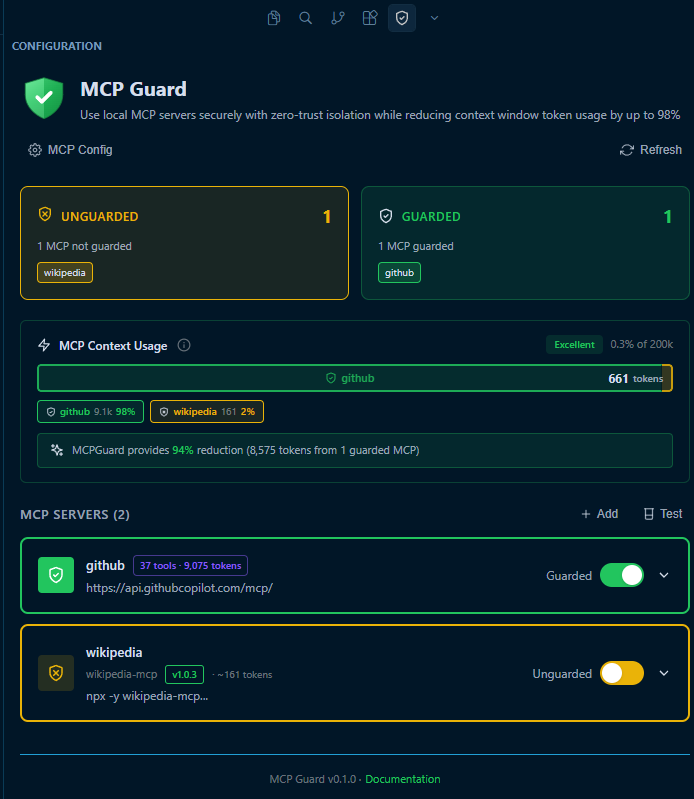
Screenshot: MCPflare VS Code Extension
How It Works: Defense in DepthTraditional MCP tool calling is risky. MCPflare provides multiple layers of protection to keep your system safe from malicious code: 🛡️ V8 Isolate SandboxingComplete process isolation using Cloudflare Workers. Each execution runs in a fresh, disposable environment with no access to the host system unless explicitly permitted. 🌐 Network IsolationZero outbound network access by default ( 🔍 Code ValidationPre-execution security checks block dangerous patterns like ⚡ 98% Token ReductionCode mode execution dramatically reduces context window usage. Process data in the sandbox and return only results, instead of passing massive amounts of tool data back and forth to the LLM. ConfigurationMCPflare provides granular control for each MCP server. For detailed configuration options, please refer to the official documentation. 🌐 Network AccessControl which hosts each MCP can access.
📂 File System AccessRestrict read and write access to specific workspace directories.
🔐 Guard ProtectionEasily toggle isolation on or off for any individual MCP server. Features
|