Skip to content
| Marketplace
Sign in
Visual Studio Code>Other>Folder HopNew to Visual Studio Code? Get it now.
Folder Hop

Folder Hop

fmma

|
2 installs
| (0) | Free
Open folders in a new window using the quick pick UI
Installation
Launch VS Code Quick Open (Ctrl+P), paste the following command, and press enter.
Copied to clipboard
More Info

Folder Hop

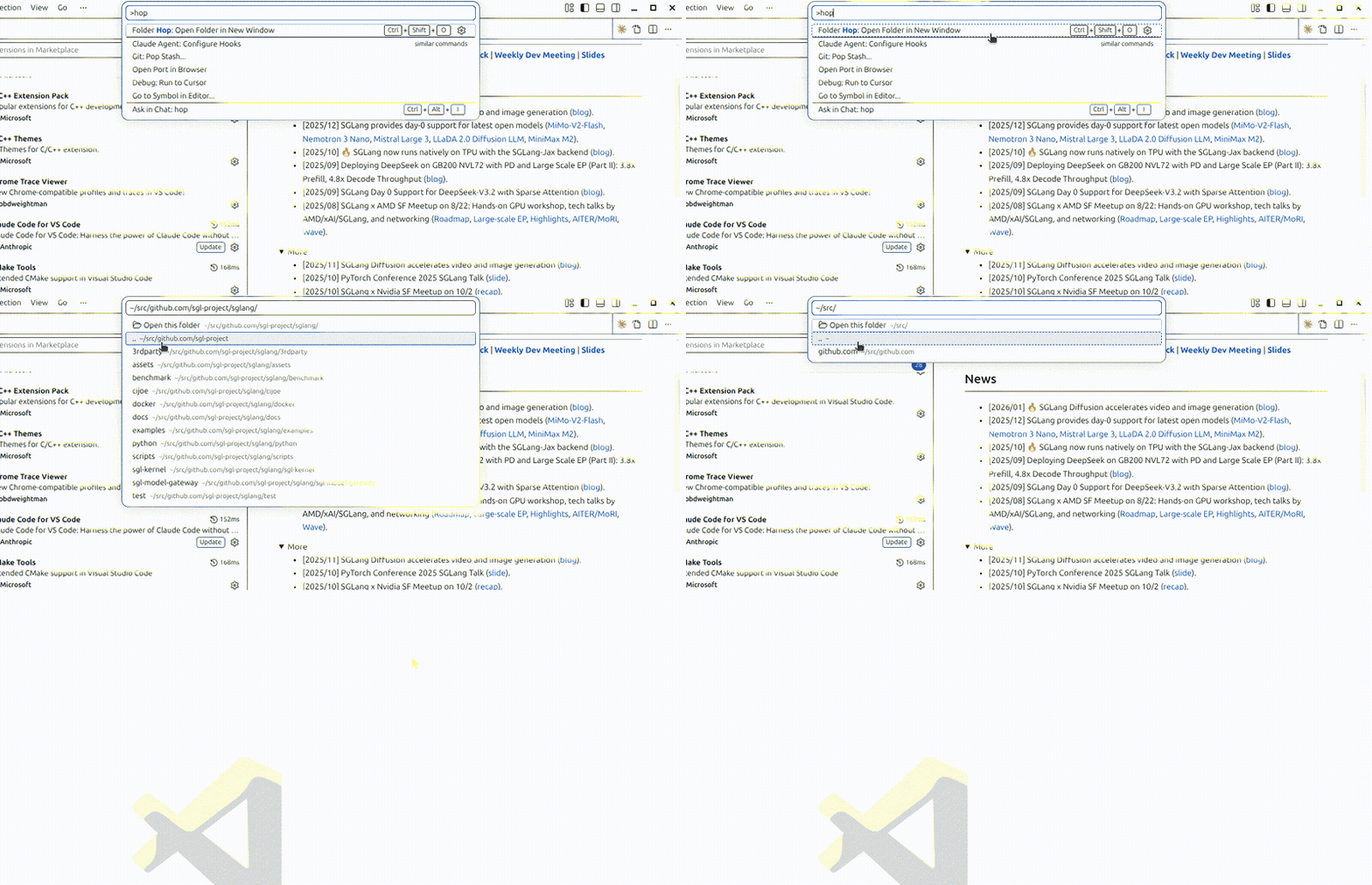
Navigate and open folders in a new VS Code window using the quick pick UI.

Demo

Features

  • Quick pick interface for browsing directories (similar to Ctrl+P for files).
  • Navigate into subdirectories with Enter.
  • Navigate to the parent directory with ...
  • Open any directory in a new window with "Open this folder".
  • Starts in the current workspace folder.

Usage

Press Ctrl+Shift+O (Cmd+Shift+O on macOS) or run Folder Hop: Open Folder in New Window from the command palette.

Installation

Install from the VS Code Marketplace, or install manually:

git clone https://github.com/fmma/folder-hop.git
cd folder-hop
ln -s "$(pwd)" ~/.vscode/extensions/fmma.folder-hop-0.1.0

Reload VS Code after installing.

License

MIT

  • Contact us
  • Jobs
  • Privacy
  • Manage cookies
  • Terms of use
  • Trademarks
© 2026 Microsoft