Monokai Deuteranopia ColorblindDeep space theme with animated stars, designed for deuteranopia (red-green colorblindness) accessibility using the blue-yellow axis Installation Launch VS Code Quick Open ( Ctrl+P), paste the following command, and press enter.Copied to clipboard |

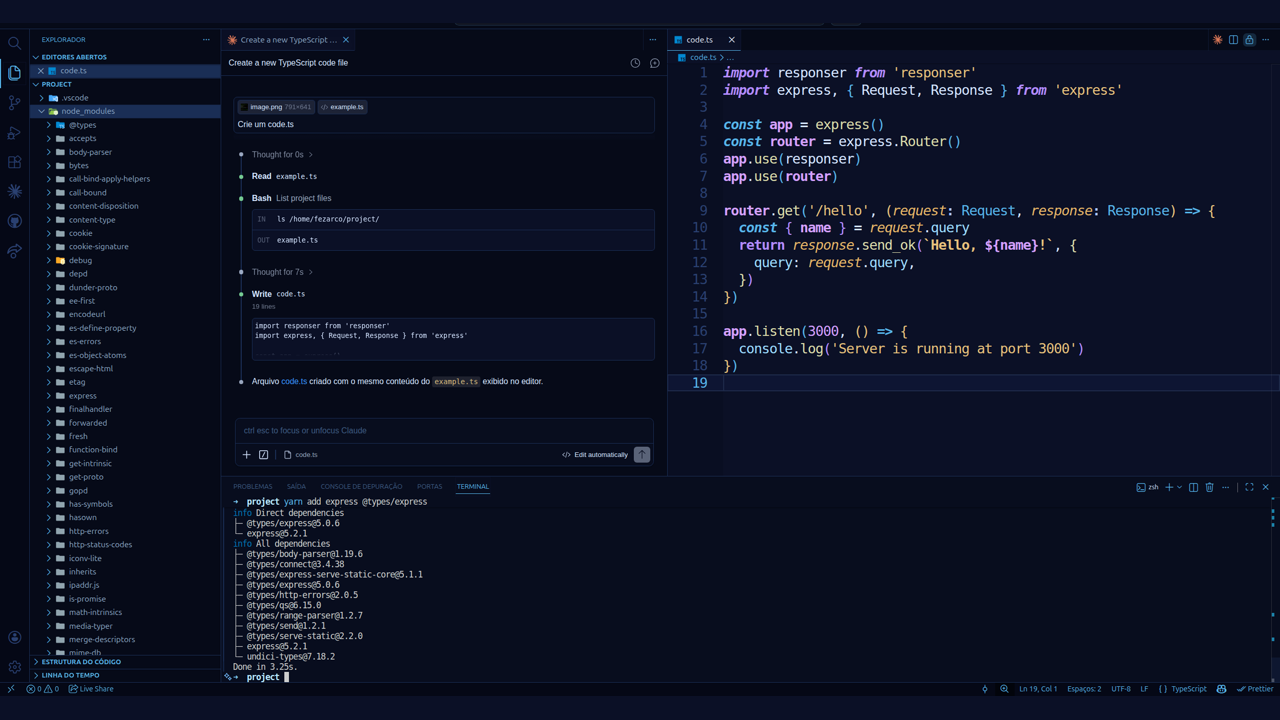
Monokai Deuteranopia Colorblind ThemeDesigned for Deep Relaxation & Focus with Deuteranopia AccessibilityFeatures Deep Space Theme with Animated Stars! Yeah. A Monokai-inspired, high-contrast dark theme designed for developers with deuteranopia (red-green colorblindness). Features an optional animated deep space background with floating stars. This is your rare underground favorite theme you will brag about.
Download it for free at Visual Studio Marketplace: https://marketplace.visualstudio.com/items?itemName=felipezarco.monokai-deuteranopia-colorblind About Deuteranopia and this themeDeuteranopia is a type of red-green color vision deficiency where green cones are absent, making it difficult to distinguish red from green. This theme completely avoids the red-green axis, relying instead on the blue-yellow color axis which deuteranopia users perceive clearly:
No reds. No greens. Every color is chosen so you never have to guess. I've created it so that it has:
Languages:
If you enjoy using this theme, don't forget to give it a star on https://github.com/felipezarco/monokai-deuteranopia-colorblind! You might also likeMonokai Hacker - The original high-contrast green matrix terminal theme that inspired this colorblind-accessible variant. Installing on Cursor IDERun the one-liner below in your terminal and it will handle everything automatically: Linux / macOS: Windows (PowerShell): Cursor is an AI-powered code editor built as a fork of VS Code. While it shares most of VS Code's functionality, it does not include access to the Visual Studio Marketplace — meaning you can't search for or install themes through the Extensions panel the usual way. The built-in theme list is limited to a small set of defaults. However, because Cursor is based on VS Code, it uses the exact same extension format and folder structure. You can install this theme by dropping the files directly into Cursor's extensions directory. Both scripts will:
After running, restart Cursor and open the theme picker with About the AuthorLuiz Felipe Zarco (fezarco@yahoo.com) DonateIf you find this theme useful, consider supporting its development!!
|