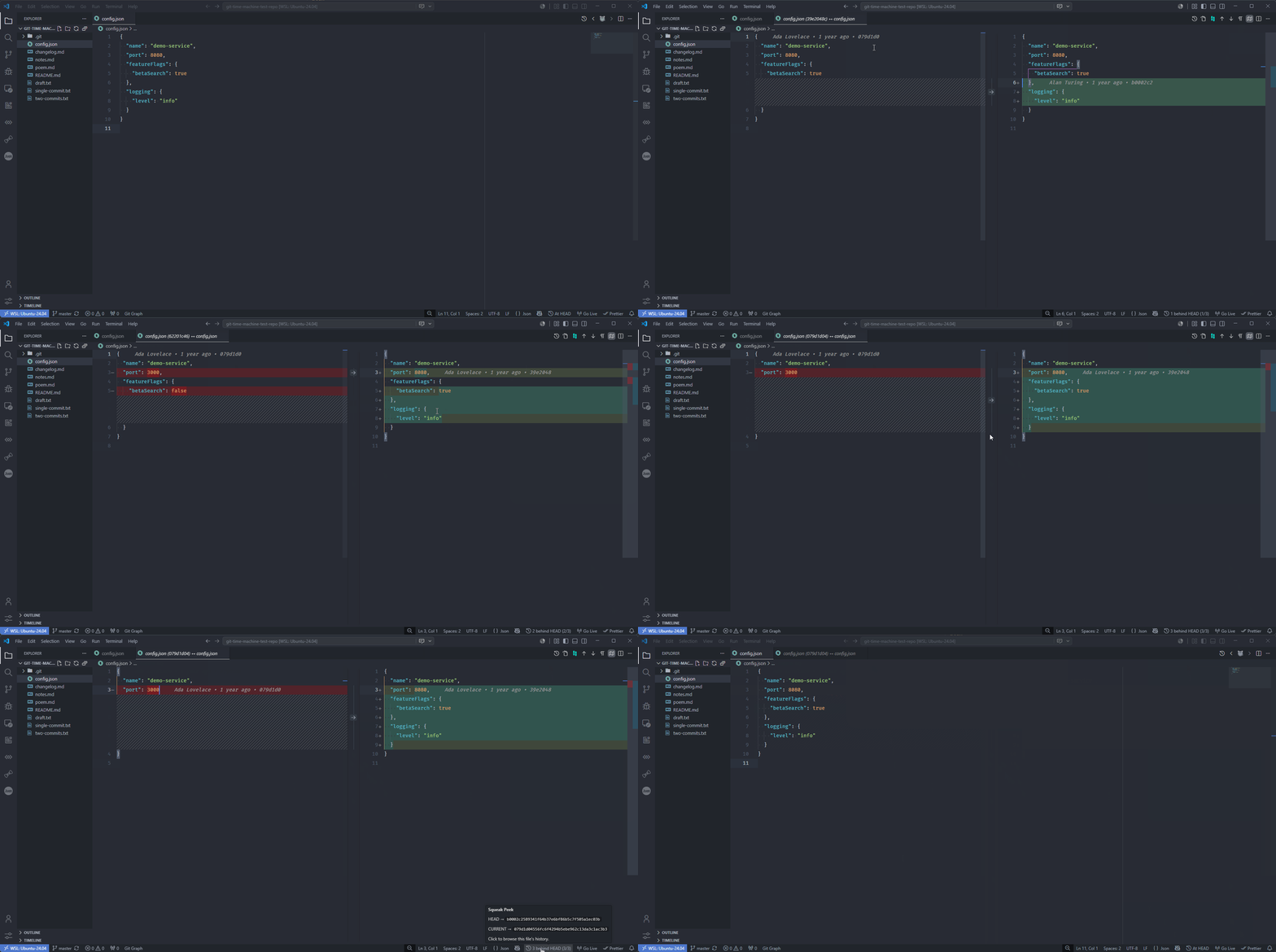
See it in action
Why Squeak Peek?
I liked the File History Travel feature in the GitLens extension, until GitLens became bloatware. This is a reimplementation of that small but useful feature.
Features
| Feature |
Description |
| Previous Revision |
Diffs your file against an ever-older revision - each click steps one commit further back in time |
| History |
Opens a picker to jump straight to any revision, copy its full SHA, and see how far behind HEAD you are |
| Next Revision |
Steps one revision forward through history |
| Status-bar position |
An ambient 3 behind HEAD (3/12) readout; hover for the HEAD and current SHAs, or click to open the history picker |
| Visual timeline |
The history picker's title shows a compact ○─◉─○ … strip marking your position among all revisions |
| Side-by-side diffs |
The historical revision on the left, your current file on the right |
| Smart first step |
With a clean tree, the first Previous skips the commit identical to your file; with local changes it diffs against HEAD first |
| Rename-aware history |
History is collected with git log --follow, so renames are tracked |
| Closing a diff resets |
Shut the diff tab and the next Previous starts one commit back again |
Installation
From the VS Code Marketplace
- Open Extensions in VS Code (
Ctrl+Shift+X / Cmd+Shift+X).
- Search for Squeak Peek.
- Click Install.
Or install from the command line:
code --install-extension farengeyt451.squeak-peek
Marketplace page: Squeak Peek on the VS Code Marketplace
From a release (.vsix)
- Download the latest
squeak-peek-vX.Y.Z.vsix from the Releases page.
- In VS Code, open the Extensions view (
Ctrl+Shift+X / Cmd+Shift+X).
- Click the ⋯ menu → Install from VSIX… and select the downloaded file.
Or from the terminal: code --install-extension squeak-peek-vX.Y.Z.vsix
From source
Build a .vsix straight from the source and install it into VS Code:
git clone https://github.com/farengeyt451/squeak-peek.git
cd squeak-peek
npm install
npm run package:vsix                                   # produces squeak-peek-<version>.vsix
code --install-extension squeak-peek-*.vsix            # install the built package
Requirements
- Git installed and available on your
PATH.
- The file you're viewing must be inside a Git repository.
Development
Run npm run watch and press F5 to launch the Extension Development Host.
Known limitations
- Opening a revision from before a rename may fail, because the revision is read using the file's current path.
- History is read once per file and refreshed when the file is saved.
Changelog
See CHANGELOG.md for the full list of changes in each release.
License
Released under the MIT License.