Skip to content
| Marketplace
Sign in
Visual Studio Code>Themes>CyberdeckNew to Visual Studio Code? Get it now.
Cyberdeck

Cyberdeck

ex1tium

|
21 installs
| (0) | Free
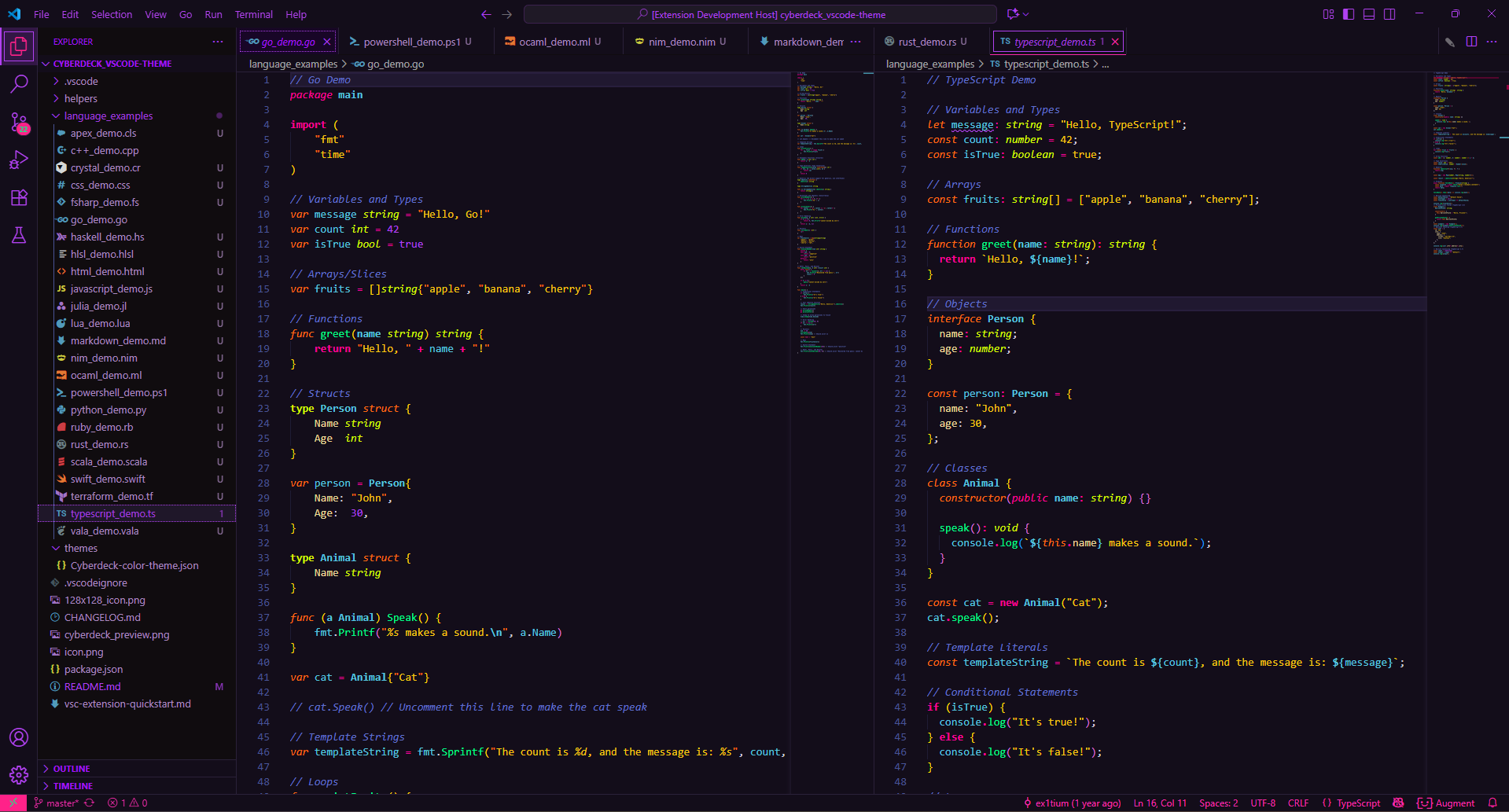
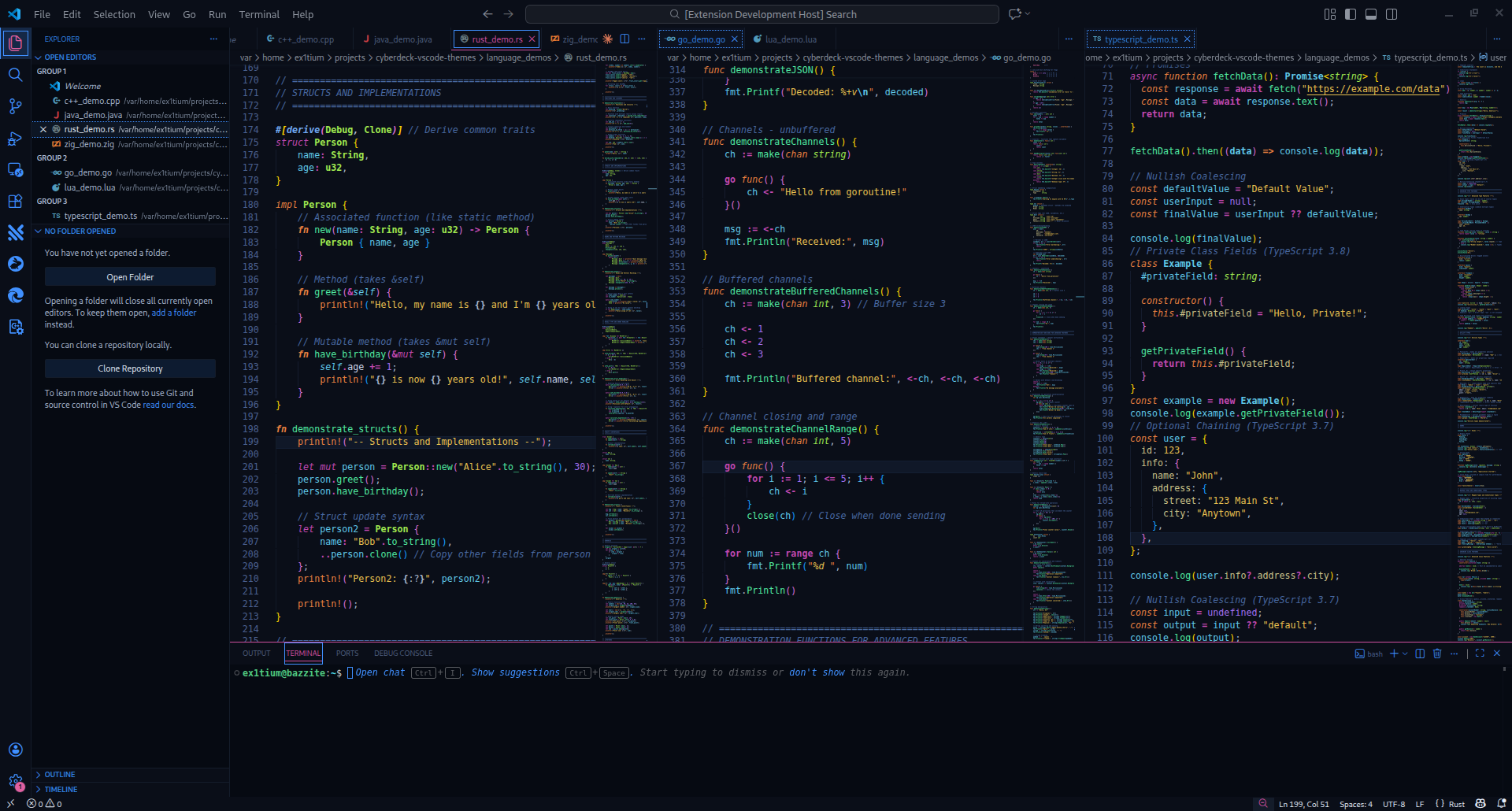
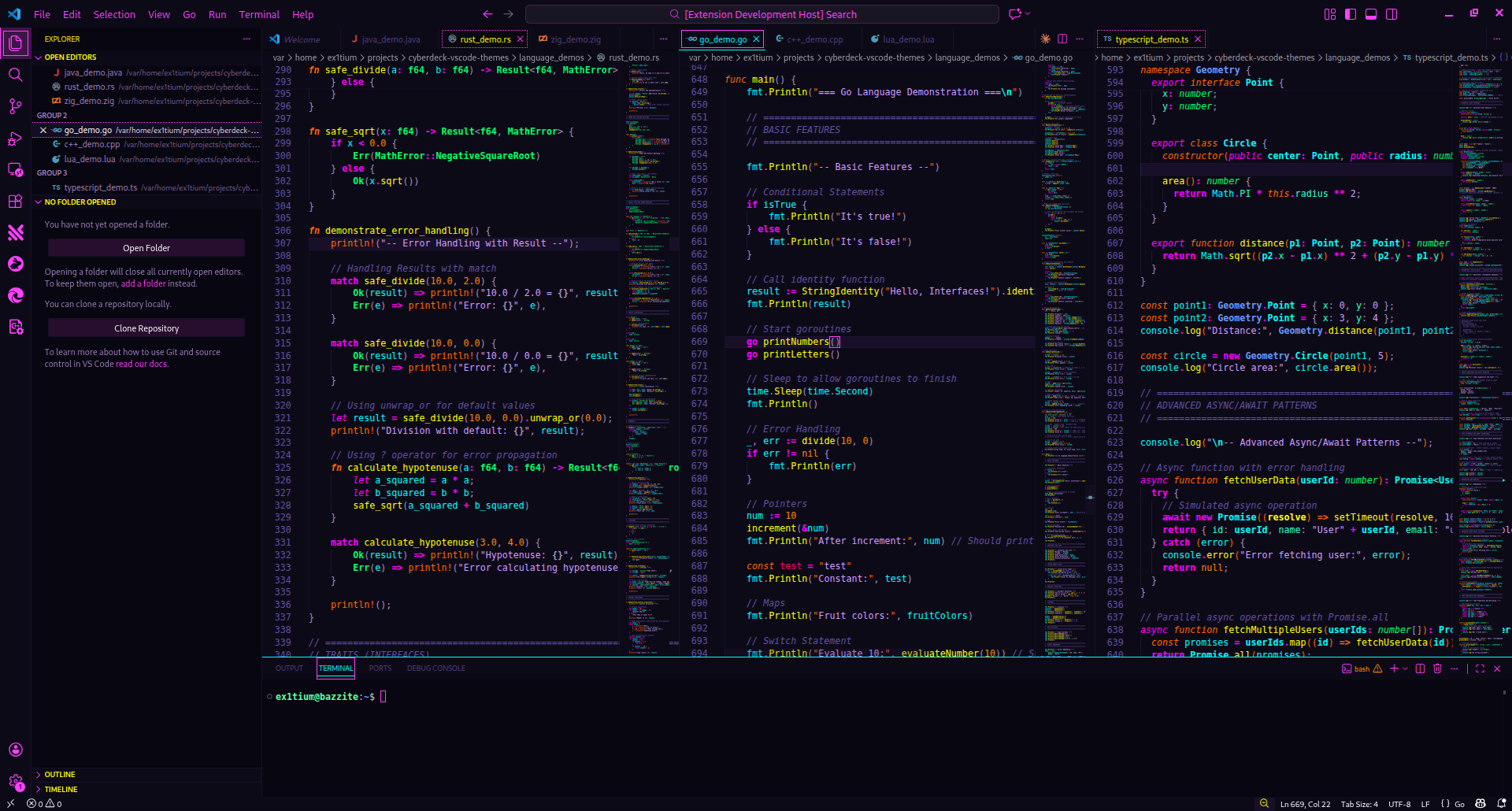
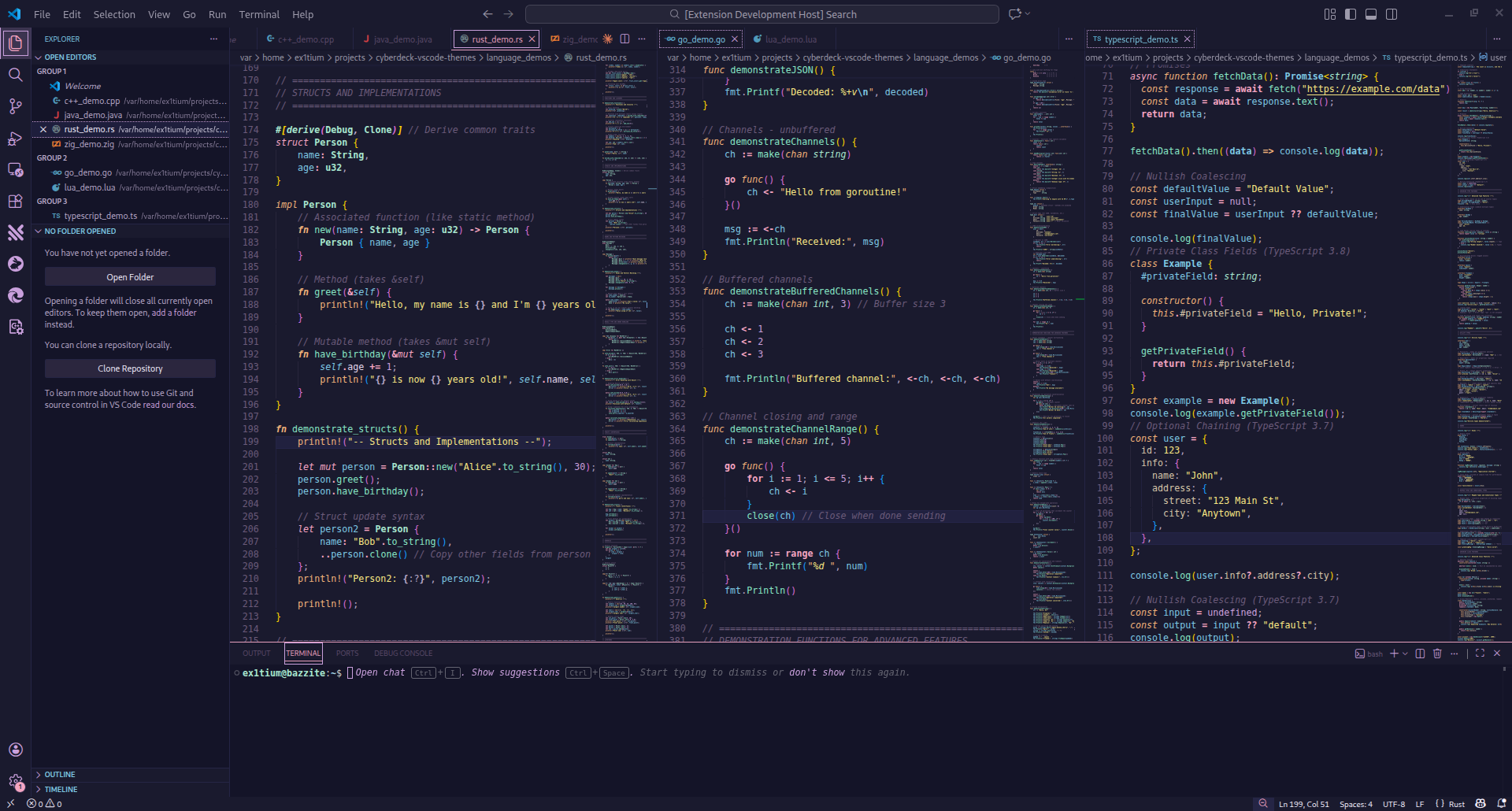
A retro-futuristic neural interface for the modern code cowboy. Cyberpunk-inspired dark theme with neon accents, semantic highlighting, and first-class support for TypeScript, Go, Rust, Python, and Java.
Installation
Launch VS Code Quick Open (Ctrl+P), paste the following command, and press enter.
Copied to clipboard
More Info

Cyberdeck 🌃

A neo-retro-futuristic neural interface for the modern code cowboy.

Note: This release supersedes the earlier Cyberdeck 2025 extension. If you have Cyberdeck 2025 installed, uninstall it and install this version for the latest themes and updates.

Version Installs Rating License

Cyberdeck is a 20-theme collection for Visual Studio Code - from neon-soaked cyberpunk to phosphor-glow terminals, iconic anime palettes to retro gaming nostalgia. Deep backgrounds, vibrant accents, and comprehensive syntax highlighting across 30+ languages. Dark and light variants for developers who want their editor to feel as good as it performs.


🎨 Theme Variants

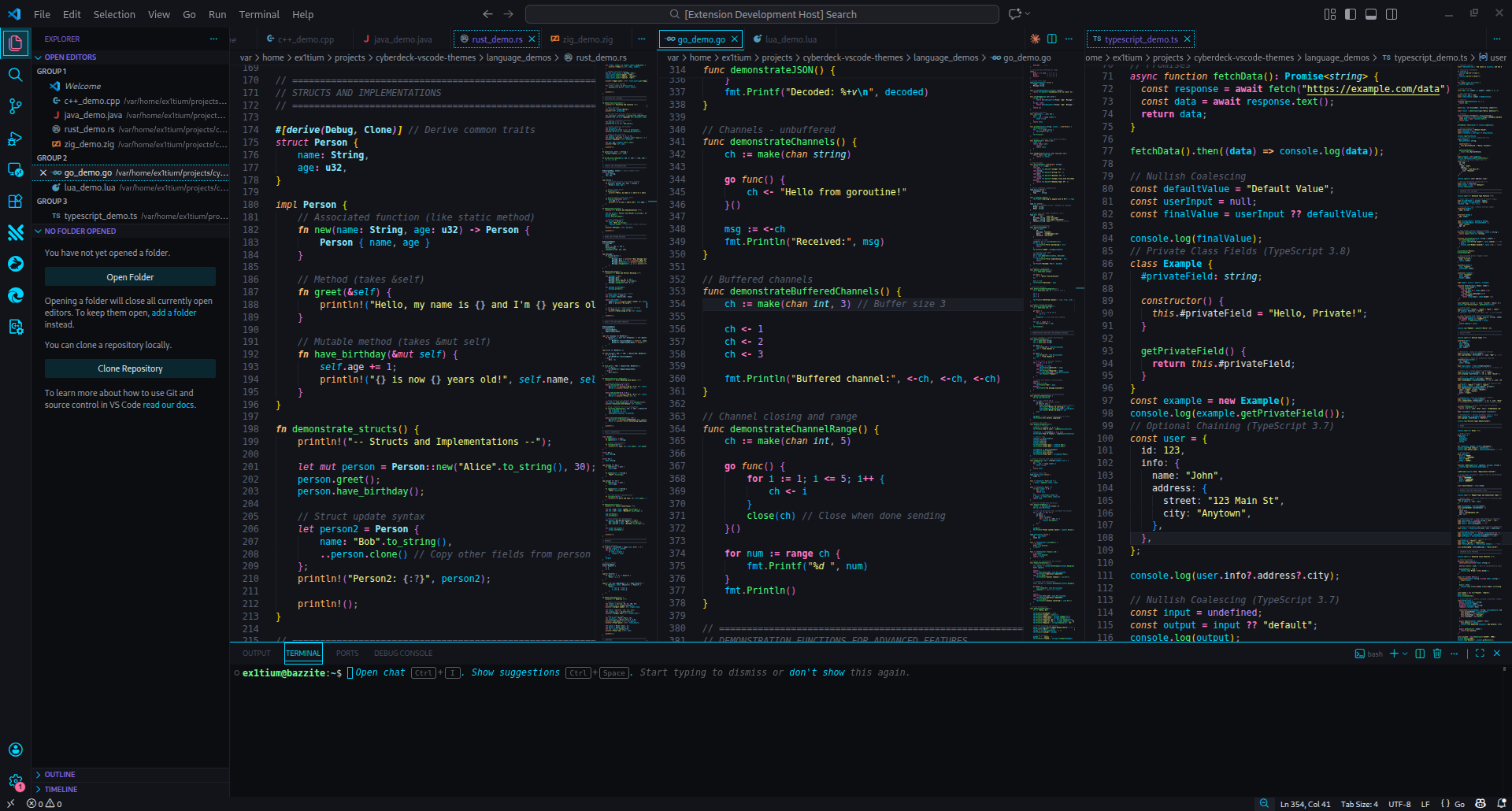
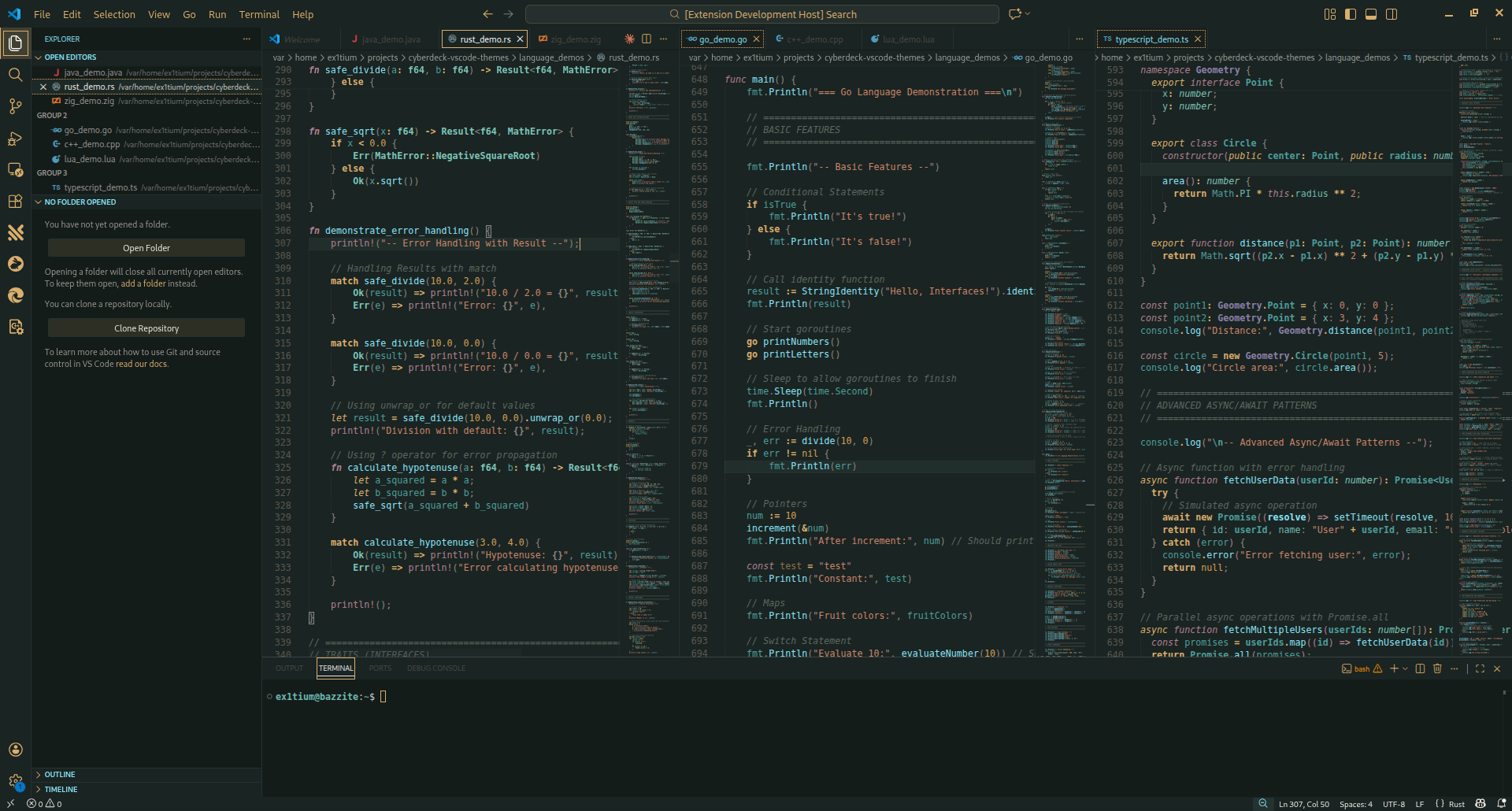
Cyberdeck (Original)

Deep purple-black backgrounds with vibrant neon pink, cyan, and green accents.

Cyberdeck Theme

Cyberdeck Midnight

Cool blue-shifted variant with electric blue tones and cyan accents.

Cyberdeck Midnight Theme

Cyberdeck Arcade

80s arcade cabinet aesthetic with bold neon on deep purple-black. Electric cyan, hot magenta, and bright yellow evoke CRT glow and coin-op nostalgia.

Cyberdeck Arcade Theme

Cyberdeck Vapor

Vaporwave lo-fi aesthetic with dark blue-purple backgrounds and soft pastel accents.

Cyberdeck Vapor Theme

Cyberdeck Chrome

Corporate sterilized theme with cold blue-gray backgrounds and neon accent pops.

Cyberdeck Chrome Theme

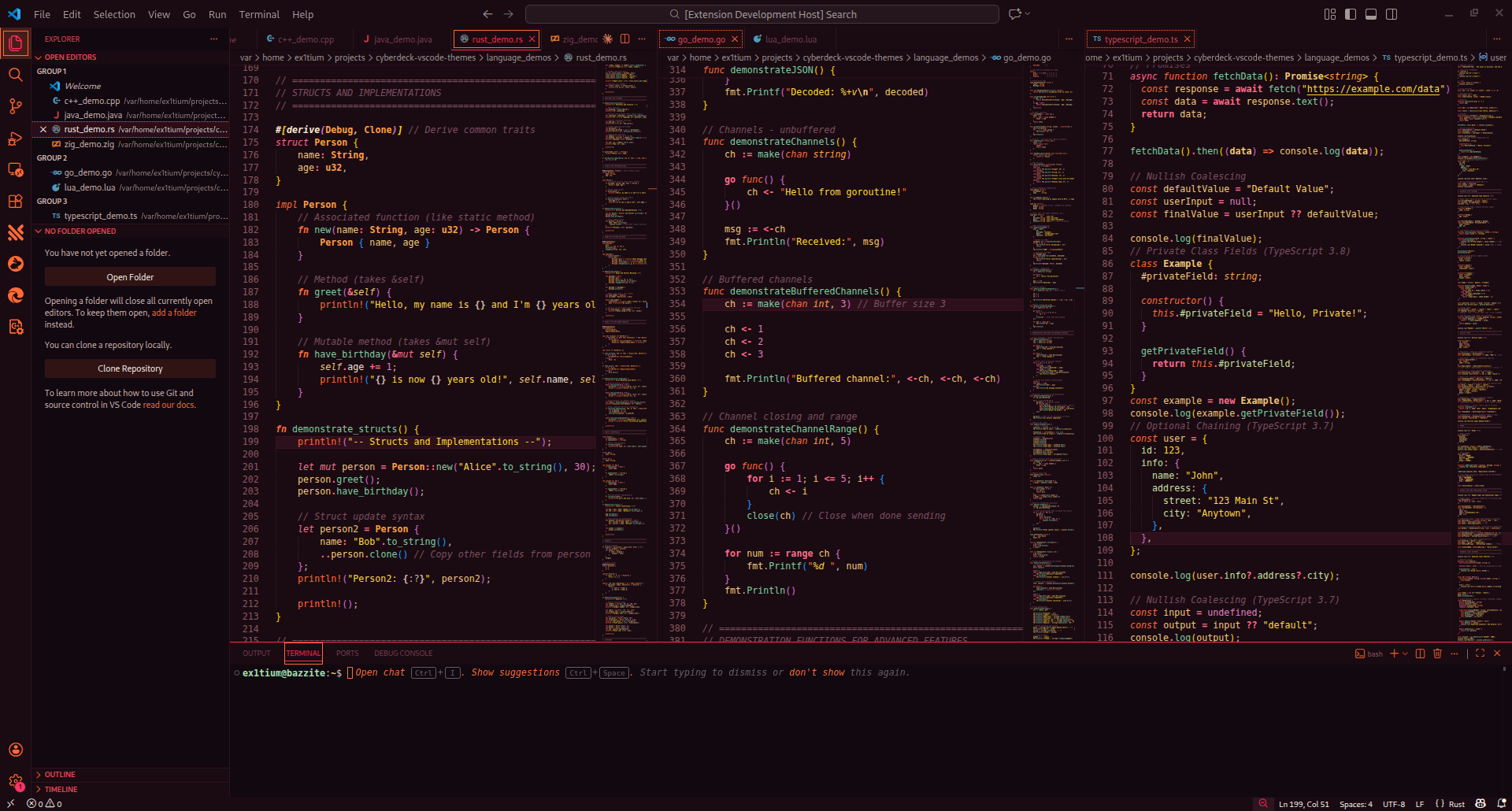
Cyberdeck Sunset

Blade Runner 2049 inspired warm palette with deep burgundy backgrounds and vibrant orange, coral, and gold accents.

Cyberdeck Sunset Theme

Cyberdeck Trix

Classic hacker aesthetic with green-tinted backgrounds and Matrix green accents.

Cyberdeck Trix Theme

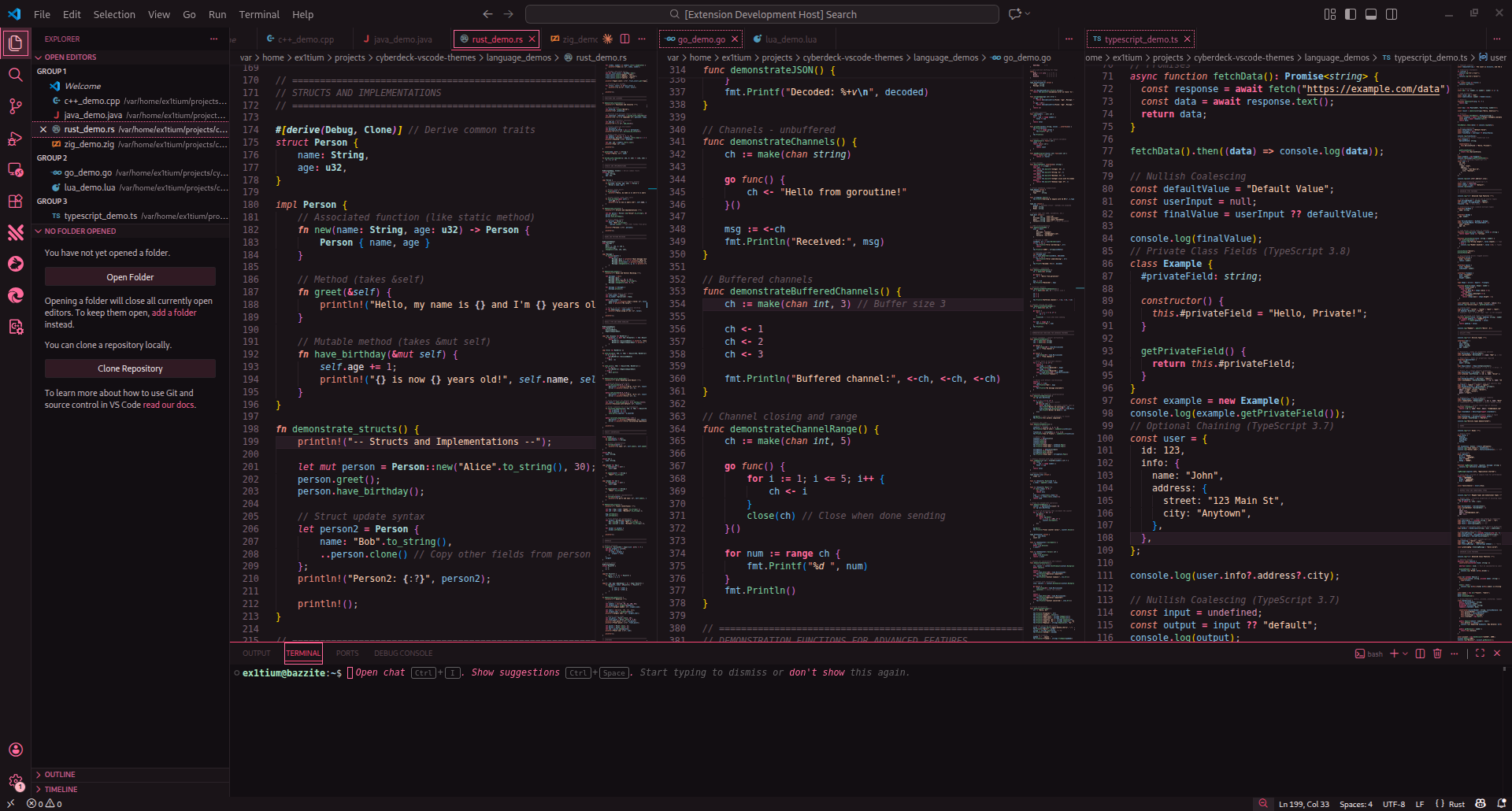
Cyberdeck Sakura

Japanese cyberpunk aesthetic with cherry blossom pink and jade green accents.

Cyberdeck Sakura Theme

Cyberdeck Dynasty

Neo-Feudalistic warm lacquer black backgrounds with imperial crimson, jade green, and gold accents inspired by traditional Chinese color palettes.

Cyberdeck Dynasty Theme

Cyberdeck 2077

Night City streets with electric yellow, hot magenta, and neon cyan on deep blue-black.

Cyberdeck 2077 Theme

Cyberdeck Salvage

Industrial outlands aesthetic with weathered teal, bronze, and rust tones. Mech salvage yard vibes with warm metallic accents.

Cyberdeck Salvage Theme

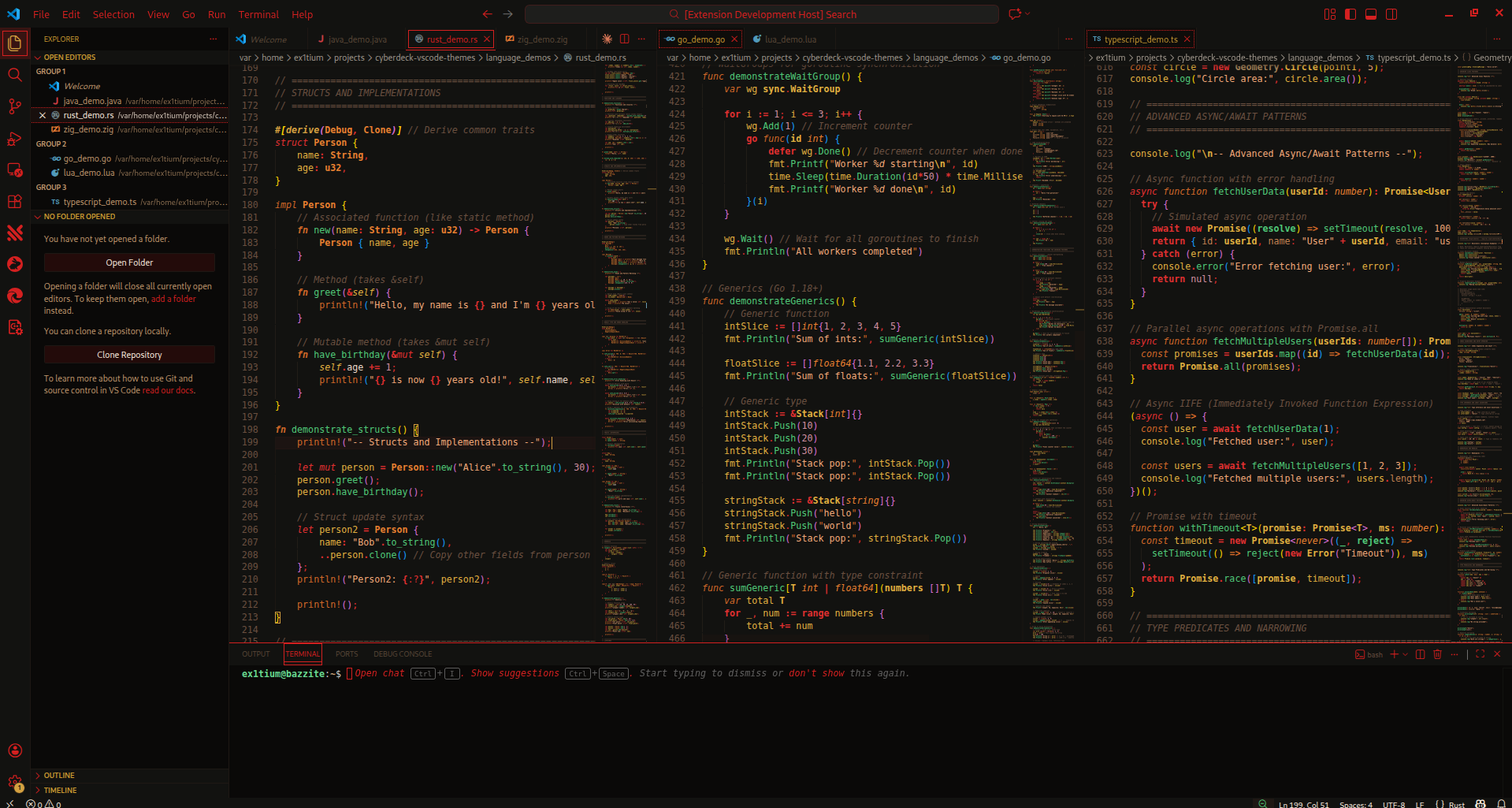
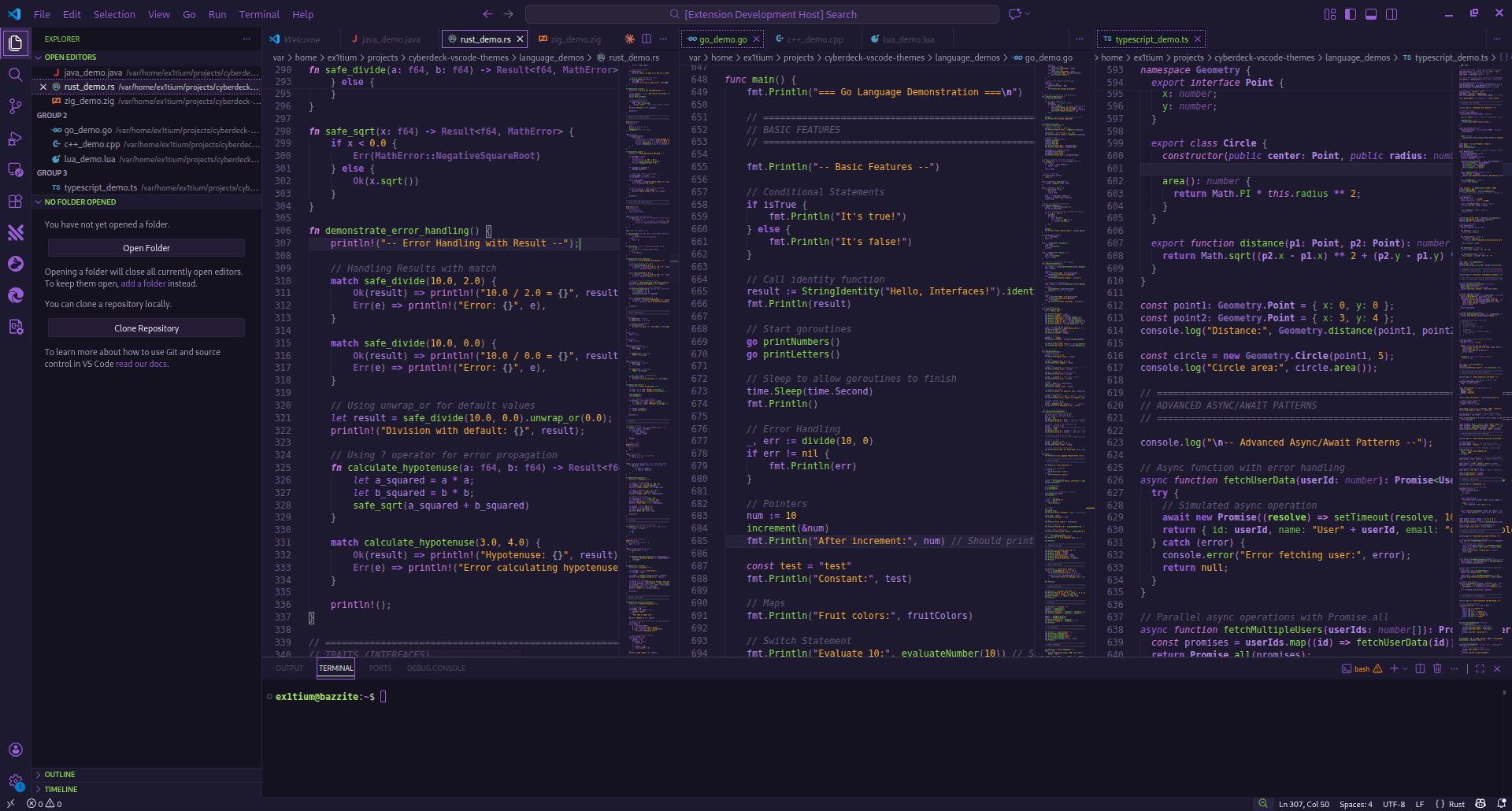
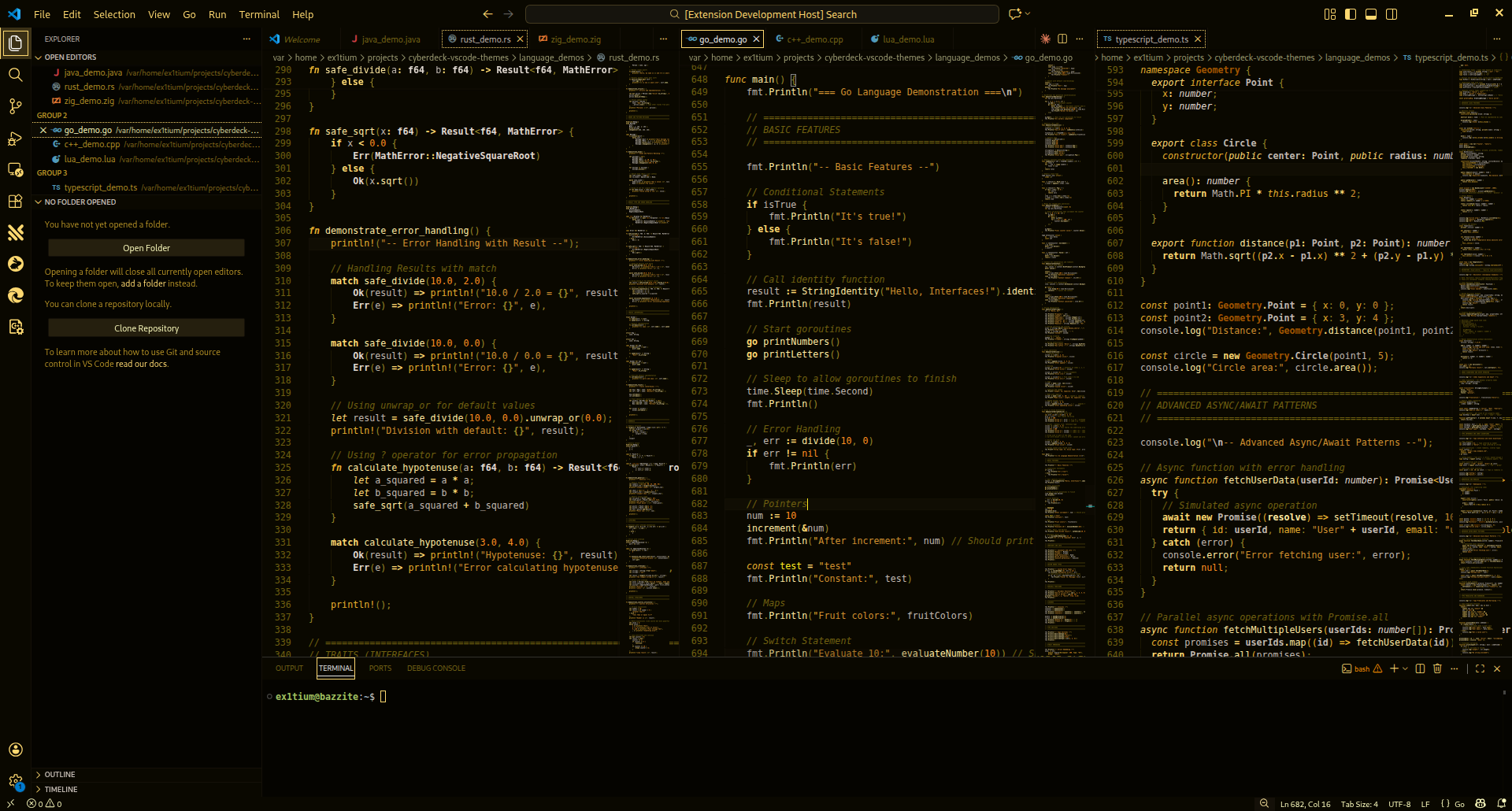
Cyberdeck EVA-01

Neon Genesis Evangelion Unit-01 palette with vibrant purple, fluorescent green, and amber accents on deep purple-black backgrounds.

Cyberdeck EVA-01 Theme

Cyberdeck Deus Ex

Human Revolution aesthetic with golden yellow, platinum chrome, and amber on near-true-black. Authentic augmented reality terminal feel.

Cyberdeck Deus Ex Theme

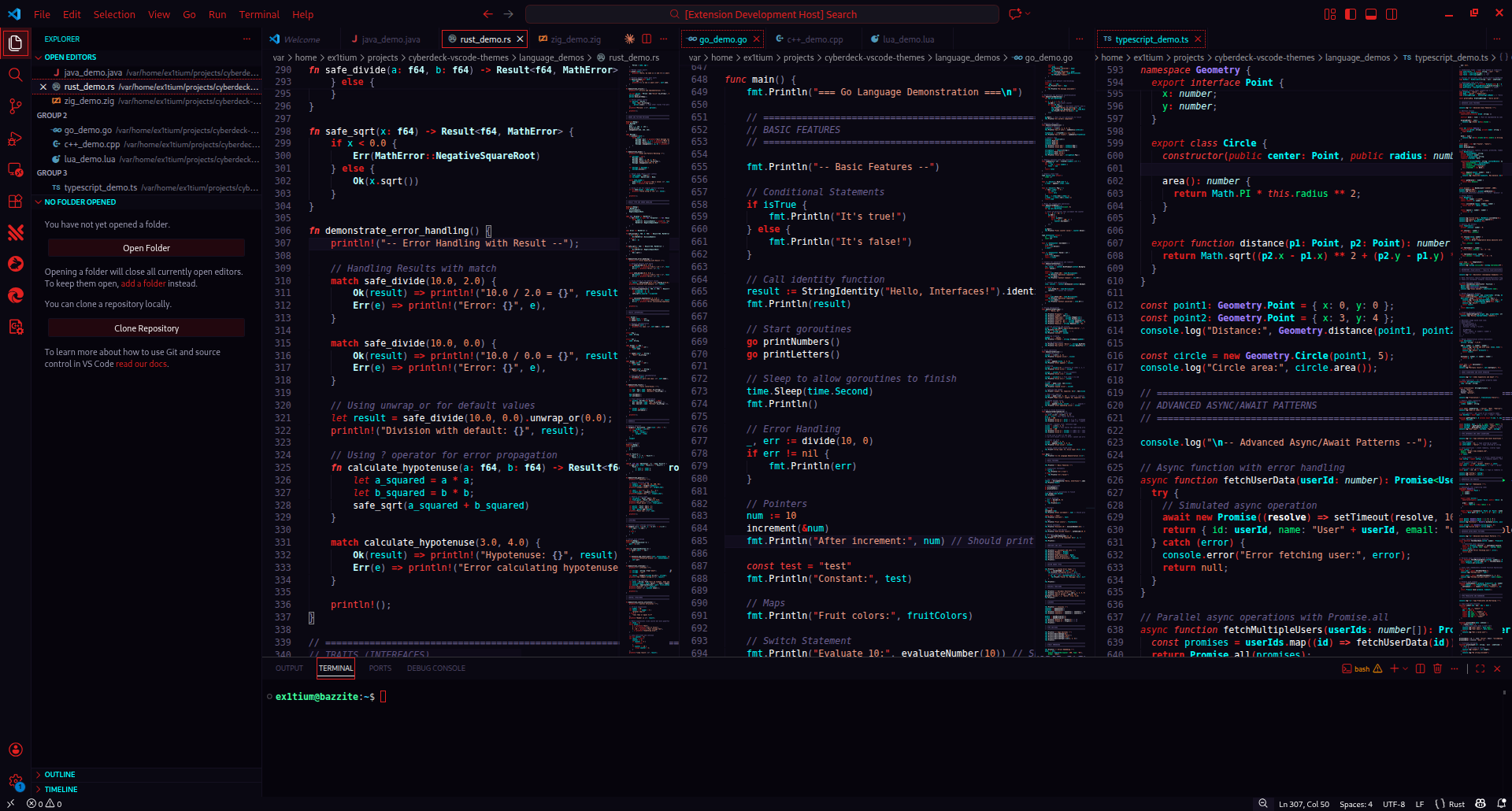
Cyberdeck Akira

Neo-Tokyo 2019 with Akira red, pure neon cyan, and psychic green on blue-black. Full neon pop inspired by the legendary anime film.

Cyberdeck Akira Theme

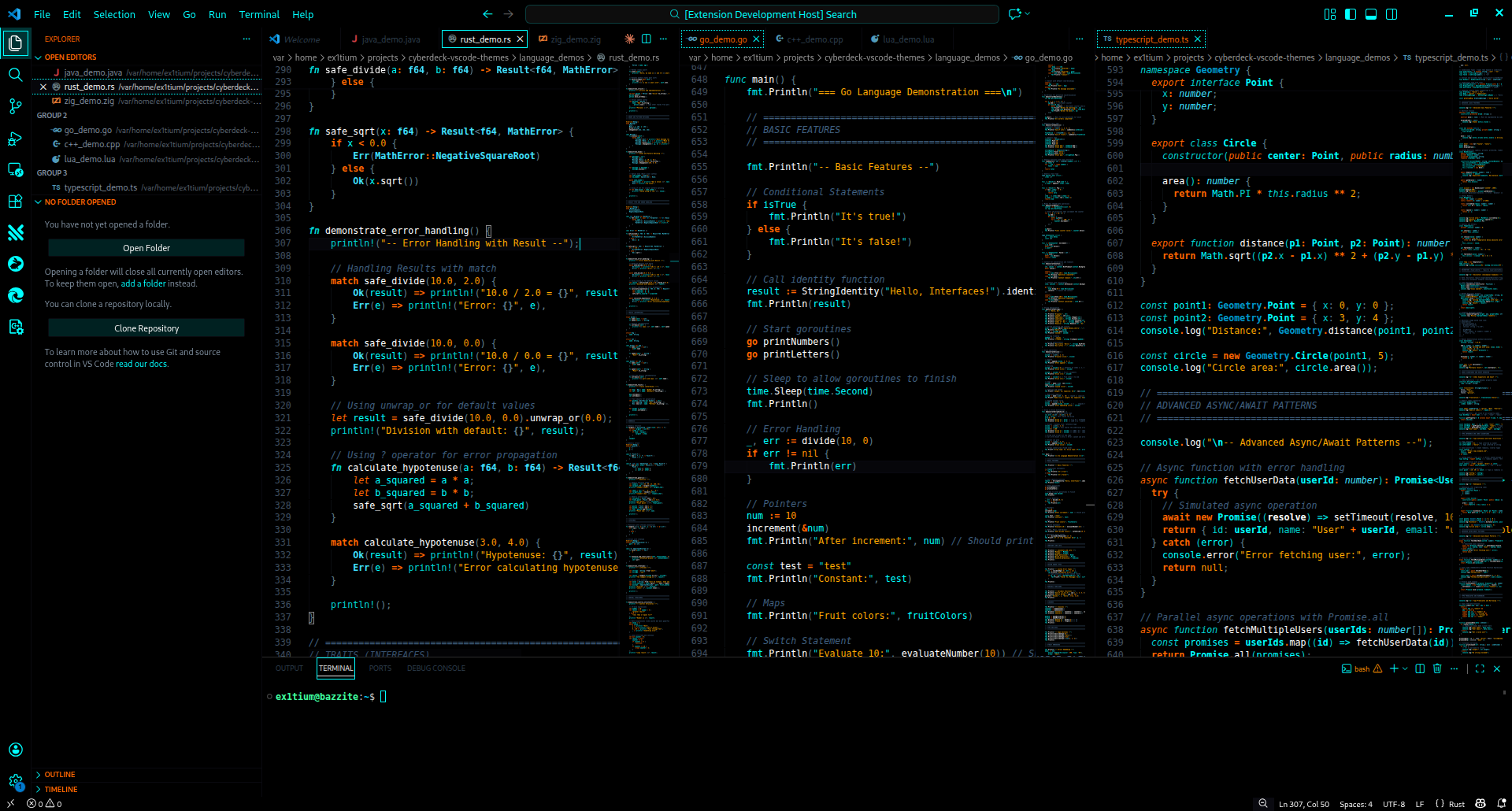
Cyberdeck Tron

True OLED black void with program cyan and CLU orange. Minimalist digital grid aesthetic from Tron Legacy.

Cyberdeck Tron Theme

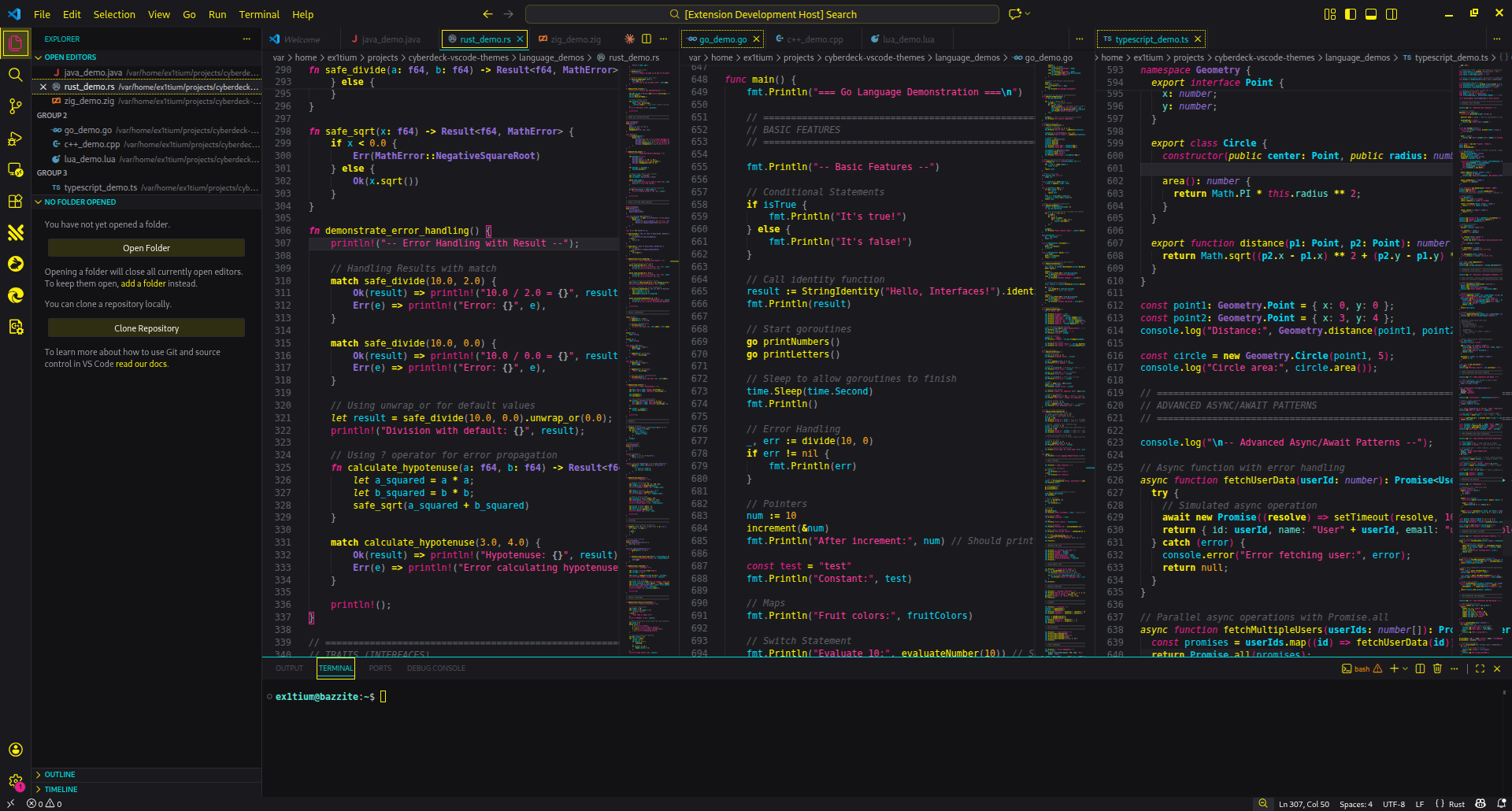
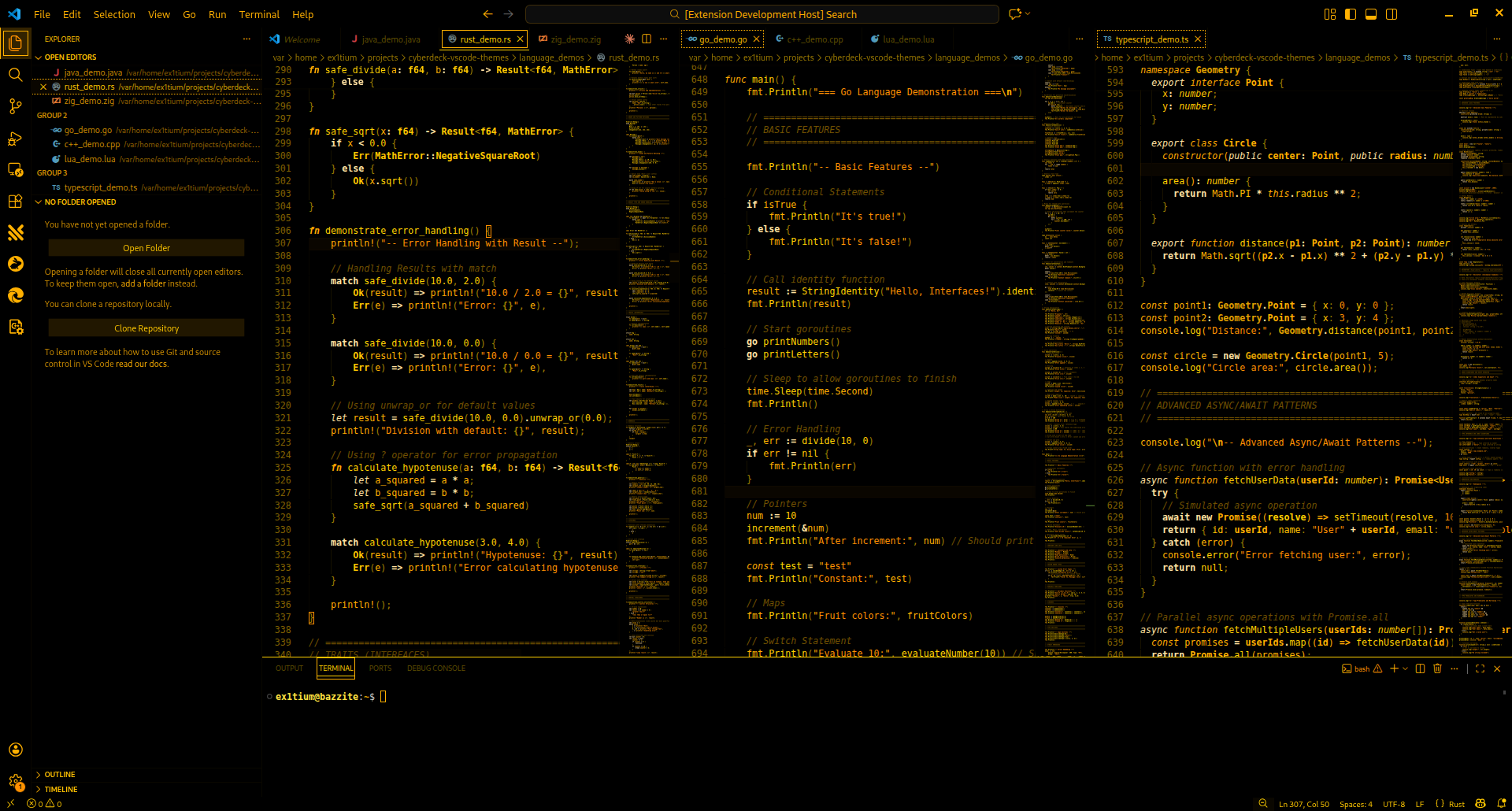
Cyberdeck Monochrome Amber

Classic amber CRT terminal aesthetic. Warm phosphor glow on deep black for vintage computing nostalgia.

Cyberdeck Monochrome Amber Theme

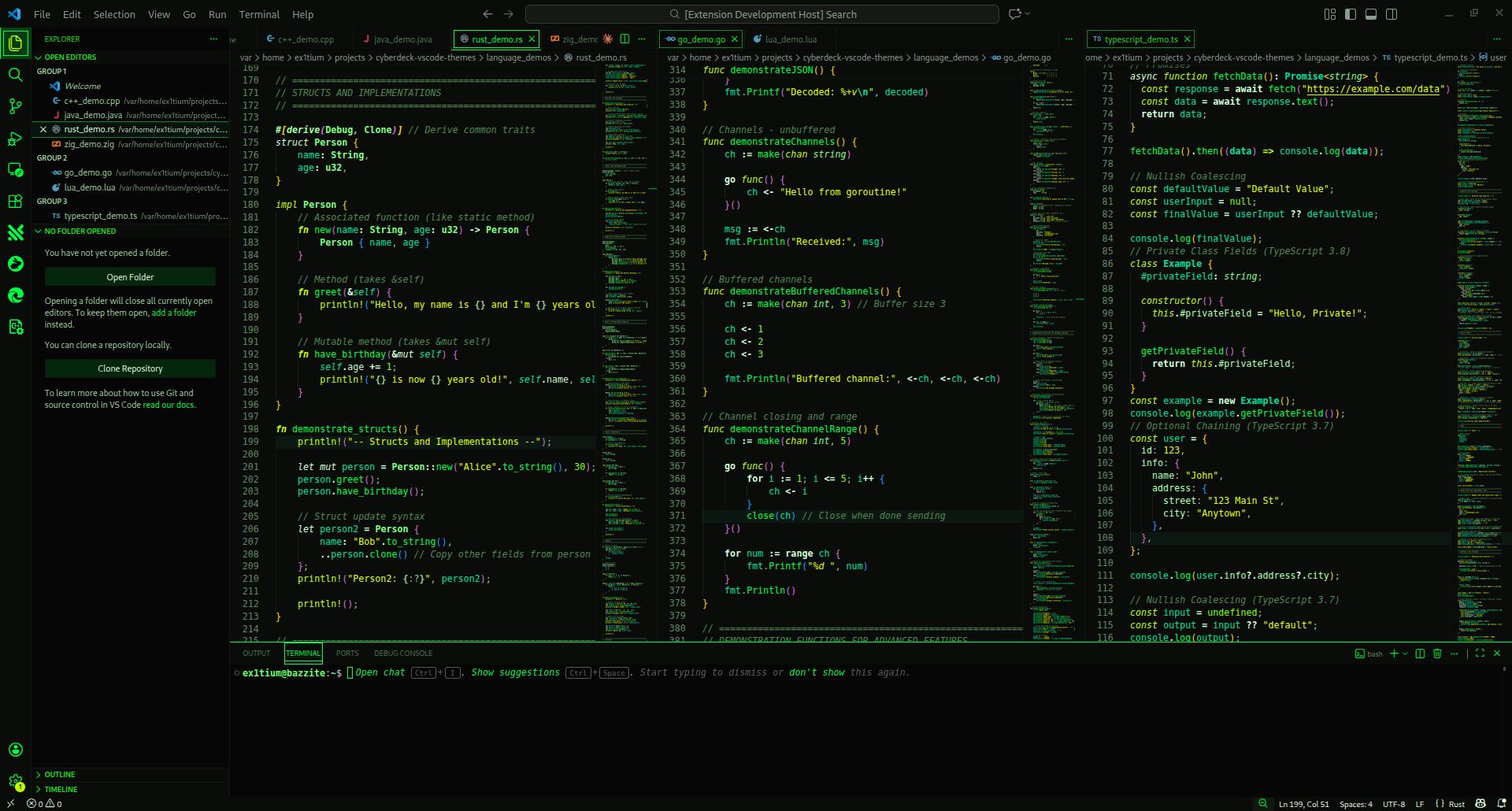
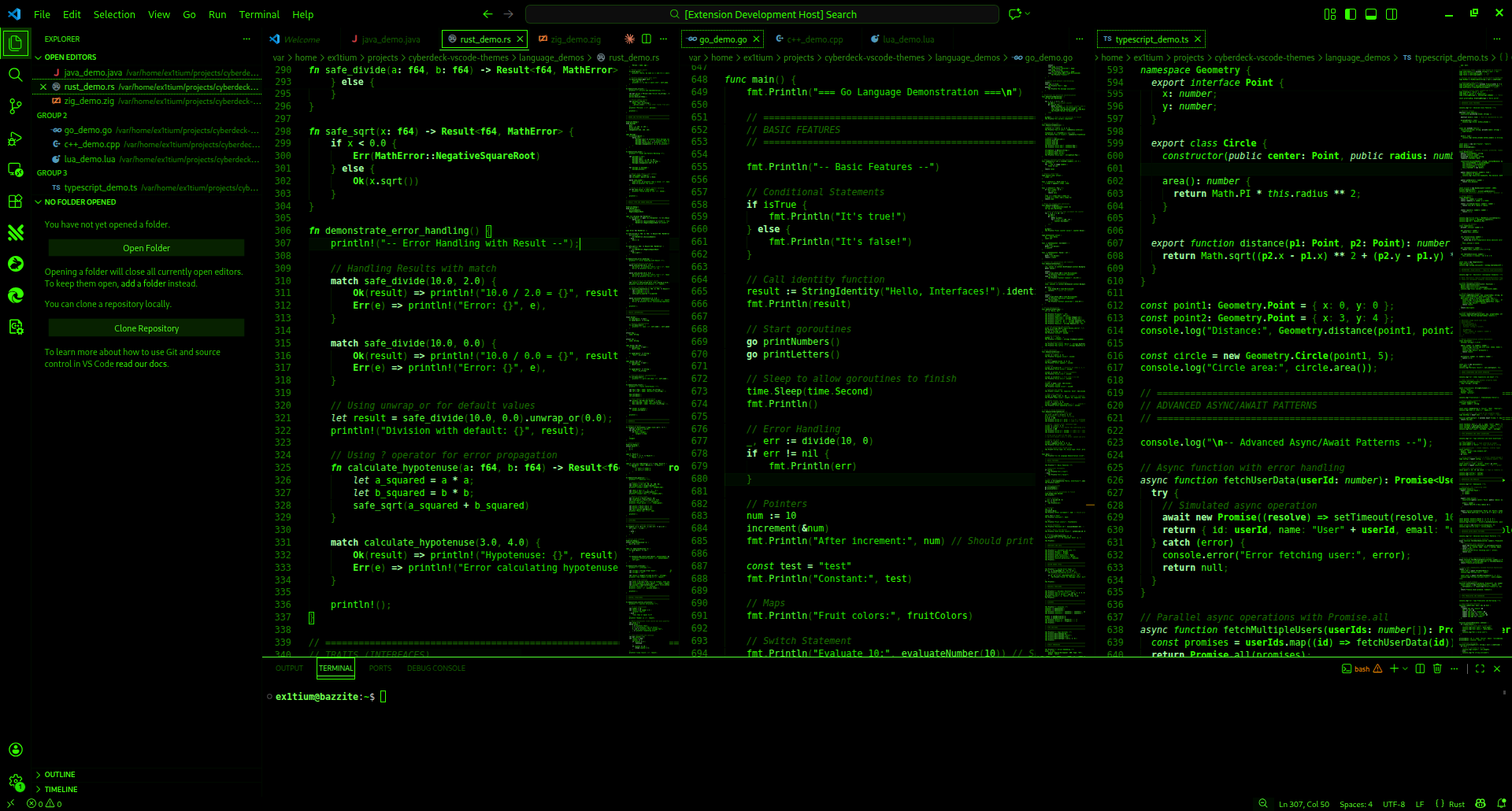
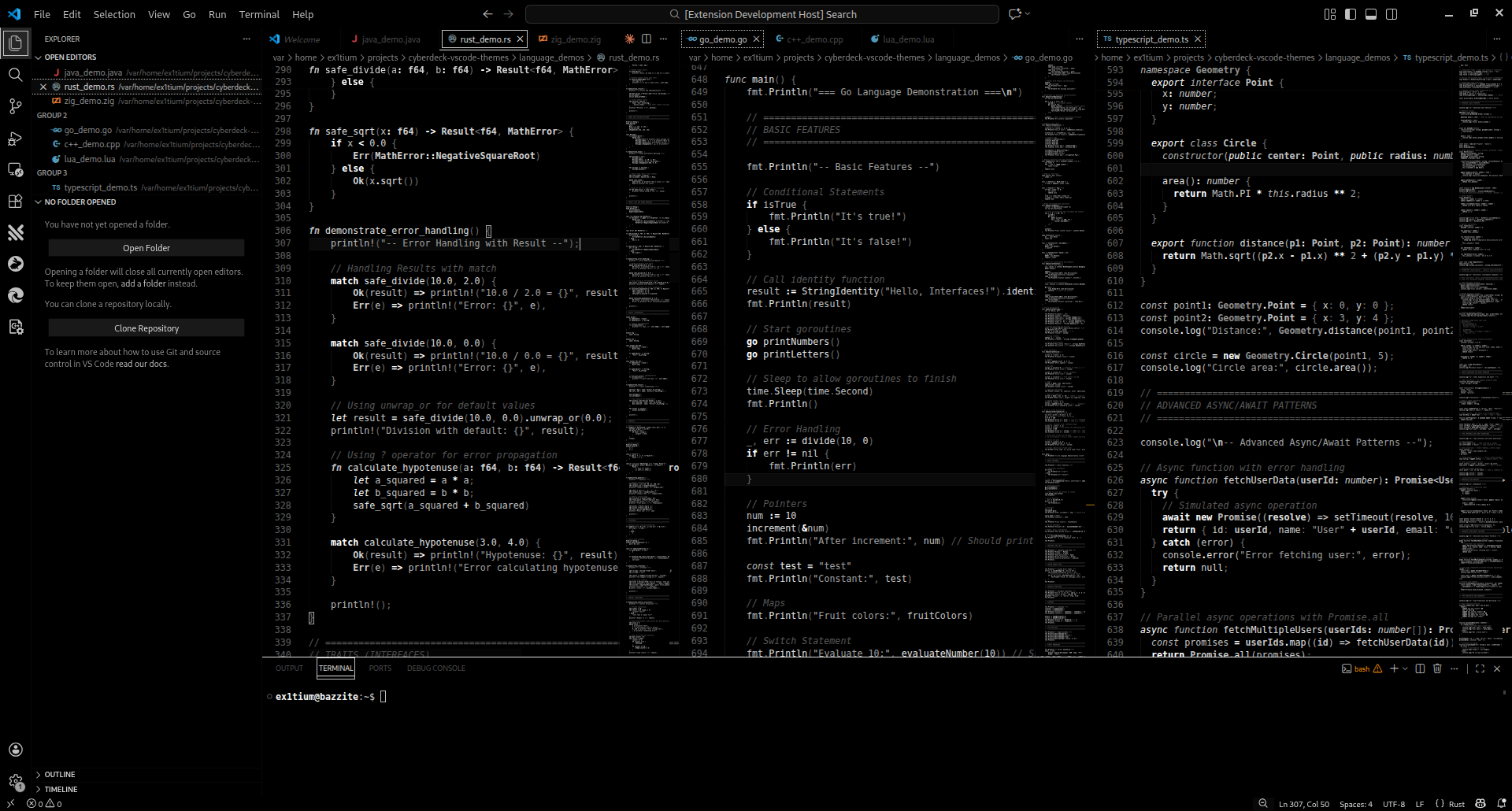
Cyberdeck Monochrome Green

Classic green phosphor CRT terminal. The original hacker aesthetic.

Cyberdeck Monochrome Green Theme

Cyberdeck Monochrome White

Clean white-on-black terminal aesthetic. High contrast monochrome for focused coding sessions.

Cyberdeck Monochrome White Theme

Light Themes

Cyberdeck Fami (Light)

Warm cream backgrounds with wine red and controller gold accents inspired by the Famicom. A retro 80s console aesthetic for those who prefer light themes.

Cyberdeck Fami Theme

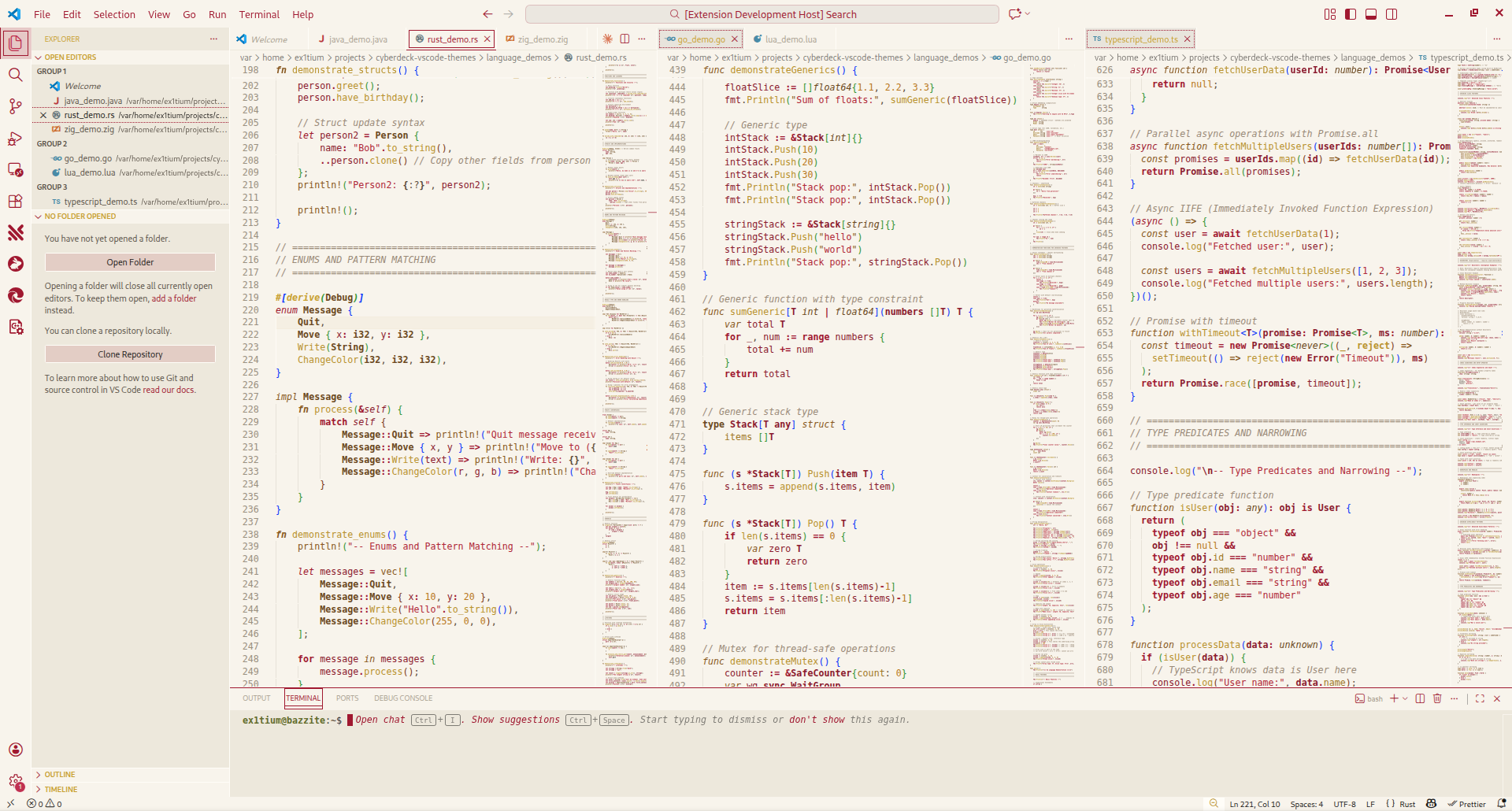
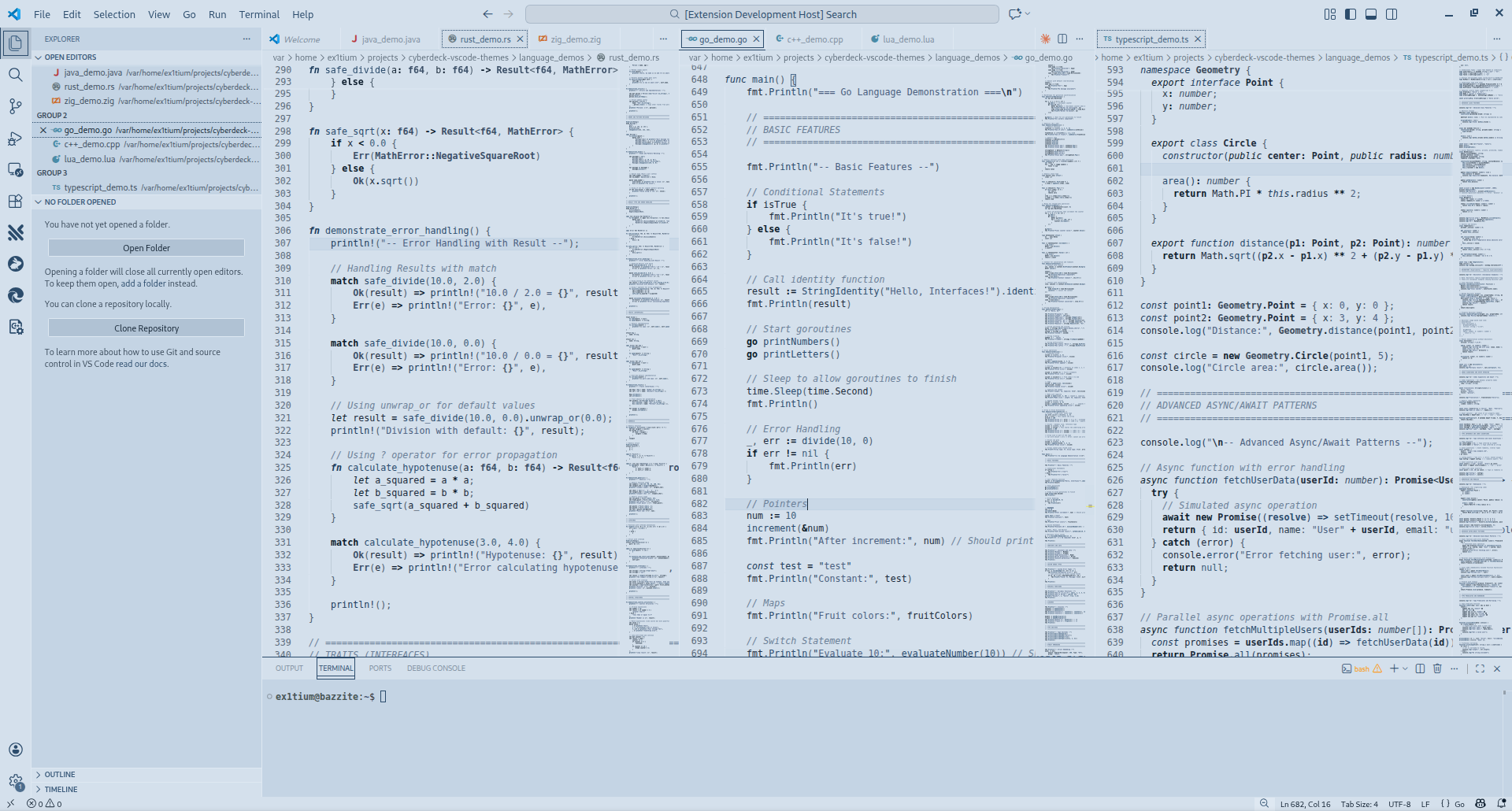
Cyberdeck Monochrome P7 (Light)

Vintage P7 phosphor monochrome CRT inspired light theme.

Cyberdeck Monochrome P7 Theme


✨ Features

Cyberpunk Aesthetic

  • Deep immersive backgrounds for reduced eye strain
  • Vibrant neon accents that pop without overwhelming
  • High contrast color schemes optimized for readability
  • Consistent visual language across editor, UI, and terminal

Modern Highlighting System

  • Semantic Highlighting: Context-aware intelligent coloring using language servers
  • TextMate Grammar: Comprehensive fallback for non LSP environments

💎 First-Class Language Support

Language Features
TypeScript/JavaScript Types, interfaces, enums, decorators, JSX/TSX
Rust Lifetimes, macros, traits, ownership keywords
Go Goroutines, channels, interfaces, structs
Python Decorators, magic methods, type hints
Java Annotations, generics, lambdas
Zig Comptime, error handling, builtins
Lua Complete language feature coverage

Additional Features

  • 30+ Languages: C/C++, C#, PHP, Ruby, HTML/CSS, JSON, Markdown, and more
  • Git Integration: Clear visual indicators for changes
  • Terminal Colors: Custom ANSI palette matching each variant
  • Bracket Pairs: Styled bracket pair colorization
  • Inline Hints: Themed parameter hints and type annotations
  • Modern UI: Support for Command Center, Chat, Sticky Scroll

🚀 Installation

From VS Code Marketplace

  1. Open Extensions sidebar (Ctrl+Shift+X / Cmd+Shift+X)
  2. Search for "Cyberdeck"
  3. Click Install
  4. Select your variant:
    • Open Command Palette (Ctrl+Shift+P / Cmd+Shift+P)
    • Type "Color Theme"
    • Choose from: Cyberdeck, Cyberdeck Midnight, Cyberdeck Sunset, Cyberdeck Trix, Cyberdeck Vapor, Cyberdeck Chrome, Cyberdeck Sakura, Cyberdeck Dynasty, Cyberdeck Arcade, Cyberdeck 2077, Cyberdeck Salvage, Cyberdeck EVA-01, Cyberdeck Deus Ex, Cyberdeck Akira, Cyberdeck Tron, Cyberdeck Monochrome Amber/Green/White, Cyberdeck Fami (light), or Cyberdeck Monochrome P7 (light)

From VSIX File

code --install-extension cyberdeck-1.0.0.vsix

Manual Installation

  1. Download the latest release from GitHub Releases
  2. Extract to your VS Code extensions folder:
    • Windows: %USERPROFILE%\.vscode\extensions
    • macOS/Linux: ~/.vscode/extensions
  3. Reload VS Code

⚙️ Recommended Settings

{
  // Enable semantic highlighting
  "editor.semanticHighlighting.enabled": true,

  // Enable bracket pair colorization
  "editor.bracketPairColorization.enabled": true,
  "editor.guides.bracketPairs": "active",

  // Font recommendations
  "editor.fontFamily": "'Fira Code', 'JetBrains Mono', 'Cascadia Code', monospace",
  "editor.fontLigatures": true,
  "editor.fontSize": 14,
  "editor.lineHeight": 1.6
}

Recommended Fonts

  • Fira Code
  • JetBrains Mono
  • Cascadia Code

🔧 Customization

Override colors for any variant in your VS Code settings:

{
  "workbench.colorCustomizations": {
    "[Cyberdeck]": {
      "editor.background": "#0f0a15"
    },
    "[Cyberdeck Sunset]": {
      "editor.background": "#150810"
    },
    "[Cyberdeck Trix]": {
      "editor.background": "#080a08"
    }
  }
}

For syntax highlighting overrides:

{
  "editor.tokenColorCustomizations": {
    "[Cyberdeck]": {
      "comments": "#8a9ba8",
      "keywords": "#ff6b9d"
    }
  }
}

Use "Developer: Inspect Editor Tokens and Scopes" from the Command Palette to find token scopes.


🛠️ Contributing

Building from Source

# Install dependencies
npm install

# Build theme files
npm run build

# Watch for changes during development
npm run watch

Creating New Variants

  1. Create a new palette in src/palettes/ (copy an existing one as template)
  2. Add the palette to src/build.js
  3. Register the theme in package.json under contributes.themes
  4. Run npm run build

📝 License

MIT License


🔗 Links

  • GitHub Repository
  • VS Code Marketplace
  • Issue Tracker
  • Changelog

Install Now | View Source | Report Issue

Made with 💜 for code cowboys everywhere.

  • Contact us
  • Jobs
  • Privacy
  • Manage cookies
  • Terms of use
  • Trademarks
© 2026 Microsoft