Claude studies the PR and draws a map of its changes in the order the code runs. Then you talk:
it explains one short step at a time while it drives the editor (native diffs on your real files,
highlighted lines, references in a peek), and reads its replies aloud. Press Next when a step is
clear; Talkthrough remembers what is explained and what is ok, and marks finished files as Viewed on
GitHub.
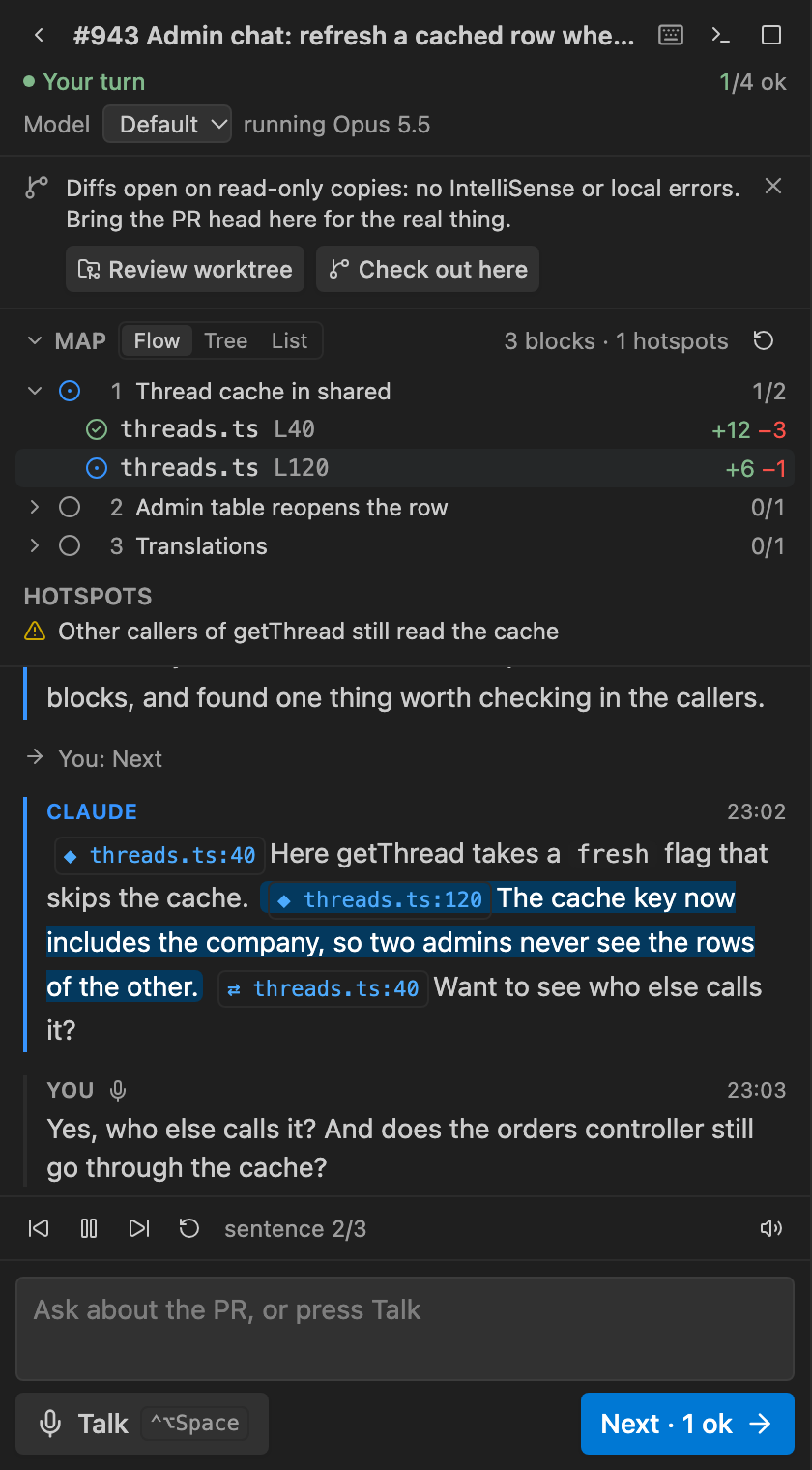
🗣️ A conversation, not a tour
- Short turns: one to three sentences, then it's your turn. Ask anything ("who else calls this?",
"is this tested?"), by voice or text.
- Voice in: Claude Code's own dictation. Talk starts it, Send stops and sends, and what
Claude hears shows live in the box.
- Voice out: replies are read sentence by sentence. Pause, skip, replay, or click any sentence to
read from there.
- Stage cues: a reply carries
[[show path#L10-20]], [[open path#L5]] or
[[refs path#L40 symbol]] right before the words they illustrate: the editor changes when the voice
gets there. They stay in the chat as chips you can click again.
🗺️ A map, and a memory
- Flow, Tree or List: Claude's blocks in the order the code runs, or the files by folder.
- Hotspots: related problems worth exploring, found while preparing (callers not updated, missing
guards or tests), each with its evidence.
- Every hunk is todo, explained or ok. A shown hunk is explained; Next marks this step's hunks ok.
Files with every hunk ok become Viewed on GitHub.
📋 Every review, kept
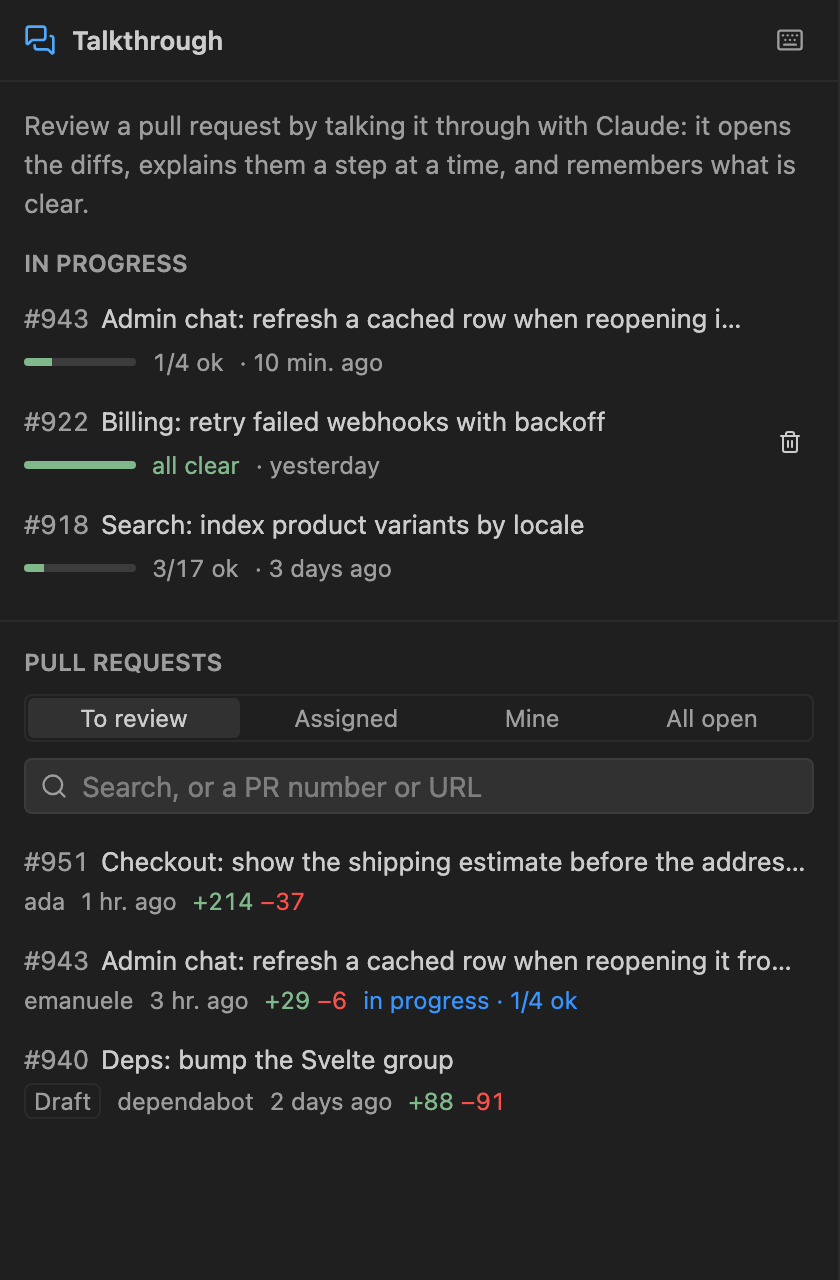
- Reviews in progress stay listed with their progress and last activity, each with its own Claude
session: open one, even days later, in another window or worktree, and Claude remembers it.
- Pull requests from GitHub's own lists: review requested from you, assigned, yours, all open, with
search. A number or URL works too.
🔁 New commits? Review only what changed
The panel notices new commits on the PR (on focus, and every few minutes). Update keeps the state
of every hunk whose change is the same, gathers the new or changed ones in a block What changed since
your review at the top of the map, and Claude, in the same session, explains only those.
🔍 The real files, with IntelliSense
When the checkout isn't at the PR head, diffs open on read-only copies. One click fixes it:
- Review worktree: a worktree at the PR head (
.claude/worktrees/pr-<n>, kept out of git status),
opened in a new window where the review goes on. talkthrough.worktreeSetup runs a setup command
there, such as pnpm install.
- Check out here:
gh pr checkout, after asking, when nothing is uncommitted.
⏳ Preparing
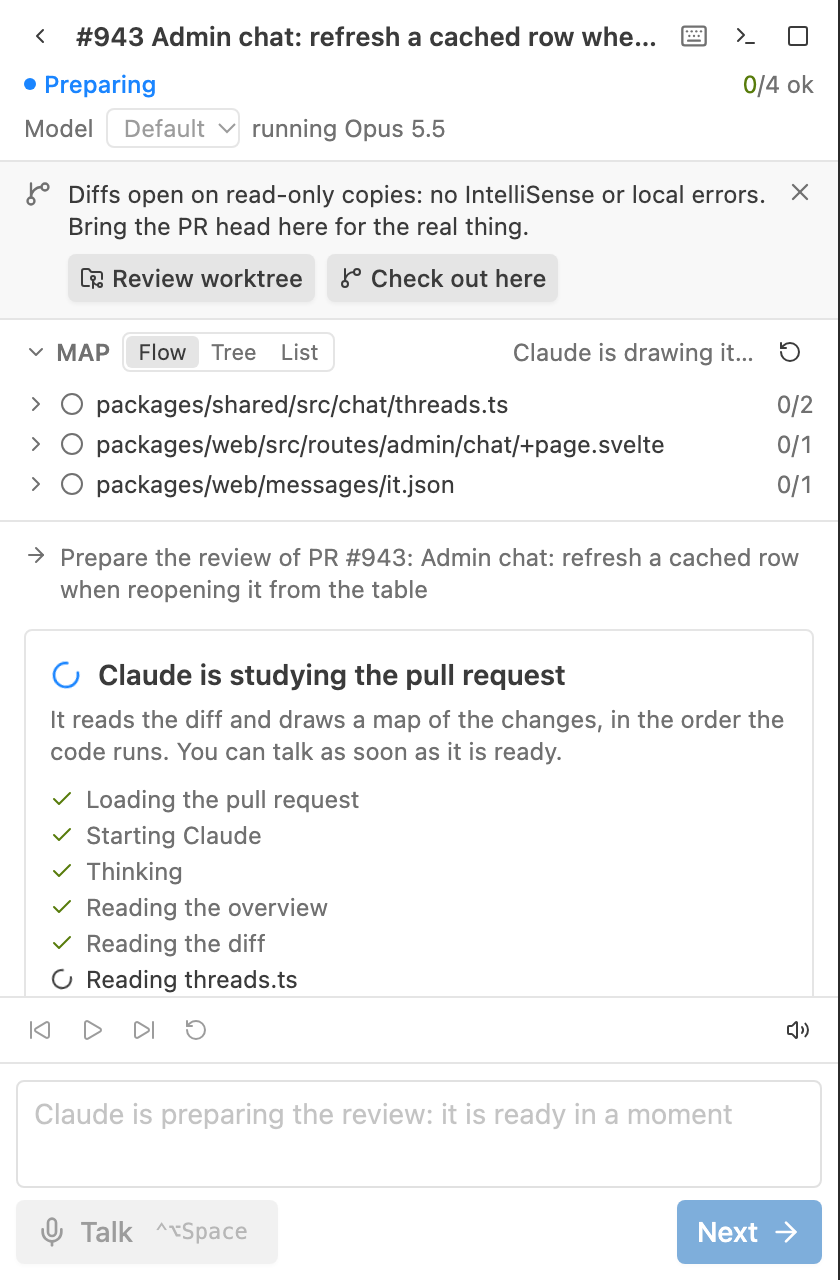
Claude reads the PR before the first word: the panel shows each step, and input waits for the map.
Requirements
- macOS for the voice (
say); typing works anywhere Python runs.
- Claude Code (
claude), signed in with a claude.ai account: dictation needs one.
- GitHub CLI (
gh), signed in. With several accounts, the one that can read the repository is used.
- Python 3 (it runs Claude's terminal).
The start screen checks all of it and types the command that fixes what is missing.
Use
Talkthrough in the secondary side bar (or Talkthrough: Start PR Review), then pick a pull
request. Claude's session is a normal Claude Code session, named Talkthrough · PR #<n>: <title>:
Show Claude's terminal opens it, claude --resume finds it later.
| Key |
Action |
Ctrl+Alt+Space |
Talk, then send what you said |
Ctrl+Alt+→ |
Next: this step is clear |
Ctrl+Alt+P |
Pause or resume the voice |
Ctrl+Alt+R |
Replay Claude's last reply |
| Setting |
What |
talkthrough.language |
Claude's replies and dictation, such as italian. Empty: VS Code's language |
talkthrough.model |
The model: fable, opus, sonnet, haiku, or empty for your default |
talkthrough.effort |
Claude's effort for the session: low to max, or empty for your default |
talkthrough.speech.* |
Voice on or off, its voice and rate |
talkthrough.syncViewed |
Mark finished files as Viewed on GitHub |
talkthrough.worktreeSetup |
A command run in a new review worktree, such as pnpm install |
talkthrough.claudePath |
The Claude Code CLI to run |
talkthrough.disabledPlugins |
Claude Code plugins turned off in the session |
Read-only: the session runs with --permission-mode dontAsk and an allowlist (read, search,
git log/show/diff, the stage's tools); edits are denied. Nothing is posted to GitHub but the Viewed
marks.
How it works
Chat (webview, Svelte) ⇄ extension host ⇄ claude (your CLI, interactive, in a pseudo-terminal)
 text + voice player       ├ say, sentence by sentence      hooks → POST /hook/* (curl)
 Talk · Next · Send        ├ MCP server /mcp  ◄─────────── tools: pr_overview, pr_diff, set_map…
                           └ VS Code: diffs, highlights, references
Claude Code runs interactively in a pseudo-terminal the extension types into, so its own dictation
works; what it says comes back through its hooks, and the stage's tools are a local MCP server.
Details in AGENTS.md.
License
MIT
| |