
Yandex Music PlayerListen to Yandex Music in VS Code: My Vibe, Liked, playlists and search. Installation Launch VS Code Quick Open ( Ctrl+P), paste the following command, and press enter.Copied to clipboard |

Yandex Music for VS CodeListen to Yandex Music without leaving the editor: My Vibe, your liked tracks, playlists and search. 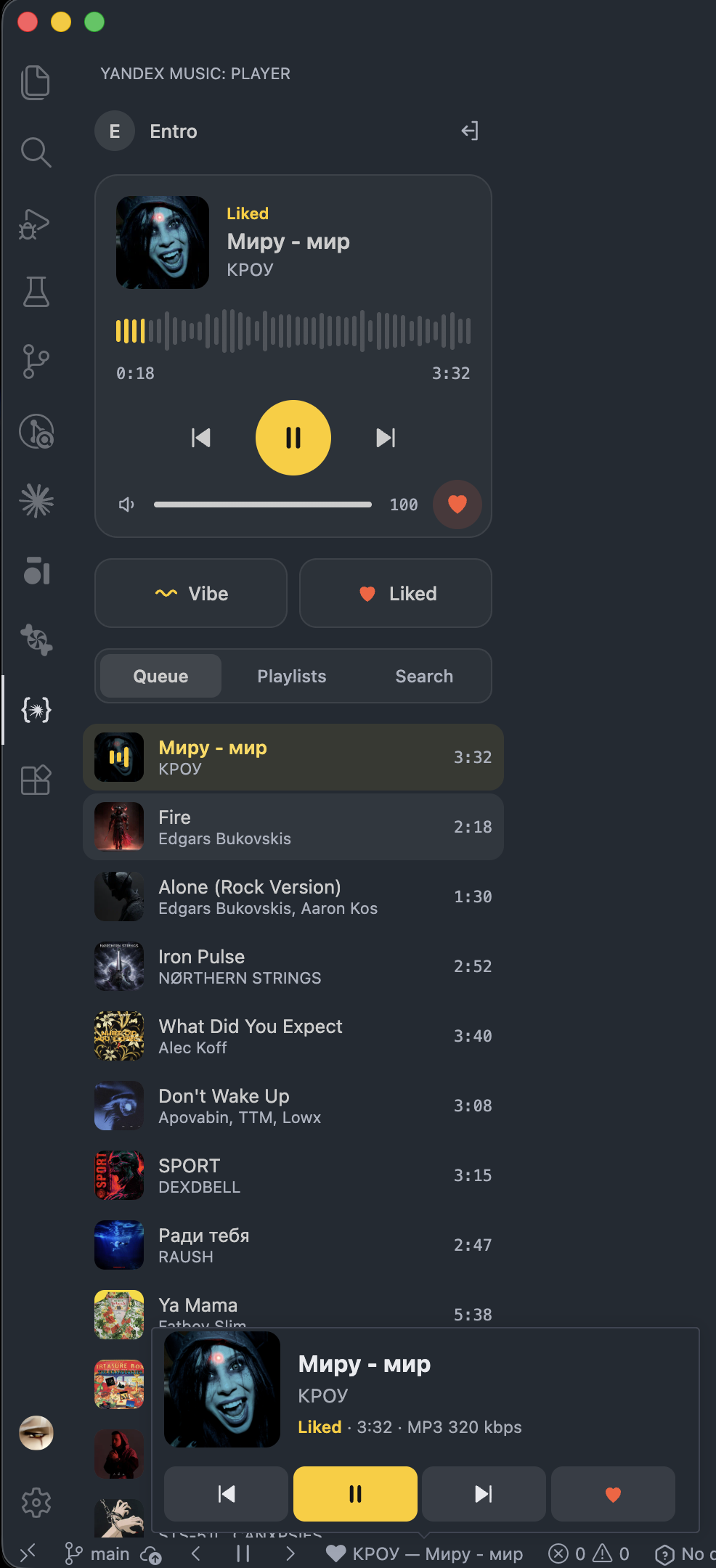
InstallInstall Yandex Music Player from the Visual Studio Marketplace, or search for it in the Extensions view, or run: Builds are also attached to GitHub releases
as Controls
Every action is also available from the Command Palette under the Yandex Music category. Signing inRun Yandex Music: Sign In from the Command Palette.
The browser sign-in uses the same OAuth client as the Yandex Music desktop app and asks only for music and basic account access. The token is kept in VS Code SecretStorage, which is backed by the system keychain. Full tracks need a Yandex Plus subscription; without it Yandex serves 30-second previews. Tracks stream as MP3 at up to 320 kbps, and the mini player shows the current codec and bitrate. Several VS Code windowsMusic plays in one window at a time; the others act as remote controls and show the same track, queue and progress. A command that starts playback moves the audio to the window it came from once you have clicked inside that window's player panel — the webview is only allowed to play sound after a click inside it. If the window that plays music closes, another one picks up from the same track and position. Settings
Source code, issues and building instructions are on GitHub; see DEVELOPMENT.md for building and testing. DisclaimerThis is an unofficial client and is not affiliated with Yandex. It uses the same undocumented API as the official apps, which may change at any time. |