Fang - Vyper Language Support



 Fang is a comprehensive VS Code extension for Vyper smart contract development. It combines the best of both worlds by integrating Language Server Protocol (LSP) support with the robust syntax highlighting and code analysis features from the original vscode-vyper extension.
About
Fang is built by combining:
- vyper-lsp - Official Vyper Language Server Protocol implementation for advanced IDE features
- vscode-vyper - Original Vyper extension codebase (forked) providing syntax highlighting, decorations, and hover information
Installation
ext install enochakinbode.fang
Marketplace: https://marketplace.visualstudio.com/items?itemName=enochakinbode.fang
Language Server Setup
Fang manages vyper-lsp for you. You do not need to run pip install vyper-lsp.
Requirements:
- Python
3.12 or newer must be installed on your machine.
- Internet access is required the first time Fang prepares the language server.
Open a .vy or .vyi file and approve the first-run prompt. Fang will create a private environment in VS Code extension storage, install the pinned language server, and reuse it on later launches.
Preview
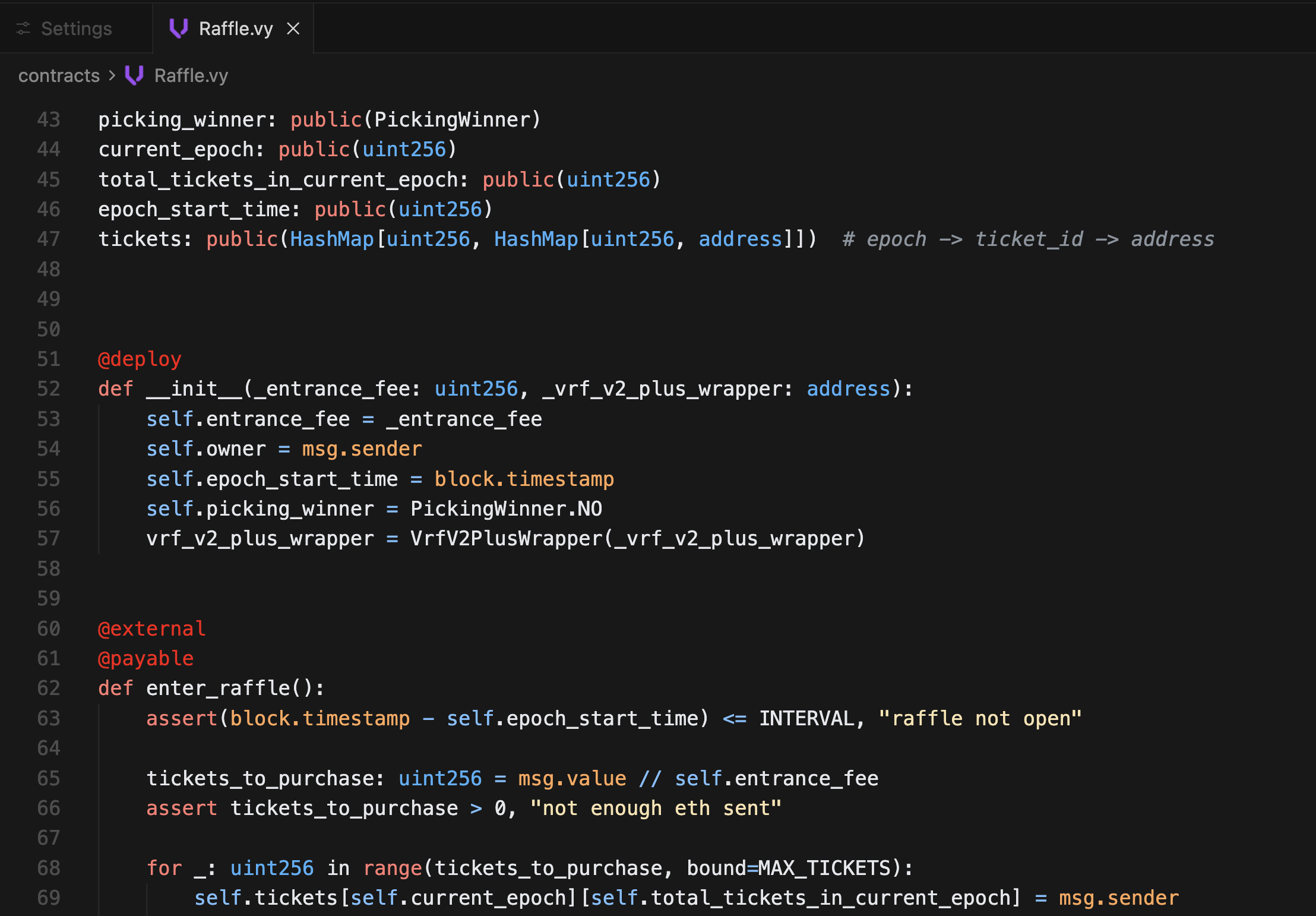
Pythonic Vyper Theme
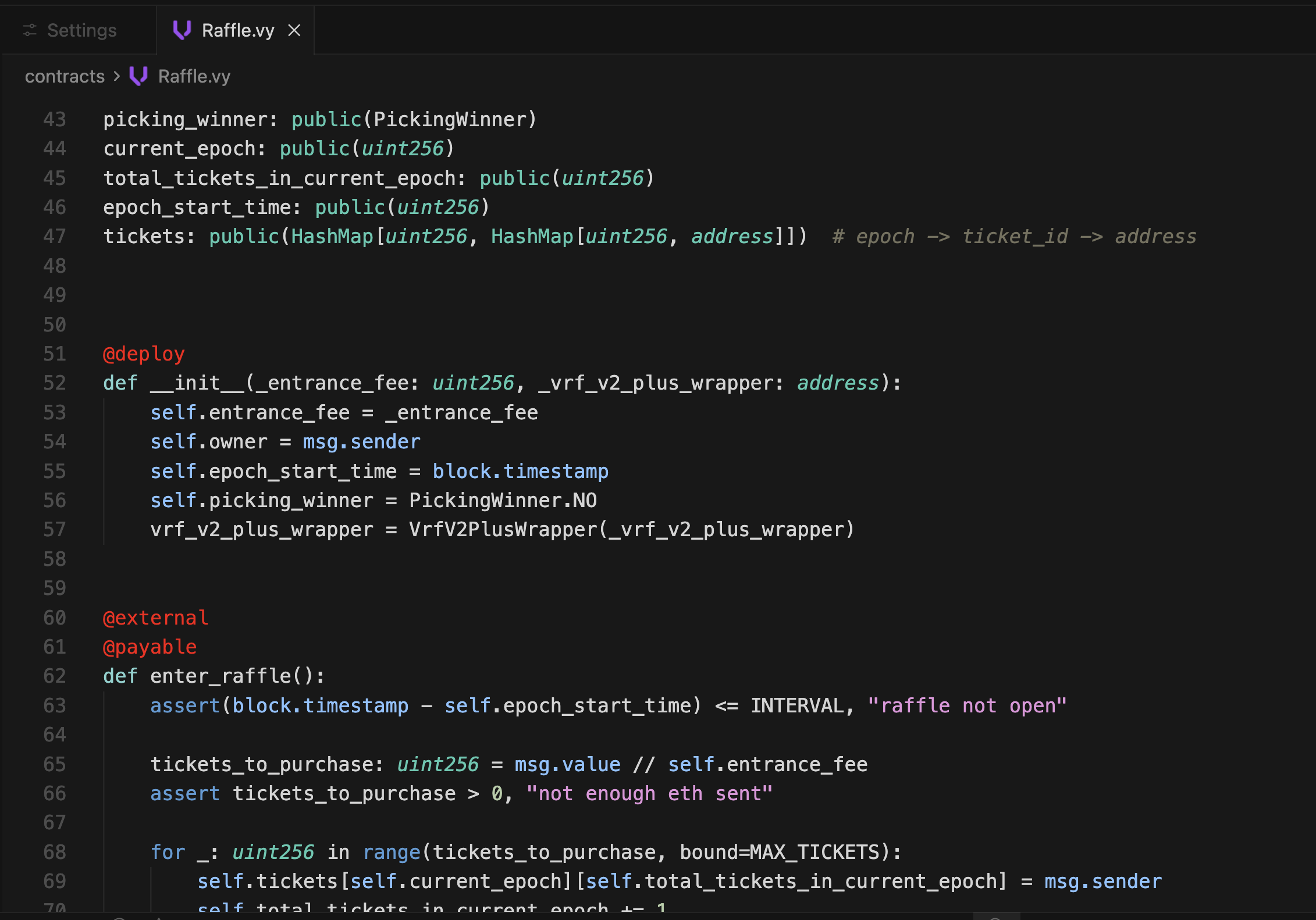
Vyper Theme
Security Decorators (On/Off)
| On |
Off |
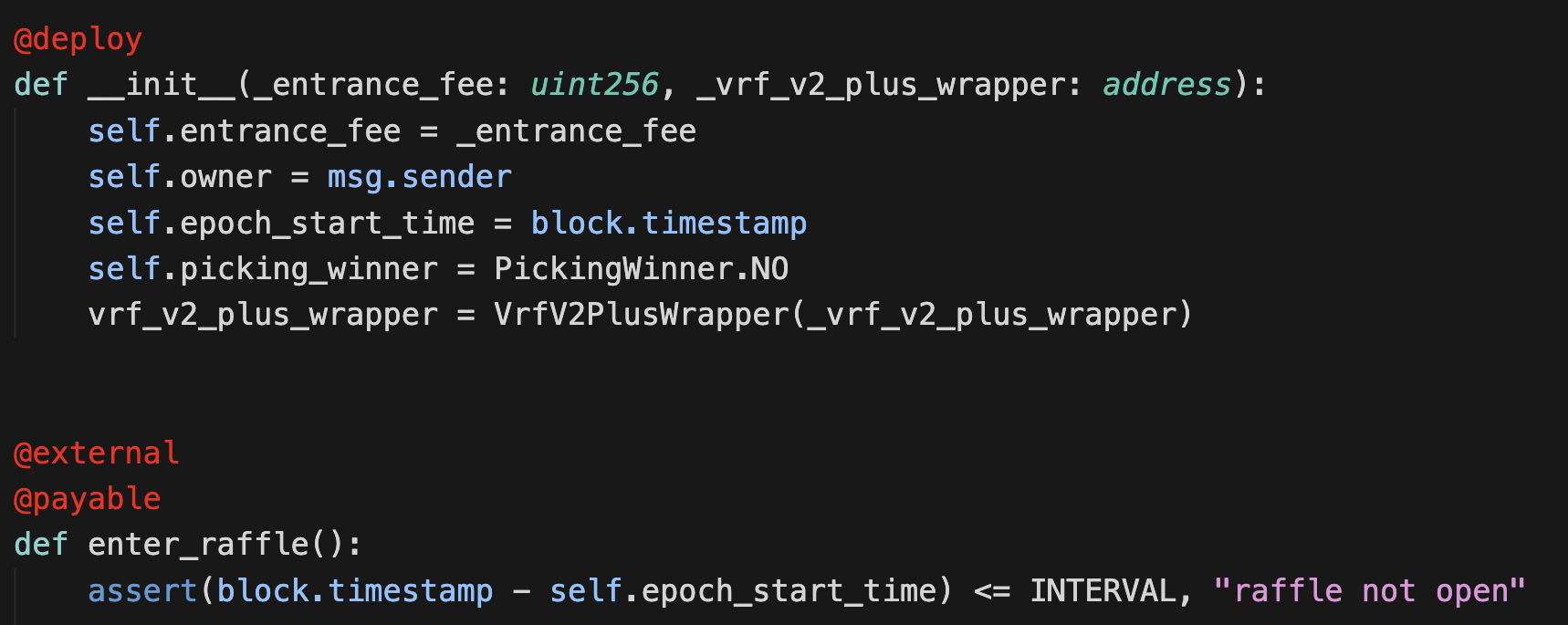 |
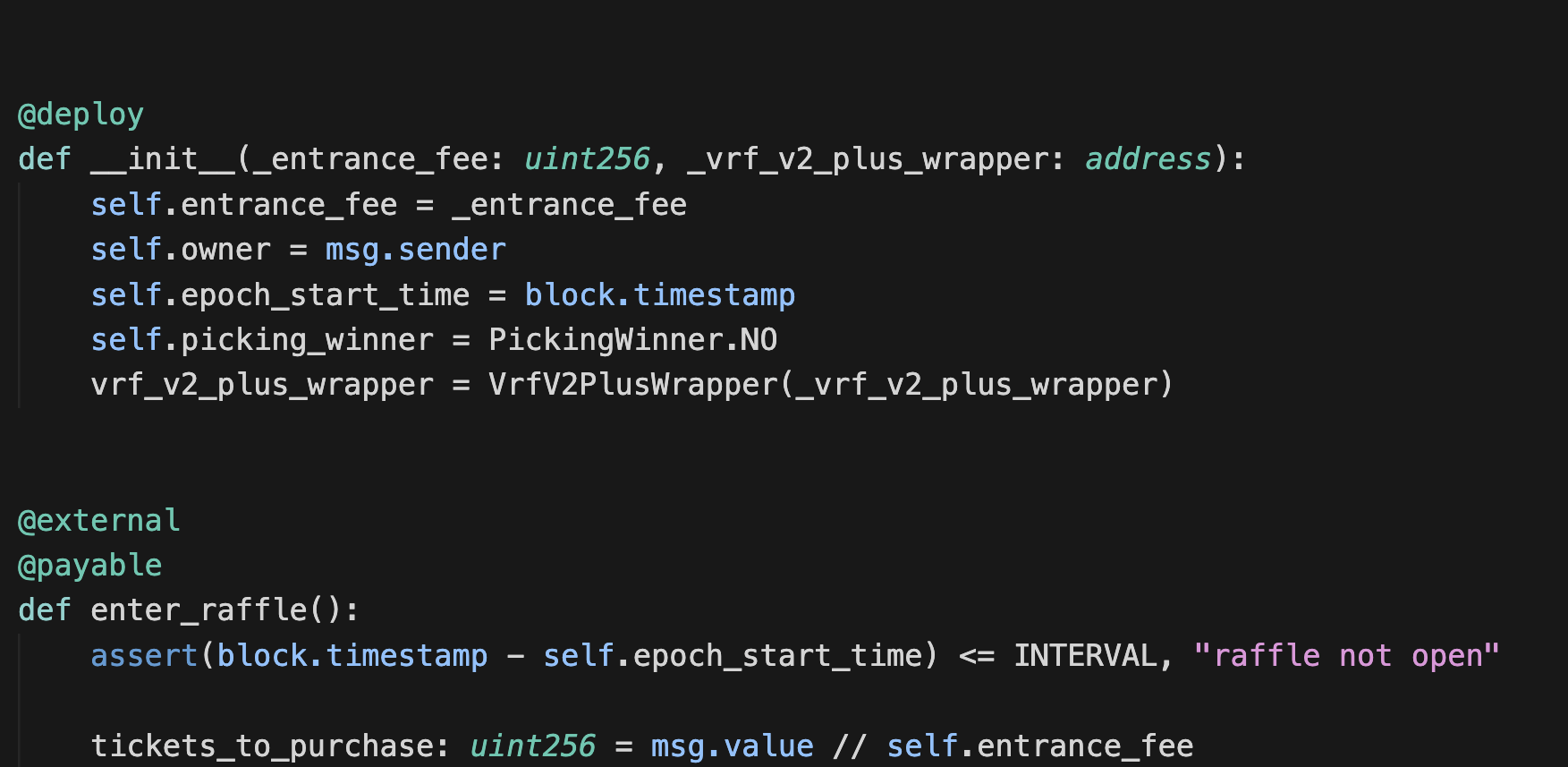 |
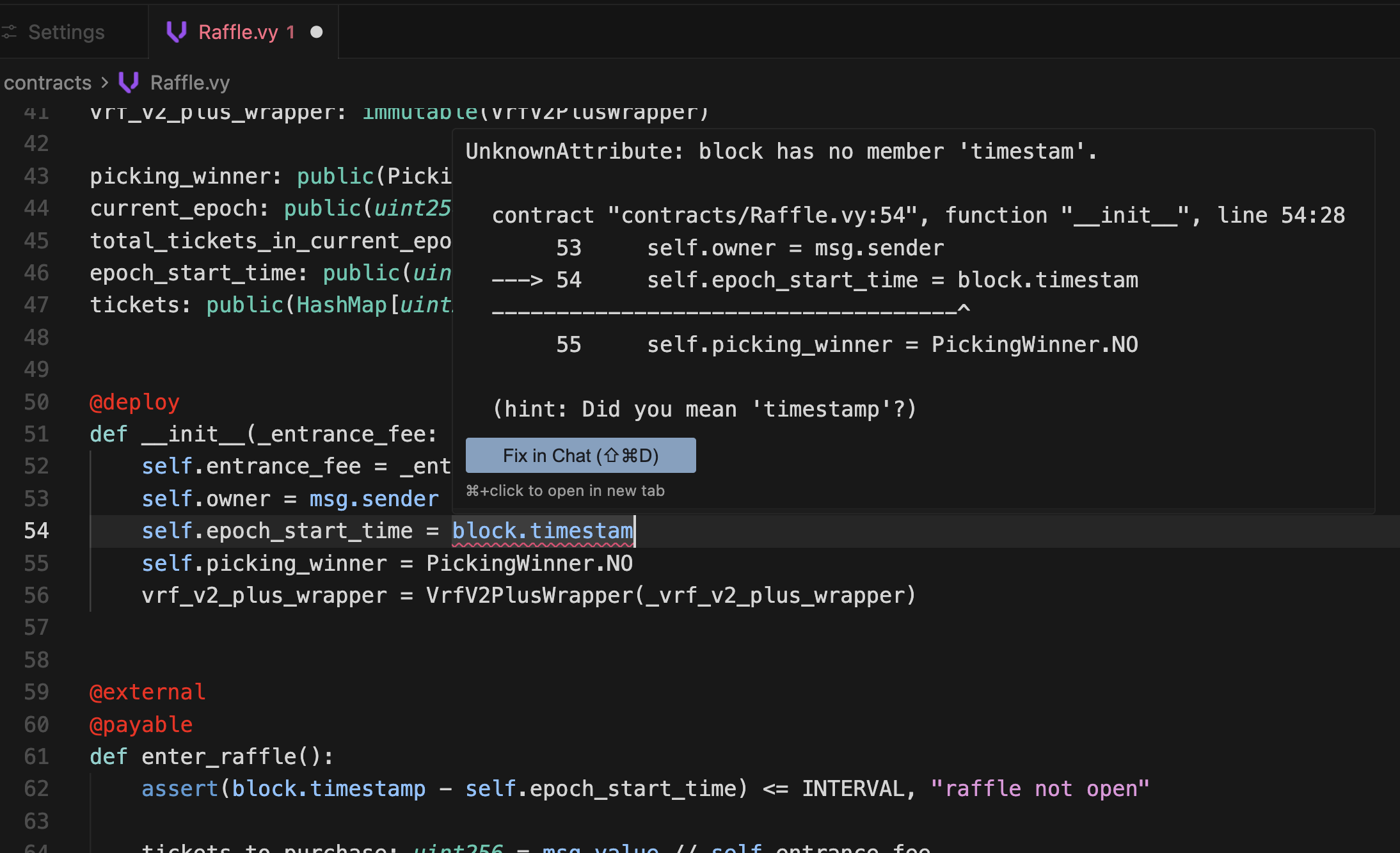
Diagnostics
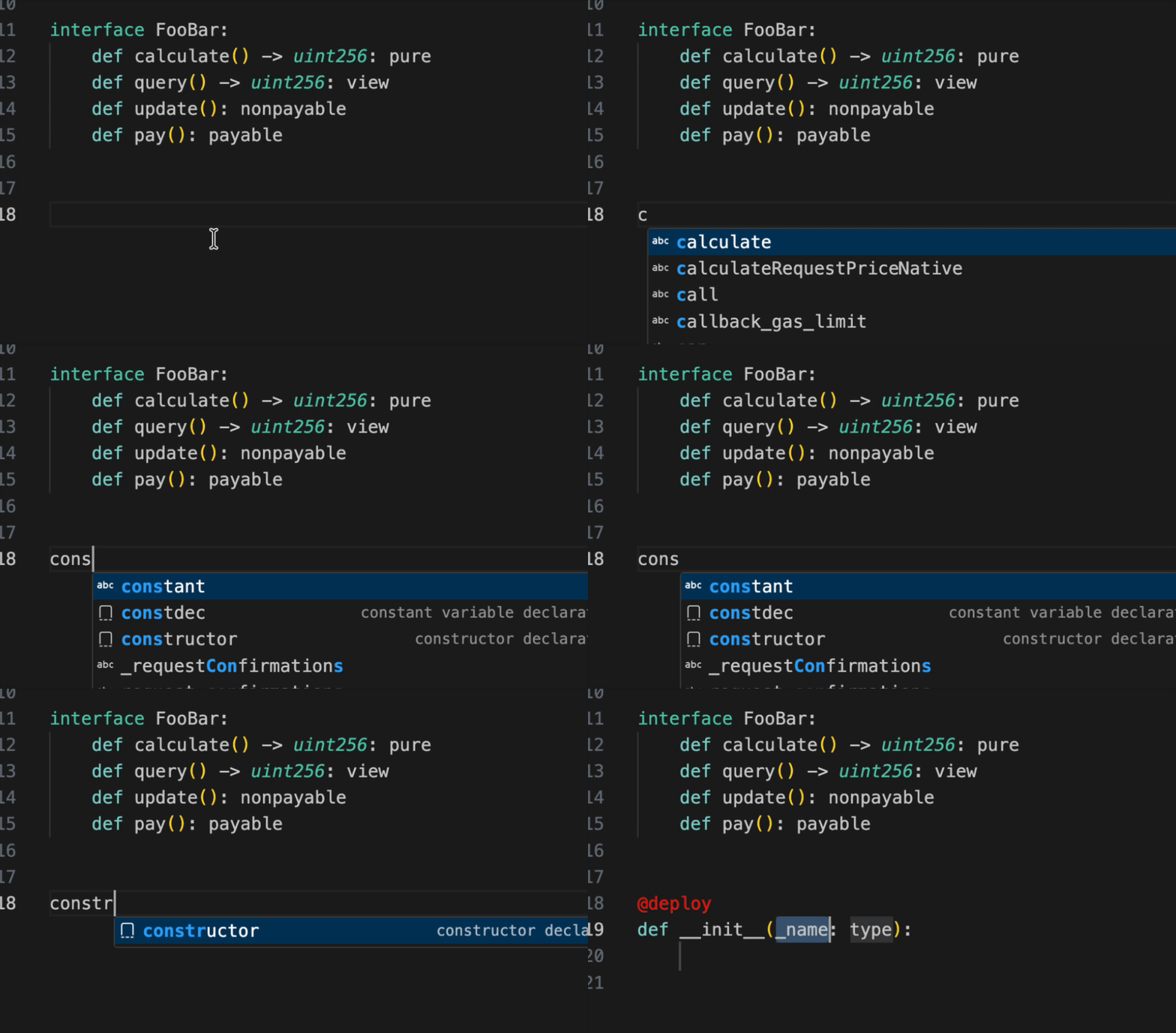
Snippets Demo
Settings
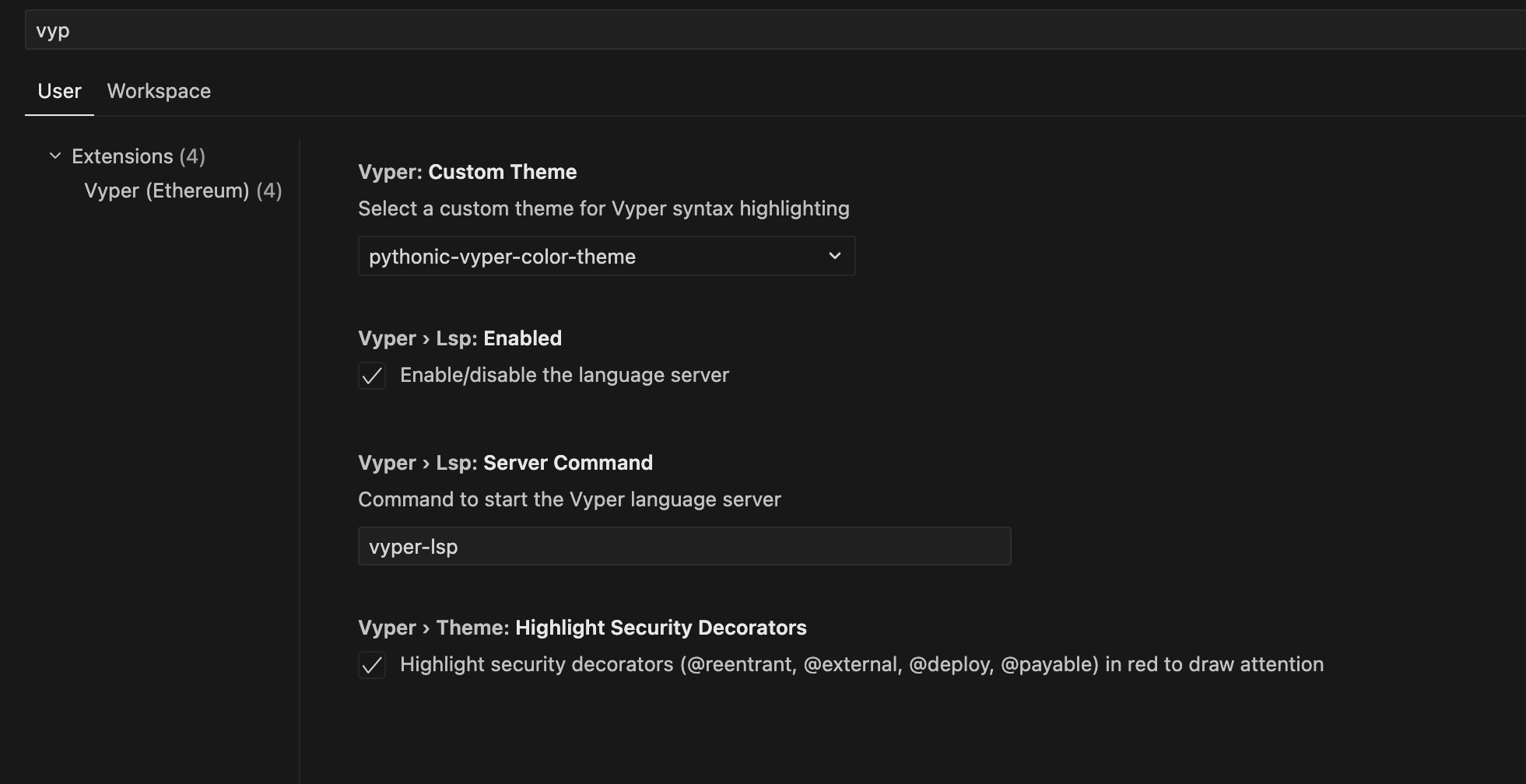
Vyper Version Support: Fang's managed language server installs pinned vyper-lsp==0.1.4. Advanced users who need a project-specific compiler or LSP version can set vyper.lsp.serverCommand to their own vyper-lsp command.
Usage
Basic Usage
- Open a
.vy or .vyi file.
- Syntax highlighting activates automatically.
- LSP features (completion, diagnostics, navigation) work after Fang prepares its managed language server.
Custom LSP Command
Leave vyper.lsp.serverCommand empty to use Fang's managed language server.
Set vyper.lsp.serverCommand only if you want Fang to run your own vyper-lsp environment instead.
Removing Fang's Managed Server
Fang removes its managed vyper-lsp environment during extension uninstall when VS Code runs the uninstall hook.
To clear it without uninstalling Fang, run Vyper: Clear Managed Vyper LSP Server from the Command Palette.
Commands
vyper.restartLspServer - Restart the Vyper Language Server (useful if LSP becomes unresponsive)vyper.clearManagedLspServer - Remove Fang's managed language server environment so it can be prepared again
Development
Building from Source
# Clone the repository
git clone https://github.com/enochakinbode/fang.git
cd fang

# Install dependencies
bun install

# Package the extension
vsce package
Credits
Fang is built upon the excellent work of:
- vscode-vyper by tintinweb - Original extension providing syntax highlighting, decorations, and hover features
- vyper-lsp by the Vyper team - Official Language Server Protocol implementation
Special thanks to the original maintainers and contributors of both projects.
License
MIT License - See LICENSE file for details.
Contributing
Contributions are welcome! Please feel free to submit a Pull Request or open an issue on GitHub.
Contributing Themes
See themes/GUIDE.md for the full theme contribution guide (required scopes, validation checklist, and PR steps).
Issues
Found a bug or have a feature request? Please open an issue on GitHub.
Links
Fang - Sharp tools for Vyper development 🐍

