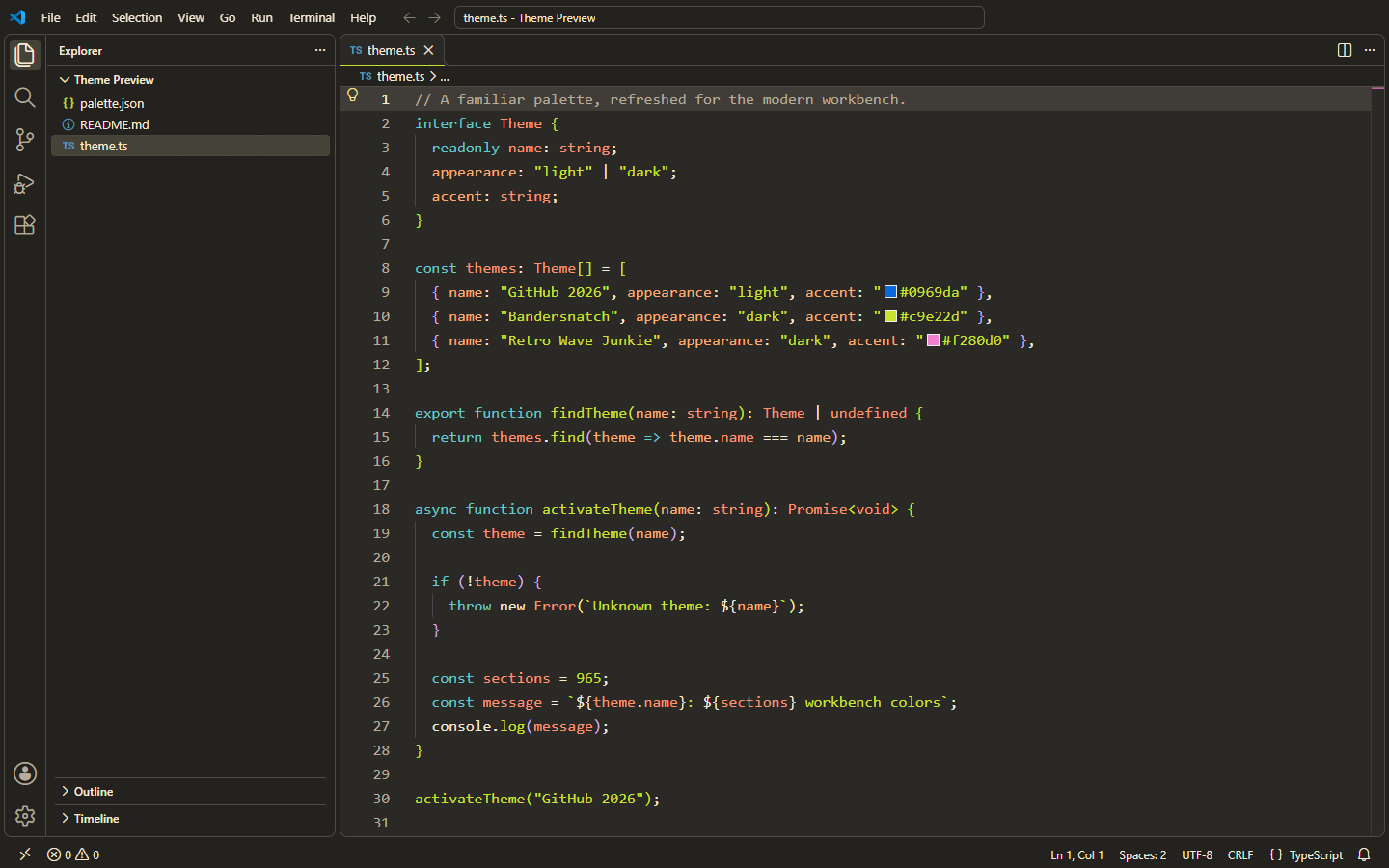
BandersnatchA warm dark theme inspired by Black Mirror: Bandersnatch, with complete modern VS Code workbench and semantic highlighting support. Installation Launch VS Code Quick Open ( Ctrl+P), paste the following command, and press enter.Copied to clipboard |

BandersnatchA warm dark VS Code theme inspired by Black Mirror: Bandersnatch. Charcoal surfaces, cream text, lime strings and function names, teal keywords, and orange types preserve the original theme's character across the whole editor.
What's new in 2.0The refresh includes 965 workbench colors based on the official VS Code color reference, checked against VS Code 1.144.1 on November 2, 2026. The palette now covers navigation, tabs, menus, inputs, Settings, notifications, Git and merge diffs, debugging, testing and coverage, notebooks, terminal ANSI colors, chat, inline edits, agent sessions, and modern UI surfaces. Comments are more readable, and TextMate syntax and semantic highlighting use the same palette. Translucent selections and decorations keep code and diagnostics visible instead of painting over them.
InstallationInstall Bandersnatch from the Marketplace, or run: Open the Command Palette, run Preferences: Color Theme, and choose Bandersnatch. To configure it manually: Requires VS Code 1.85 or newer; newer sections appear in versions that support
them. Existing installations update under the unchanged
Source and other themes | Changelog | Report an issue Licensed under MIT. |