Eight Vectors Studio


Connect to ROS 2 systems via rosbridge WebSocket protocol directly from VS Code. Visualize topics, call services, and interact with ROS 2 nodes without leaving your development environment.
🚀 Features
Core Functionality
- ROS 2 Entity Discovery - Browse nodes, topics, services, publishers, and subscribers in a tree view
- Topic Subscriptions - Subscribe/unsubscribe to ROS 2 topics with real-time message display
- WebSocket Connection - Connect to ROS 2 systems via rosbridge WebSocket protocol
- Entity Inspection - View detailed information about topics, services, and actions with type definitions
Advanced Visualization
- Occupancy Grid Maps - 2D map visualization with zoom and pan
- Laser Scan Data - Real-time laser scan point cloud display
- URDF Robot Models - 3D robot visualization with proper coordinate transformations
- Multiple view modes for all visualizations:
- Graphical - Interactive visual representation
- Raw Data - JSON/XML data with syntax highlighting
- Both - Side-by-side graphical and raw data views
- Copy to clipboard functionality for raw data
- Improved scroll handling for streaming data visualization
- Auto-reconnection - Automatic reconnection to rosbridge on disconnect
- Configurable Connection - Custom WebSocket URL configuration
- Node Parameter Configuration - View and modify ROS 2 node parameters in real-time
- Bag Recorder Panel - Select topics and generate ROS 2 bag record commands
- Message/Service/Action Inspector - Generate JSON templates for ROS 2 message, service, and action types
📋 Requirements
- Visual Studio Code 1.93.0 or higher
- ROS 2 system with rosbridge_server running
- WebSocket connection to rosbridge (default:
ws://localhost:9090)
🔧 Installation
From VS Code Marketplace
- Open VS Code
- Go to Extensions (Ctrl+Shift+X)
- Search for "Eight Vectors Studio"
- Click Install
⚙️ Configuration
Extension Settings
| Setting |
Description |
Default |
eight-vectors-studio.rosbridgeUrl |
Rosbridge WebSocket URL |
ws://localhost:9090 |
Available Commands
| Command |
Description |
Access |
Connect to Remote |
Connect to rosbridge server |
Command Palette / Tree View |
Disconnect |
Disconnect from rosbridge |
Context Menu |
Refresh connection |
Refresh ROS 2 entities |
Tree View Button |
Subscribe |
Subscribe to topic |
Context Menu on Publishers |
Call Service |
Call a ROS 2 service |
Context Menu on Services |
Get Parameters |
View/edit node parameters |
Context Menu on Nodes |
Add to Bag Recorder |
Add topic to bag recorder |
Context Menu on Topics |
Open Bag Recorder |
Open bag recorder panel |
Command Palette |
Inspect Type |
Generate JSON template |
Info icon on hover (Publishers/Subscribers/Services) |
📖 Usage
Getting Started
Start rosbridge on your ROS 2 system:
ros2 launch rosbridge_server rosbridge_websocket_launch.xml
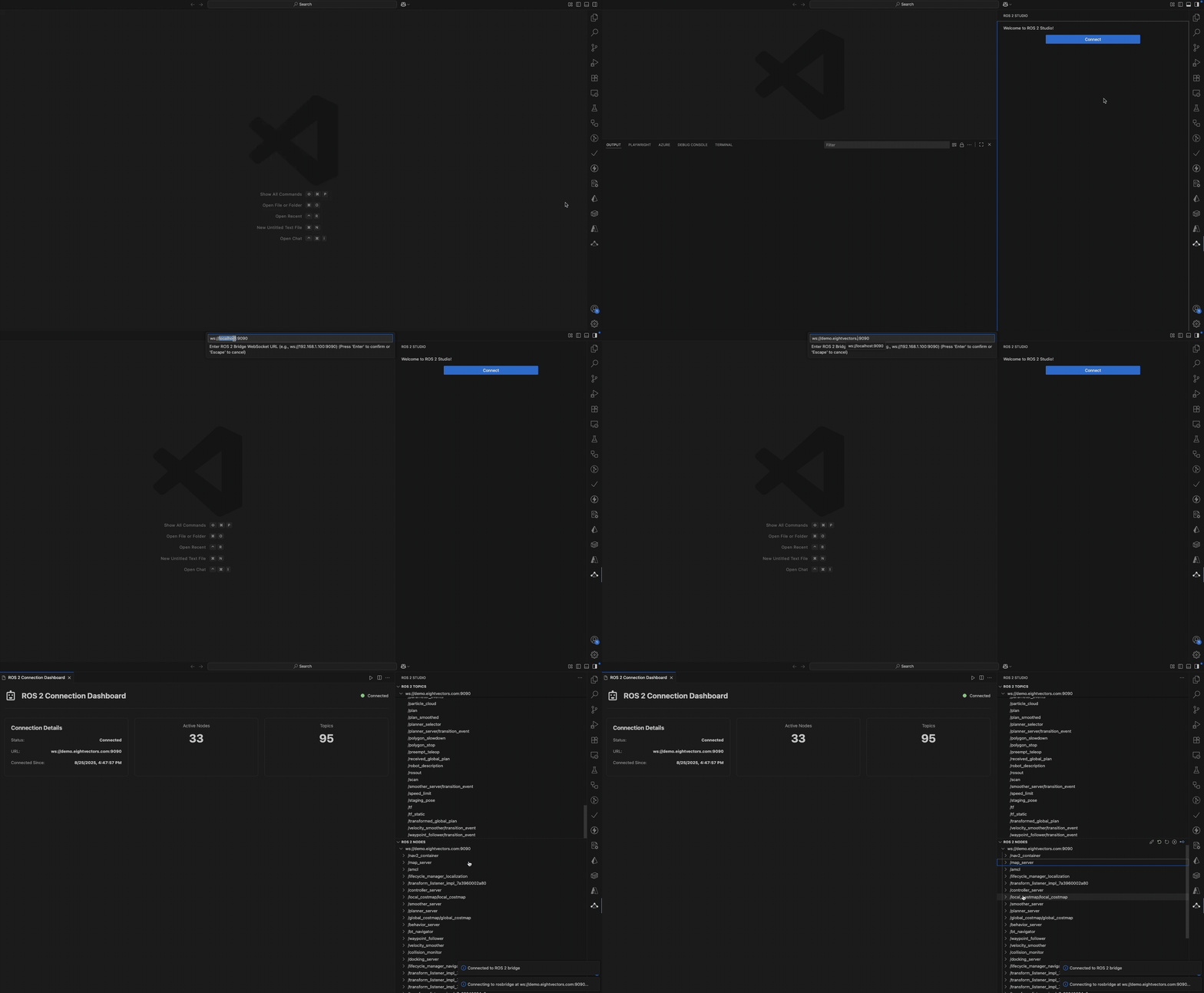
Connect to ROS 2:
- Click the Eight Vectors icon in the activity bar
- Click "Connect" or use Command Palette:
Connect to Remote
- Default connection is
ws://localhost:9090
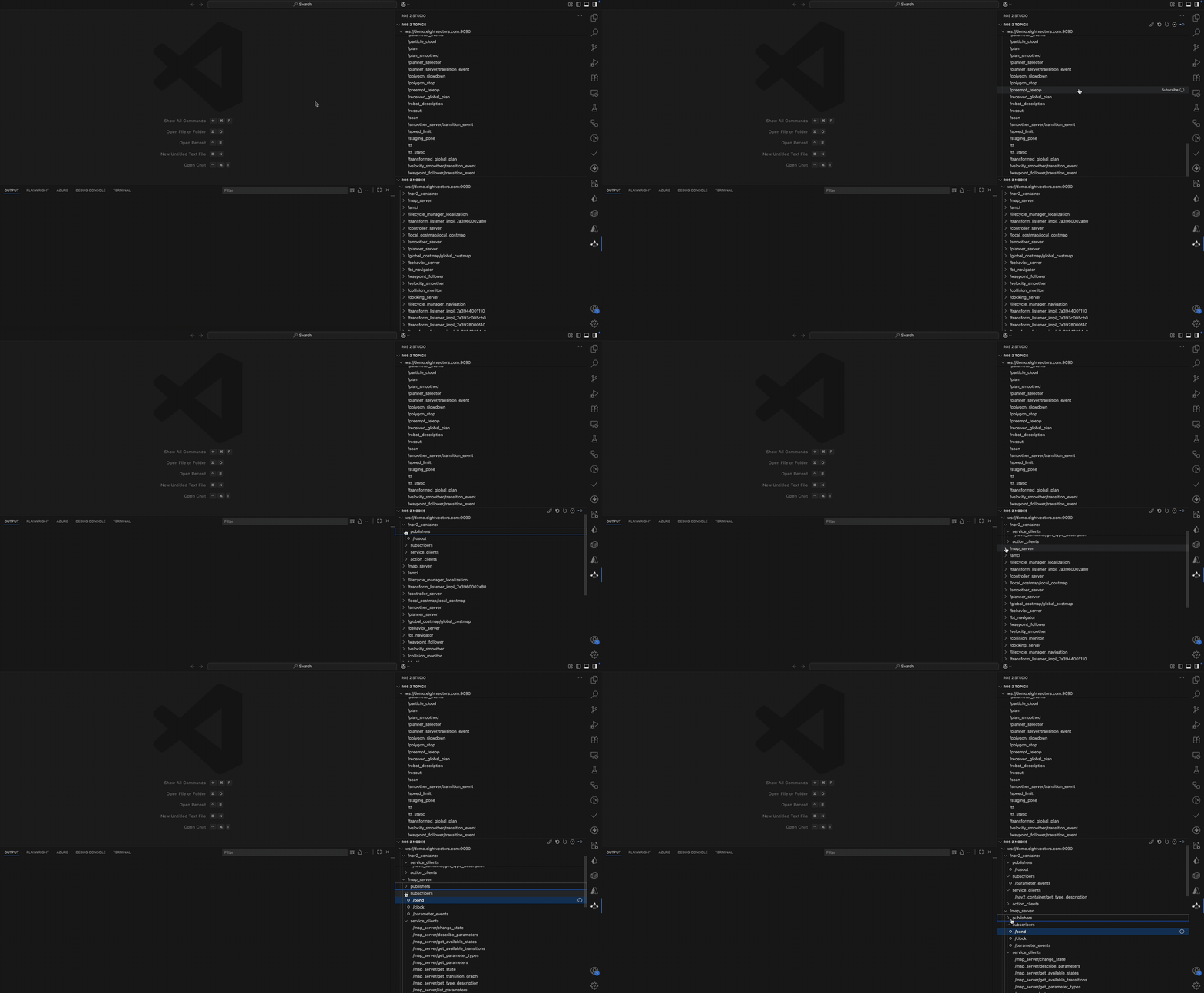
Browse ROS 2 entities:
- Expand the tree to see nodes, topics, and services
- Right-click for context actions
Visualization Features
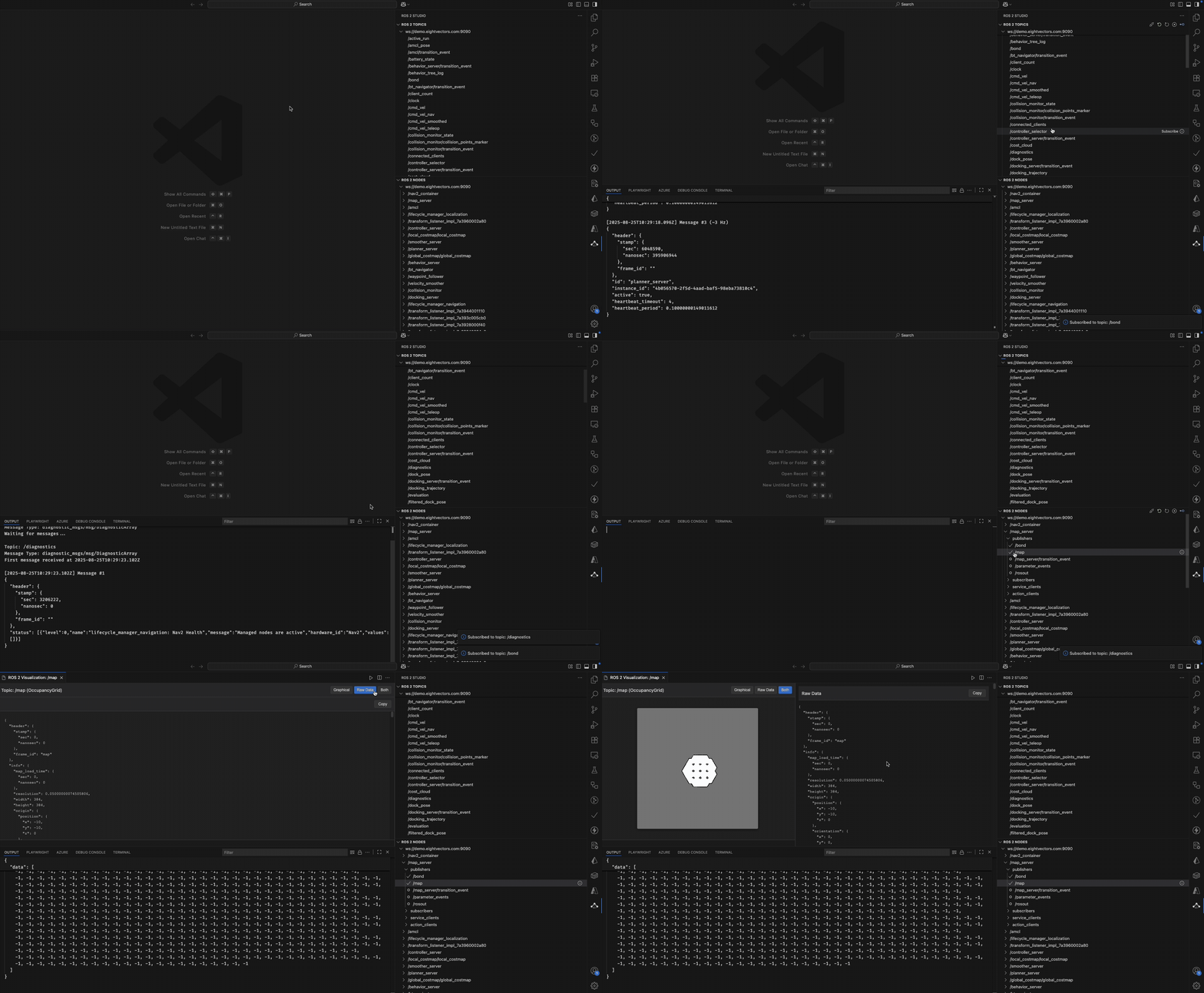
- Subscribe to a topic - Right-click on a publisher topic in the ROS 2 tree view and select "Subscribe"
- View modes - When visualization opens, choose between:
- Graphical view for interactive visualization
- Raw data view for inspecting message structure
- Both mode for side-by-side comparison
- Copy raw data - Click the "Copy" button in raw data view to copy the content to clipboard
- 3D navigation (URDF models):
- Mouse drag to rotate
- Scroll to zoom
- Right-click drag to pan
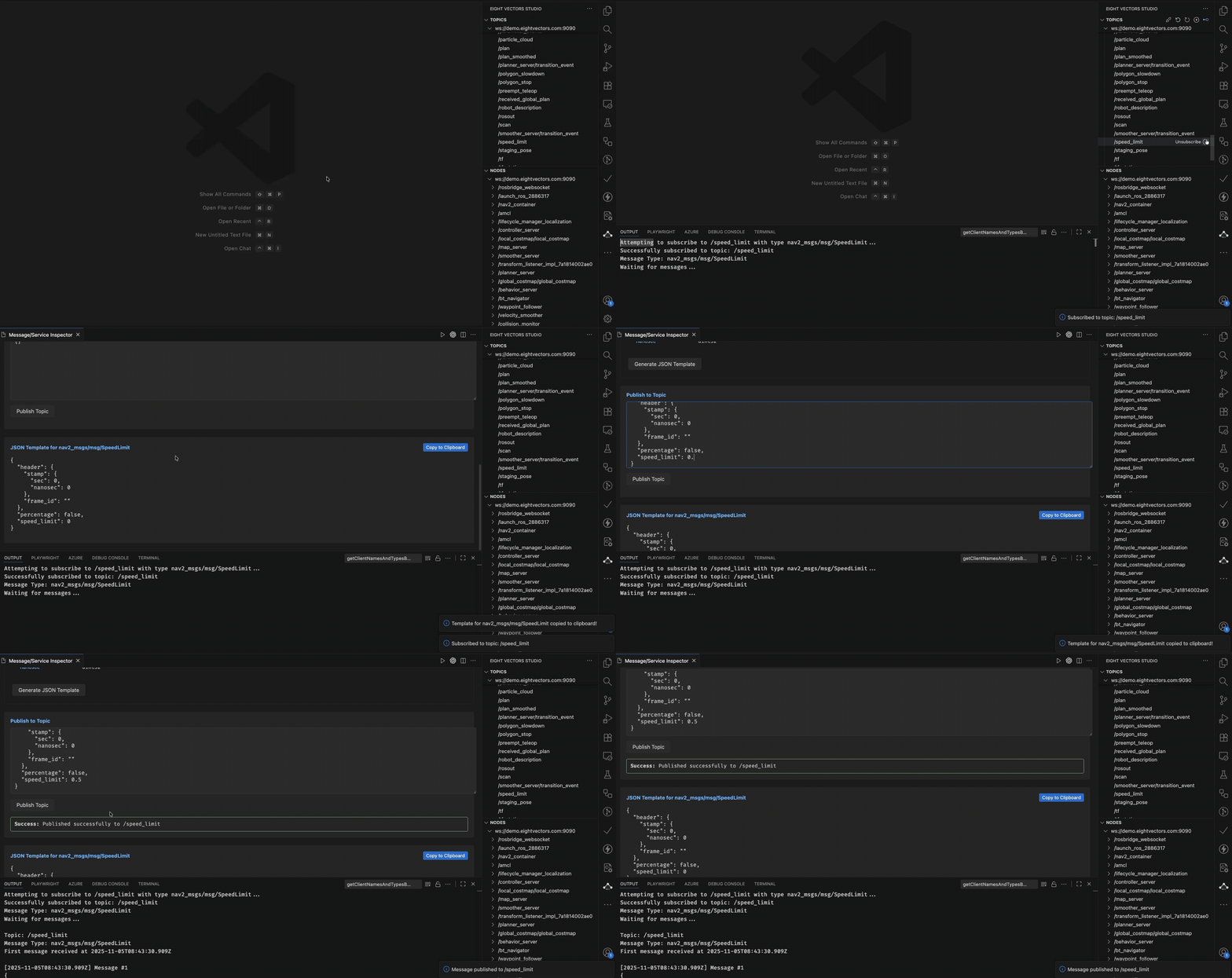
Publishing a Topic
Use the topic publishing flow to send messages with a JSON payload to a selected topic.
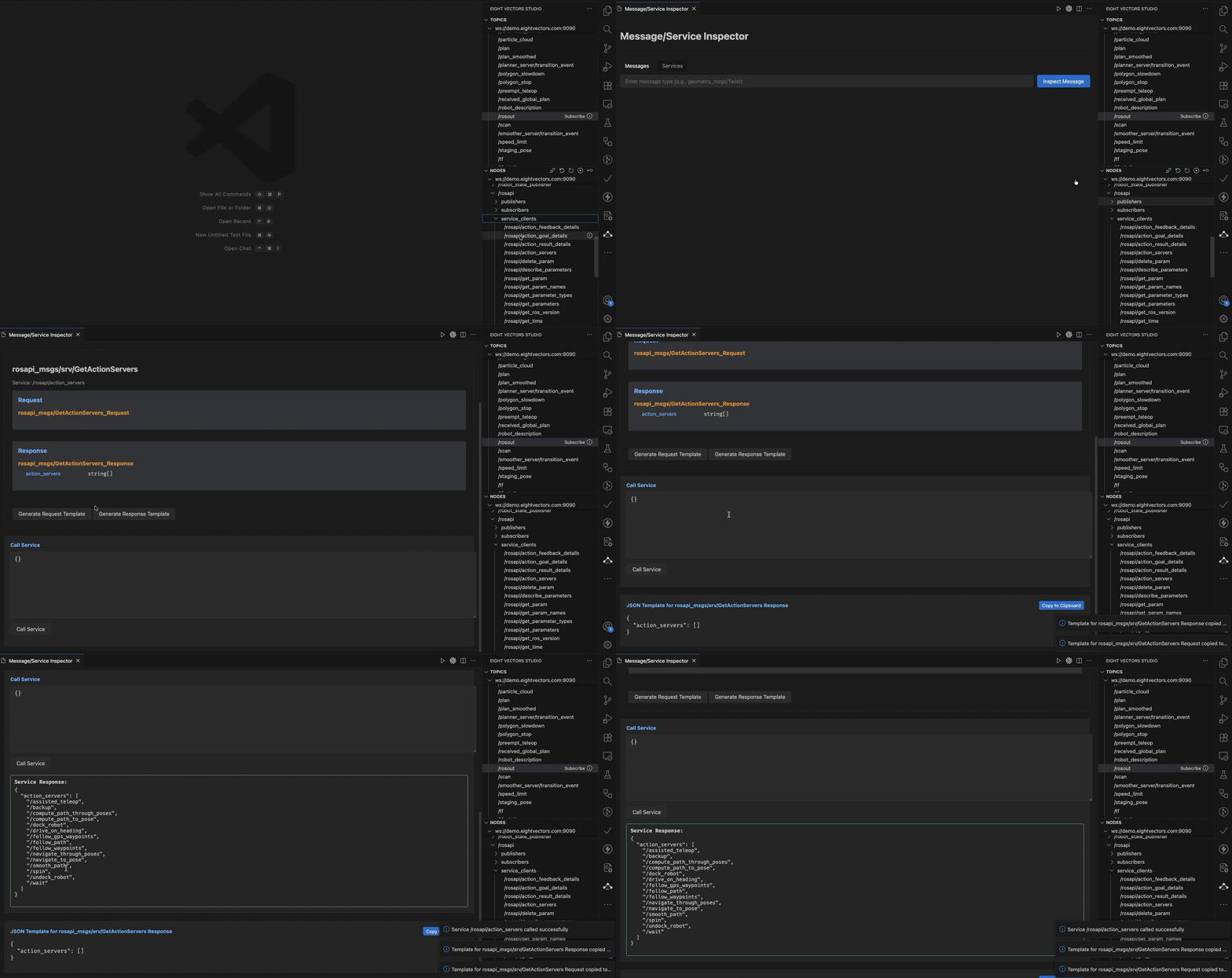
Calling a Service
Trigger a ROS 2 service call by providing the request JSON and view the response inline.
Supported Visualization Types
| Message Type |
Visualization |
Description |
nav_msgs/OccupancyGrid |
2D Map |
Interactive occupancy grid with zoom/pan |
sensor_msgs/LaserScan |
Point Cloud |
Real-time laser scan visualization |
std_msgs/String (URDF) |
3D Model |
Robot model with Three.js renderer |
Node Parameter Configuration
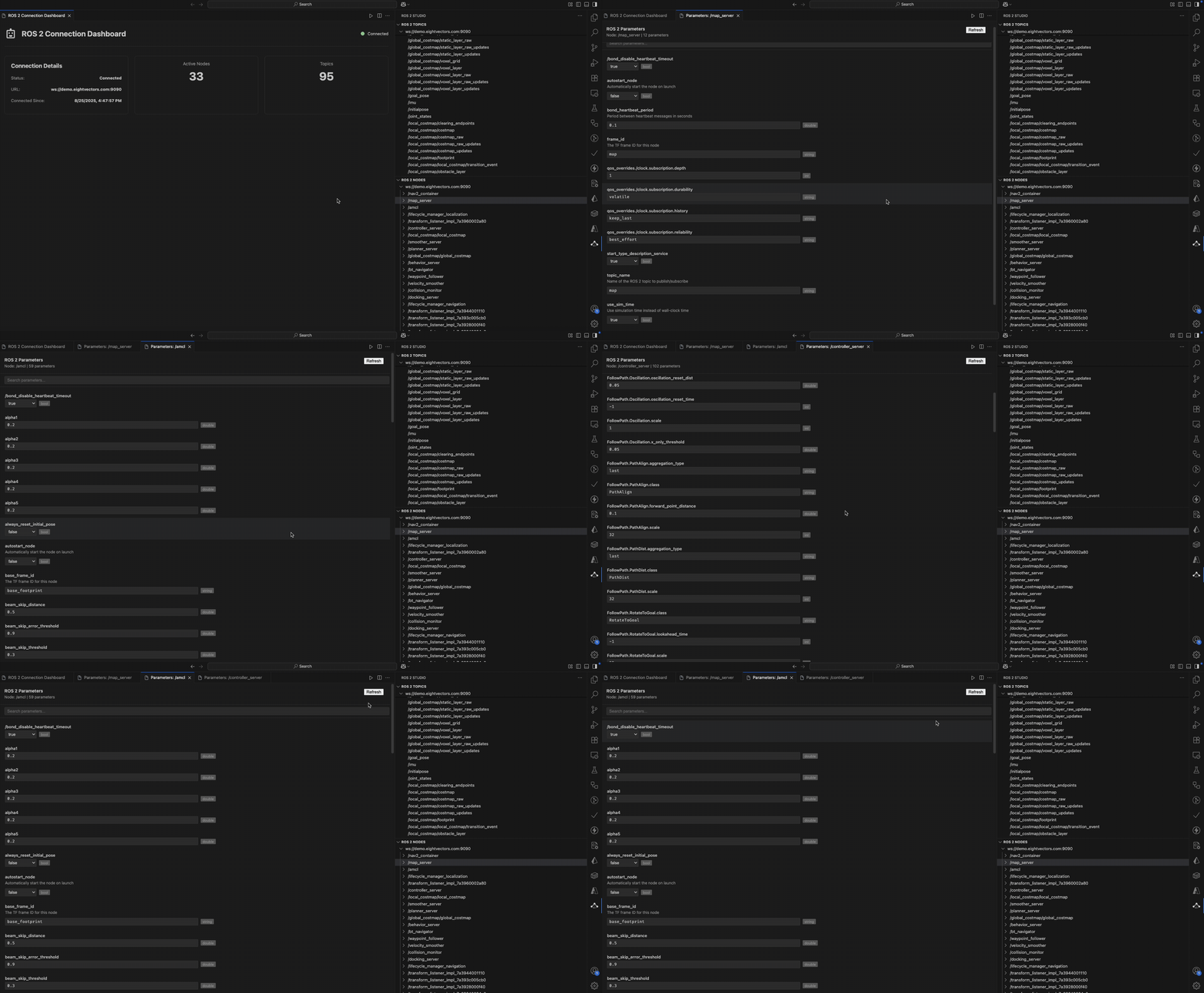
The extension provides a comprehensive parameter configuration panel for ROS 2 nodes:
- Access Parameters - Right-click on any node in the tree view and select "Get Parameters"
- Features:
- View all node parameters with their current values
- Edit parameter values with type validation (bool, int, double, string, arrays)
- Real-time parameter updates
- Search and filter parameters by name
- Manual mode for when rosapi is not available
- Support for complex parameter types including arrays
- Parameter Types Supported:
- Boolean (dropdown selection)
- Integer and Double (with automatic type preservation)
- String values
- Arrays (JSON format with validation)
- Read-only display for complex objects
ROS 2 Bag Recorder
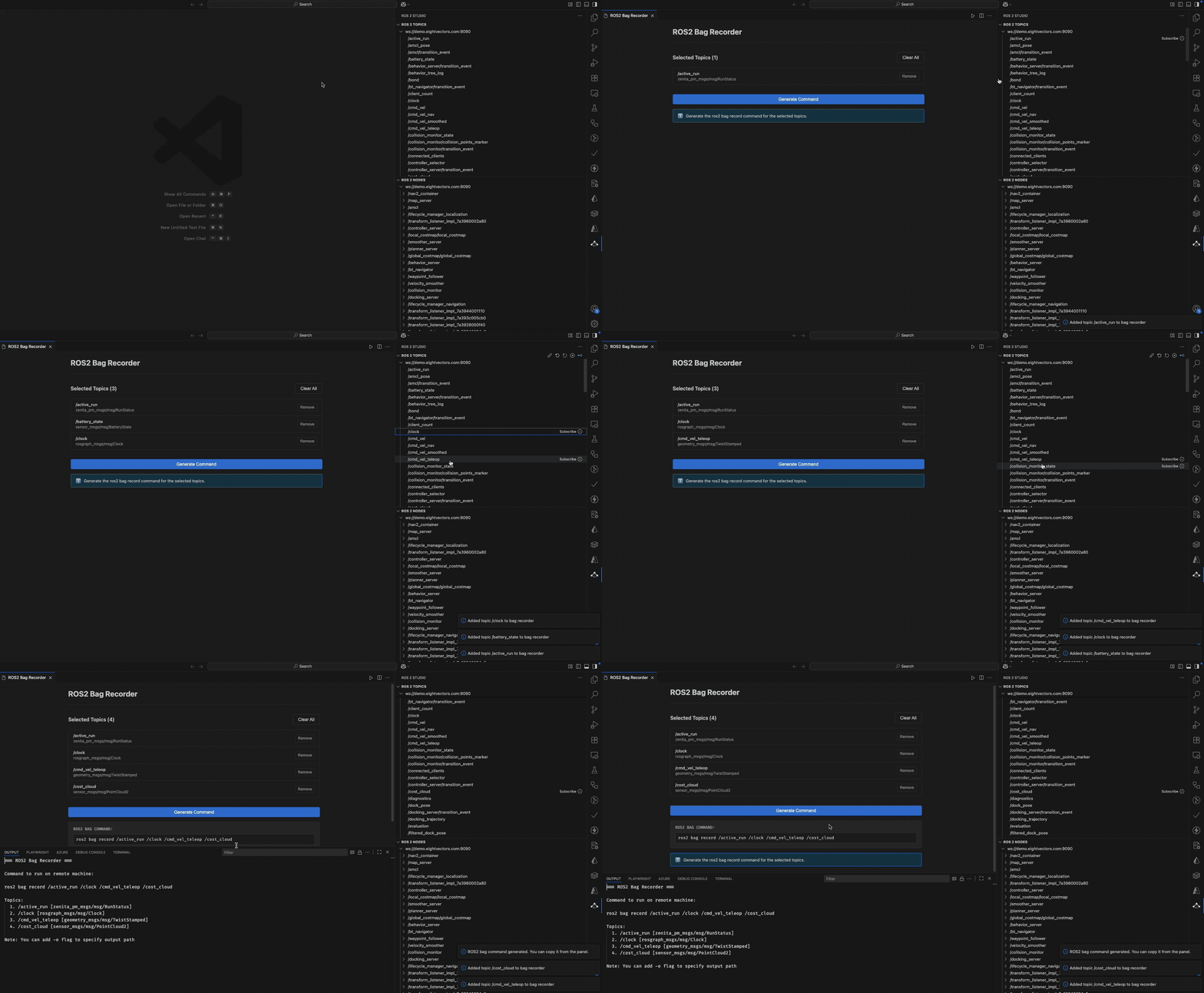
The Bag Recorder panel helps you create ROS 2 bag recording commands:
- Add Topics - Right-click on any topic and select "Add to Bag Recorder"
- Manage Topics:
- View all selected topics with their message types
- Remove individual topics or clear all
- Topics are displayed with full path and message type information
- Generate Command:
- Click "Generate Command" to create the
ros2 bag record command
- Command includes all selected topics
- Copy the generated command from the panel
- Use the command on your ROS 2 machine to start recording
- Access Panel - Use Command Palette: "Open Bag Recorder" or right-click topics
ROS 2 Message/Service/Action Type Inspector
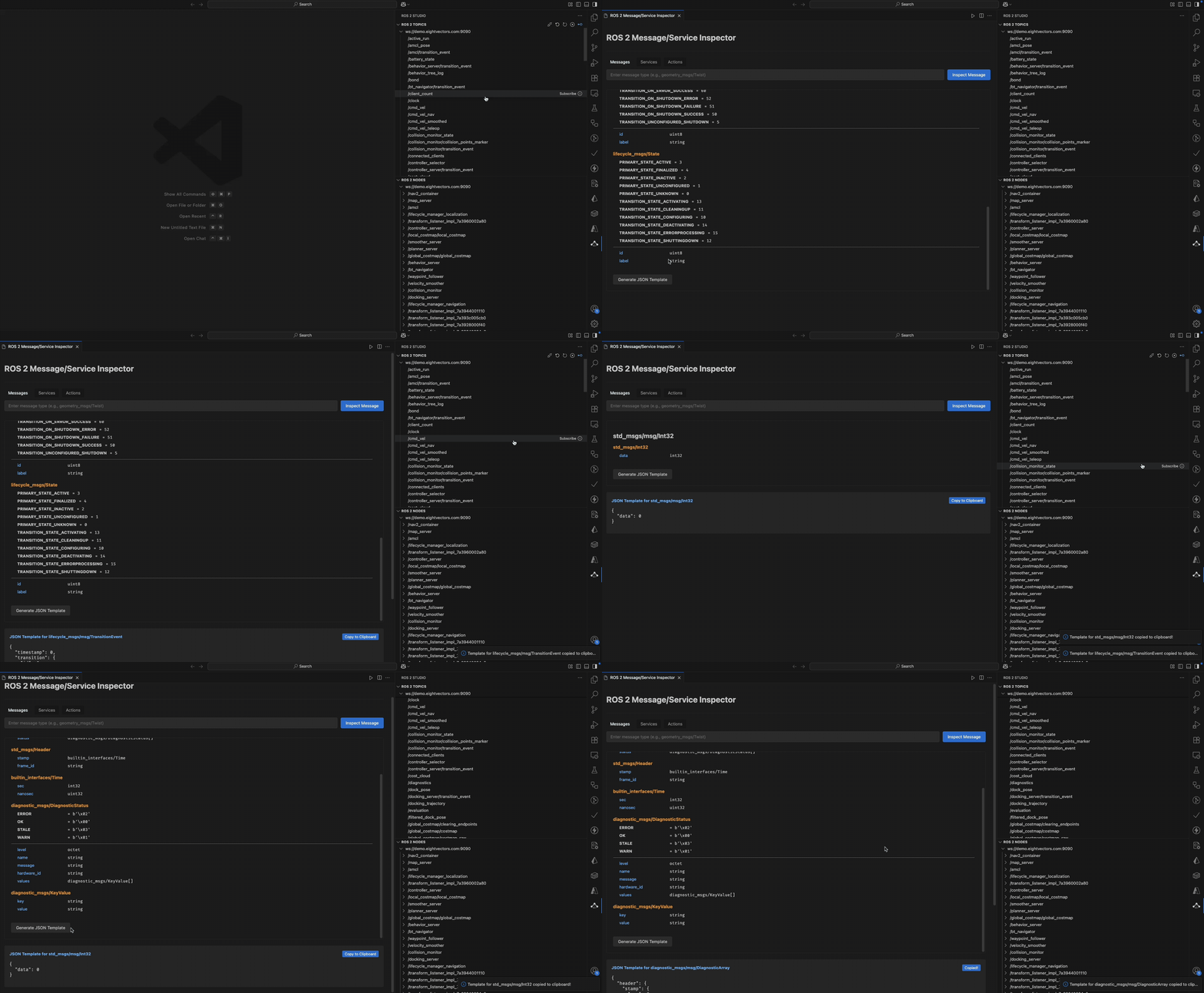
The Message/Service/Action Type Inspector helps developers quickly generate JSON templates for ROS 2 types:
- Access Inspector - Hover over any publisher, subscriber, or service in the tree view and click the info (ⓘ) icon
- Features:
- Automatically fetches type definition from ROS 2
- Generates a complete JSON template with all fields
- Supports nested message types
- Handles arrays with example elements
- Provides type information in comments
- Includes default values for primitive types
- Supported Types:
- Messages - Generate templates for any ROS 2 message type (from publishers/subscribers)
- Services - Separate templates for request and response
- Actions - Templates for goal, result, and feedback (when available)
- Usage:
- Copy the generated template to use in service calls or message publishing
- Modify the values as needed for your use case
- The template includes all fields with appropriate default values
📄 License
This project is licensed under the MIT License - see the LICENSE file for details.
🏢 About
This extension is developed and maintained by EightVectors.
🐛 Known Issues
- Large message rates may impact performance
📮 Support
For issues and feature requests, please use the GitHub issue tracker.

