Skip to content
| Marketplace
Sign in
Visual Studio Code>Formatters>Cerulean (Teal formatter)New to Visual Studio Code? Get it now.
Cerulean (Teal formatter)

Cerulean (Teal formatter)

E. Fredriksson

|
1 install
| (0) | Free
Format-on-save for the Cerulean Teal formatter.
Installation
Launch VS Code Quick Open (Ctrl+P), paste the following command, and press enter.
Copied to clipboard
More Info

Cerulean: a formatter for Teal

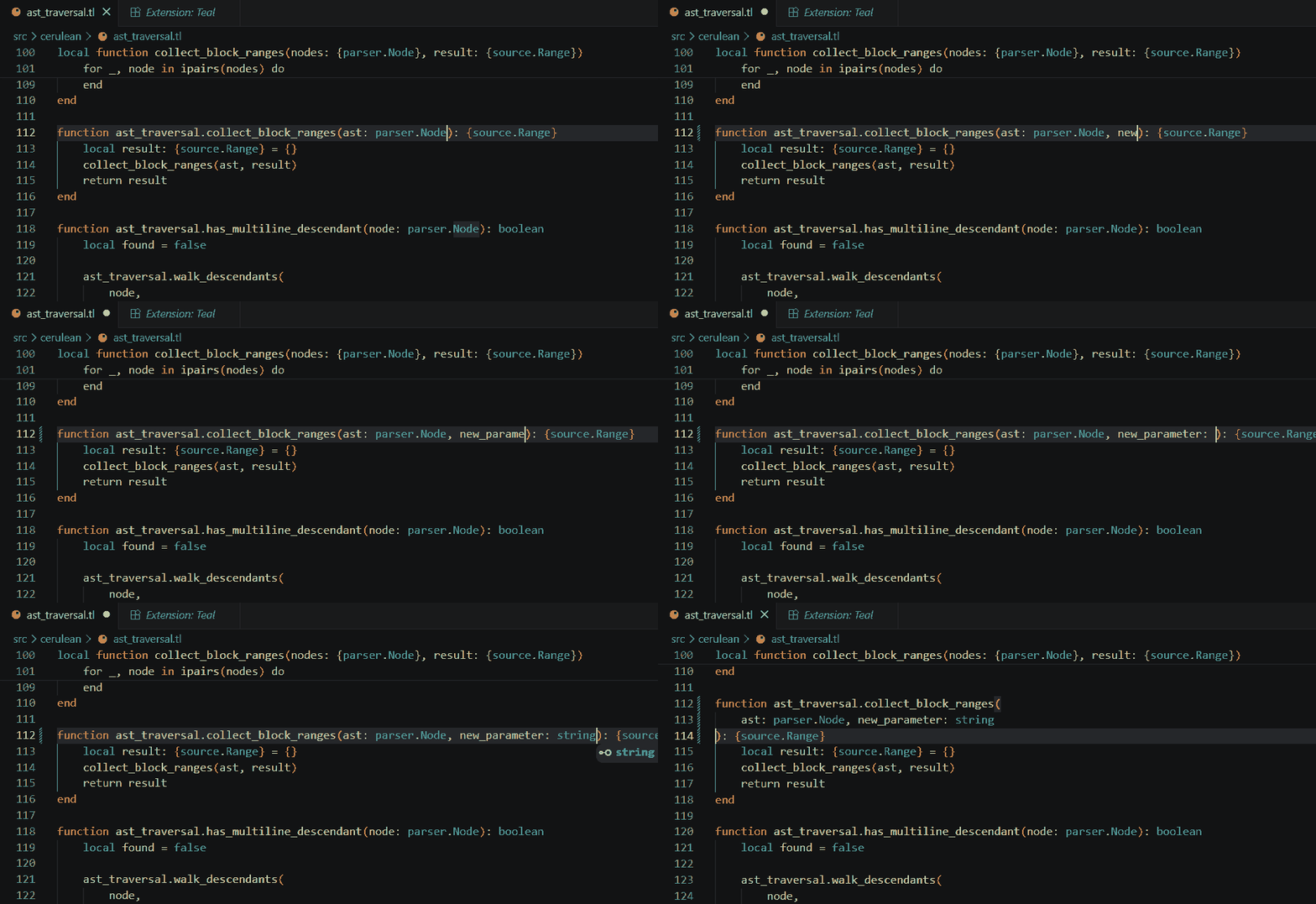
Fast formatter for Teal. Save your .tl files and directly have them formatted.

License: MIT Marketplace

demo

Features

  • Format-on-save for Teal (.tl) files.
  • Fast session daemon with no startup cost on save.
  • Zero config when ceru is on your PATH. One setting (cerulean.cliPath) if it isn't.
  • Coexists with pdesaulniers.vscode-teal, install both.

Requirements

The ceru binary must be on PATH, or cerulean.cliPath must point at it. Run luarocks install cerulean to install it. See Cerulean repo for documentation.

Verify the install:

ceru --version

Quick start

  1. In user or workspace settings, set Cerulean as the Teal formatter and enable format-on-save:

    "[teal]": { "editor.defaultFormatter": "efredriksson.cerulean-teal" },
    "editor.formatOnSave": true
    
  2. Open a .tl file, make changes, and save.

Configuration

Setting Default Purpose
cerulean.cliPath "ceru" Path to the ceru binary. Override when not on PATH or to test a build.

Changelogs

  • This plugin
  • Cerulean formatter (upstream)
  • Contact us
  • Jobs
  • Privacy
  • Manage cookies
  • Terms of use
  • Trademarks
© 2026 Microsoft