codotchi — VS Code extension
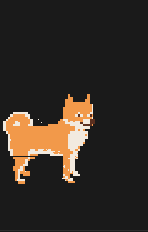

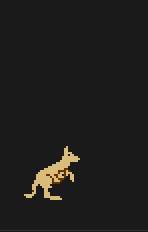
Grow and raise your personal virtual pet as a VS Code extension while you code.
Overview
codotchi is a VS Code extension that lets you raise a digital pet inspired
by the original Tamagotchi. Your pet
lives in a sidebar panel, reacts to your coding activity, and needs regular care
to survive and evolve into its final form. Any support and feedback is much appreciated
— see the Support section below!
Your pet is drawn from one of 7 sprite sets, with more to be added in the future,
assigned to you at random when you start a new game.
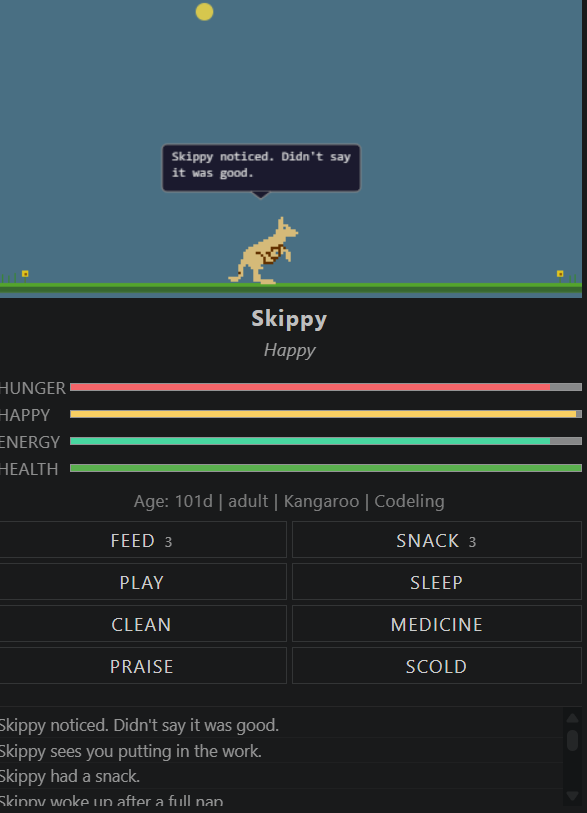
Preview

buymeacoffee.com/dylscoop

liberapay.com/dylscoop
Integrations
Looking for the Claude Code or OpenCode terminal integrations?
Visit github.com/dylscoop/codotchi to download the plugins — your pet's state is shared across VS Code, PyCharm, and the terminal.
Features
- Sidebar pet panel — pixel art pet with animated sprites, stat bars, and
action buttons, all rendered in a dedicated sidebar webview
- Classic Tamagotchi mechanics — hunger, happiness, discipline, energy,
health, weight, and age stats, all decaying in real time
- Full care system — feed meals and snacks, play mini-games, put pet to
sleep, clean droppings, give medicine, scold and praise
- Life cycle & evolution — egg → baby → child → teen → adult → senior, with
the final character determined by how well you cared for your pet
- Pet customization — name your pet and choose a pet type on first launch
- Sickness & death — neglect your pet and it gets sick; leave it untreated
and it dies
- OpenCode integration — your pet lives in the terminal too, with shared
state across VS Code, PyCharm, and OpenCode
- Status bar integration — pet name and mood always visible in the VS Code
status bar; click to open the sidebar
- Persistent state — pet survives VS Code restarts; offline time is
accounted for with capped stat decay
- Configurable — customise font size, pet size, colours, idle thresholds,
attention call behaviour, and more via Settings → Extensions → codotchi
Installation
See the GitHub repository for full
installation instructions, pre-built releases, and the OpenCode integration
download.
Using the extension
Once installed and VS Code has reloaded:
Click the icon in the activity bar (left sidebar) to open the Your
Pet panel. Alternatively, run Codotchi: Open Pet Panel from the command
palette (Ctrl+Shift+P / Cmd+Shift+P).
On first launch the New Codotchi setup screen appears:
- Enter a name (up to 16 characters).
- Choose a pet type — each has different stat decay rates.
- Click Hatch!
Your pet now lives in the sidebar. Care for it using the action buttons:
Feed, Snack, Play, Pat, Sleep, Clean, Medicine,
Praise, and Scold.
Your pet's state is saved automatically and restored the next time VS Code
opens. Stat decay while VS Code is closed is capped so a long break
won't instantly kill your pet.
Your pet's name and current mood are always visible in the status bar
at the bottom of VS Code.
Actions
| Action |
What it does |
| Feed |
Gives your pet a full meal. Restores a large chunk of hunger. Overfeeding has no effect. |
| Snack |
Gives a small treat. Boosts happiness instead of hunger, but adds more weight. Eating too many snacks in a row will make your pet sick. |
| Play |
Opens the mini-game picker. Choose Left / Right, Higher or Lower, or Coin Flip. Winning boosts happiness; losing applies a small penalty. Costs energy — your pet can't play if exhausted. Also contains Today's Token Cost — see below. |
| Pat |
Gives your pet a gentle pat. Boosts happiness. Costs energy. Accessed via the Play menu (same overlay as the mini-games). Cannot be used while your pet is sleeping or exhausted. |
| Sleep |
Puts your pet to sleep. Energy slowly regenerates while it sleeps and your pet cannot take any other actions. Wake it manually or wait for full energy. |
| Clean |
Clears all droppings from the screen. Leaving too many uncleaned will make your pet sick. |
| Medicine |
Treats sickness. Requires multiple doses to fully cure. Restores a small amount of health per dose. Use it as soon as your pet falls ill to prevent health loss. |
| Praise |
Rewards good behaviour. Raises the discipline stat, which contributes to a better care score and a higher-tier evolution. |
| Scold |
Corrects bad behaviour. Also raises discipline. Use it when your pet misbehaves rather than at random, as it has no direct stat benefit beyond discipline. |
Tip: keep all four stat bars (Hunger, Happy, Energy, Health) out of the
red to maximise your care score, which determines which character your pet
evolves into at each life stage.
Today's Token Cost
The Play menu also includes a non-game option: Today's Token Cost.
Clicking it shows a speech bubble above your pet with your combined AI usage for
the day, drawn from Claude Code, OpenCode, and/or GitHub Copilot:
- Today — total cost (USD) across Claude Code/OpenCode since midnight UTC
- Last 1h — cost in the past hour (Claude Code only; OpenCode does not
persist per-hour data to disk)
- Avg — average tokens per message today
- Copilot — your GitHub Copilot premium-request quota, shown as a
percentage remaining (not a dollar figure). The first time you select
it you'll be prompted to sign in to GitHub via VS Code's built-in
authentication — no personal access token or admin access needed.
Which sources feed the bubble is configurable via
codotchi.tokenCostSources in Settings → Extensions → codotchi — pick
any combination (e.g. just Copilot, just Claude + OpenCode, or all three).
Costs energy and boosts happiness, same as a Pat.
Mini-games
Clicking Play opens the game picker (requires energy). Three games are
available:
| Game |
How to win |
| Left / Right |
The pet hides behind one of two doors. Pick the correct door each round to win. |
| Higher or Lower |
A number is shown. Guess whether the next number will be higher or lower. Get enough correct to win. |
| Coin Flip |
Call Heads or Tails. A single coin flip decides the outcome. |
Pet Types
| Type |
Tendency |
| Codeling |
Balanced across all stats |
| Bytebug |
High energy, hunger decays faster |
| Pixelpup |
High happiness, but happiness decays faster |
| Shellscript |
Slow evolver, high base health |
Each pet animal has its own sprite set
"Grow your best pet by writing your best code."
Support
GitHub: github.com/dylscoop/codotchi
Codotchi Sprites
Want to see a new sprite in the game? Send a drawn sprite or request one to be added — a passcode will be given every time one gets implemented.
Open a sprite request on GitHub Issues

