
Aofuji Light Theme
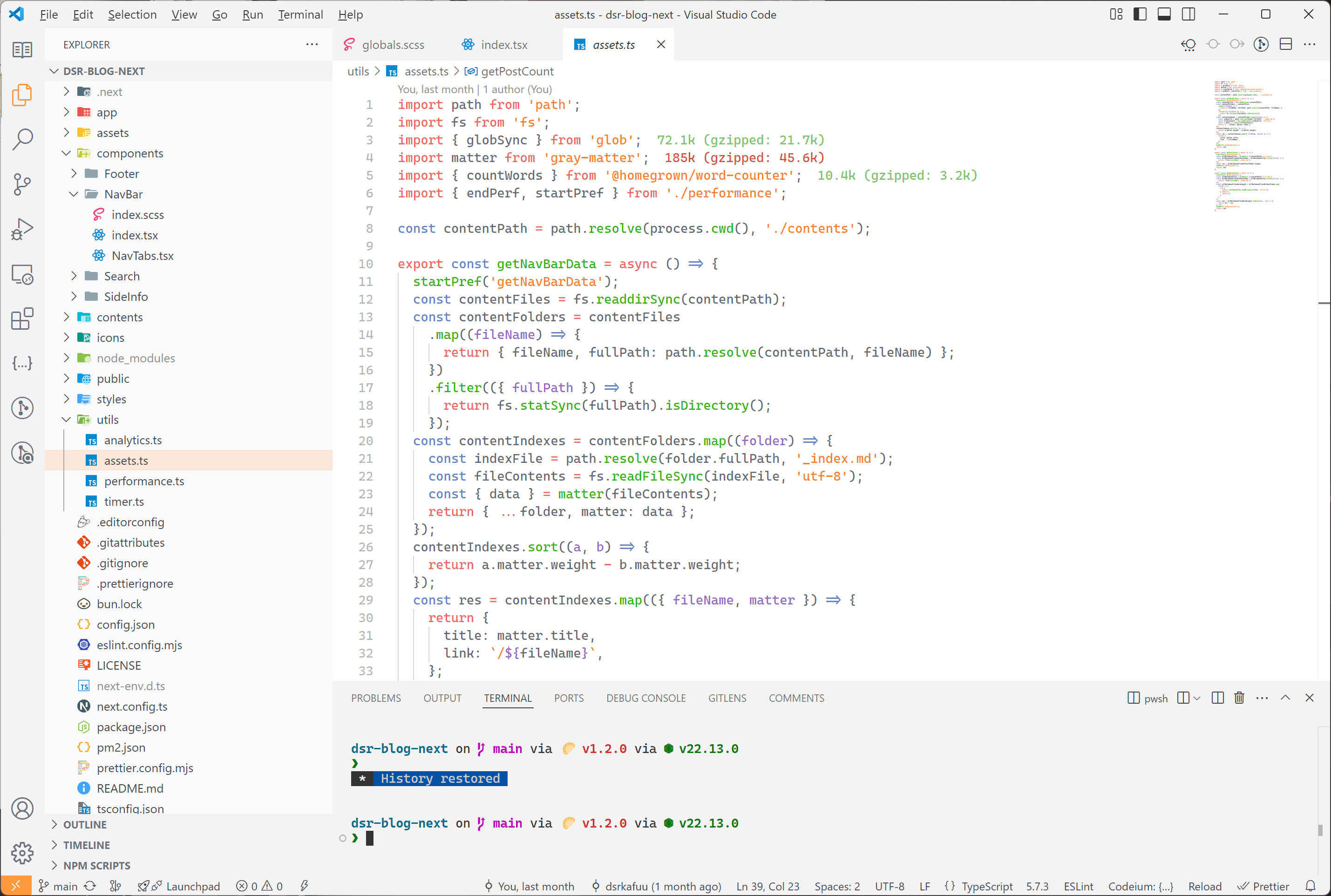
A minimal light theme extended from Aofuji.


Preview
Usage
Install directly in Aofuji Light Theme - VS Marketplace.
Or from Open VSX Registry.
Or use:
ext install dsrkafuu.vscode-theme-aofuji
The theme is recommended to be used with icons from Material Icon Theme.
Recommended Font
The theme is designed to pair well with Microsoft's Cascadia Code font family. A font weight of 500 is recommended for balanced readability on the light background:
{
  "editor.fontFamily": "'Cascadia Code', 'Sarasa Gothic SC', 'Sarasa Gothic JP', monospace",
  "editor.fontLigatures": true,
  "editor.fontWeight": 500
}
Bracket Pair Colorization
The theme supports bracket pair colorization and bracket pair guides with colors aligned to its syntax palette. They can be enabled with:
{
  "editor.bracketPairColorization.enabled": true,
  "editor.guides.bracketPairs": true,
  "editor.guides.highlightActiveBracketPair": true
}
If you prefer brackets without level-based colors, disable the feature in your VS Code or Cursor settings:
{
  "editor.bracketPairColorization.enabled": false,
  "editor.guides.bracketPairs": false
}
Theme Status
Workbench colors cover both the classic layout and VS Code's Modern UI, including the redesigned Chat and Agents surfaces.
Syntax highlighting has been tested in HTML, JavaScript, CSS and Markdown files, if you encounter problems in other languages, please raise an issue.
If you have suggestions on how to improve the theme, please also raise an issue or add a pull request.
Development
Clone the repository, install dependencies and start the development watcher:
git clone https://github.com/dsrkafuu/vscode-theme-aofuji.git
cd vscode-theme-aofuji
bun install
bun run dev
Then open the folder with VSCode:
- Press
F5 to open a new window with theme loaded
- Open
File > Preferences > Color Themes and pick color themes
When opening a file that has a language associated. The languages' configured grammar will tokenize the text and assign 'scopes' to the tokens. To examine these scopes, invoke the Inspect Editor Tokens and Scopes command from the Command Palette.
Before submitting changes, run the lint, format, and theme build checks:
bun run check
Release
Build the extension package after updating the version and changelog:
bun run build
Publish the generated VSIX to the VS Marketplace and Open VSX Registry:
npx vsce publish --packagePath vscode-theme-aofuji-<version>.vsix
npx ovsx publish vscode-theme-aofuji-<version>.vsix -p <token>
License
The theme is released under the Mozilla Public License 2.0, for more information read the LICENSE.

