GEDCOM for Visual Studio CodeGEDCOM language support by Domorium. Read and edit
Features
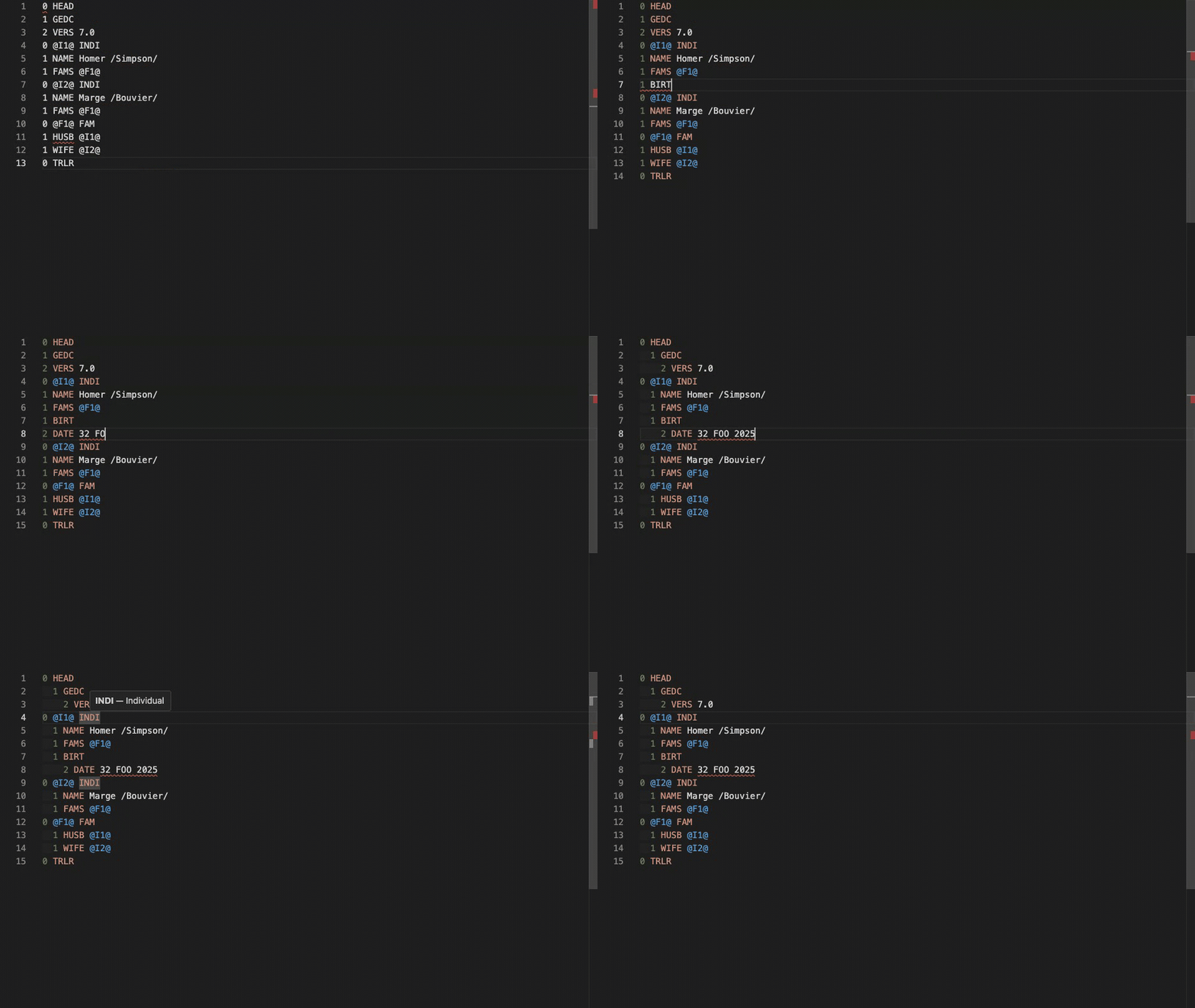
HighlightingEach part of a line is coloured for what it is — the level, the tag, the record an XREF declares, a reference to one, and the value: The colours come from your theme, and two layers produce them. A grammar paints the file as soon as it opens, and works in a Markdown code block like the one above, where no language server can reach. The language server then refines the same colours with what it knows that a grammar cannot — which XREF declares a record and which refers to one. The two agree, so nothing changes appearance when the server connects. Renaming a media fileRename or move a photograph in the Explorer, and every open GEDCOM document that
names it by a relative path is rewritten as part of the rename, and undo in the
Explorer reverts both. A GEDCOM 7
document cannot name a file above its own folder, so a move there leaves it
unchanged and a warning names it. GEDCOM files that are not open are not
rewritten: if a line of one of them ends in the file's name, a warning names them.
That is a search by name, not a reading of the file, so it can name a file whose
note ends in the name, and it misses a path split across Not followed: renaming a folder, renaming outside the editor (git, a terminal,
another program), absolute paths such as InstallationInstall GEDCOM from the Visual Studio Marketplace, or run: You can also try the GEDCOM web editor by Domorium. ContributingSee the project repository for development setup and contribution instructions. LicenseMIT © 2025 Andrei Lobanov Domorium is an independent project and is not affiliated with or endorsed by FamilySearch or Intellectual Reserve, Inc. FAMILYSEARCH GEDCOM™ and FAMILYSEARCH® are trademarks of Intellectual Reserve, Inc. |