
TyraX for VS Code
Debug your PS2 game's C++ scripts in PCSX2 with breakpoints, stepping and locals, and get language support for every TyraX file format.



TyraX is an editor that builds real
PlayStation 2 games: scenes, flow graphs and C++ scripts in, a PS2 ELF out, which
runs in PCSX2 or on a console. This extension is its VS Code half.
Debug C++ scripts in PCSX2
Set a breakpoint in a script and press F5. The game stops in the emulator on
that line. You can then:
- step over, into and out of calls (F10 / F11 / Shift+F11),
- read locals and
this, including the script's public fields as set in
the editor's Properties,
- change a value and continue,
- Pause a running game, which stops at the next frame,
- follow the call stack down to the engine's frame loop.
The game runs in a stock PCSX2, with no fork or patched emulator. It carries a
small breakpoint handler, and the TyraX editor serves GDB's remote protocol
through PCSX2's PINE socket. This extension turns a three-line tyrax launch
configuration into everything Microsoft's C/C++ debugger needs: the PS2
toolchain's GDB (run through WSL on Windows), the connection and the path
mapping.
// .vscode/launch.json - the editor writes this for you
{ "type": "tyrax", "request": "launch", "name": "TyraX: debug game in PCSX2" }
Getting there: open a TyraX project here and press F5. If the TyraX editor
has the project open, it switches the debugger on, builds and runs the game, and
VS Code attaches once it is up. With no editor running, F5 does the same headless,
after asking whether to turn the debugger on. Changed a script since the game
was built? F5 saves, rebuilds, restarts the game and attaches. Change it while
debugging and VS Code tells you the game runs older code; Restart rebuilds
and reloads it. Details and limits are in
docs/script-debugger.md.
Requires the C/C++ extension (ms-vscode.cpptools), which drives GDB.
TyraX projects recommend it, and F5 offers to install it if it is missing.
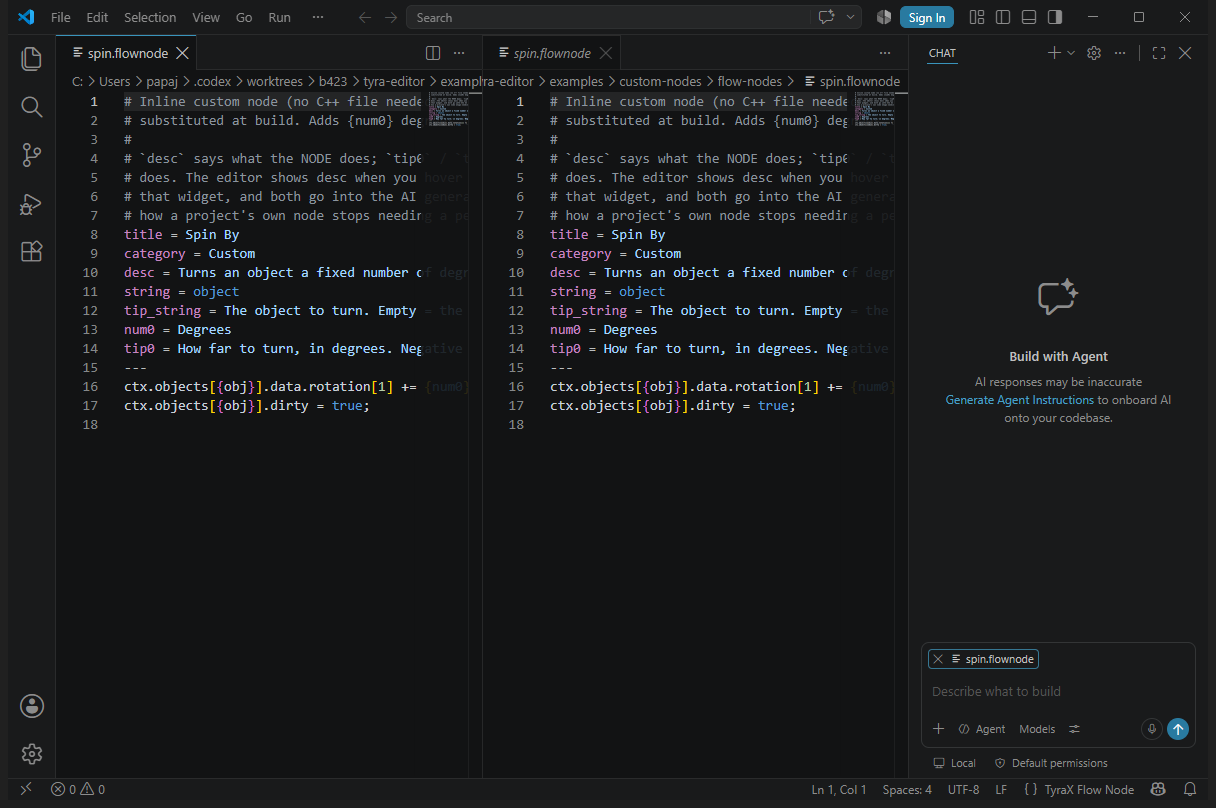
Language support
| Files |
What you get |
.flownode: custom flow-graph nodes |
header + embedded C++ highlighting, {placeholder} overlay, snippets, validation (unknown or duplicate keys, bad pin kinds, gaps in num*/param*, undefined placeholders), hover and completion for every key and placeholder |
.screenfx: custom screen effects |
the same, for GS post-processing effects |
.menustyle: menu stylesheets |
CSS-shaped highlighting (selectors, :selected, menu#name, --variables, {{icons}}, @transition) and snippets for common layouts |
.vclpp / .vcl / .vsm: VU1 microprograms |
highlighting, hover on 54 VU instructions, hover and completion for the engine's macro library and VU1_* addresses (read live from the engine tree), two warnings the assembler will not give you |
src/vu/*.cpp: VU programs written in C++ |
help for the vu:: / vugen:: framework on top of C/C++ IntelliSense |
Open the whole project folder, not a single file: C++ IntelliSense resolves
the engine and PS2SDK headers through the .vscode/c_cpp_properties.json the
editor generates.
Installing
- From the Marketplace: search for TyraX. (VSCodium, Cursor: install the
.vsix the editor ships, below.)
- Or let the editor do it: the first Open in VS Code in a session installs the
copy it bundles when yours is missing or older. It never downgrades a newer one.
- By hand:
code --install-extension tyrax-<version>.vsix.
Commands
| Command |
|
| TyraX: Debug Game in PCSX2 |
the same as F5 with the tyrax configuration; also the run button in the editor title bar of a TyraX project, where it replaces the C/C++ extension's "build and debug active file" |
Development
Plain JavaScript, no build step: open this folder and press F5 for an
Extension Development Host. node test/debug.test.js checks the debug-config
resolution offline. python3 package-vsix.py writes the .vsix (stdlib only,
no node). Publishing and the release workflow are described in
docs/vscode-extension.md.

