Skip to content
| Marketplace
Sign in
Visual Studio Code>Linters>TWRNC - Tailwind for React NativeNew to Visual Studio Code? Get it now.
TWRNC - Tailwind for React Native

TWRNC - Tailwind for React Native

dimsmauls

|
2 installs
| (0) | Free
Intelligent Tailwind CSS tooling for TWRNC in React Native
Installation
Launch VS Code Quick Open (Ctrl+P), paste the following command, and press enter.
Copied to clipboard
More Info

TWRNC IntelliSense

Intelligent Tailwind CSS tooling for TWRNC in React Native [web:23].

Features

✨ Autocomplete - Get intelligent suggestions for Tailwind classes inside TWRNC syntax 🎨 Color Preview - See color decorators inline for Tailwind color utilities 📝 Hover Information - View the generated CSS for any Tailwind class ⚠️ Linting - Detect invalid or conflicting Tailwind classes 🔧 Custom Configuration - Works with your tailwind.config.js

Supported Syntax

  • tw`...` - Template literal syntax
  • tw.style`...` - Style method with template literal
  • tw('...') - String syntax
  • tw.style('...') - Style method with string

Installation

From VS Code Marketplace

  1. Open Extensions in VS Code (Cmd+Shift+X on Mac, Ctrl+Shift+X on Windows/Linux)

  2. Search for TWRNC IntelliSense
  3. Click Install

From Command Line

code --install-extension dimsmauls.twrnc-intellisense

Requirements

  • VS Code version 1.67.0 or higher
  • React Native project with twrnc installed
  • Tailwind CSS configuration file (tailwind.config.js)

Usage

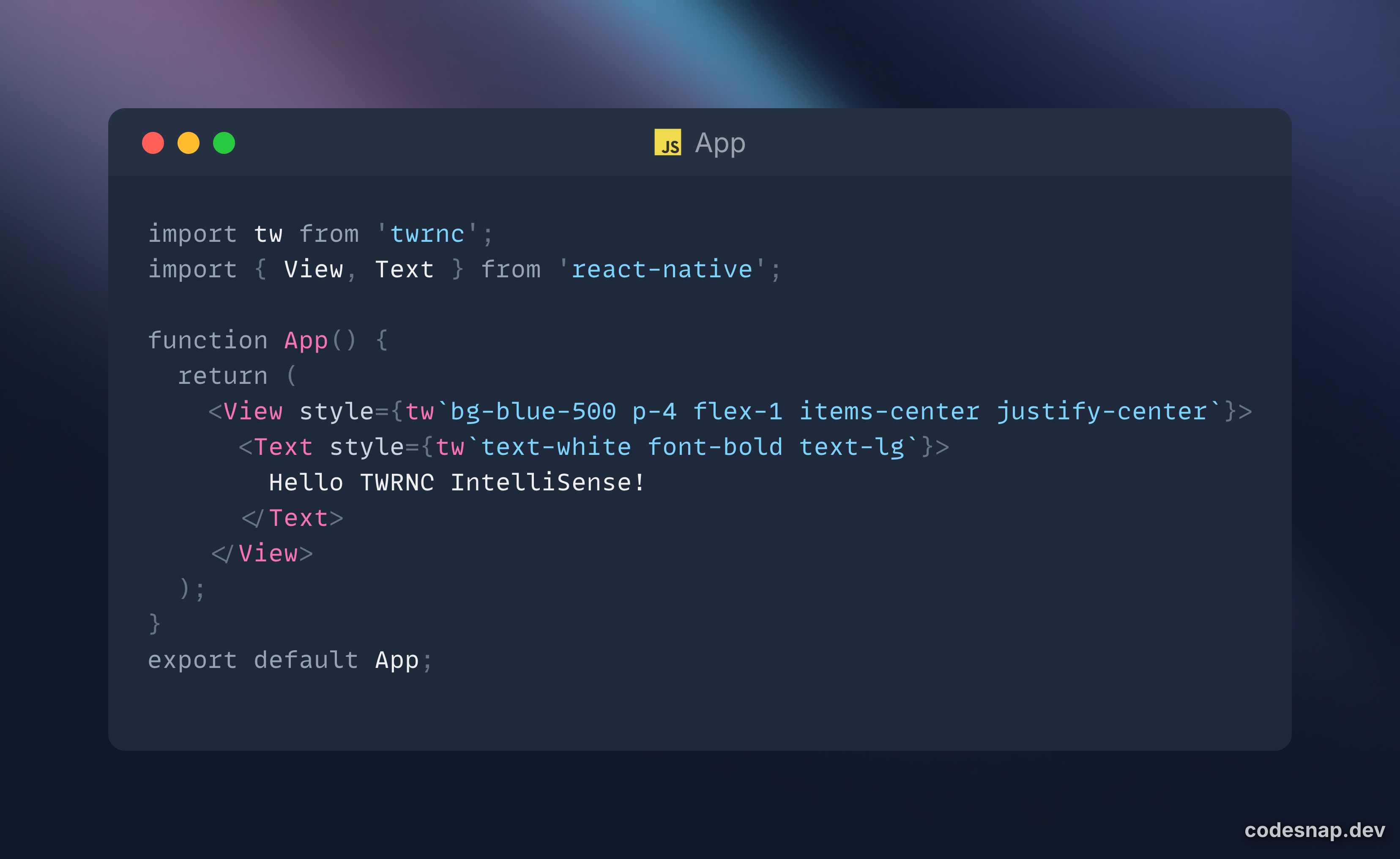
Import twrnc in your React Native components:

Start typing Tailwind classes inside tw`...` and you'll get autocomplete suggestions [web:21][web:22].

Configuration

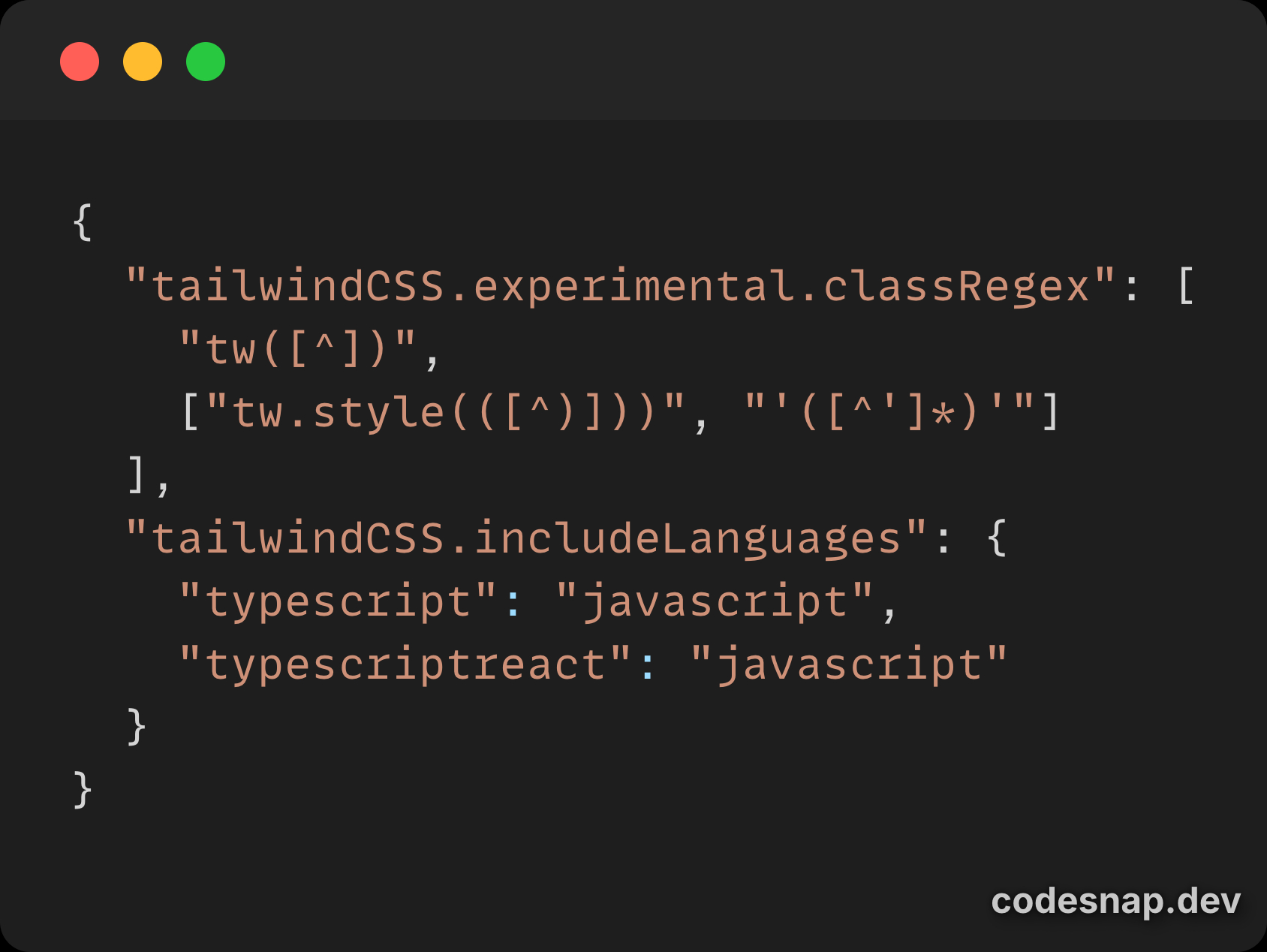
This extension inherits most settings from Tailwind CSS IntelliSense. You can customize behavior in your .vscode/settings.json:

Available Settings

  • tailwindCSS.suggestions - Enable/disable autocomplete suggestions
  • tailwindCSS.hovers - Enable/disable hover previews
  • tailwindCSS.validate - Enable/disable linting
  • tailwindCSS.colorDecorators - Show/hide color decorators

Known Issues

  • May conflict with the official Tailwind CSS IntelliSense extension if both are enabled
  • Monorepo setups might require additional configuration in tailwind.config.js

Contributing

Contributions are welcome! Please feel free to submit issues or pull requests.

  1. Fork the repository
  2. Clone your fork: git clone https://github.com/dimsmaul/twrnc-intellisense.git
  3. Install dependencies: pnpm install
  4. Make your changes
  5. Test by pressing F5 (or fn+F5 on Mac) to launch Extension Development Host
  6. Submit a pull request

License

MIT License - see LICENSE file for details

Credits

This extension is based on Tailwind CSS IntelliSense by Tailwind Labs [web:12].

Links

  • GitHub Repository
  • VS Code Marketplace
  • TWRNC Package
  • Report Issues

Enjoy! 🎉

  • Contact us
  • Jobs
  • Privacy
  • Manage cookies
  • Terms of use
  • Trademarks
© 2025 Microsoft