Deqra
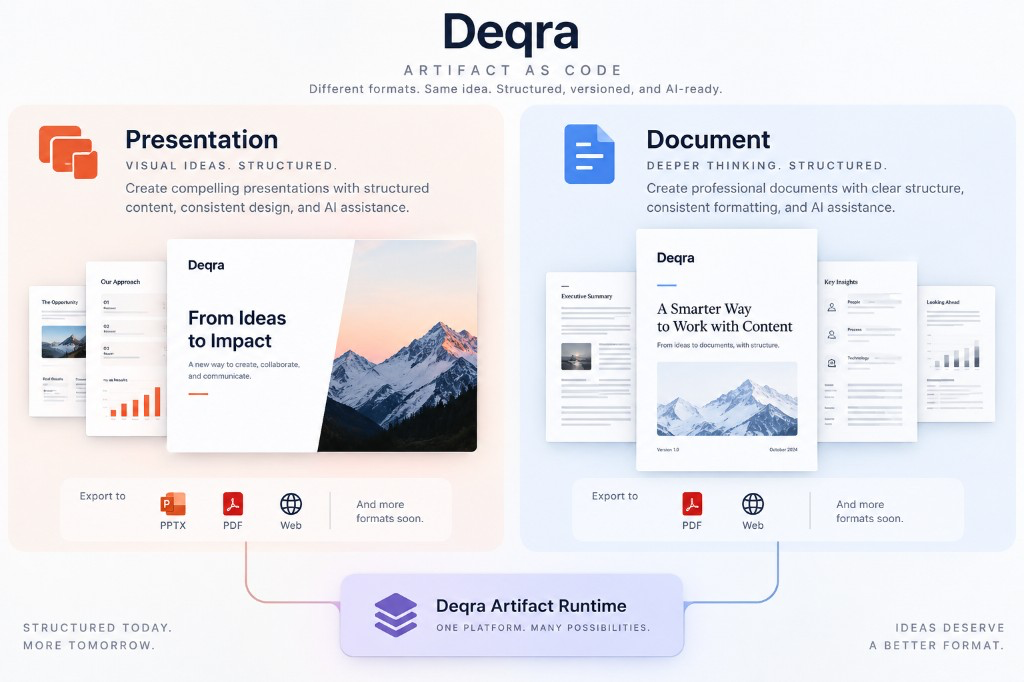
Presentations and letter Documents as structured source — edit in your IDE, export when you need pixels.
Artifact as Code
.deqra is the source. PDF, PowerPoint, and HTML are outputs.
See it in action

▶ Watch the demo on YouTube
Two artifact types
|
Presentation |
Document |
| Command |
Deqra: Create New Presentation |
Deqra: Create New Document |
| Shape |
Slides (landscape 16:9 or portrait 9:16) |
US Letter pages (portrait) |
| UI |
Slide gallery + Catalog |
Document preview (letter HTML) |
| Export |
PDF · PPTX · HTML |
PDF · HTML |
| Viewer |
Skia slide stage |
Letter pages + filmstrip |
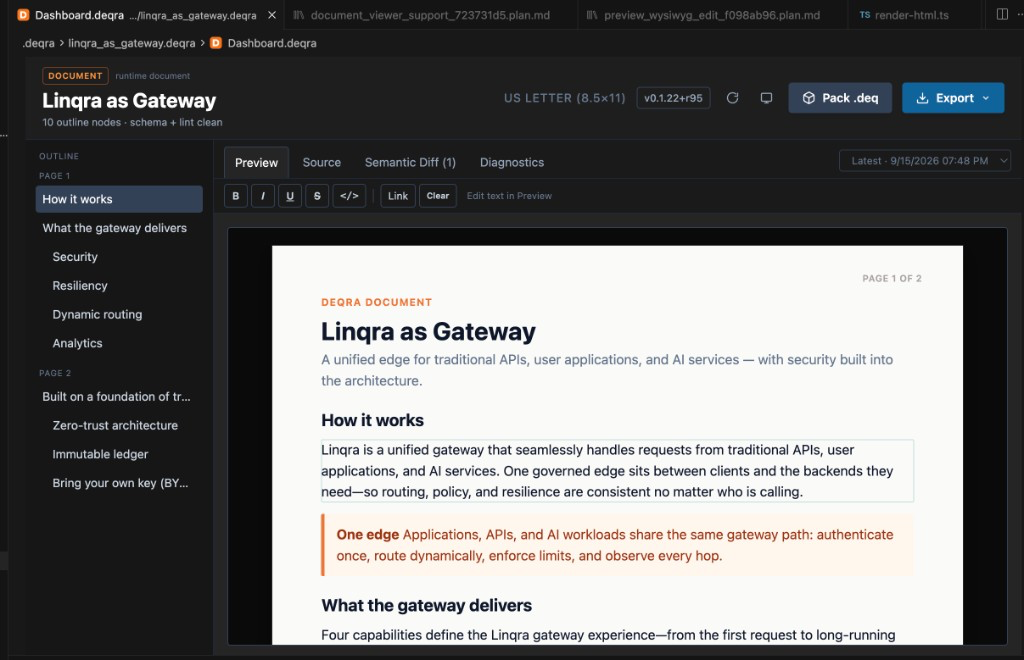
Both are runtime packages: manifest.json + document.json under .deqra/<name>.deqra/. Open Presentation.deqra (slides) or Document.deqra (documents) in that folder for the editor UI.
Export
Presentations: PDF · PPTX · HTML from the gallery toolbar.
Documents: PDF · HTML from Document preview (PPTX is slide-oriented).
Install
VS Code
Install from the Marketplace →
Or search for Deqra (publisher deqra) in the Extensions panel.
Cursor (and other Open VSX IDEs)
Same extension package — not a separate Cursor build. Cursor searches Open VSX.
Install from Open VSX →
Or search for Deqra (publisher deqra) in Cursor’s Extensions panel.
Fallback: download the .vsix from deqra.ai/download → Extensions: Install from VSIX…
Requires VS Code / Cursor 1.80+. Export tools ship inside the extension.
Deqra Viewer (optional)
A separate desktop app for presenting runtime packages — slides with live Skia preview, or Documents as letter pages — with filmstrip navigation. Not required to author or export from the gallery.
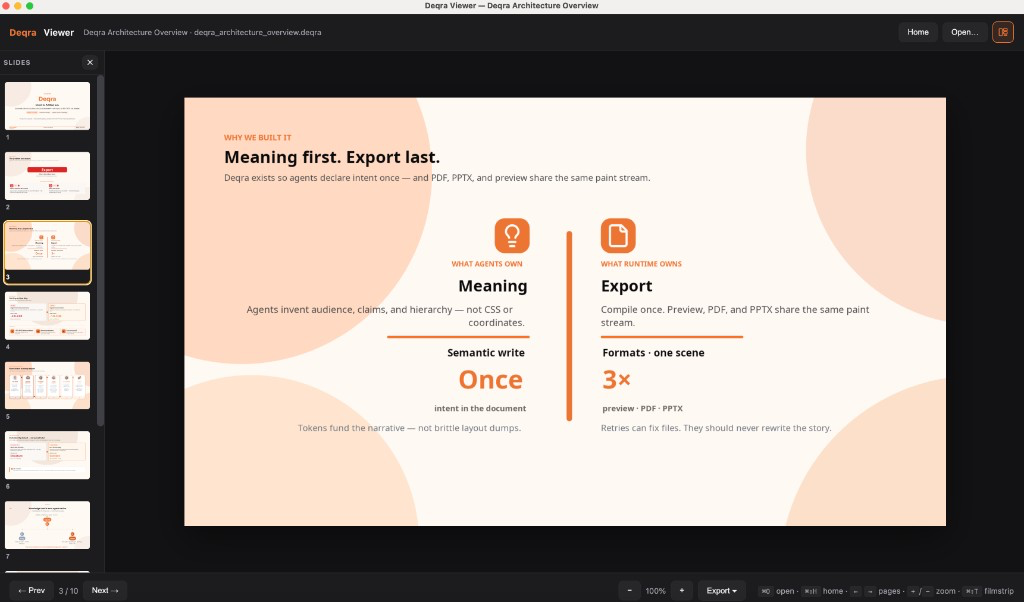
- Gallery / Document toolbar: Open in Deqra Viewer (monitor icon). If Viewer isn’t installed, Deqra opens deqra.ai/download so you can get macOS / Windows / Linux installers.
- Install: deqra.ai/download#viewer
- Optional setting:
deqra.viewerPath if the app isn’t in the default location
Create a presentation
- Open any folder in your editor.
- Command Palette (
Cmd/Ctrl+Shift+P) → Deqra: Create New Presentation.
- Enter a name for the presentation.

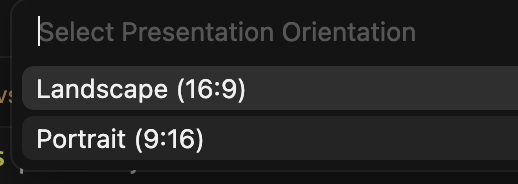
- Choose Landscape (16:9) or Portrait (9:16).
- Deqra creates
.deqra/<name>.deqra/ and opens Presentation.deqra — the slide gallery (thumbnails, Catalog, Export).
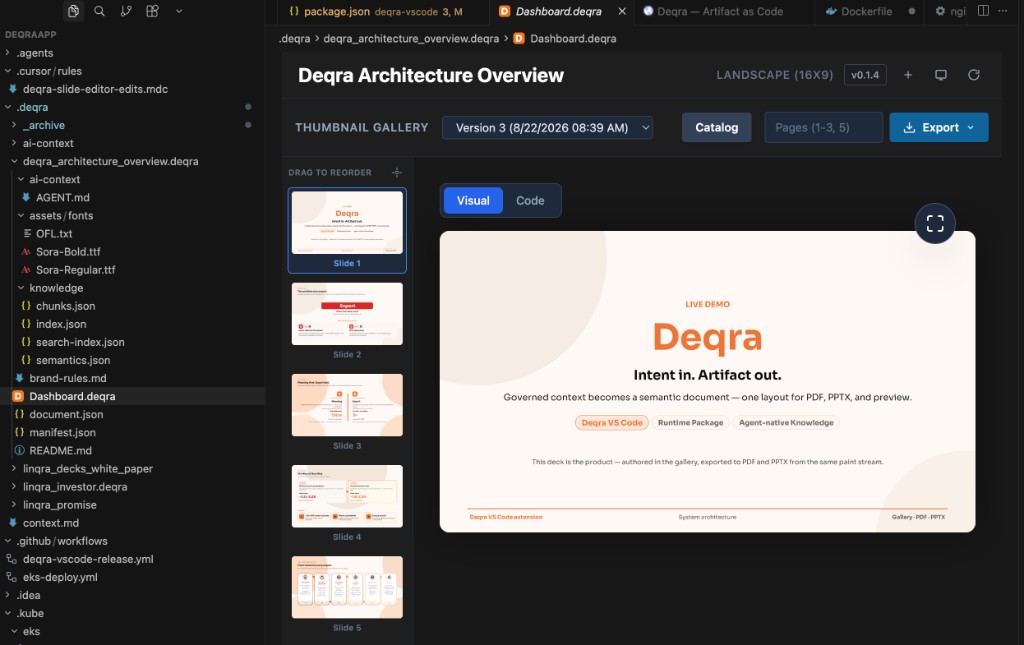
Come back to Presentation.deqra whenever you want to review or export the deck. Pin it in the editor if you like — it’s your home screen for that presentation.
Create a Document
- Open any folder in your editor.
- Command Palette → Deqra: Create New Document.
- Enter a name (e.g.
Linqra as Gateway).
- Deqra scaffolds a portrait letter package and opens
Document.deqra in Document preview — scrollable US Letter pages, outline, PDF/HTML export.
Edit content in document.json (sections, callouts, diagrams, page_break). Preview and export stay letter-accurate; Open in Viewer presents the same HTML pages.
Typical workflow
- Create a Presentation or Document (commands above).
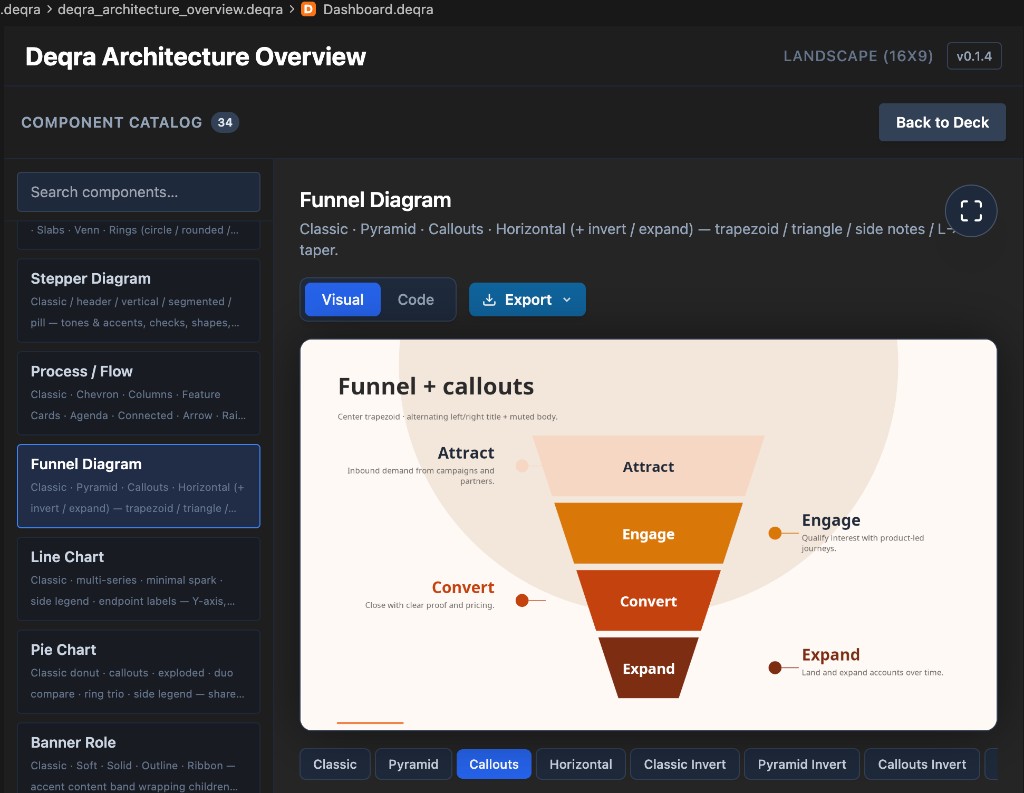
- For decks: use Catalog in the gallery to browse layout patterns with live previews.
- Edit content in
document.json in the same folder (structured JSON — great for AI assistants).
- Export from the gallery / Document toolbar when you’re ready.
- Optional: Open in Deqra Viewer or share via Web Viewer (
/v/<id>).
Files live under .deqra/ in your workspace. Commit them to git like any other project artifact.
What you get
- Thumbnail gallery with add / copy / delete / reorder slides
- Document preview for letter packages (pages, outline, PDF/HTML)
- Component Catalog with live previews (presentations)
- PDF, PPTX, and HTML export (PPTX for presentations; Documents use PDF/HTML)
- Open in Deqra Viewer for present / live reload (optional desktop app)
- Create New Presentation / Create New Document scaffold brand rules and AI guidance in the package folder

