WaniCode


Unofficial. WaniCode is an independent project. It is not affiliated with, endorsed by, or sponsored by Tofugu or WaniKani. It talks to the public WaniKani API v2 with a token you provide. "WaniKani" is a trademark of its respective owner.
Do your WaniKani reviews and lessons without leaving VS Code.
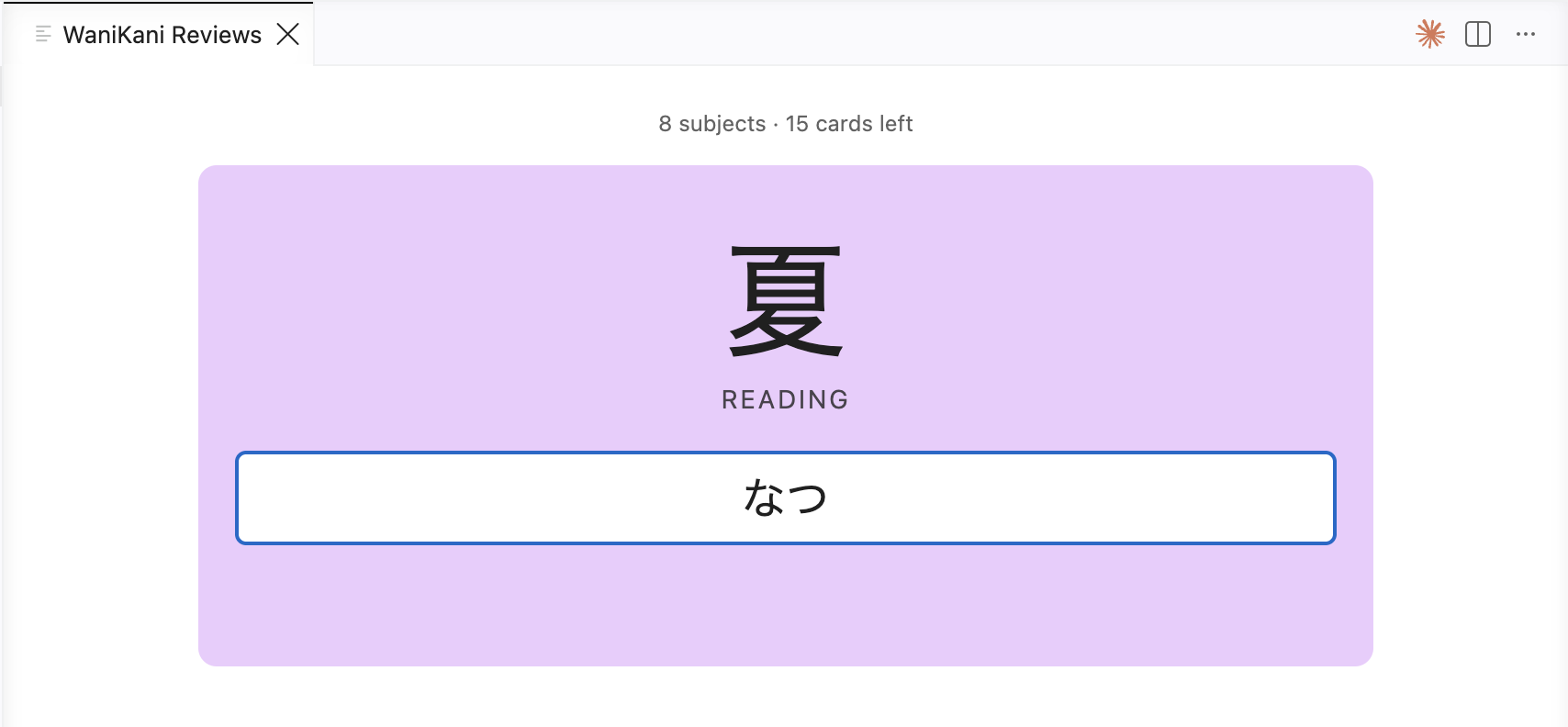
Other WaniKani companions stop at showing your review counts. WaniCode runs the actual reviews and lessons in an editor panel: typed answers, live romaji to kana input, WaniKani style answer matching, and real SRS submission.
 |
 |
| Romaji to kana input on readings |
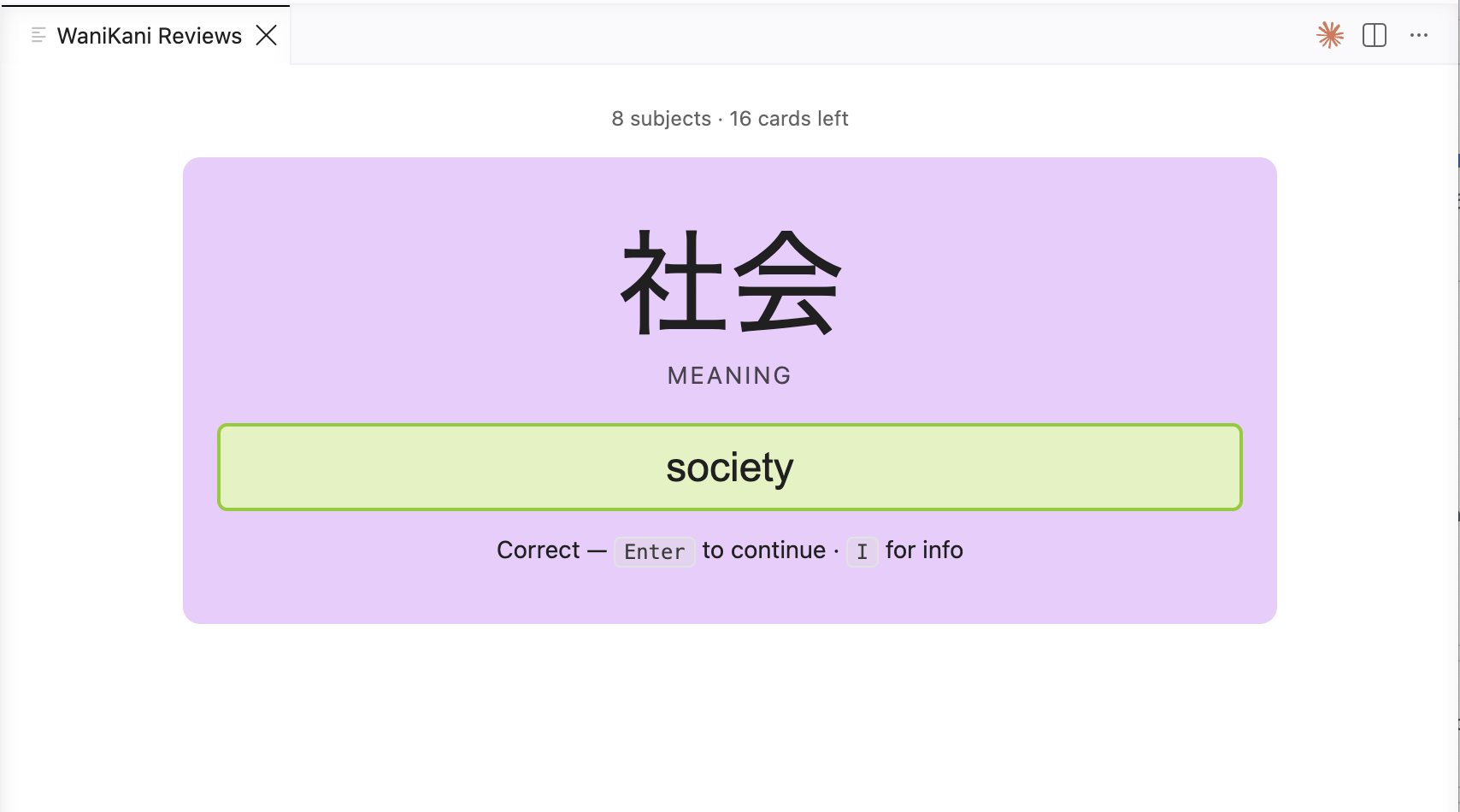
Instant grading with reinforcement |
 |
 |
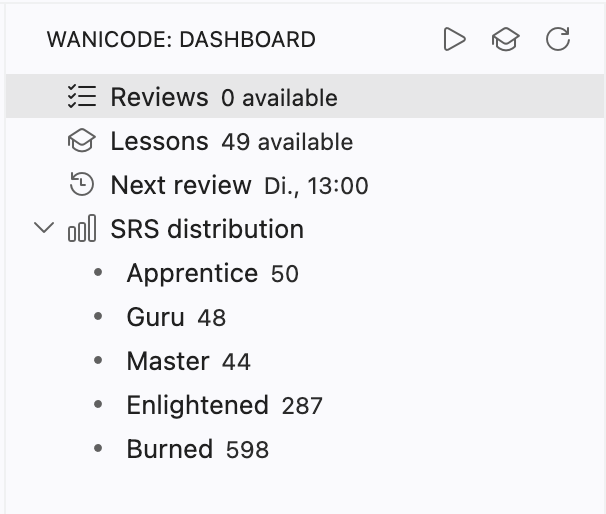
| Activity bar dashboard with SRS distribution |
Glanceable status bar summary |
Features
- Status bar summary. Reviews, lessons, and the next review time at a glance:
蟹 24 Reviews · 3 Lessons · Next 23:00.
- Activity bar dashboard. Open reviews, available lessons, next review, and your SRS distribution.
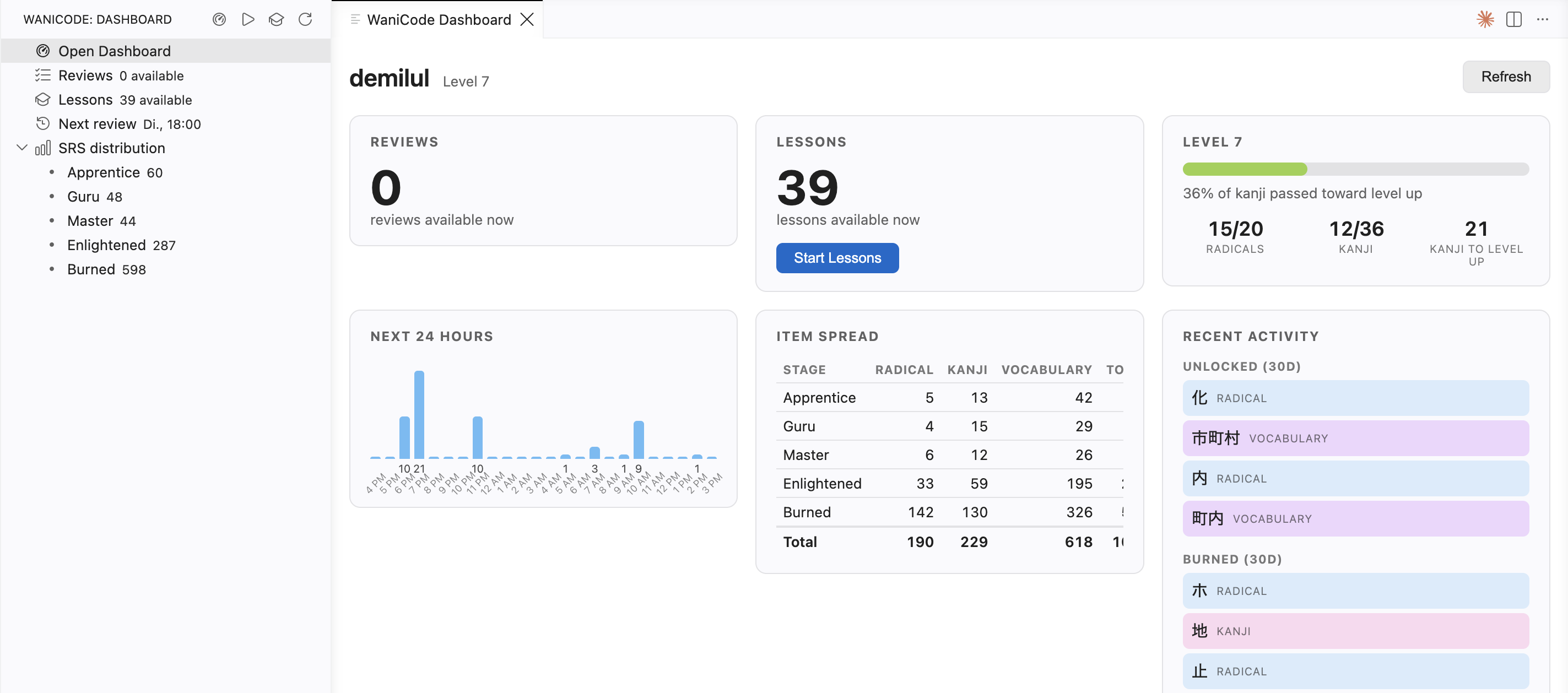
- Full dashboard panel. A WaniKani style dashboard in the editor, built from the API: reviews available now, a 24 hour forecast, today's lessons, level up progress, an item spread by SRS stage and type, and recently unlocked, burned, and critical condition items. Open it from the "Open Dashboard" row in the WaniCode sidebar, the dashboard icon in the view title, or the
WaniCode: Open Dashboard command.
- Native reviews. A full review session in an editor panel:
- romaji to kana input on reading questions, via WanaKana
- close enough meaning matching with typo tolerance, like the real site
- a nudge when you type the reading where a meaning was expected
- subjects repeat until you answer both the meaning and the reading correctly
- reinforcement after each answer: meanings, readings, and mnemonics, shown automatically when you are wrong and on demand (press
I) when you are right
- Native lessons. Learn new radicals, kanji, and vocabulary in the editor. A teaching pass (characters, readings, mnemonics) is followed by a quiz, then the batch is started on WaniKani. Batch size is configurable.
- Live by default. Reviews and lessons submit to your real SRS. Turn on practice mode to run a full session without writing anything to your account.
- Due review notifications while you work.
Requirements
- A WaniKani account with reviews or lessons available.
- A personal access token from your WaniKani account. The token is stored in VS Code SecretStorage, never in plain text settings.
Getting started
- Install the extension from the Marketplace, or press
F5 in this repo to launch an Extension Development Host.
- Run WaniCode: Set API Token and paste a token from wanikani.com, Settings, API Tokens.
- Open the WaniCode view in the activity bar, or run WaniCode: Start Reviews.
On first launch the extension downloads the subject catalogue once (about nine requests). After that, reviews grade instantly and work offline.
Commands
| Command |
Description |
WaniCode: Set API Token |
Store your personal access token securely |
WaniCode: Clear API Token |
Remove the stored token |
WaniCode: Show Dashboard |
Reveal the activity bar view |
WaniCode: Start Reviews |
Open the review session |
WaniCode: Start Lessons |
Learn and quiz a batch of new items |
WaniCode: Refresh |
Re-fetch the summary and counts |
Settings
| Setting |
Default |
Description |
wanikani.practiceMode |
false |
Run reviews and lessons without submitting them to WaniKani |
wanikani.lessonBatchSize |
5 |
How many lessons to teach and quiz per session |
wanikani.refreshInterval |
15 |
Minutes between background refreshes |
wanikani.notifyOnDue |
true |
Notify when new reviews become available |
Roadmap
- Reading audio playback and context sentences
- Closer answer matching parity (auxiliary meanings, warning states)
- Offline and resume for interrupted sessions
- Combined WaniKani and Bunpro view
Contributing
npm install
npm run watch   # esbuild watch for the extension and webview bundles, then press F5
npm run compile type-checks with tsc --noEmitnpm test runs the matcher and session unit testsnpm run build produces the production bundlesnpm run package builds a .vsix with vsce
Project layout:
| Path |
Responsibility |
src/api/wanikaniClient.ts |
REST wrapper with pagination and 429 backoff (60 req/min) |
src/cache/subjectStore.ts |
Full subject cache in global storage, incremental via updated_after |
src/matching/answerChecker.ts |
Close enough meaning matching, exact readings, nudges |
src/matching/reviewSession.ts |
Review and quiz queue plus SRS tally state machine (testable) |
src/ui/studyPanel.ts, src/webview/review.ts |
Study webview host and its client script |
Disclaimer
Not affiliated with or endorsed by Tofugu or WaniKani. Uses the public WaniKani API v2.
License
Apache-2.0
| |

