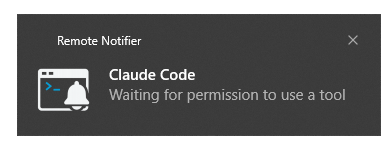
Remote Notifier (Router)Receive notifications from remote scripts and route them to the main Remote Notifier extension to trigger notification for the user Installation Launch VS Code Quick Open ( Ctrl+P), paste the following command, and press enter.Copied to clipboard |

Remote Notifier (Router)
Remote Notifier lets you trigger notifications from remote environments like SSH, Docker or WSL and receive them instantly on your local machine through VS Code. Whether you're building your code, running tests, using some tools, or working with an AI agents, you no longer need to keep checking back or risk missing anything. Remote Notifier (Router)This is a helper extension ("router") to the main one - Remote Notifier - that needs to be installed in a given workspace to allow scripts and tools to trigger notifications from within that workspace. Triggered notifications are received by this extension and they are passed to the main extension for presentation via system (or in-app) notifications to the user. This extension can be installed manually, but the main extension will also prompt user to install it whenever new workspace is opened which doesn't have it installed yet (either local or remote). Platform SupportAll major platforms (Windows 10+, macOS and Linux) are support. On Windows, a On Linux/macOS, a How To Use
You can also find latest version of the extensions on the
GitHub project page and manually
install VSIX extensions via
Once installed, both extensions will always start automatically. MoreFind more information by navigating to the Remote Notifier extension page. License |