
Day for VS Code


Install from the VS Code Marketplace
or code --install-extension daybrite.day-vscode. Odd minor versions (0.5.x) are pre-releases: choose Switch to Pre-Release Version on the Marketplace page to get them.
Install —
Get started —
Troubleshooting —
Screenshots —
Day docs
Day is a complete application framework in Rust. One codebase ships as a
real native app on macOS, Windows, Linux, iOS, Android, HarmonyOS, and the web, each one drawn with
that platform's own widgets, and the CLI, CI workflows, localization, accessibility, and dayscript
automation come with it. This extension is the framework's editor half: pick the platforms, press
Run, and watch them build and launch side by side; run dayscript walkthroughs; and open the host
project in Xcode or Android Studio after the extension prepares it.
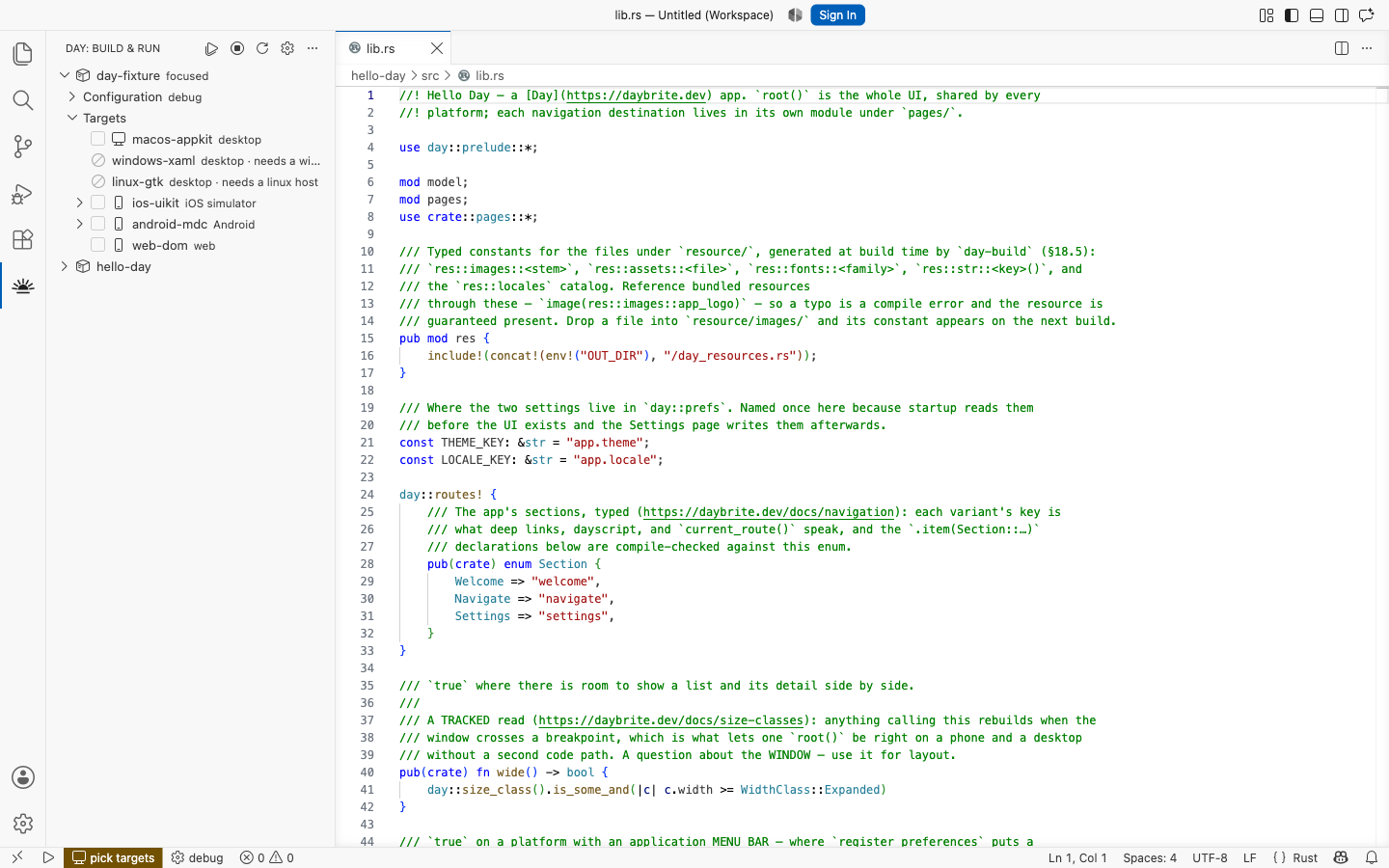
The Day view lists every project in the window and the platforms each one ships to. Tick the
ones you want and press Run.
- Each target builds in its own terminal, and stops and restarts on its own.
- Unavailable and deprecated targets are hidden by default; turn off
day.hideUnavailableTargets to list them. Selected or running legacy targets stay visible.
- Windows uses
windows-winui (Tier 2). Deprecated targets remain usable for existing
projects and appear last in target pickers.
- Target selectors show support tiers: 1 Supported, 2 Demi-supported, 3 Experimental,
4 Development, 5 Deprecated. Hover a target or use the picker's information button for
the testing and maintenance expectations. Tiers do not measure API completeness.
- The + on a project's Targets row adds another platform to the app.
- Mobile targets expand to a Device row — a booted simulator, a plugged-in phone, an emulator,
or every one at once. Right-click one to start or stop the simulator or emulator itself.
- Open a dozen apps together: each keeps its own targets, build mode, locale and log level.
Start a project without leaving the editor
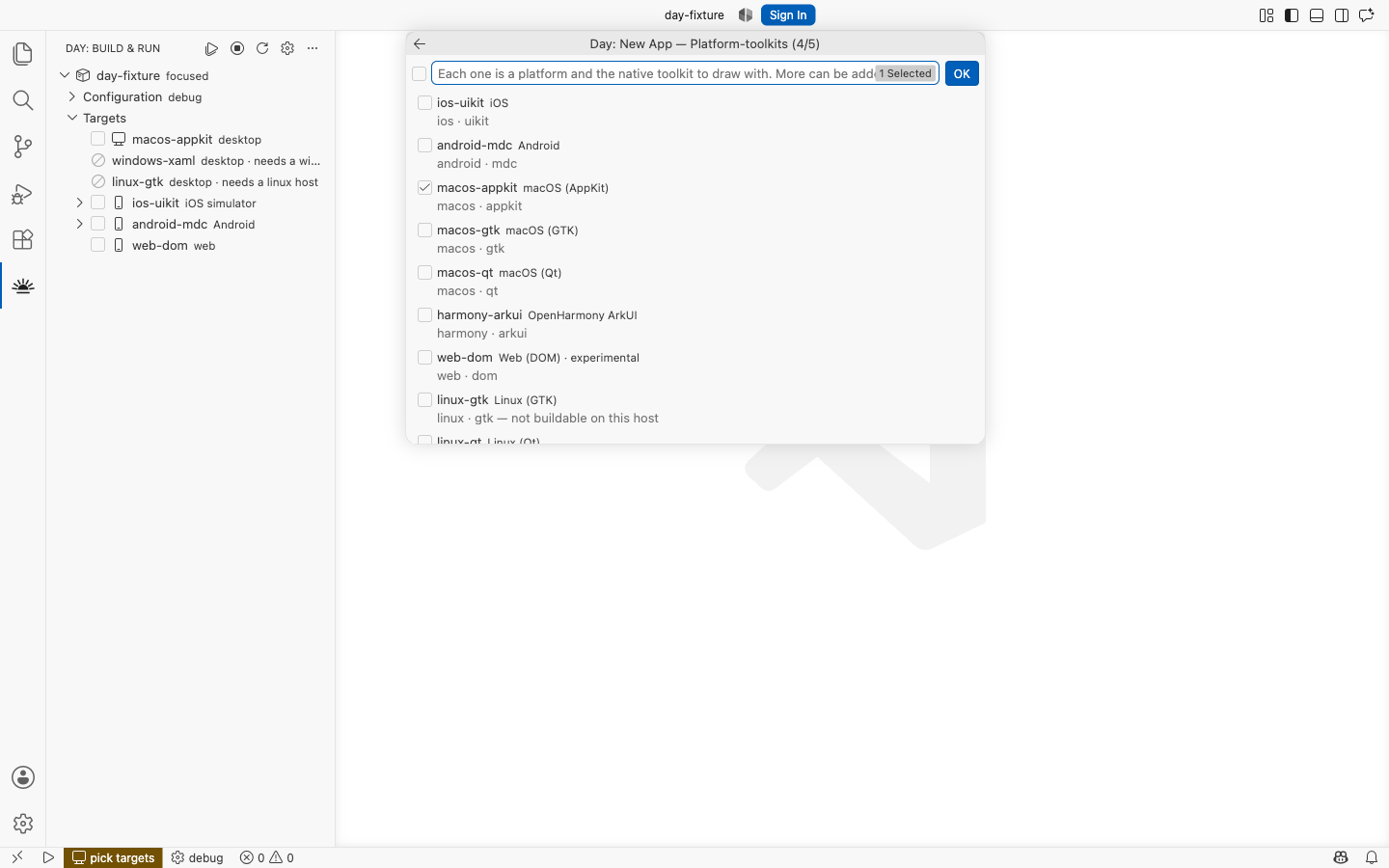
Day: New Project scaffolds an app, a piece or a part, one question at a time, with Back at
every step.
- The questions come from the CLI itself, so the platforms offered are exactly the ones your
day
supports.
- Your own machine's platform arrives preselected.
- New to Day? The Get started with Day walkthrough on VS Code's Welcome page takes it from the
top.
Catch problems where they happen
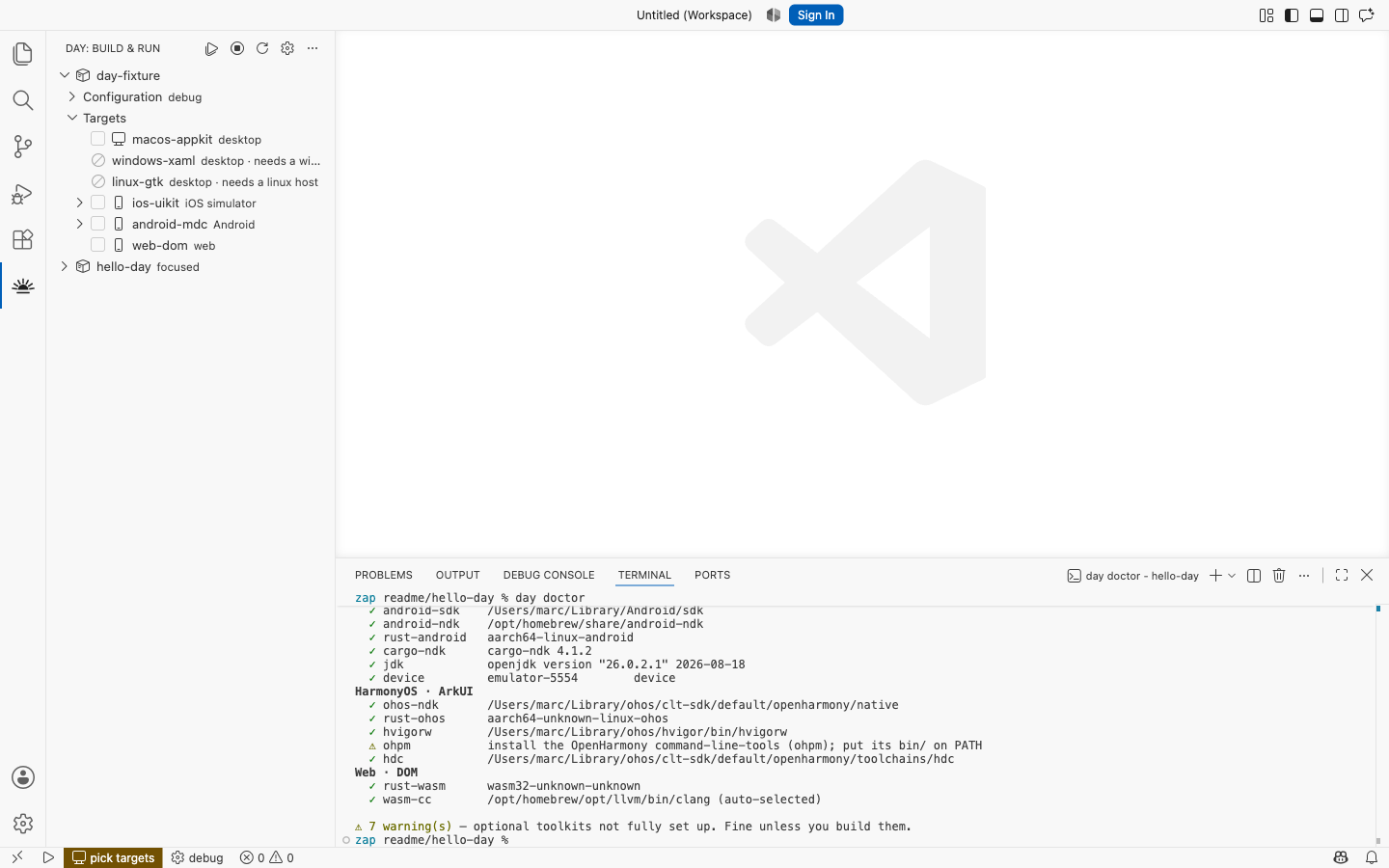
- Day: Doctor checks the toolchain for every platform and prints the command that installs
whatever is missing.
- Day: Lint Project draws findings on the lines they name — a missing translation, a route
nothing declares, an undeclared permission — with quick fixes where the repair is unambiguous.
- Day: Clean Project removes every build artifact —
build/, target/, and the platform
scaffolds' generated outputs — via day clean, confirming first and reporting the space it
reclaimed.
- F5 builds a desktop target and hands the binary to a Rust debugger you already have, so
breakpoints in
.rs files are real ones.
- Tests run where tests run. Every
#[day::test] function appears in the Test Explorer and
gets the play icon in the gutter, with one row per target you have ticked; one click runs it on
each of them through day test, and a failure links the screen at the moment it failed. Debug
one on a desktop target and a breakpoint in the app holds the run.
Built for agent mode
In a Day workspace the extension registers the Day MCP server with VS Code's agent mode, so an
agent can inspect the project, build and launch it, then drive the running app and take
screenshots — on every platform it targets. Ask for something like:
Add a configuration page, relaunch on all targets, and show me screenshots.
Requirements
VS Code 1.101 or newer, and the day CLI:
cargo install day-cli
Each platform needs its own SDK — Xcode, a JDK and the Android SDK, GTK 4 or Qt 6. Run
Day: Doctor and it will name what is missing for the platforms you picked, with the command to
install it.
Learn more
- Installing and updating — including how to point
the extension at a particular
day binary or a local checkout.
- Getting started — a first app, from
scaffold to a running window.
- Reference — every command and setting,
including the per-project ones and the toolchain paths.
- Troubleshooting — when a build or a
launch does not go as planned.
- Day documentation — the framework itself: pieces, layout,
navigation, localization and packaging.
Contributing
Bugs and ideas are welcome in issues.
CONTRIBUTING.md covers building
the extension from source and running its tests.

