⚡ 轻量、直观的 ASP.NET Core API 测试与一键调试工具
A lightweight and intuitive ASP.NET Core API testing and one-click debugging tool
在代码中一键测试 API 并快速启动调试,无需离开编辑器,无需切换工具!
Test APIs and start debugging with one click directly in your code editor - no tool switching needed!
📷 预览 | Preview
✨ 核心特性 | Key Features
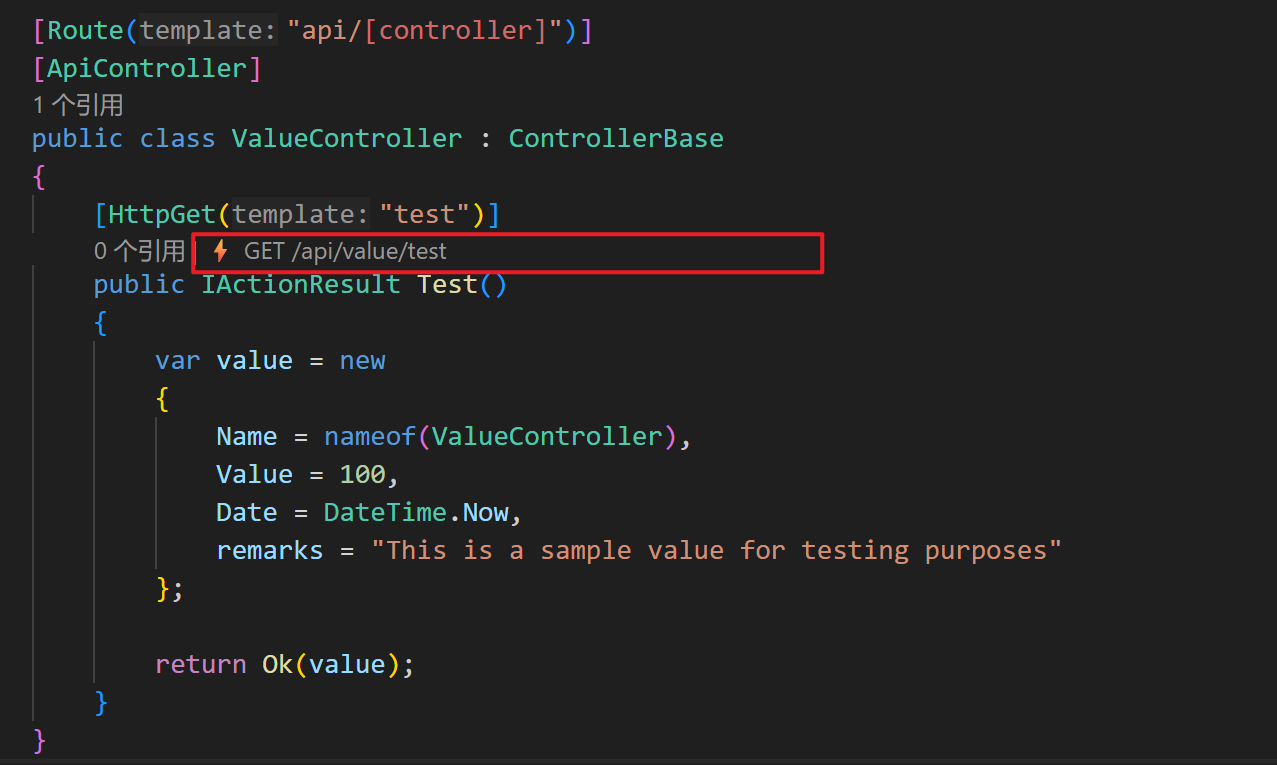
🎯 CodeLens 集成 | CodeLens Integration
在每个 Controller Action 方法上自动显示测试按钮
Automatically shows a test button above each Controller action method
精确定位到方法名位置,与"引用"按钮并列显示
Precisely positioned at the method name and displayed alongside the "References" button
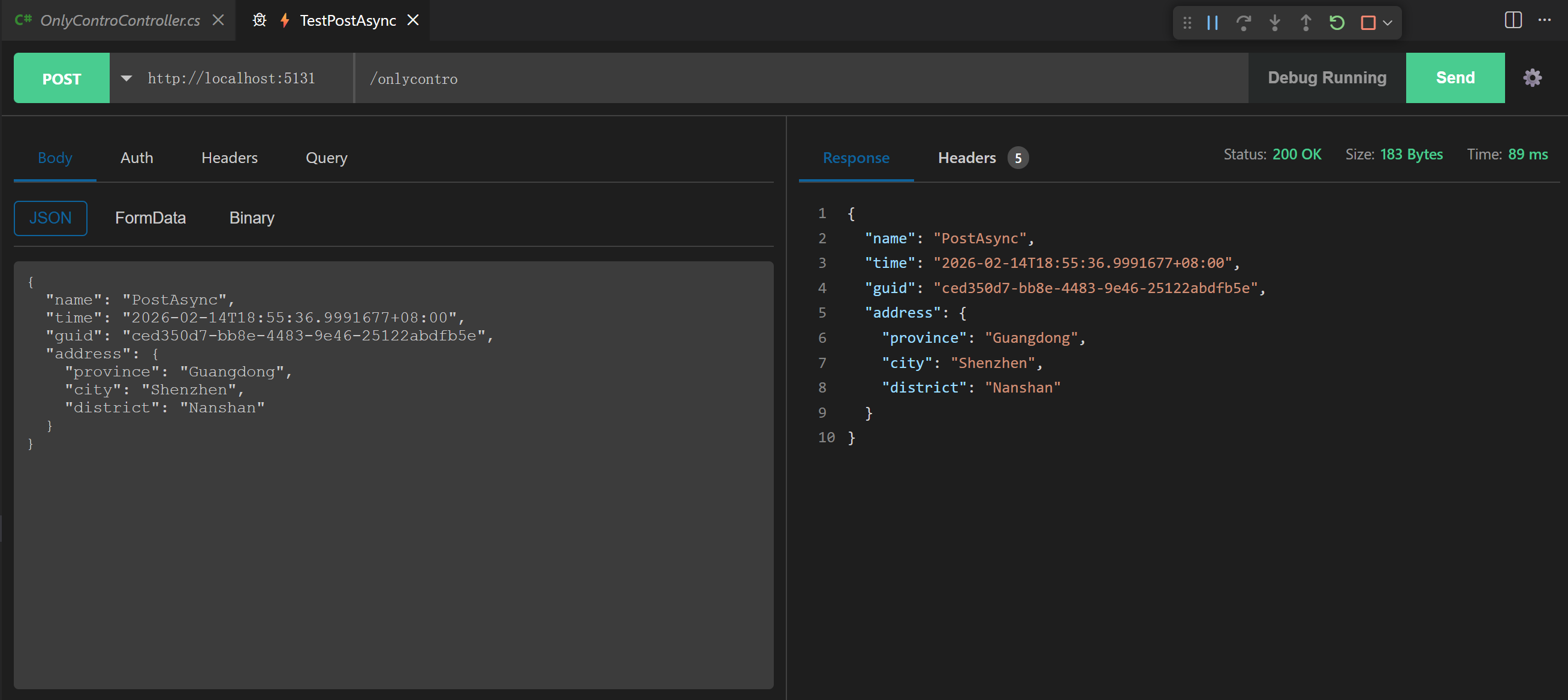
支持同时打开多个测试标签页
Supports opening multiple test tabs simultaneously
智能识别基元类型 Query 入参:点击 CodeLens 自动切换到 Query 标签并预填参数键名
Smart primitive Query parameter detection: clicking CodeLens automatically switches to the Query tab and pre-fills parameter keys
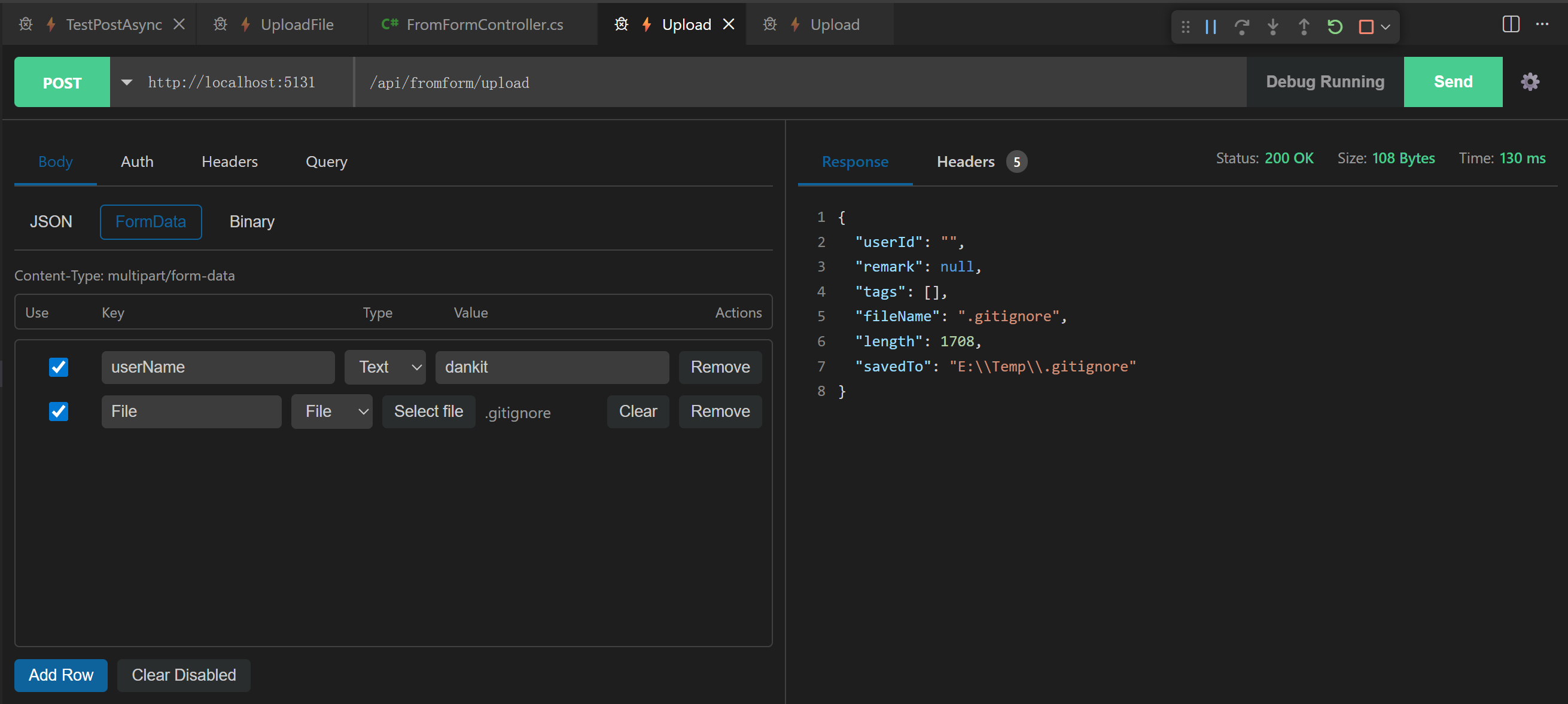
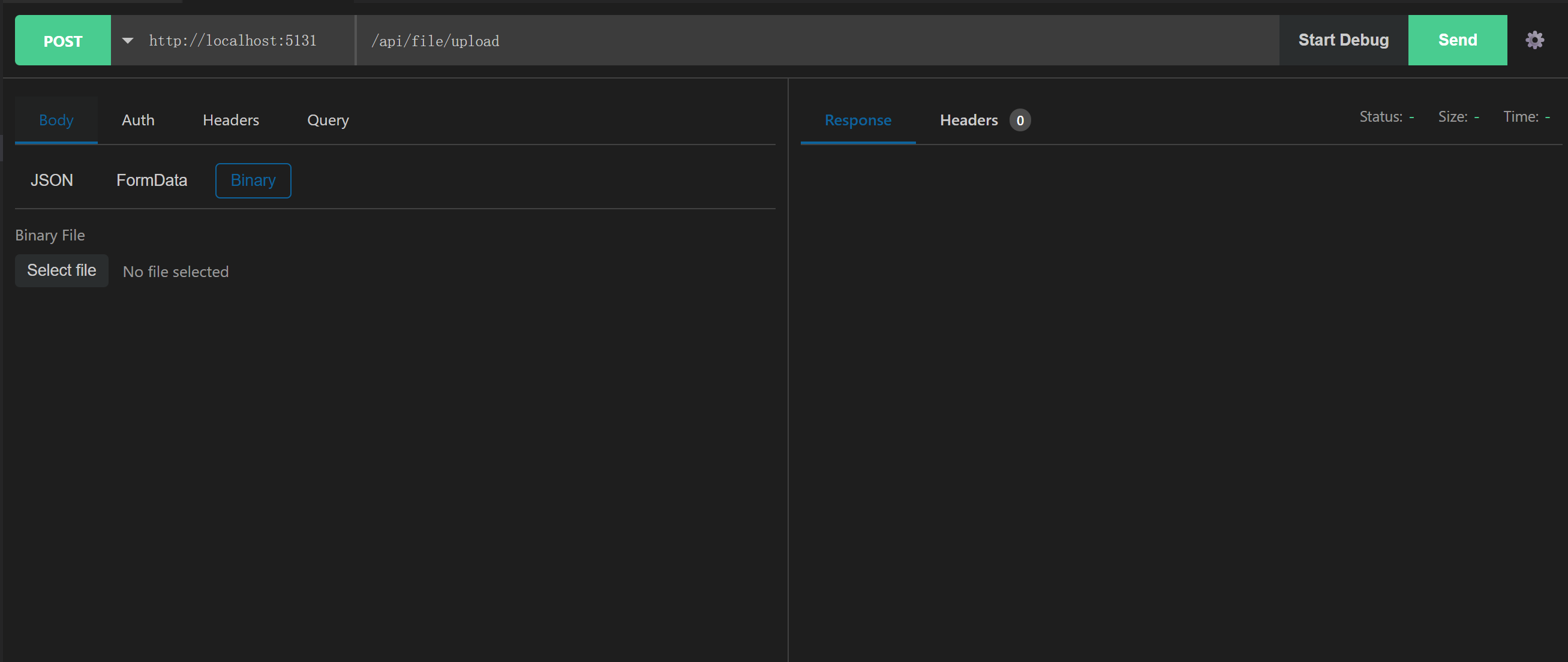
智能识别 Body 入参类型:IFormFile 自动切换到 Binary,[FromForm] 自动切换到 FormData
Smart Body parameter-type detection: IFormFile auto-switches to Binary, and [FromForm] auto-switches to FormData
解析 [Route] 特性,支持控制器和方法级路由
Parses [Route] attributes at both controller and action levels
智能处理 [controller], [action] 占位符
Handles [controller] and [action] placeholders intelligently
支持路由参数占位符(如 order/{id}):发送请求时自动替换为用户输入值
Supports route parameter placeholders (e.g. order/{id}): automatically replaces them with user-provided values when sending requests
支持 [ApiVersion] 特性和自定义默认版本
Supports the [ApiVersion] attribute with a configurable default version
🐞 一键启动调试 | One-click Debug Start
在请求栏中提供 启动调试 按钮(位于 Send 左侧),可在发送 API 请求前快速启动当前项目调试
A Start Debug button is available in the request bar (left of Send) to quickly start debugging before sending API requests
支持多项目并行调试:仅阻止同项目重复启动,不影响其他项目调试
Supports multi-project concurrent debugging: only blocks duplicate starts for the same project
调试状态自动同步:通过工具栏停止、命令面板停止或 Shift+F5 结束会话后,按钮状态会自动恢复
Debug status syncs automatically: when a session ends via toolbar stop, command palette stop, or Shift+F5, button state resets automatically
🔗 自动配置 Base URL | Auto Base URL Configuration
自动读取项目的 launchSettings.json 文件
Automatically reads the project's launchSettings.json file
智能解析 applicationUrl 和 launchUrl,自动构建完整的 API URL
Intelligently parses applicationUrl and launchUrl to build complete API URLs
实时监听文件变化,配置更新后自动刷新
Watches files in real time and refreshes automatically when configuration changes
无需手动输入 Base URL,开箱即用
No manual Base URL input required; works out of the box
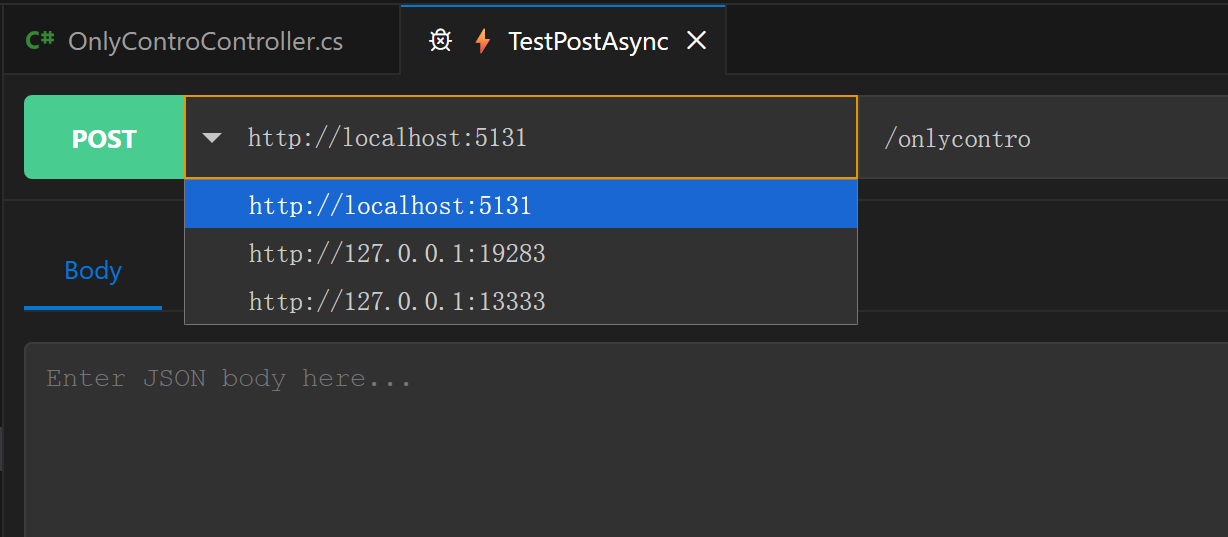
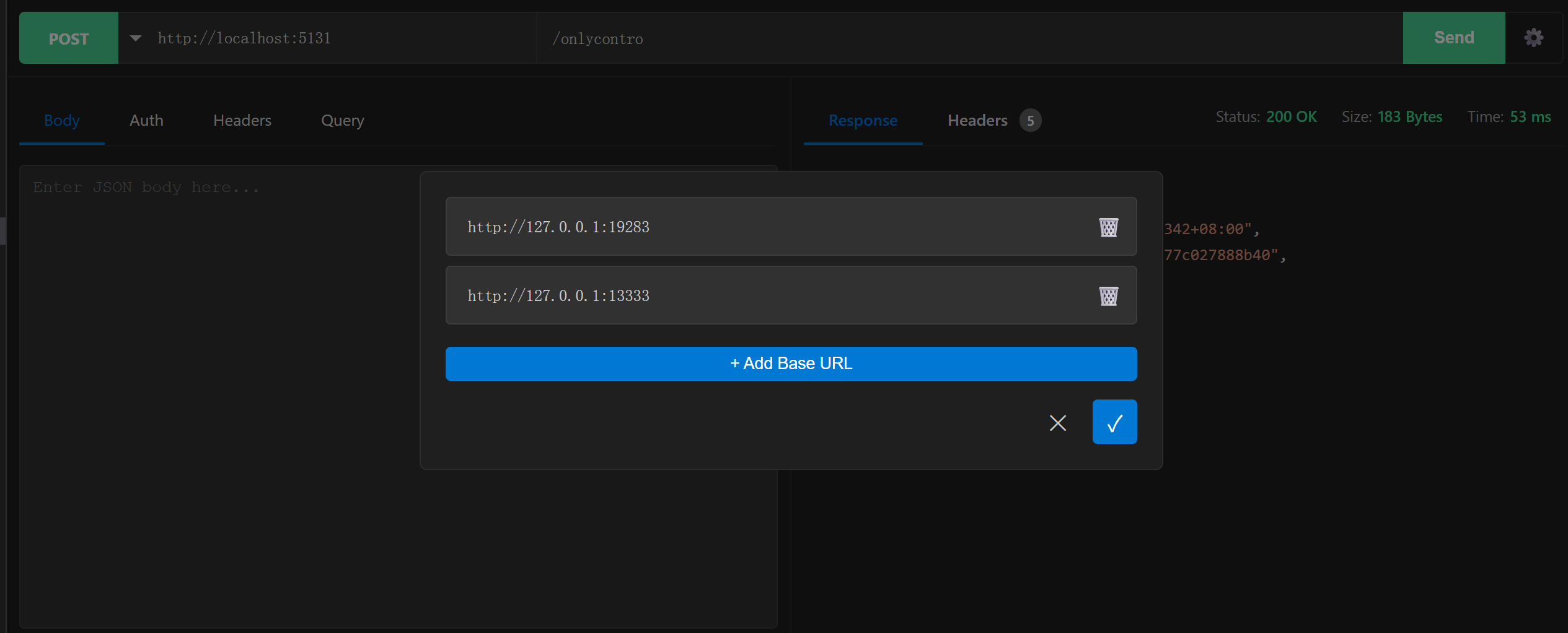
🛠️ Base URL 管理 | Base URL Management
支持添加、编辑、删除自定义 Base URL,方便在多个环境间切换
Supports adding, editing, and deleting custom Base URLs for easy environment switching
所有自定义 Base URL 均基于项目,同一项目的不同 API 无需重复设置
Base URL settings are project-scoped and shared across APIs in the same project.
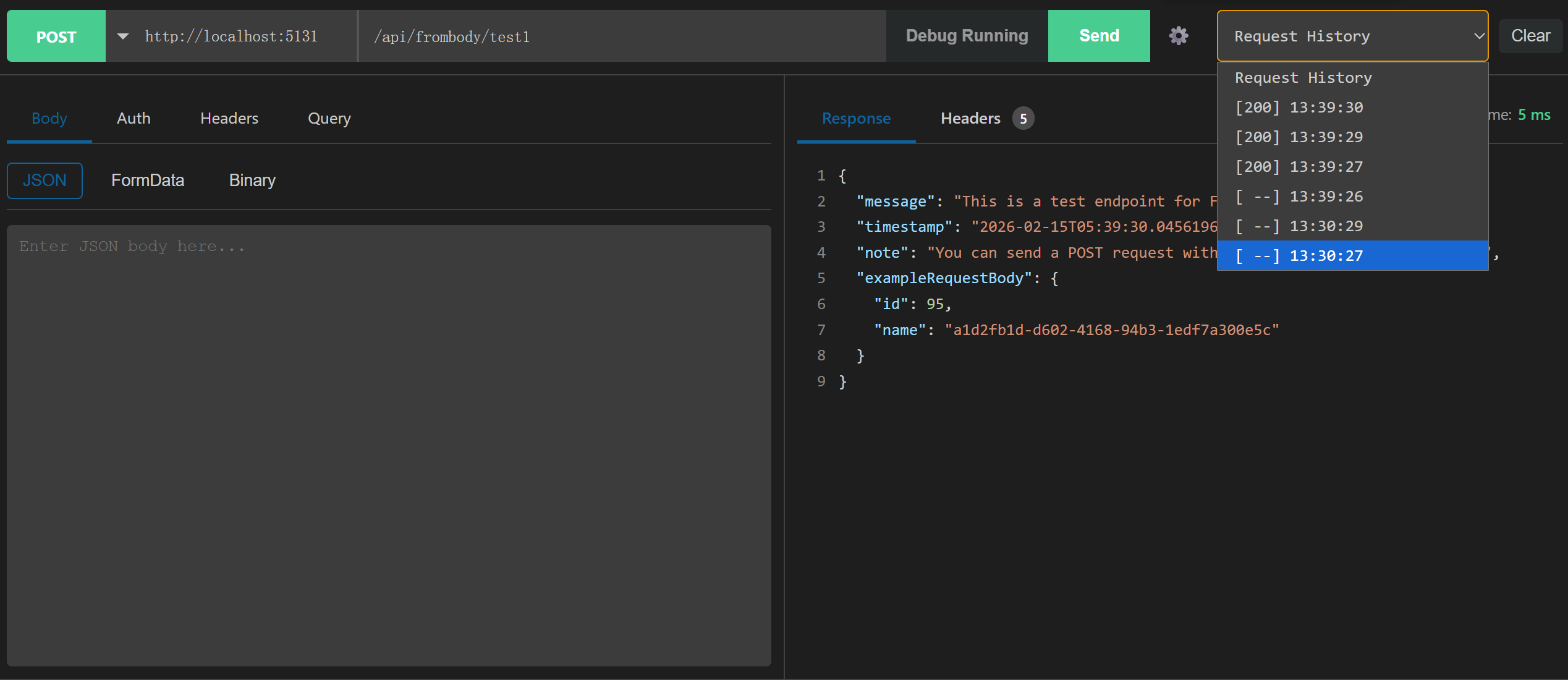
🕘 请求历史记录 | Request History
按接口保存最近请求(可配置条数),支持一键回填 Body / Query 并快速重测
Stores recent requests per endpoint (configurable limit), supports one-click Body/Query restore for quick retesting
不保存敏感信息,仅保留轻量历史数据(状态码、时间、Query、Body)
Sensitive data is not persisted; only lightweight history data is kept (status, time, query, body)
⚙️ 配置 | Configuration
在 VS Code 设置中搜索 C# API Console:
Search for C# API Console in VS Code settings:
csharpApiConsole.codeLensDebounceDelay
Default: 300
CodeLens 扫描防抖延迟(毫秒)。设置为 0 禁用防抖。
CodeLens scanning debounce delay in milliseconds. Set to 0 to disable.
csharpApiConsole.codeLensCacheTtlSeconds
Default: 120
Range: 0 - 3600
CodeLens 缓存过期时间(秒),自上次访问起超过该时长将失效。设置为 0 表示不启用 TTL。
CodeLens cache TTL in seconds. Entries expire after this duration since last access. Set to 0 to disable TTL.
csharpApiConsole.codeLensCacheMaxEntries
Default: 100
Range: 1 - 200
CodeLens 缓存最大条目数(按文档/控制器文件计,不是按单个 CodeLens 按钮计),超过后优先淘汰最近最少使用(LRU)的条目。
Maximum CodeLens cache entries (counted per document/controller file, not per individual CodeLens item). When exceeded, least recently used (LRU) entries are evicted first.
csharpApiConsole.defaultApiVersion
Default: "1.0"
控制器无 [ApiVersion] 特性时的默认版本。留空则不替换占位符。
Default API version when controller has no [ApiVersion] attribute. Leave empty to keep placeholder.
csharpApiConsole.requestHistoryLimit
Default: 10
Range: 1 - 20
每个接口保留的历史请求条数上限。
Maximum number of request history entries kept per endpoint.
csharpApiConsole.requestHistoryEnabled
Default: true
是否启用请求历史记录的保存与加载。
Enable request history persistence and loading.
csharpApiConsole.requestHistoryTtlDays
Default: 3
请求历史 TTL(天)。加载历史时会自动清理超时记录。设置为 <= 0 表示永久保留。
Request history TTL in days. Expired entries are auto-removed when loading history. Set <= 0 to keep forever.
csharpApiConsole.requestTimeoutSeconds
Default: 0
HTTP 请求超时时间(秒),设置为 <= 0 表示不设置超时。
HTTP request timeout in seconds. Set <= 0 to disable timeout.
csharpApiConsole.largeResponseThresholdKb
Default: 1024
大响应降级渲染阈值(KB)。超过该值将使用纯文本降级渲染。
Large response rendering threshold in KB. Responses above this value use plain-text fallback rendering.
csharpApiConsole.maxResponseLineNumbers
Default: 2000
UI 中最多渲染的响应行号数量。
Maximum response line numbers rendered in the UI.
csharpApiConsole.jsonIndentSpaces
Default: 2
Options: 2 / 4
请求格式化与响应美化时使用的 JSON 缩进空格数。
JSON indentation spaces used in request formatting and response pretty-printing.
csharpApiConsole.requestHistoryMaxBodyKb
Default: 32
请求历史中可保存的 Body 最大大小(KB),超过后将保存为空。
Maximum request body size in KB to persist in request history. Bodies larger than this are stored as empty.