Skip to content
| Marketplace
Sign in
Visual Studio Code>Themes>Høst ThemeNew to Visual Studio Code? Get it now.
Høst Theme

Høst Theme

Dag-Morten Sjøstrøm

| (1) | Free
A light and a dark theme in comfortable earth tones: Høstlys (autumn light) and Høstkveld (autumn evening). Høst is Norwegian for autumn. Tuned for LaTeX and Python, with the same colour roles in TypeScript, JavaScript, Java, C#, C++, Go, Rust and the whole workbench. A status bar button switches be
Installation
Launch VS Code Quick Open (Ctrl+P), paste the following command, and press enter.
Copied to clipboard
More Info

Høst

This theme grew out of my love for nature's own colour palette in fall. The rustic earthy tones bring an almost retro vibe, in line with the autumnal feelings of nostalgia and melancholy. This theme has been designed by me and coded by Claude, and the rest of the documentation is written by Claude.

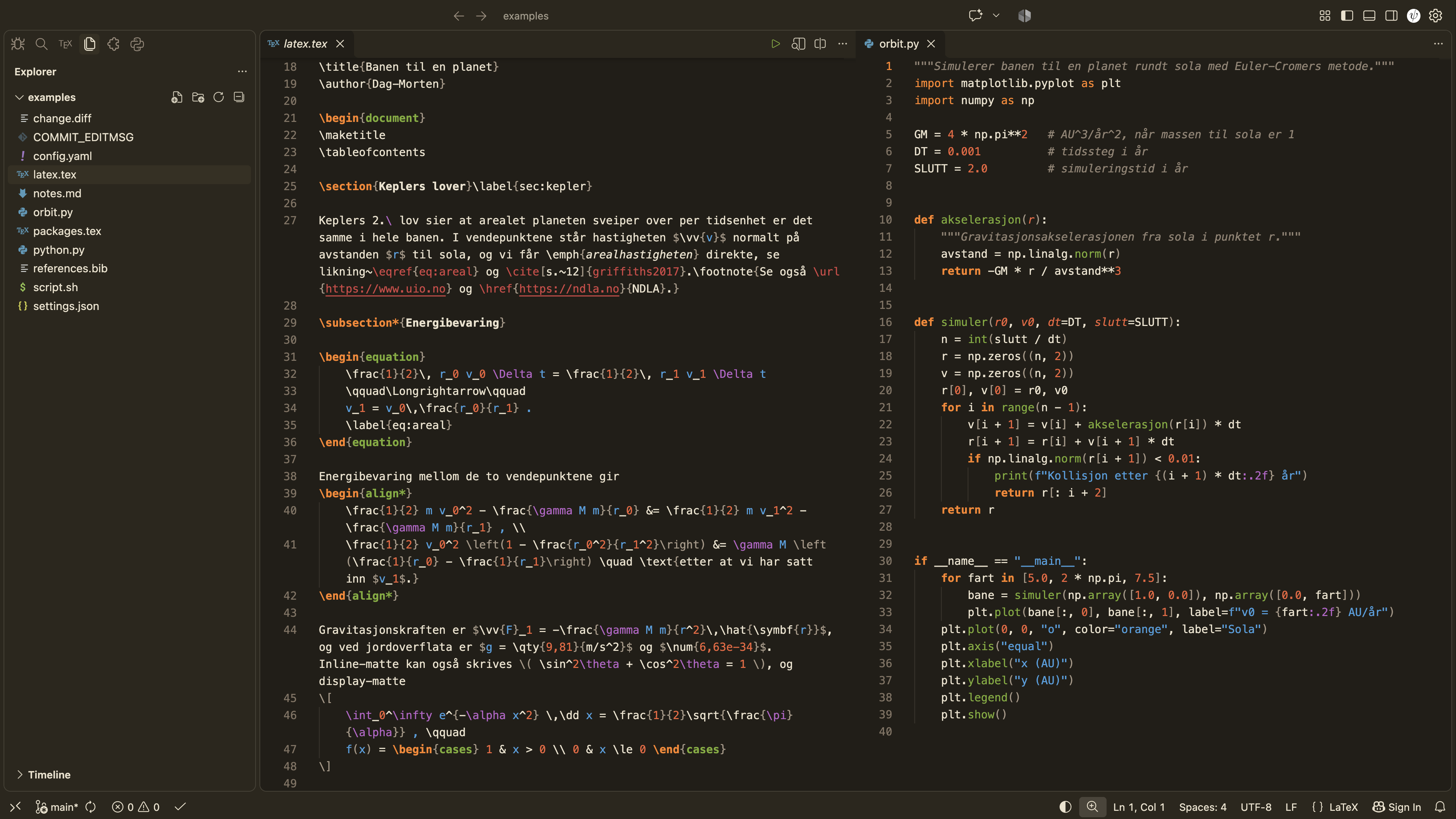
Høstkveld

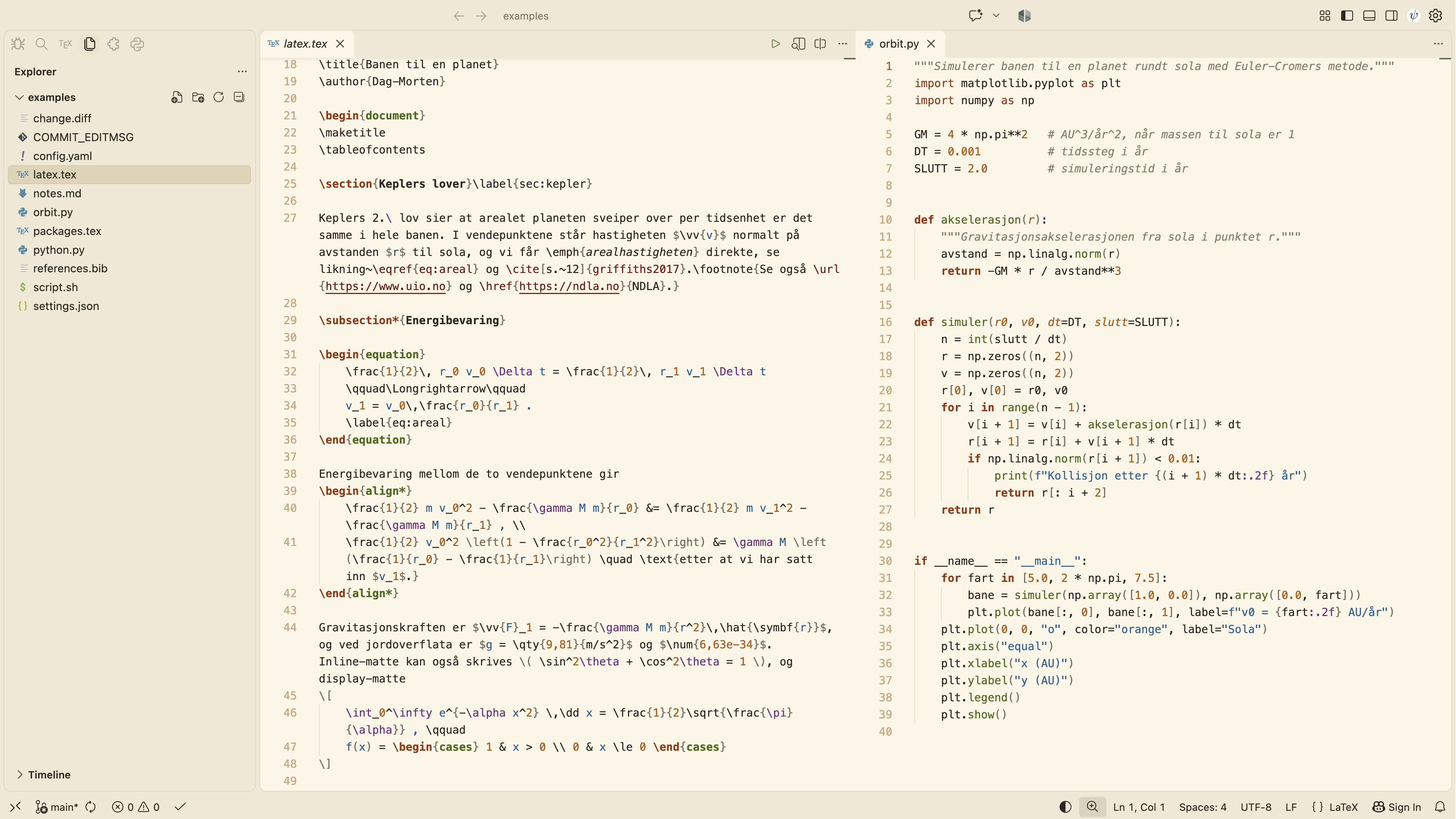
Høstlys

Six colours, one role each

Høst: Høstkveld on the left, Høstlys on the right

Each role has the same colour in every language and in both themes, with one exchange: structure gets the stronger of the two warm colours against the background, rust in Høstlys and orange in Høstkveld, and values get the other.
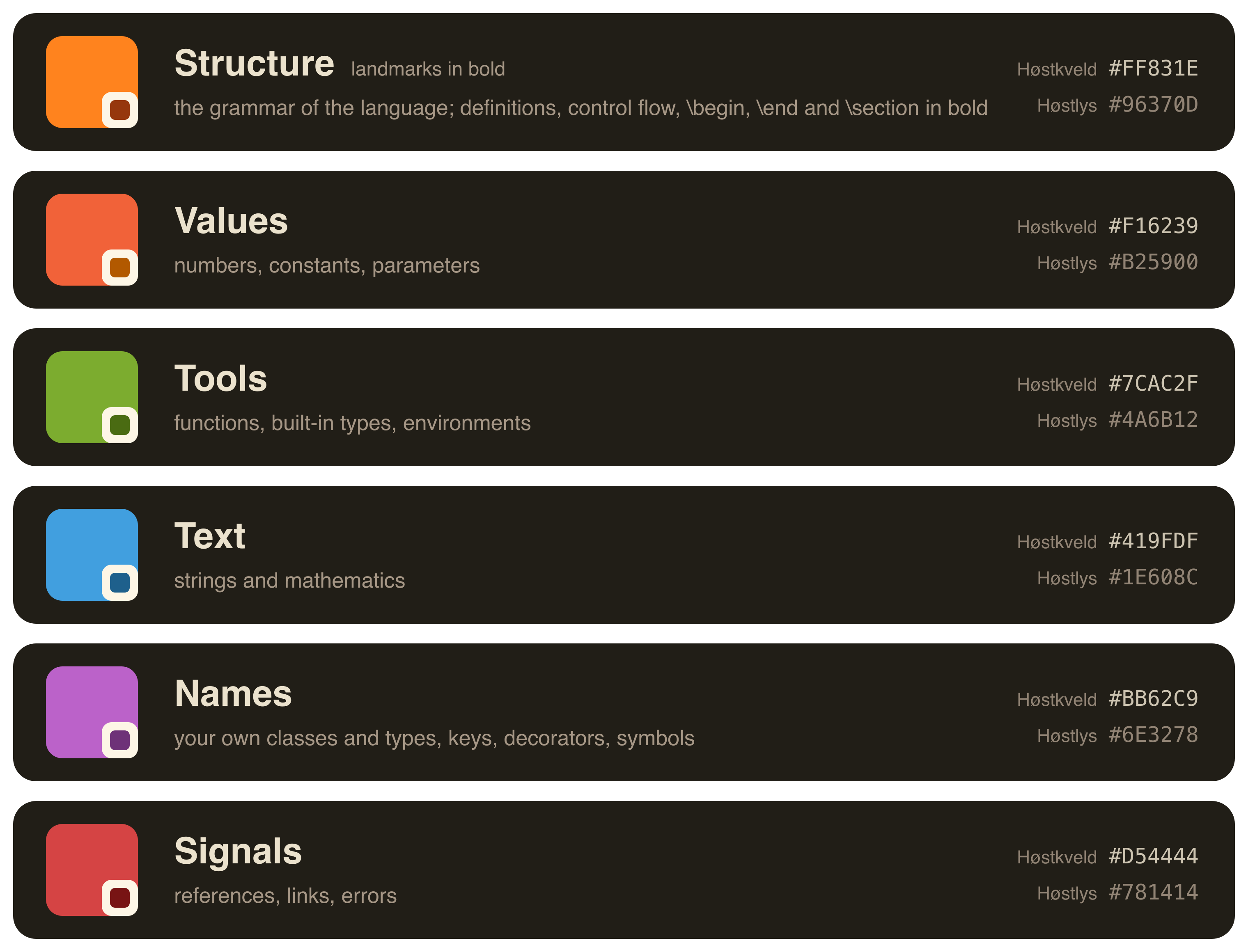
The roles of the six colours
Colour Role Examples
Rust in Høstlys, orange in Høstkveld Structure and keywords, landmarks in bold def, class, if, return in bold, import, const, \begin, \section, the preamble
Orange in Høstlys, rust in Høstkveld Values and input 3.14, True, None, parameters in italic
Green Tools that do something function names, print, built-in types such as int and str, CSS properties, equation, \draw
Blue Text and mathematics "text", everything inside $...$
Plum Classes and types, and symbols your classes and those of libraries, self in italic, @property, keys in JSON and YAML, \n, \gamma
Red Signals and references \ref, \cite, links, errors

Comments, braces and brackets are grey, and variables, operators and prose keep the text colour. Bold marks landmarks such as definitions and control flow, and italic marks placeholders such as parameters and self. Høstkveld is derived from Høstlys by a single rule in the OKLCH colour space, so the colours keep their order in both themes.

What it covers

  • The whole workbench, including diff and merge views, debugging, testing, notebooks, the command palette, settings and chat.
  • LaTeX with LaTeX Workshop, plus five small injection grammars for what LaTeX Workshop leaves as plain text or lumps together: tikz, circuitikz and tikzcd, operators and relations in maths, option keys, siunitx, mhchem and file paths.
  • Python, with semantic highlighting for Pylance.
  • The same roles in TypeScript, JavaScript, Java, C#, C, C++, Go, Rust, Kotlin, Swift, PHP, Ruby, SQL, HTML and CSS.
  • Markdown with maths, BibTeX, JSON, YAML, TOML, shell, diff, git commits and logs.

Switching between light and dark

While Høstlys or Høstkveld is active, a button at the right of the status bar switches between them. The same command is in the command palette as Høst: Switch between Høstlys and Høstkveld. If you also want VS Code's own light/dark switching, for example when it follows the system appearance, set the pair in your settings:

"workbench.preferredLightColorTheme": "Høstlys",
"workbench.preferredDarkColorTheme": "Høstkveld",

More

Matching iTerm presets, the full palette with contrast values, and the build script that generates the themes are at github.com/dagmortensj/hoest-theme.

Credits

Høst is designed by Dag-Morten Sjøstrøm and made with Claude.

  • Contact us
  • Jobs
  • Privacy
  • Manage cookies
  • Terms of use
  • Trademarks
  • Your Privacy Choices
  • Consumer Health Privacy
© 2026 Microsoft