Cyrus Missions
Loop engineering for AI coding agents — inside the editor you already use.
Cyrus Missions is an exercise in loop engineering: instead of one agent free-running until it stops, Cyrus pairs a manager AI with a doer AI inside a deliberately engineered agentic loop — planned scope in, real work out, independent review and mechanical verification on every pass, hard caps and watchdogs around the whole thing. The manager scopes the work and reviews each iteration; the doer writes the code. You watch every tool call live, swap CLIs mid-mission, and keep a git-backed history of every iteration — without leaving your editor.

Why "missions"?
A mission is everything between "here's what I want done" and "done." It has a brief, a checklist the manager built from your brief, an iteration history, a doer who made the edits, an assessor who graded each iteration, and — as of 1.3.0 — a real git branch (cyrus/<mission-id>) capturing the workspace state after every iteration. You can revert to any iteration, branch off from any iteration into a new direction, or watch the live tool-call stream of the current iteration. A mission is a unit of work with provenance.
Most coding agents are stateless chats. A mission is a traceable one.
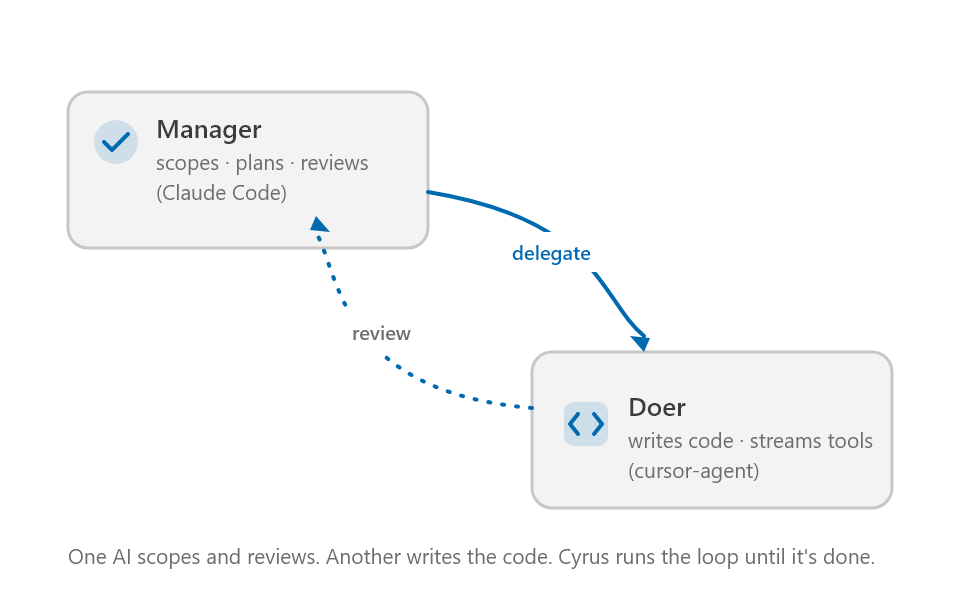
The engineered loop (a.k.a. why "loop engineering")
"Run the model in a loop" is easy; making the loop trustworthy is the actual engineering. Every Cyrus mission runs this cycle, and every part of it exists because free-running agent loops fail in a specific, observed way:
- Depth triage (D0–D3) — one cheap classification sizes the mission before any ceremony: a rename gets a near-zero-overhead loop; a multi-phase program gets staged planning with exit gates. Loops shouldn't cost the same for a typo and a rewrite.
- Plan → build → review, as separate principals — the doer never grades its own homework. The manager scopes each iteration against a checklist and reviews what actually changed.
- Mechanical verify gates — checklist items can carry a shell command; Cyrus runs it, and a failing exit code holds the item no matter what any model claims. An assessor can be sweet-talked; an exit code cannot.
- Watchdogs + caps — silence, repetition, no-progress and wall-clock signals guard every doer run; an iteration budget bounds the whole mission. A stuck loop gets arbitrated, not babysat.
- The honing loop — delivery isn't termination. Paste a punch list on a finished mission: each comment becomes a tracked item, the mission's whole verify pile re-runs as a regression suite, and only you close the round.
- Loop telemetry — every manager call logs wall time and transport to
log.jsonl; the loop's cost structure is measurable, which is how it got fast (30–100s per manager call in 1.10 → 6–18s in 1.11, deliberation intact).
Same loop everywhere: the panel drives it interactively, cyrus run drives it headless in CI or any host platform over a versioned JSONL protocol.
What you get
- Manager / doer orchestration — one CLI plans + reviews, another writes; or have one CLI play both roles. Switching is a click, not a config edit.
- Multi-adapter doer support — Claude Code, Cursor Agent, Codex, Aider, Copilot CLI, Kimi, OpenCode, Gemini, and more added regularly via the adapter registry.
- Per-prompt CLI swap — change the doer or the manager between any two iterations from the chip in the compose area.
- Mission timeline + revert + branch (new in 1.4.0) — every iteration becomes a git commit on a parallel
cyrus/<id> branch. Revert your workspace to any past iteration in one click; or fork a new mission from that point.
- Workspace-scoped missions — everything lives under
.cyrus/missions/ in your project. Plain text. Git-friendly. Diff-able.
- Post-delivery feedback rounds (the honing loop) — finished missions stay open to comments; fixes are verified against the mission's accumulated regression suite before coming back to you.
- Headless runtime —
cyrus run --goal "…" drives the same engineered loop from CI, cron, or your own platform, streaming versioned JSONL events (_docs/protocol.md).
- Zero telemetry — Cyrus is a coordinator over local CLIs; it doesn't have its own cloud component. Nothing leaves your machine that you didn't already send to your chosen CLI.
Get started in four steps
1. Install the extension
Search "Cyrus Missions" in your IDE's extensions panel and install the one published by Cyrus-build. Available on both registries:
Open a folder you want to work on, then click the Cyrus icon in the activity bar.
2. Authenticate your manager
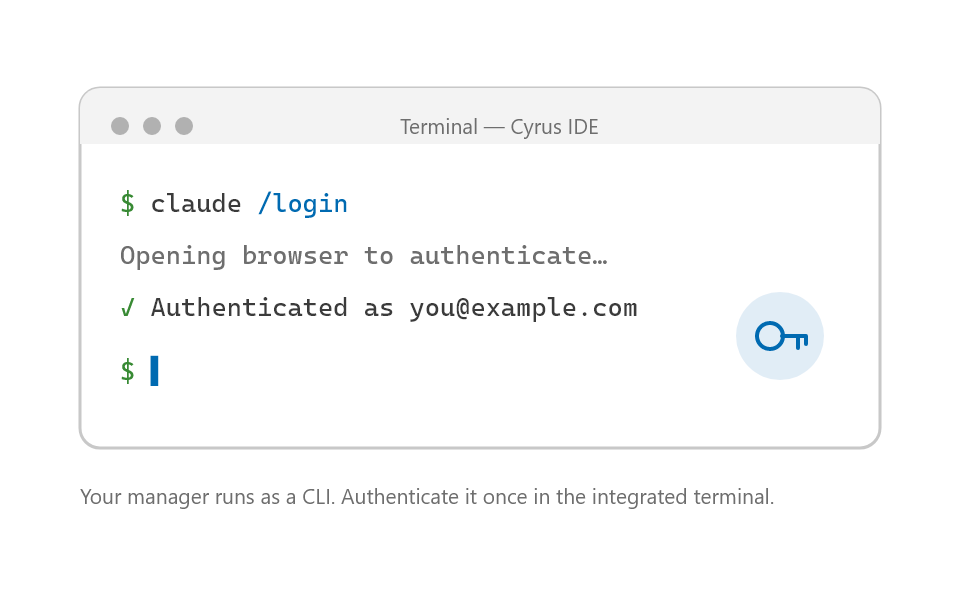
Open Cyrus: Settings (manage AI tools) from the activity-bar gear. Pick a manager — Claude Code is the canonical choice for its plan-mode quality — and follow its install + sign-in flow. The Settings page surfaces install, authenticate, and model-pick for every supported CLI without leaving the editor.
3. Install and connect a doer CLI
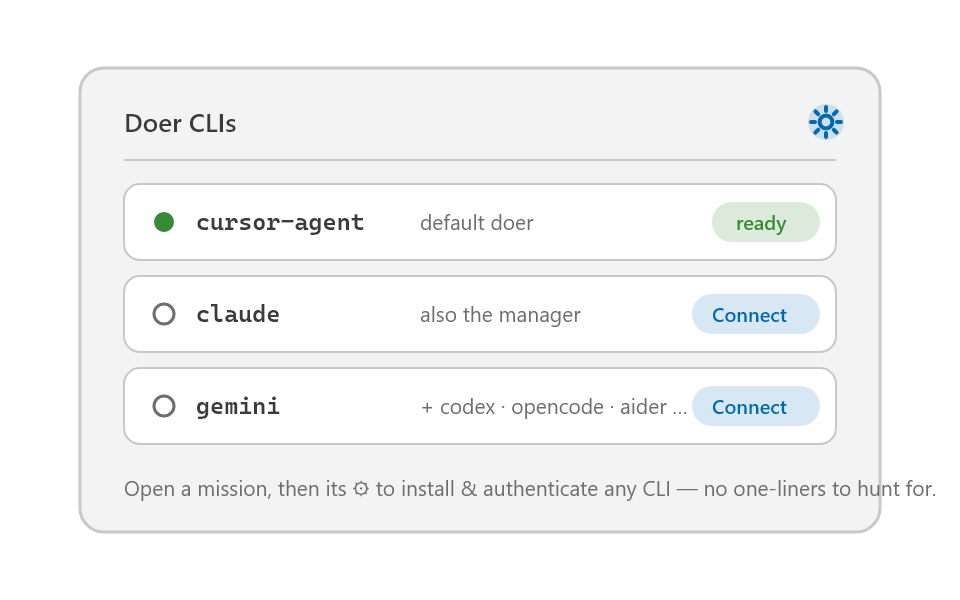
In the same Settings page, install at least one doer. Cursor Agent and Codex are great fast/cheap defaults; you can pair them with a stronger reviewer (Claude, GPT-5) as your manager. Or use one CLI for both roles — your call.
4. Run your first mission
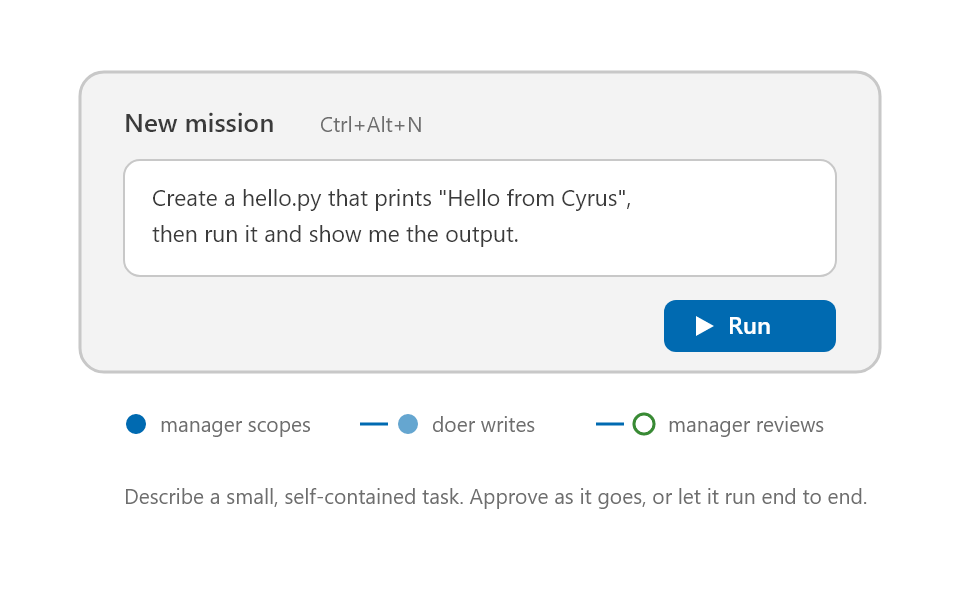
Click the Cyrus icon in the activity bar, then + Start a new mission. Type what you want done, click Send. Cyrus's manager produces a brief, builds a checklist, and dispatches the first iteration. The mission panel shows every tool call as it happens; the assessor's verdict appears as soon as it's rendered.
You can pause, swap doer or manager mid-flight, send course-correcting follow-ups, or hop into the Timeline view (Command Palette → Cyrus: Open mission timeline) to revert + branch.
Also drive Cyrus from Claude Code
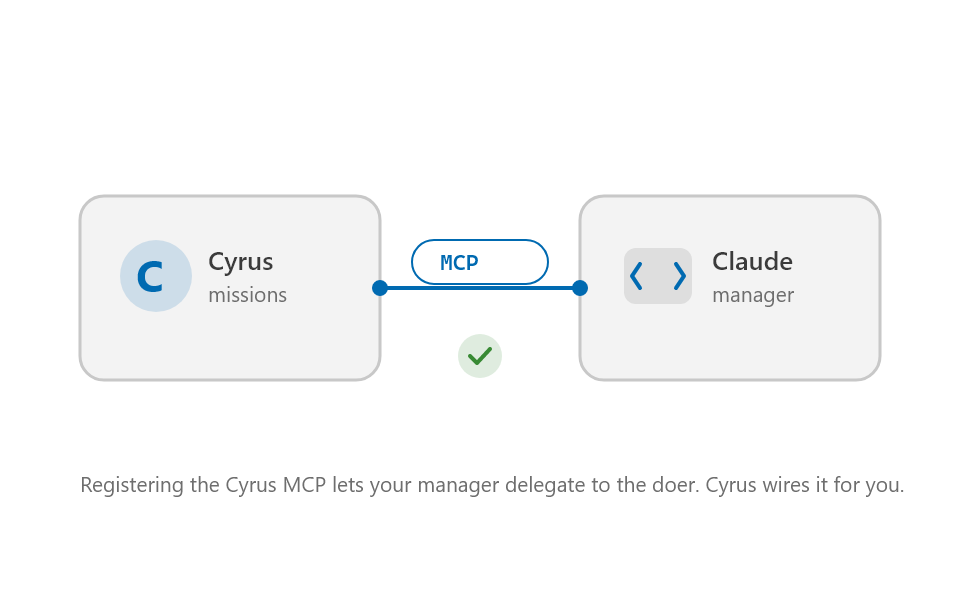
Cyrus ships an MCP server (cyrus) so you can drive missions from any MCP-compatible chat — Claude Code most naturally. Register it once and the same .cyrus/missions/ folder is shared between the extension's panel view and your chat-driven workflow.
# from your Cyrus checkout (npm install && npm run build first):
claude mcp add cyrus --scope user -- node /abs/path/to/cyrus/dist/server.js
Mission folder, on disk
Everything lives under .cyrus/missions/<mission-id>/:
brief.md — the manager's plan-mode investigation + the mission contractchecklist.json — measurable acceptance criteria, updated as iterations landNNN-task.md / NNN-result.md / NNN-review.md — the per-iteration traceledger.md — the manager's running narrative across iterationssummary.md — auto-generated on approval
The source of truth is the disk, not the panel. The panel is just a live view of what's already on disk.
Configuration
Cyrus reads .cyrus/config.json at the workspace root. Run cyrus init (CLI) or let the panel auto-scaffold one on first mission. The most-tuned knobs:
doer.cli / doer.model — who codesmanager.cli / manager.model — who plans + reviewslimits.perTaskTimeoutSec — per-iteration budget (default 600s; the watchdog's hard wall-clock backstop rides it)limits.maxIterations — absolute upper bound (default 30)manager.interventionSilenceSec — silence-watchdog trigger (default 120s)rubric — the project-specific quality bar the assessor enforces
All of these have per-prompt overrides in the panel, so you can experiment without editing files.
Privacy + data
- Nothing leaves your machine that Cyrus didn't already send to your chosen CLI. Cyrus has no cloud component.
- API keys are read from the OS keychain (VS Code's
SecretStorage), not from your shell environment. Each CLI sees only the keys it needs — no cross-pollination of secrets.
- The on-disk mission folder is yours.
.cyrus/ is gitignored by default to a sensible selective template. Logs live under it; nothing is uploaded.
Cyrus IDE — the dedicated fork
This extension runs inside VS Code, Cursor, and VSCodium. There's also a dedicated Cyrus IDE (a VS Code fork) at cyrus.build if you want the full experience — same orchestration core, plus media generation, deeper tray + workspace integration, and a curated default config.
Links
License
See LICENSE.txt (included in the extension package).
Cyrus is named for Cyrus the Great — a founder-CEO across three continents who relentlessly delegated. The icon is his silhouette.

