📦 Icons Library
Easily browse and copy icons from popular free icon packs








✨ Features
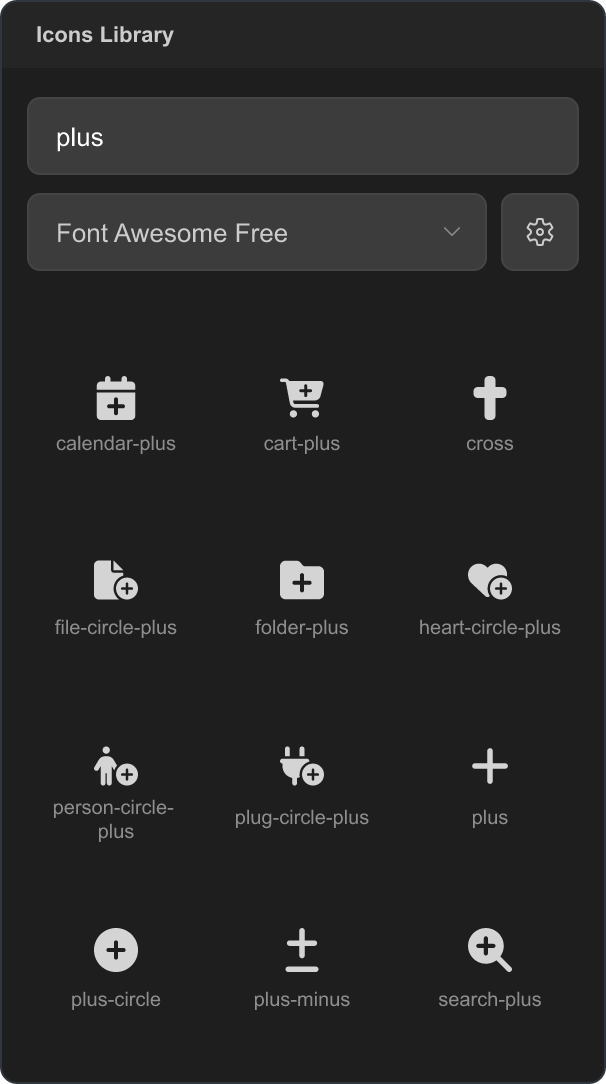
Browse Icons: View icons from multiple popular icon packs in one place.
One-Click Copy: Click an icon to copy its class name to your clipboard.
Search: Quickly filter icons by name, keywords, acronyms, or abbreviations with relevance-ranked results and typo tolerance.
Configurable: Choose which icon packs to display in the library.
Website: The same browser is also available as a standalone website.
📚 Included Packs
Note: This extension requires an active internet connection to load icon assets from CDNs.
📝 Configuration
iconsLibrary.enabledPacks: Control which icon packs are displayed.
- Default: All supported packs enabled.
- Example:
["codicons", "fontawesome", "lucide"]
💖 Support the Development
If you find this extension useful, consider buying me a coffee!

🙏 Thank you for using Icons Library!
| |

