RouterOS Syntax
Syntax highlighting for MikroTik RouterOS scripts (.rsc) in Visual Studio Code.
Install from the VS Code Marketplace »
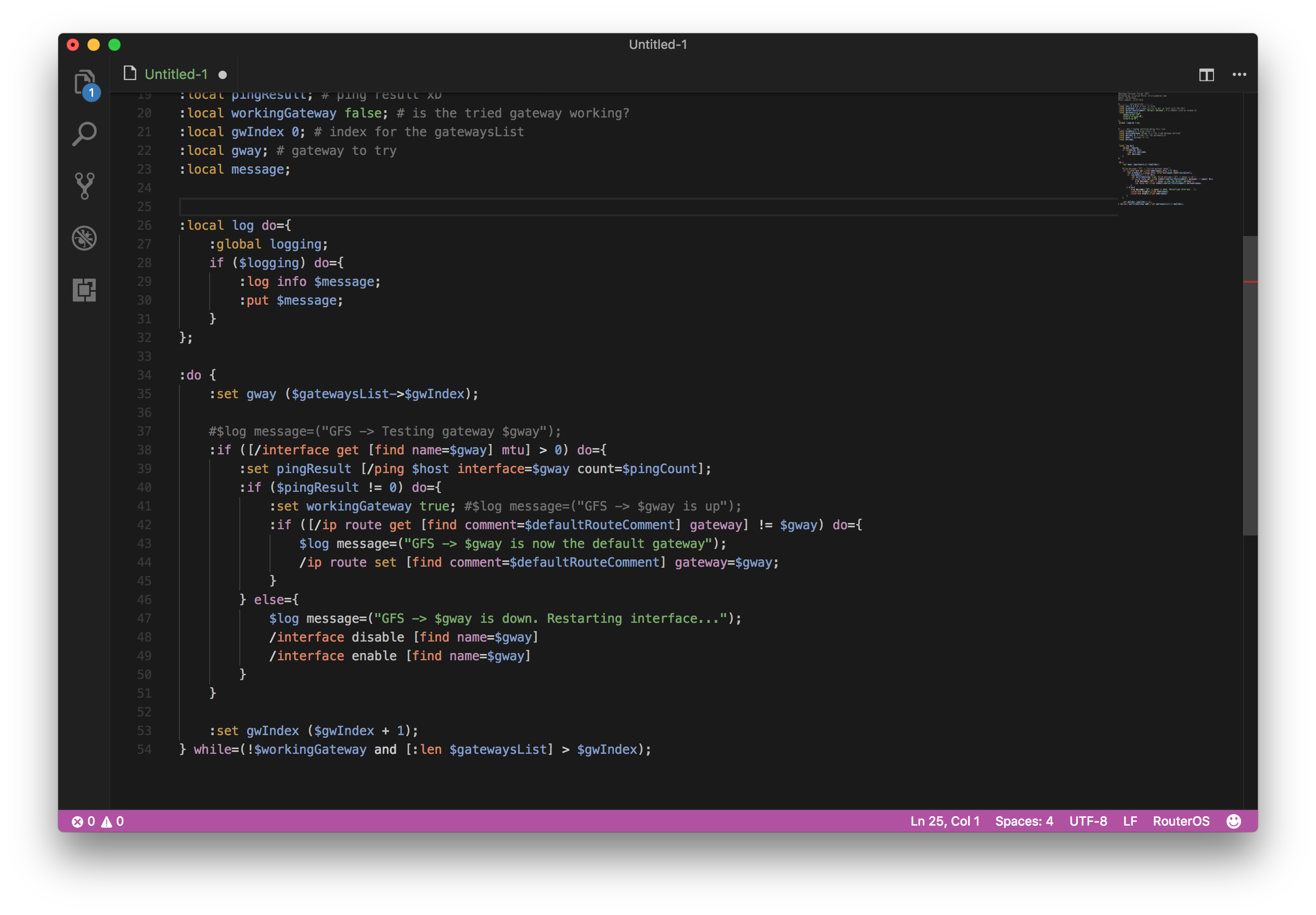
The grammar is structural: it matches the shape of RouterOS rather than a fixed
list of parameters, so it keeps up with new RouterOS versions without changes.
Development
Run locally
Open this folder in VS Code and press F5 (uses .vscode/launch.json): a new
Extension Development Host window opens with the extension loaded. Open a .rsc
file there to see the highlighting. The command Developer: Inspect Editor
Tokens and Scopes shows which grammar rule produced each token.
All highlighting lives in syntaxes/routeros.tmLanguage.json.
Scripts
npm run package            # build routeros-syntax.vsix
npm run install-extension  # install that .vsix into your local VS Code
npm run login              # authenticate vsce
npm run publish            # publish to the Marketplace (npm run publish -- minor to bump)
vsce is fetched via npx, never installed — it tracks the Marketplace.
Publishing notes
npm run login asks for an Azure DevOps PAT with the Marketplace → Manage
scope (all accessible organizations).- Bump
version in package.json and add a CHANGELOG.md entry before
publishing (or npm run publish -- minor to bump and publish in one step).
- Azure DevOps global PATs are being retired (Dec 1, 2026); for CI, Microsoft
recommends Microsoft Entra ID. Manual publish with a PAT still works until then.
The grammar was originally derived from the routeros.tmbundle TextMate bundle.

